What Is Church Software Selection?
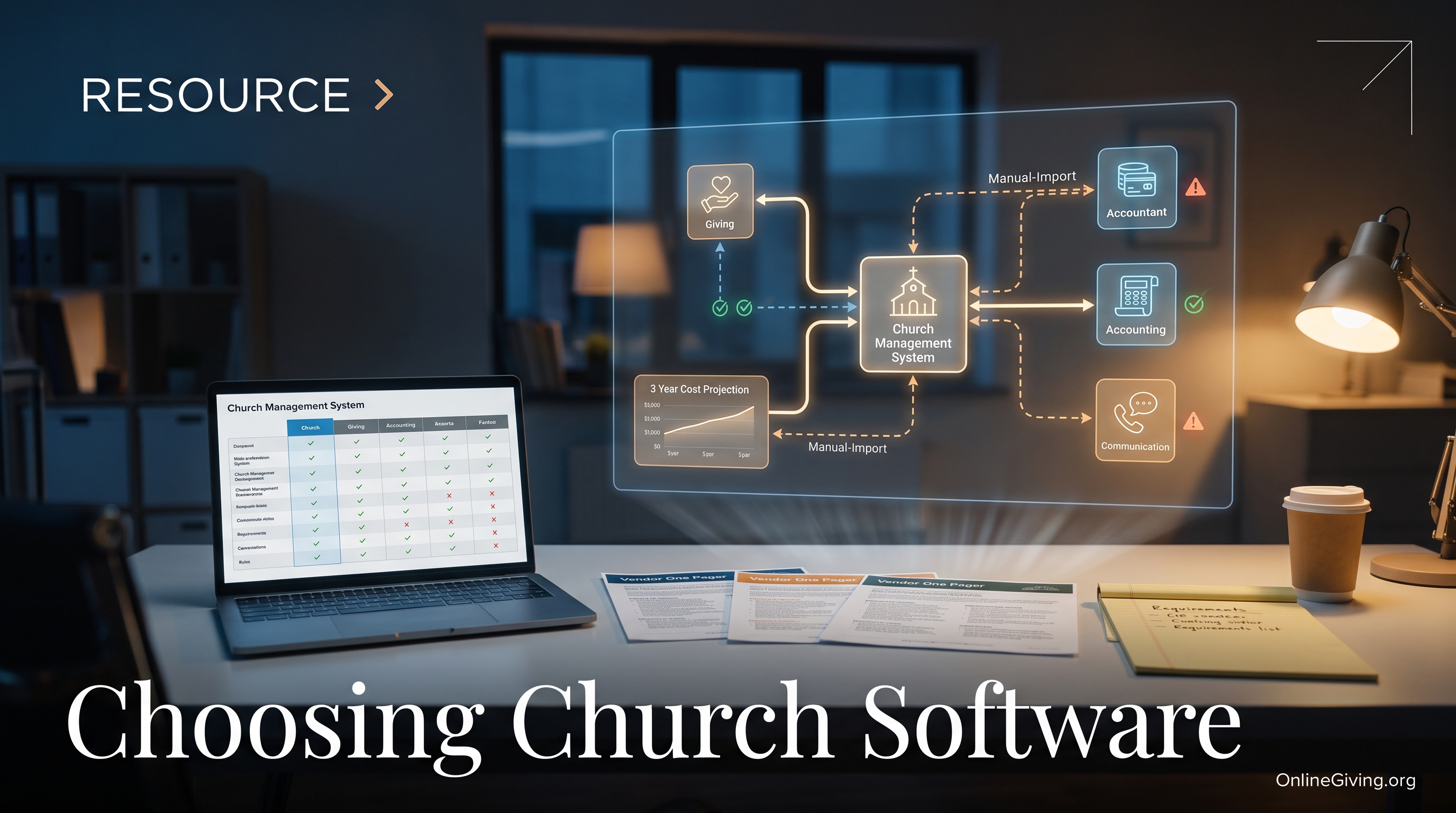
Church software selection is the process of choosing the tools your church will rely on to track people, handle money, and coordinate ministry—and arranging them so each one does what it is best at without trapping you when something has to change. Most evaluation confusion comes from comparing tools that are not actually competitors: a church management system, an accounting system, and a giving and engagement layer each answer different questions and change at different rates.
The productive first question is not “which platform is best?” That question has no answer, which is exactly why it turns an evaluation into fifty open tabs and a forum thread where every pastor swears by something different. “Which layer am I buying, and what happens to it when something else changes?” has a very good answer, and it is the question worth building your stack around. Software selection shapes how you shepherd people, steward money, and coordinate volunteers for years, so it is worth an afternoon of clear thinking before anyone watches a demo.
Jesus told disciples to count the cost before building: “For which of you, desiring to build a tower, does not first sit down and count the cost, whether he has enough to complete it?” (Luke 14:28, ESV). The cost worth counting here is not the monthly price. It is what each choice will cost you the day something has to change—and with the layers arranged well, that number lands very close to zero. This guide explains the three layers every church runs on, shows why keeping giving separate protects your donors during a migration, and gives you an evaluation framework and implementation checklist you can start this week.
Key Takeaways
Three layers, not one platform. Your ChMS tracks people, accounting tracks the general ledger, and the giving layer collects and processes gifts—comparing them against each other guarantees you end up short one of them.
Never let the fast-changing layer hold the stable one. Church management systems change fairly often; giving should not, because it is wired to your bank, your donors’ saved payment methods, and your most predictable revenue.
Keeping giving separate is migration insurance. When giving lives in its own platform, changing your ChMS does not pause recurring gifts or force donors to re-enter cards.
Evaluate integration depth before features. A live connection with a receipt you can verify beats a polished dashboard that requires weekly manual imports.
Count the cost of leaving, not just the subscription. If exit requires emailing every recurring donor to re-enroll, that is the most expensive number on the page.
No new tool without naming what it replaces. Consolidate overlapping subscriptions in the giving layer rather than adding a sixth login nobody will offboard.
Table of Contents
- Know Which Layer You Are Buying
- The Decision That Saves You the Most: Where Giving Lives
- Reduce the Stack: What One Giving Layer Replaces
- Seeing the Whole Picture Without Merging the Layers
- Evaluate Integration Depth Before Features
- Right-Sizing: What to Buy at Each Stage
- How to Evaluate Without Analysis Paralysis
- Count the Real Cost
- Common Mistakes to Avoid
- Your Implementation Checklist
Know Which Layer You Are Buying
Most confusion in church software evaluation comes from comparing tools that do not occupy the same layer. Three different things get called “church software,” and they are not competitors.
Your church management system—your ChMS—is the system of record for people. Households, attendance, groups, serving teams, pastoral notes. It answers “who is this family and how are they connected?” Planning Center, Ministry Platform, Rock RMS, Breeze, Church Community Builder and others live here.
Your accounting system is the system of record for money at the general-ledger level. For most churches that is QuickBooks. It answers “what did we receive and what did we spend?”
Your giving and engagement layer is where money and interactions are actually collected and processed: online and recurring gifts, text giving, kiosk and tap-to-give, check scanning, connection cards and registration forms, text messaging, your app, giving statements, batches and deposits. This is the layer OnlineGiving.org occupies, and it is a specialist layer on purpose.
Here is the part most churches never think through. These three layers have wildly different replacement rates. Accounting almost never changes. Church management systems change fairly often—a new executive pastor arrives, the old system stops fitting, a merger happens, pricing changes. And giving, if you set it up well, should be the most stable thing you own, because it is wired to your bank account, your donors’ saved payment methods, and every recurring gift your budget depends on.
So the design principle writes itself: never let the layer that changes often hold the layer that must not move.
The Decision That Saves You the Most: Where Giving Lives
Most church management systems will happily process your donations, and one vendor with one login sounds simpler. Keeping giving in its own specialist layer is simpler where it counts, it costs nothing to set up that way, and it is the decision most worth making deliberately the first time, because it quietly sets your options for the next decade.
There are two good reasons to keep giving in its own specialist layer.
First, money rewards specialists. Giving looks simple from the outside and is not. Card and ACH processing, PCI scope, tokenization, gateway relationships, failed-payment recovery, ACH returns, chargebacks and disputes, payout timing, cover-the-fee arithmetic, recurring schedule integrity, IRS substantiation language on year-end statements, deposit-level accounting handoff, crypto and stock gifts, fraud screening. For a ChMS vendor, giving is one module competing with check-in, groups, and scheduling for engineering attention. For a giving platform, it is the entire company. That difference shows up in the places you notice most: how quickly a failed recurring gift is recovered, whether deposits reconcile cleanly, and whether anyone answers the phone in January.
Second, and more concretely: separation is migration insurance. This is the argument almost nobody makes during an evaluation, and it is the one that pays for itself.
Changing Church Management Systems Without Pausing Giving
Assume, reasonably, that you will change your ChMS at some point in the next seven years. Here is what that day looks like when giving lives in its own platform.
You change your ChMS on a Tuesday, and giving does not pause for a second. Not one donor is emailed, not one card is re-entered, not one recurring schedule is rebuilt. Your merchant account, deposits, and statements are untouched, because nothing about them was ever tied to the system you just replaced. You disconnect one integration and connect another.
Then the part that makes it genuinely easy. OnlineGiving.org integrates directly with both the system you are leaving and, in most cases, the one you are moving to—Ministry Platform, Rock RMS, Planning Center, Fellowship One, Church Community Builder, Breeze, TouchPoint, Aplos, IconCMO and One Church Software all support live contribution sync, and ChMS Integration Options sets out what each one carries. Because every electronic gift is recorded in the giving platform before it is pushed anywhere, your giving history is already held independently of either ChMS. Connect the new system, and that contribution history can be pushed across into it—a support request with a date range, not a data-entry project.
The same mechanism covers the rare bad day. If a ChMS ever loses giving data—an import that overwrites records, a duplicate cleanup that takes contributions with it, a restore that lands short—the gifts still exist in the giving platform, and they can be re-pushed. Churches almost never ask about this during an evaluation, and they are extremely glad of it the one time they need it.
The comparison is worth seeing once, and then you can stop thinking about it. If giving lives inside your ChMS instead, changing systems means moving your money, which is a donor problem rather than a data export problem:
Every recurring donor has to re-enroll. Saved payment methods are tokens held by a specific gateway, and tokens are not portable between processors. Nobody can transfer them for you. Which means you must email your most faithful, most automated givers and ask them to go set their gift up again.
Some of them will not. Not from any lack of generosity—because the email arrived on a busy week and re-entering a card was never on their list. Every church that has done a forced re-enrollment knows this number is not zero, and recurring gifts are the most predictable line in your budget.
You need a new merchant account, new underwriting, new deposit timing, and a new set of fees to reconcile against.
Your giving history splits in half. Part of the year sits in the old system, part in the new one, and year-end statements have to be stitched together from both.
That is the migration nobody schedules willingly, and it is precisely why churches stay on systems that no longer fit them. The switching cost is not the software. It is the donors—which is the entire cost that keeping giving in its own layer removes, for free, on day one.
Ask any vendor you evaluate the same question: if we change church management systems, what happens to our recurring donors, and can you push our giving history into the new system? The answer tells you whether you are buying a tool or a lock-in.
Reduce the Stack: What One Giving Layer Replaces
Here is the distinction that matters, and it is not “one vendor good, many vendors bad.” A deliberate stack of three layers, each owning what it is best at and connected to the others, is excellent architecture. What hurts churches is something different: a pile of overlapping single-purpose tools, each holding a partial copy of the same family, none of them owned by anyone in particular.
That pile is where the real waste lives. Six vendors means six admin panels, six password policies, six security reviews, and six offboarding checklists the week a staff member leaves. Most churches complete none of the six. Meanwhile the same phone number is right in one tool and wrong in three others.
Consolidating the giving and engagement layer into one account with one permission model and one connection into your ChMS removes most of that overhead. Depending on which modules you turn on, that one layer can stand in for a surprising number of separate subscriptions:
Your donation processor and every way people give. Online and recurring gifts, text-to-give by keyword, QR codes, NFC tap-to-give, kiosk, embedded and express giving, an admin virtual terminal for gifts taken over the phone, and guest giving with no login. Card, ACH, Apple Pay, Google Pay, PayPal and Venmo. The Payment Gateway and Giving Widgets guides cover the processing and placement sides.
Separate crypto and stock donation services. Bitcoin, Ethereum and a range of other major cryptocurrencies, auto-converted to dollars so you never hold an asset, plus fee-free stock gifts that move broker to broker. These are usually two more vendors and two more logins.
Your remote check deposit service. Check scanning is built in, with deposit slips, cash and check batches, and printable batch summaries.
Your church texting platform. Subscriber lists, keywords and auto-responders, scheduled and recurring sends, MMS, conversations, opt-out compliance handled for you, and cost reporting. Volunteer coordinators can be scoped to only the lists you assign them—see Phone Lists.
Your form builder and event registration tool. Connection cards, sign-ups and registrations with conditional logic, plus a real payment element—fund designation, one-time or recurring or installments, discount codes, minimums—so a registration that collects money does not need a second system. Scope and limits are in the Form Builder guide.
Your online store. Products, collections, checkouts, shipping and sales tax, for merchandise, books, camp fees and ticketed events.
Your church mobile app. Giving, sermon media, events, groups, push notifications and forms, rather than a separate app vendor and a separate annual contract.
Your website chat and after-hours answering. The Church AI Agent answers questions from a knowledge base you control, and scripted flows collect clean information and write it straight into your ChMS.
Your year-end statement process. Branded statement templates, donor self-service download, and bulk print with envelope labels for the households that still need paper.
Your giving reports and pledge tracking. Donation, donor, fund and growth reporting, recurring-giving forecasts, at-risk donor identification, pledge campaigns with automatic progress, and reports that email themselves to leadership on a schedule—catalogued in Giving Reports.
You do not need all of it on day one, and you should not try. The point is that when a need comes up next spring, the first question is “can the layer we already own do this?” rather than “which vendor do we add?” Make one rule and hold it: no new tool without naming what it replaces.
Solomon wrote that “By wisdom a house is built, and by understanding it is established” (Proverbs 24:3, ESV). Your digital infrastructure is part of that house. Build it with fewer moving parts, each of them owned.
Seeing the Whole Picture Without Merging the Layers
There is a fair objection to separating giving from people: if gifts are processed in one system and pastoral context lives in another, who can see the whole family?
The answer is that the sync is what unifies them, not shared ownership. Because approved gifts post to your ChMS automatically—donor matched or created, correct fund, cover-the-fee split, refunds as offsetting entries—your ChMS remains the single place to ask “who is this family and how are they connected?” with giving included. You are not choosing between the two views. You are choosing which system is authoritative for which fact.
For finance and leadership reporting you have a choice, and it is worth making deliberately. Many churches enter every gift into the giving layer — cash and checks through Quick Entry or Check Scanning, non-cash gifts alongside them — and use it as the central ledger for giving and payments, with all of it still pushing into the ChMS. They do it for the reporting: when everything lives in one place, the donation reports, the executive and AI summaries, the Giving Dashboard, and the AI Chat that answers questions about your own data all see the complete picture rather than a slice of it. Asking what came in last month and getting a whole answer is a materially better experience than getting a partial one.
If you would rather keep cash and checks in your ChMS, that works too, and the Metrics add-on reads from the ChMS itself and syncs five years of history on first connection so a board still gets a complete view. It is a paid add-on and works with Planning Center, Church Community Builder, Rock RMS and Ministry Platform, so confirm your system is on that list before promising anyone the view. Either route gets you there; the first one gets you there without a second product.
Evaluate Integration Depth Before Features
Answer this one before you look at a single feature and the rest of the evaluation gets much simpler. A live connection is what turns a tool into part of your operation, and it is the thing interface polish cannot substitute for.
The first question is simply whether a live connection exists at all. Some church management systems accept contributions automatically as gifts are approved, which is the answer you want and the one that ends the conversation. Others offer no live connection, so someone exports a file and imports it by hand—every week, indefinitely, with no donor matching on the way out and no confirmation it landed on the right records. Ask your ChMS vendor directly which of those you have, and get the answer in writing.
If the answer is manual, do the labor math honestly. Call a weekly export-check-import-fix cycle forty-five minutes including the records that fail to match. That is roughly thirty-nine hours a year—about a full staff week, annually, spent moving data that was already correct somewhere else.
Use that as information, not as a reason to panic. It is not by itself a reason to replace a ChMS your ministry is happy with—migrating is disruptive enough that the import labor usually loses that comparison. Where it genuinely should decide something is when you are choosing a ChMS for the first time, replacing one for other reasons already, or weighing two finalists that look equivalent on features. Then it belongs on the scorecard with a number attached.
Ask How the Integration Reports on Itself
This is the evaluation question almost nobody asks, and it separates integrations that are reliable from ones that merely demo well.
A strong integration keeps a receipt. It records what it sent, what the receiving system did with it, and what is still outstanding—so “did Sunday land?” is a screen you look at rather than a thing you hope. An integration with no receipt behaves the same whether it is working perfectly or quietly dropping a Sunday, which is the difference you want to establish before you sign rather than in January.
So ask three things of any vendor. Does it record the ID the receiving system assigned to each contribution? That is what makes verification possible at all—with it, a missing ID is itself the alarm. Can I see a list of anything that did not land? A filter or a report, not a support ticket. Can I re-send with one click? If recovery means calling support every time your ChMS has a slow night, nobody will bother.
It is worth knowing what a strong answer sounds like, because it has two halves. A recoverable failure—a timeout, an expired token, a ChMS that is busy on a Sunday night—should be retried automatically on an increasing delay, without anyone being told, because most of those clear on their own. What should not be retried indefinitely is a gift the ChMS deliberately rejected on its own rules, since re-sending that either duplicates the contribution or loops forever while hiding a configuration problem you need to fix. So ask whether a vendor does both: retries the recoverable failures on its own, and surfaces the rest as a list you can correct and re-submit yourself.
On OnlineGiving.org the recoverable failures retry automatically up to a per-integration limit—ten attempts on Ministry Platform—so most Sunday-night hiccups clear with nobody involved. What reaches the pending list is the other category: gifts the ChMS deliberately rejected, which are not retried because re-sending would duplicate a contribution or loop while hiding a real configuration problem. Everything on that list needs a correction rather than another attempt, and the whole list re-submits with one button. On Ministry Platform, Rock RMS, Fellowship One and Church Community Builder an overnight check raises a flag independently, which often gets our support team in touch before the church has noticed, usually about expired credentials. The per-system detail lives in each integration’s own guide—Ministry Platform, Rock RMS, Planning Center, Church Community Builder and Breeze—so the question to carry into an evaluation is simply whether a vendor does both halves.
Fund Mapping: One Minute at Setup
Sync depends on one piece of setup discipline, and it is the cheapest discipline in this whole guide. Every fund in your giving platform carries the matching identifier for the systems it feeds—the external fund ID for your ChMS, the income account for accounting, the class if you use classes. Fifteen minutes per fund at setup, and because a gift snapshots that mapping the moment it is made, the mapping does not drift afterward. There is nothing to re-check on a schedule.
So the whole practice is a gate rather than a chore: a new fund is not finished until it is mapped. Hold that one rule and the category closes. It is worth holding because unmapped funds are the single most common cause of misallocated deposits and broken sync, and because every gift permanently records the mapping in force when it was made — deliberately, so historical giving stays auditable — which means a correction applies going forward rather than rewriting April. When you evaluate, ask how fund mapping works and who on your team will own it.
Accounting: Know What a Deposit Integration Is
Set this expectation correctly in the evaluation meeting and you will save your treasurer a surprise in month two.
A giving platform’s accounting integration is normally deposit-level, and that is the right design: when a batch closes, one deposit posts with a line per fund using each fund’s mapped income account. The mechanics—how cover-the-fee and refunds appear, what happens to a closed period, and the difference between connecting QuickBooks Online and handing QuickBooks Desktop an IIF file—are documented in the QuickBooks guide.
What that means in practice: your general ledger receives the deposit that ties cleanly to your bank statement, and donor-level detail stays in the giving platform and your ChMS, which is where donor detail belongs. A treasurer who expects to open QuickBooks and browse individual donors by name is expecting a different product than any well-designed church accounting integration. Say it out loud during evaluation so nobody discovers it later.
Right-Sizing: What to Buy at Each Stage
Right-sizing is mostly about buying the next thing at the right moment. Match the stage you are in and your staff spend their time shepherding people rather than administering tools they did not need yet.
Under 75 people. A giving platform that handles online and recurring gifts, a spreadsheet for your people, and a form tool for sign-ups. That is genuinely enough, and starting giving properly now is the cheapest thing you will ever do, because it never has to be redone. Do not buy a ChMS you will not populate—an empty ChMS is worse than a spreadsheet, since it looks like a system of record and is not one. Wait until your spreadsheet produces duplicate records weekly.
75 to 200 people. Add a real ChMS as your system of record for people and connect your giving layer to it. Retire standalone tools as connected modules prove themselves. Your goal is one household record per family, with gifts arriving on it without anyone touching them.
200 to 500 people. Full adoption across giving, check-in, scheduling, communications and forms. Role-based permissions actually assigned rather than everyone holding full admin—a communications hire should be able to run texting and forms without access to donor records. Reporting leadership trusts for board meetings. If parallel spreadsheets still exist, your migration is not finished.
500 and up. Enterprise reporting, defined admin roles, and real discipline about point solutions. Every new login is a future migration cost and another offboarding checklist.
How to Evaluate Without Analysis Paralysis
Step 1: Assemble four to six people, not fourteen. The executive sponsor, whoever runs daily operations, one ministry leader who will live in the system, and someone who understands data and security—often a skilled volunteer rather than an IT hire. Set a six-week timeline and a budget ceiling before anyone watches a demo.
Step 2: Ask the layer and portability questions first. Which layer does this occupy? What happens to our recurring donors if we change one of the other layers? Can our giving history move with us? Get those answered before anyone shows you a dashboard, because they determine your options for years and no feature list compensates for getting them wrong.
Step 3: Separate must-haves from nice-to-haves before vendors call. Must-haves make go-live impossible if missing: ACH giving with fund designation, recurring gifts, whatever your accounting workflow genuinely requires. Everything else goes in a different column so it cannot quietly become decisive during a good demo. Weight must-haves heavily enough that one failure disqualifies a finalist regardless of how the rest scored.
Step 4: Ask the questions demos skip. What exactly posts to my ChMS, and what does not? What happens when a sync fails—does anything retry, and can I see and fix the ones that did not land? On security, ask whether two-factor authentication is enforced on every admin login rather than merely available, because optional 2FA is 2FA nobody turns on. Ask whether you can give a volunteer access to texting and forms without exposing donor records. Then ask for a reference from a church your size. Get it in writing; verbal promises do not survive staff transitions.
Step 5: Run a structured trial, not a vendor-controlled tour. Two weeks of sandbox access with real tasks assigned: process a test gift and generate a statement from it, run one Sunday’s actual workflow, and have a non-technical ministry leader complete their three most common tasks with nobody helping. Score accuracy and friction, not aesthetics. If three people ask the same question during the trial, that confusion multiplies across your whole staff after go-live.
Step 6: Set a decision date and hold it. Two finalists, one deadline, one written recommendation with a three-year cost comparison and a migration timeline. Analysis paralysis is a decision too—it just gets made by default, and it always chooses the status quo.
Count the Real Cost
Sticker price is the smallest line item. Total the three-year cost: subscription fees, per-transaction giving fees, implementation, data migration, training hours, staff time during transition, and the weekly import labor if a finalist has no live connection. Then add the line almost every comparison omits—what it would cost to leave. If the answer includes “email every recurring donor and ask them to re-enter a card,” that is the most expensive number on the page, and it belongs in the decision while you still have a choice.
If you are migrating, sketch it before you sign:
Data audit—clean duplicates and standardize naming before export, so you do not carry three years of mess into a new system
Parallel operation—run old and new together for one full giving cycle and compare totals daily
Cutover—one switch date, announced clearly to staff and congregation
Validation—reconcile giving totals and spot-check records for thirty days post-launch
Decommission—export the final archive, cancel the old contracts, revoke every credential
Assign one migration owner, even part-time. Without a single owner, migration becomes everyone’s background task and nobody’s priority.
Common Mistakes to Avoid
Letting the system that changes most often hold the thing that must not move. Giving is wired to your bank, your donors’ saved payment methods, and your most predictable revenue. Attaching it to whichever platform you happen to be using for people this decade is how churches end up trapped.
Comparing tools from different layers. A giving platform and a ChMS are not competitors. Evaluating them against each other guarantees you end up short one of them.
Buying for the church you want instead of the church you have. Enterprise features for a 90-person congregation create complexity nobody maintains.
Letting one enthusiastic staff member choose alone. The worship leader picks scheduling software, finance discovers it cannot export what they need, and six months later you own two systems.
Adding tools instead of replacing them. The church with six logins did not fail by choosing badly once. It failed by never asking what each new tool replaced.
Renewing an unhappy contract because switching feels hard. Three more years on the wrong platform is how duplicate records multiply into a four-month migration. If switching feels impossible, that is worth understanding as a fact about your architecture, not just your calendar.
Software should serve your mission rather than the other way around. Count the cost—including the cost of leaving, which is the one nobody puts in the spreadsheet. Build in layers, let each layer be excellent at one thing, keep your giving where it is safe from everything else you might change, and you will spend the next decade making cheap decisions instead of expensive ones.
Your Implementation Checklist
Most of this is work you do before a vendor ever calls you, which is the opposite of how software selection usually goes. Nothing here commits you to buying anything—the first two weeks are worth doing even if you conclude you should stay exactly where you are. For where a software decision sits relative to your other operational priorities, see The Complete Guide to Church Operations.
This week
Write down the three things that actually broke in the last thirty days. Not “our system is clunky.” Specific enough that a vendor could fail the test: “We cannot get recurring gifts onto household statements without a manual export every month.” Ask your finance person and one ministry leader for theirs too. This list becomes your scorecard, and it is the difference between buying features and solving problems.
Draw your three layers on one page and put every tool you own into one of them. People, accounting, giving and engagement. Fifteen minutes. The overlaps and the gaps both become obvious the moment the layers are labeled—and you will usually find at least two tools doing the same job in the same layer.
Answer one question in writing: if we changed church management systems next year, what would happen to our recurring donors? If the answer is that they would have to re-enter their payment information, you have found your single largest hidden risk, and it is worth raising with leadership before it is urgent. If the answer is “nothing, giving is separate,” write that down as the asset it is.
This month
Inventory every subscription, including the ones on personal email addresses. Ninety minutes with your bank and card statements open, because that is where the forgotten tools are. For each one record annual cost, who administers it, whether anyone has logged in within sixty days, and which layer it belongs to. Total it. Cancel anything with no logins in ninety days.
Decide honestly whether you have a software problem or a process problem. Take your three failures and ask, for each, whether a different tool would have prevented it or whether the real cause was training, an unowned task, or a step nobody wrote down. A new platform will not fix a leadership problem, and migration is expensive enough that this is the highest-value fifteen minutes on this list.
Find out whether your ChMS supports live contribution sync or manual import only, and get it in writing. If it is manual, find out who does that import, how long it takes including the records that fail to match, and multiply by fifty-two. That number belongs in your budget conversation whether or not you change a thing.
Write your walk-away list and give it to the whole committee. Five disqualifiers worth adopting as-is: no reference from a church your size, export requires paid professional services, the sandbox will not accept your real data, your non-technical ministry leader cannot finish a basic task alone, or nobody will answer plainly what does and does not sync. Agreeing on these while nobody is emotionally invested is the entire point.
This quarter
Ask the portability questions before you let anyone show you a dashboard. For every finalist, in writing: what happens to our recurring donors if we change another layer, can our giving history be pushed into a new church management system, and who holds the payment relationship. Then the sync questions—what posts, what does not, what happens when it fails, and can we see and re-submit what did not land ourselves.
Run a two-week sandbox trial on real tasks, not a vendor-led tour. Assign four jobs: process a test gift and generate a statement from it, reproduce one Sunday’s actual workflow, set up one fund end to end including its accounting and ChMS mapping, and have a non-technical ministry leader complete their three most common tasks with nobody helping. Score accuracy and friction rather than aesthetics.
Ask the access and exit questions while you still have leverage. Who owns the data, what exports exist, and how long after cancellation can you retrieve them. On security, ask whether two-factor authentication is enforced on every admin login rather than optional. Ask whether a communications volunteer can be given texting and forms without donor records. Get a reference from a church your size. All in writing, because verbal promises do not survive staff transitions. Church Data Security covers what to do with the answers.
Total the three-year cost including the cost of leaving, set a decision date, and hold it. Subscriptions, per-transaction fees, implementation, migration, training, staff time during transition, ongoing import labor, and what an exit would require of your donors. Two finalists, one deadline, one written recommendation to leadership with a migration timeline attached.
Keep it alive
Make fund mapping part of creating a fund, not a recurring audit. Every fund receiving designated gifts needs the correct income account for accounting and the correct external identifier for your ChMS. Set at creation, it does not drift, so there is nothing to re-check on a schedule—the gate is what matters, because every gift permanently records the mapping in force when it was made so historical records stay auditable, and a correction therefore applies going forward. Document the mapping table itself using Church Technology Documentation.
Re-run the subscription inventory every January and refuse to add a tool without naming what it replaces. Total the annual spend, confirm no account is registered to a personal email, and check that every tool still has a named owner. Every additional vendor is another security review, another admin panel, and another offboarding checklist nobody will run.
Find the pending-sync list once, then let the automation do the watching. Recoverable failures retry on their own up to a per-integration limit, and overnight monitoring raises a flag independently—which is often how a church first hears about expired credentials. So this is a five-minute orientation rather than a standing chore: locate the filter, note the path in your runbook, and know that everything on it re-submits with one button whenever you are pointed at it.
Commit fully for ninety days after any go-live before second-guessing it. Every migration feels like a mistake in week three. Write the ninety-day date on the calendar at launch and agree not to reopen the decision before it. What you do during those ninety days is finish the migration—if parallel spreadsheets still exist at day ninety, the platform is not the problem.