Feature Updates 01/13/2022
*New* OnlineGiving.org Mobile App Sermon Media Now Supports Vimeo Distribution Download & Playback Links
We're pleased to report an update is now live that enhances the OnlineGiving.org mobile application sermon media manager to support the new Vimeo distribution download and playback MP4 URLs. Churches using Vimeo with the OnlineGiving.org mobile app with the sermon media manager located in the OnlineGiving.org control panel are now recommended to use the new Vimeo distribution inputs when creating a new sermon. To take advantage of the latest video fields, select "Vimeo" from the "Video Provider" dropdown menu and then paste in your MP4 Vimeo distribution playback and download links. Please see below for an annotated example.
Example of New Vimeo Distribution MP4 Inputs:
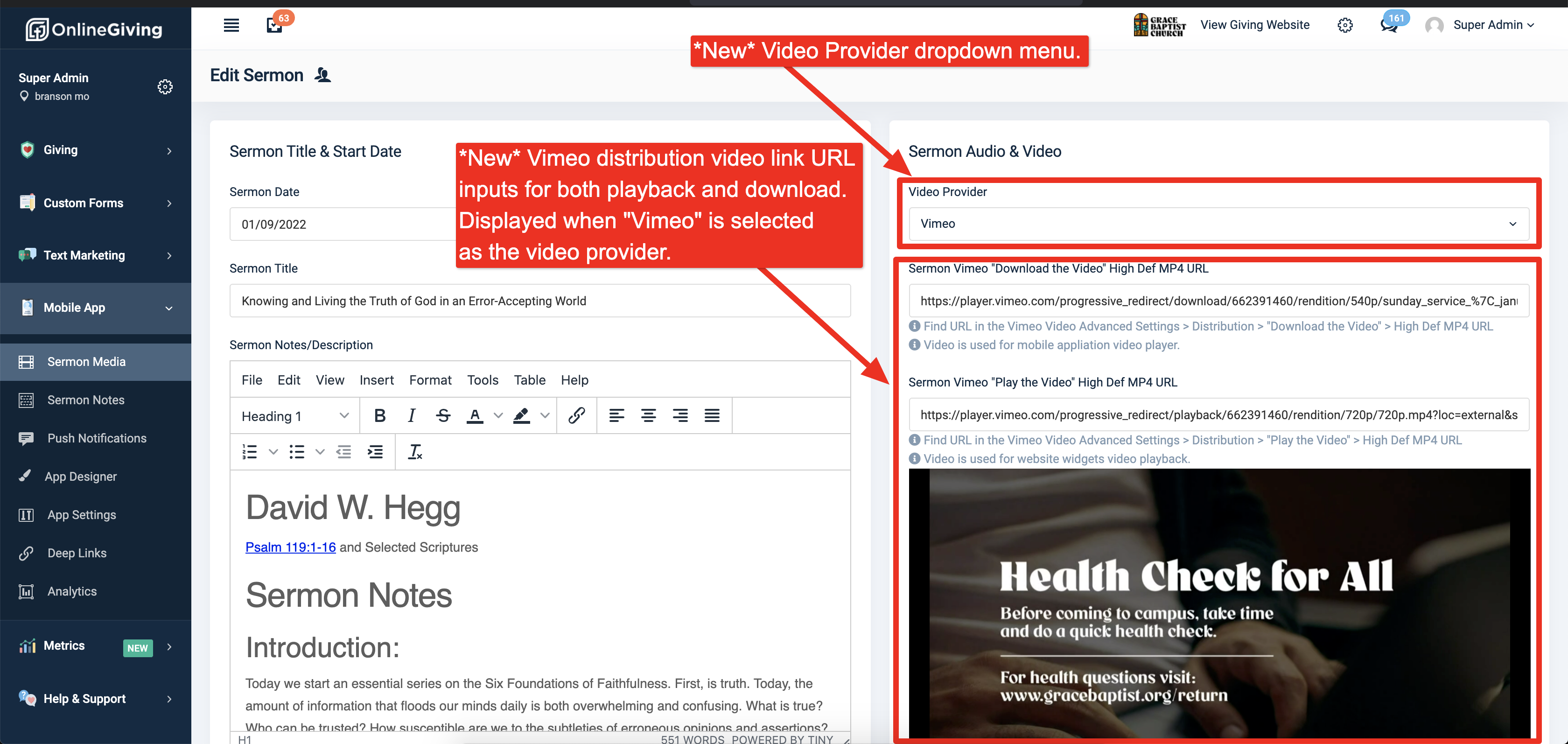
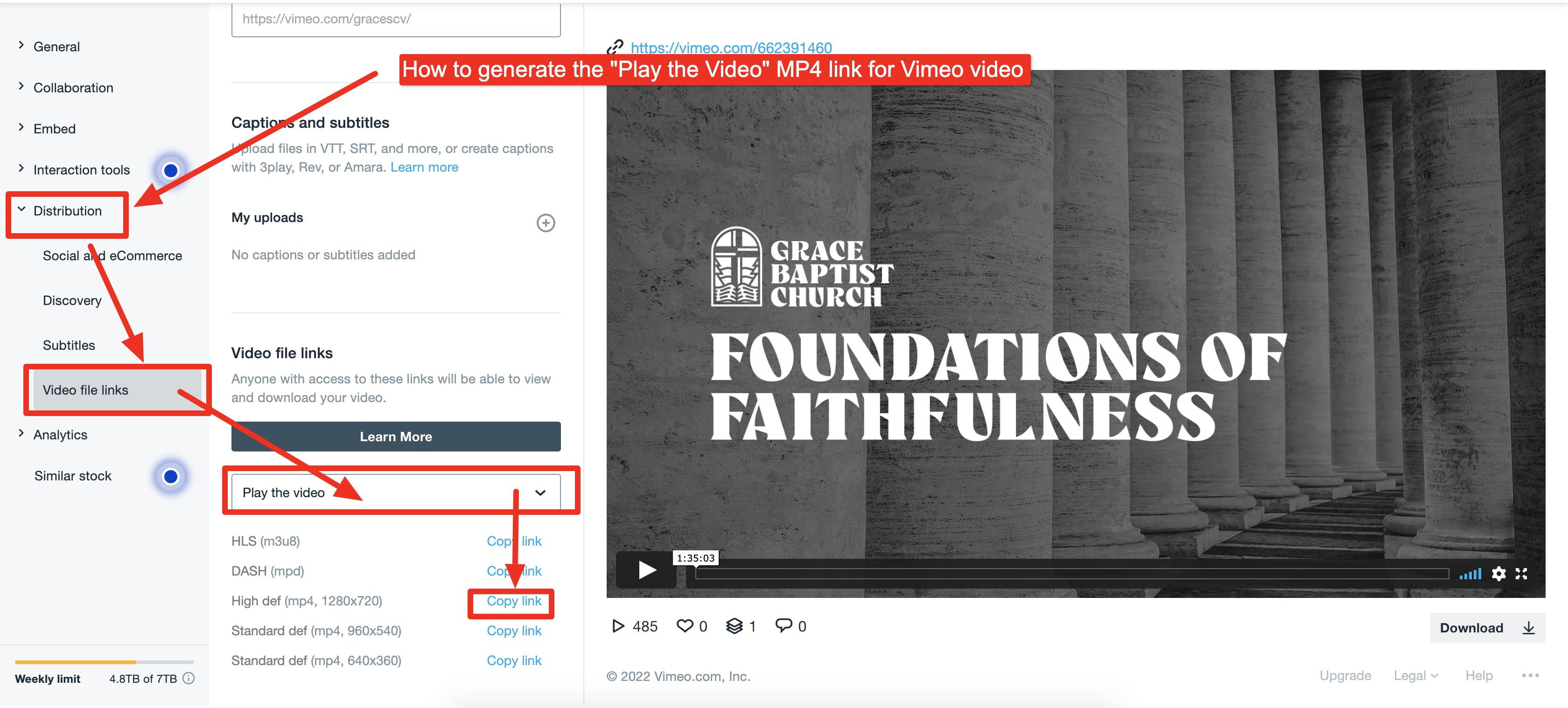
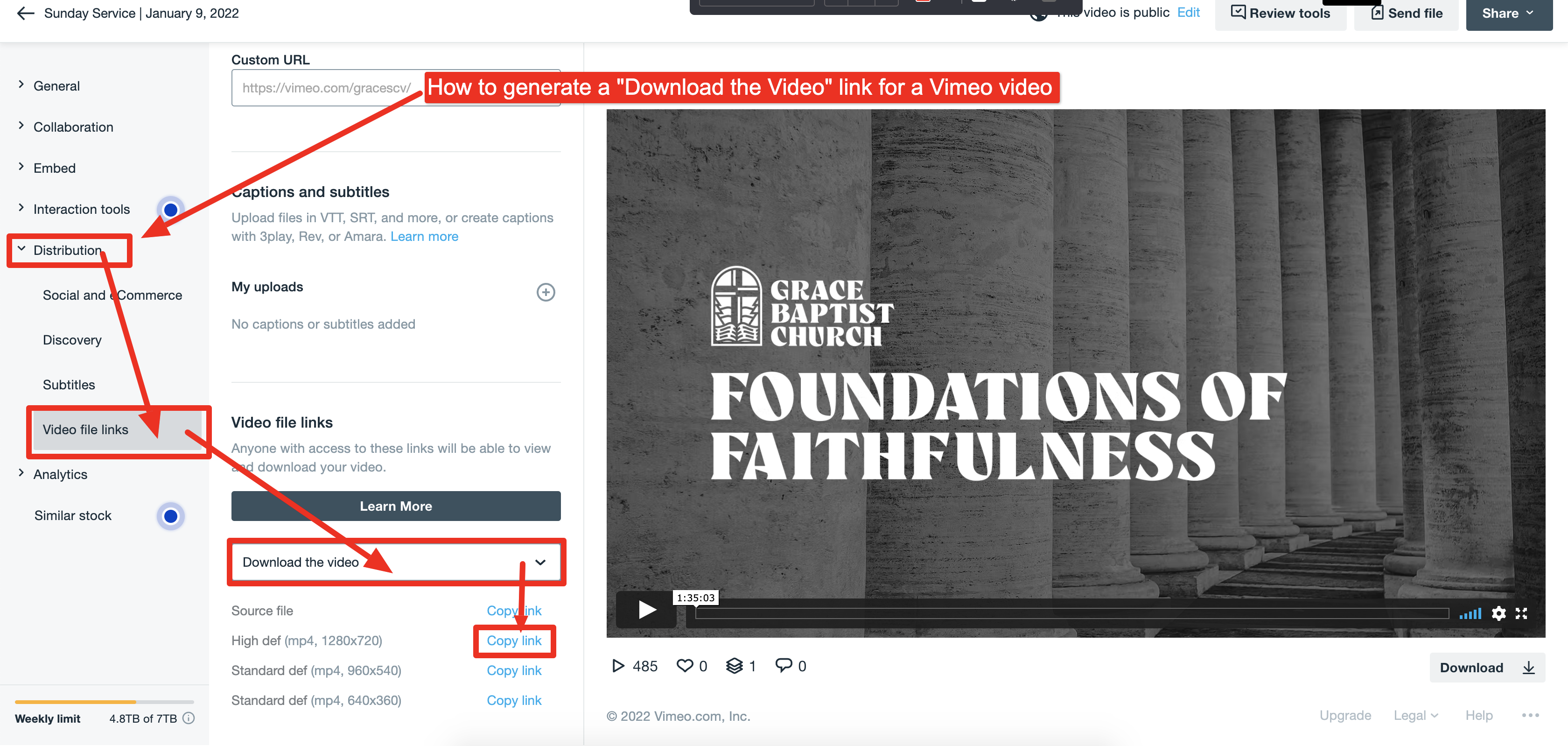
Churches can generate the Vimeo distribution playback and download MP4 links for a video under the Vimeo video advanced settings > distribution section. The video distribution links are a newer feature of Vimeo and allow MP4 links to be generated specifically for Playback in custom players such as the OnlineGiving.org sermon website widget and mobile app. Kindly note both the Vimeo "Play the Video" (aka Playback) and the Vimeo "Download the Video" links are required. The OnlineGiving.org sermon website widget uses the "playback" MP4 and the mobile app uses the "Download" MP4 source. Should you have any questions, please feel free to reach out to support@onlinegiving.org for assistance.
How to Generate the Vimeo "Download the Video" and "Play the Video" Distribution Links in Vimeo:
Generate the "Download the Video" Distribution MP4
Generate the "Play the Video" Distribution MP4