Feature Updates 01/16/2023
OnlineGiving.org Control Panel > Users/Donors > New Password > Password Strength Checker Enhanced with Estimated Crack Time
We're pleased to announce an update is now live to the OnlineGiving.org Control Panel > Users/Donors > New Password feature has been enhanced with the latest password-checking technology. Not all strong passwords are created equal. In today's age of the dark web, it's important that church administrators have actual real knowledge of just how strong a password is in terms of how long an attacker would take to crack the password.
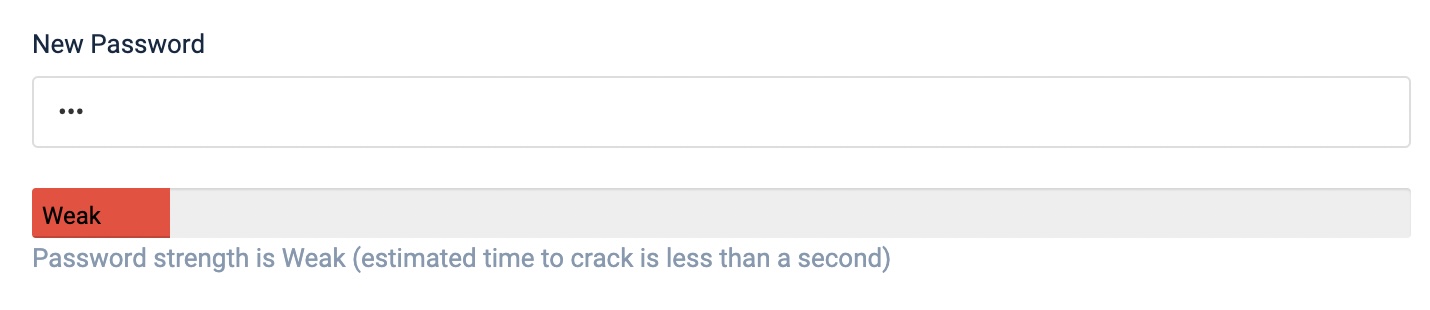
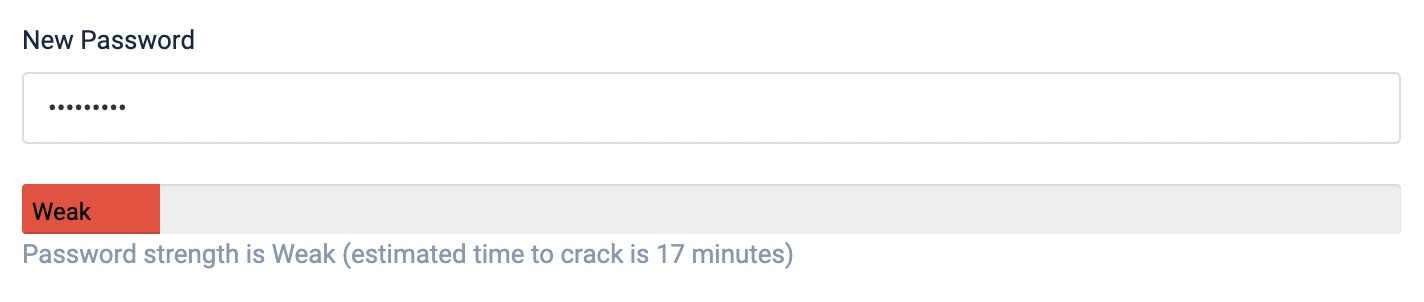
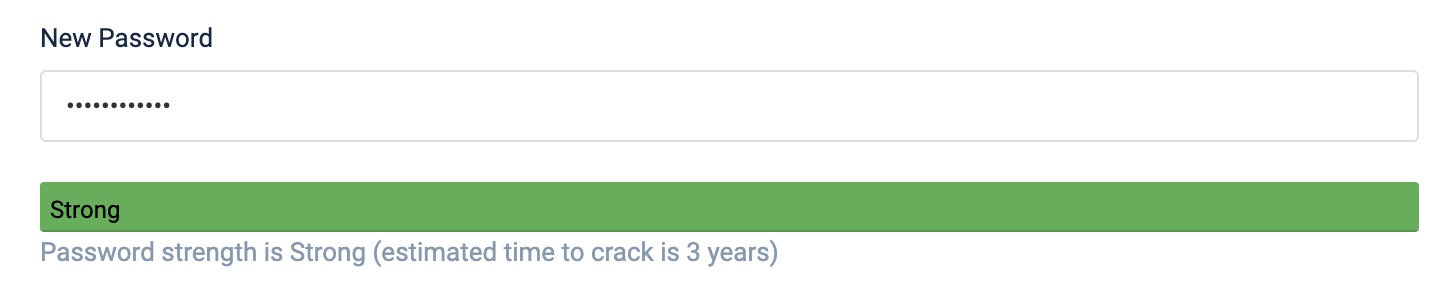
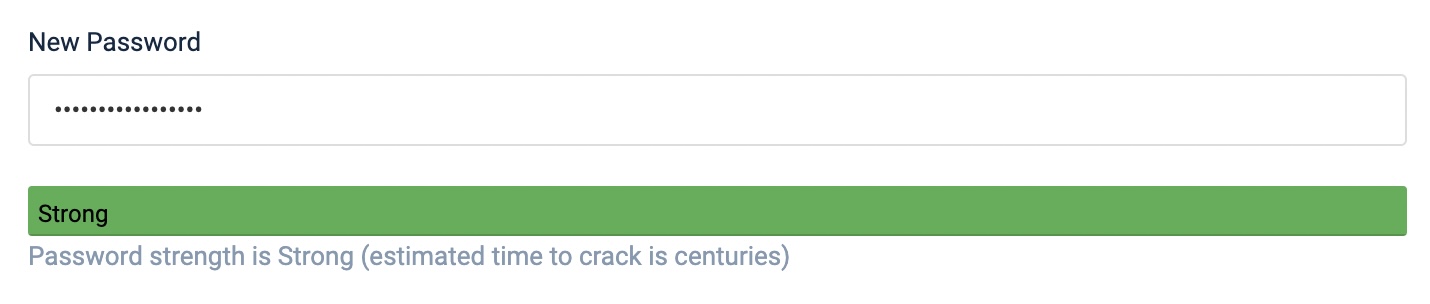
Moving forward, OnlineGiving.org will now display both the password strength and the estimated time the password would take to crack by an attacker. For your convenience, we've included screenshots below showing the feature in action. The purpose of the update is to help church administrators know the difference between a strong password that could take a few months to crack vs. a strong password that would take centuries to crack.
Please note the password check feature is primarily designed for church administrators as donors are recommended to use one of OnlineGiving.org's many different passwordless login technologies, such as logging in with a phone, logging in with TouchID, etc. Church administrator account passwords need to be protected the most as they provide access to administrative control panel features.
Screenshots of the New Password Strength Checker
OnlineGiving.org Control Panel > Automatic Multi-Factor Authentication Enhanced
Since launching in 2014, OnlineGiving.org has taken a robust approach to security, including our advanced multi-layered AI security system, which detects and shutdown fraud and attacks in real time. One of the many layers of security OnlineGiving.org has always used to protect the OnlineGiving.org control panel authentication page is to check the password strength of all church administrator logins. When a church administrator attempts to log in to the OnlineGiving.org control panel, the administrator-provided password is tested to detect the password strength level.
In the event a church administrator attempts to log in with a valid password that does not have a strong password level, then OnlineGiving.org's multi-factor authentication is required. In other words, if a church administrator desires to use a weak password, then OnlineGiving.org will inconvenience them by requiring an email authentication code to be provided before allowing them into the control panel. This security methodology uses inconvenience to push church administrators to use stronger passwords. This method has been used since opening our doors in 2014.
In today's world of increased computing power, dark web password leaks, and attacks, it's essential to actively audit and boost security policies and practices. Moving forward, OnlineGiving.org will require all church administrators who log in with a less than "very strong" password to complete an extra step by supplying an email authentication code. For your convenience, we've included our updated definitions of password strength -
Strong Password
Allowed by OnlineGiving.org, but will require church administrators to complete an extra email verification step until a "very strong" password is used.
What is a strong password?
- Contains 1 or more special characters.
- Contains 1 or more uppercase characters.
- Contains 2 or more numbers.
- Contains a password length of 9 or more.
Very Strong Password
Required by OnlineGiving.org church administrators to skip the multi-factor OnlineGiving.org control panel login step.
What is a very strong password?
- Contains 1 or more special characters.
- Contains 1 or more uppercase characters.
- Contains 2 or more numbers.
- Contains a password length of 14 or more.
Extremely Strong Password
Required by all OnlineGiving.org staff members. Similar to "very strong", it allows church administrators to skip the multi-factor OnlineGiving.org control panel login step.
What is an extremely strong password?
- Contains 2 or more special characters.
- Contains 3 or more uppercase characters.
- Contains 3 or more numbers.
- Contains a password length of 16 or more.