Feature Updates 02/06/2024
OnlineGiving.org > Donation Form > Contact Information > NEW "On Behalf of Organization" Checkbox
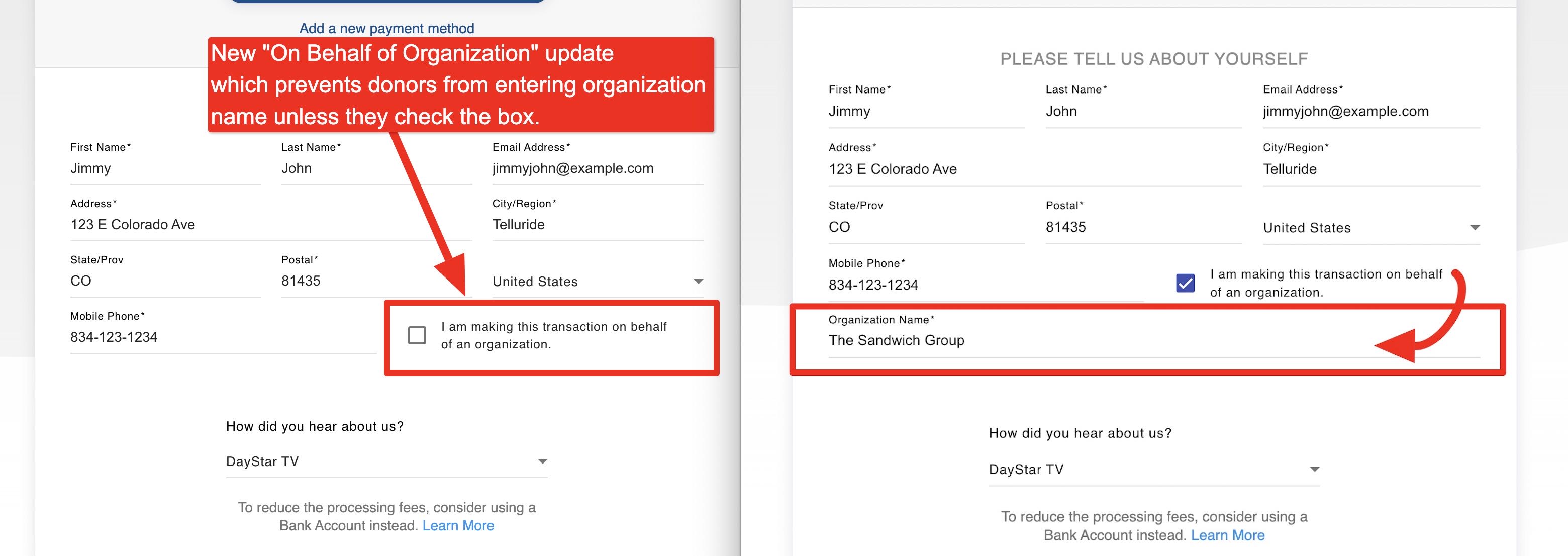
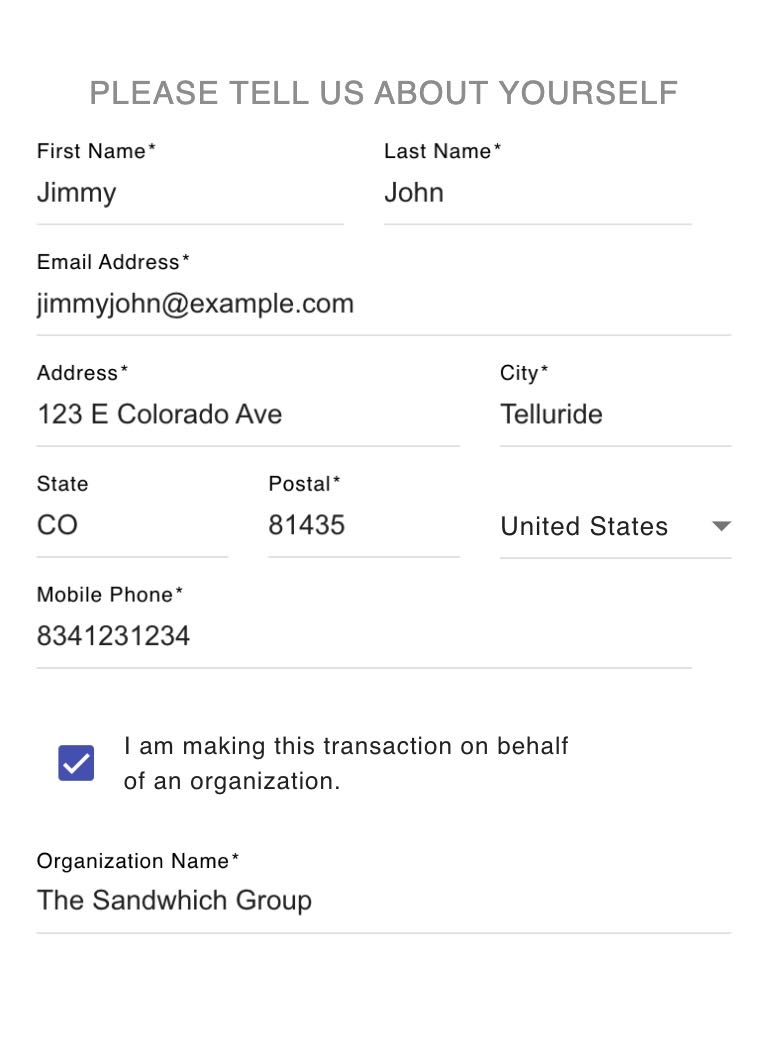
We are excited to announce that an update has been released, which improves the Contact Information section of OnlineGiving.org's donation forms. From now on, the "Organization Name" form input option will only be displayed if the donor checks a new box indicating that they are completing the transaction on behalf of an organization. This will prevent new donors from entering an organization's name without expressly indicating that the contribution or transaction should belong to an organization. The update also prevents the auto-filling of the organization input unless the checkbox is checked. The new desktop and mobile donor experience design previews are given below.
OnlineGiving.org Control Panel > Quick Entry & Scanned Check Features > Auto Populate First/Last Name from Organization Name
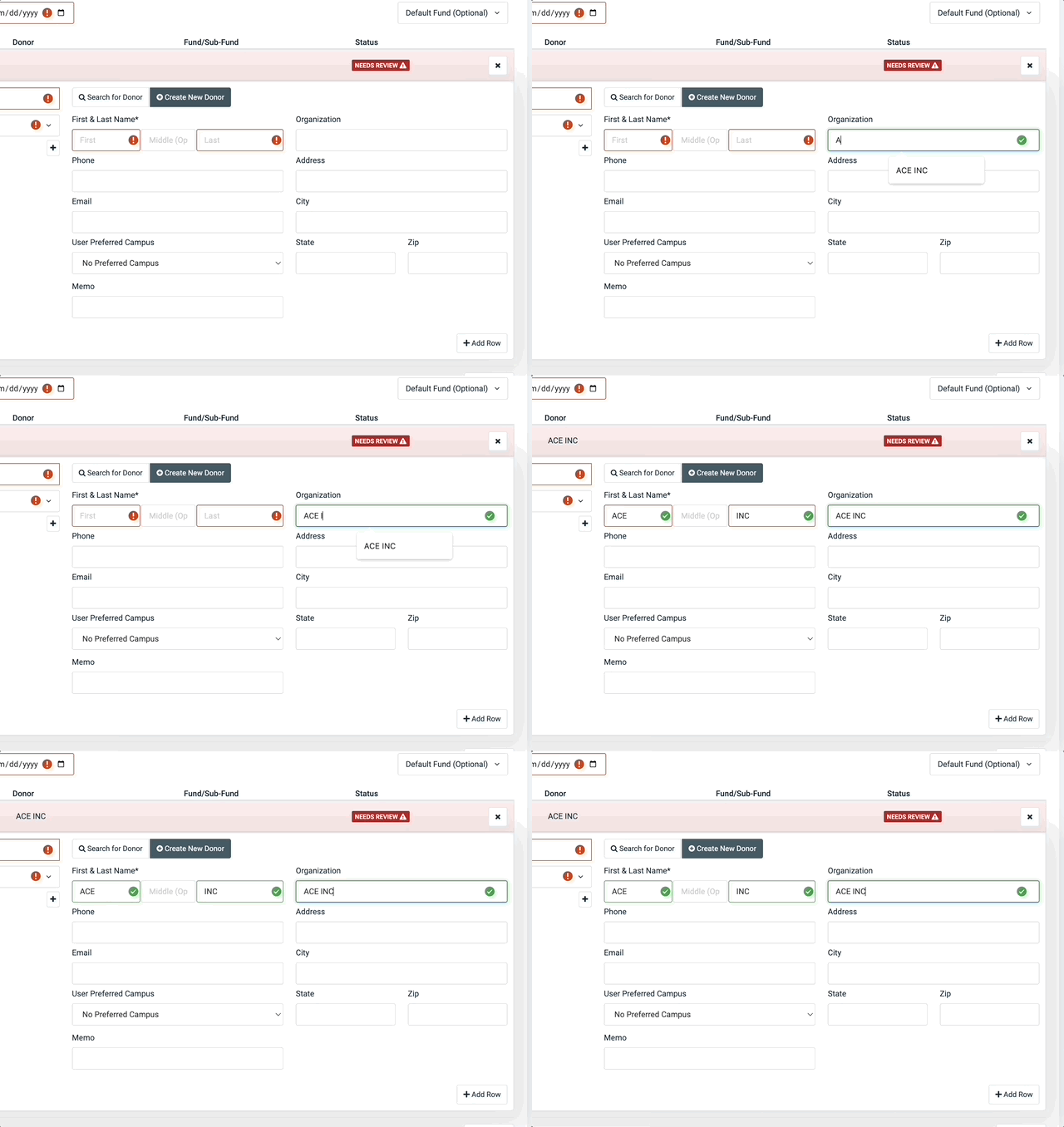
A new time-saving feature is now available for the Scanned Check and Quick Entry (cash and paper check) features in the OnlineGiving.org Control Panel. This feature automatically populates the first and last name fields for the "New Donor" option when the church administrator enters the organization name. It is useful when the organization's point of contact is unknown. The feature eliminates the need for the church administrator to manually enter the organization name into the first/last name fields to satisfy the form requirements, ultimately saving time.
OnlineGiving.org Control Panel > Quick Entry & Scanned Check Features > New Searchable Fund/Sub-Fund Dropdown Menus
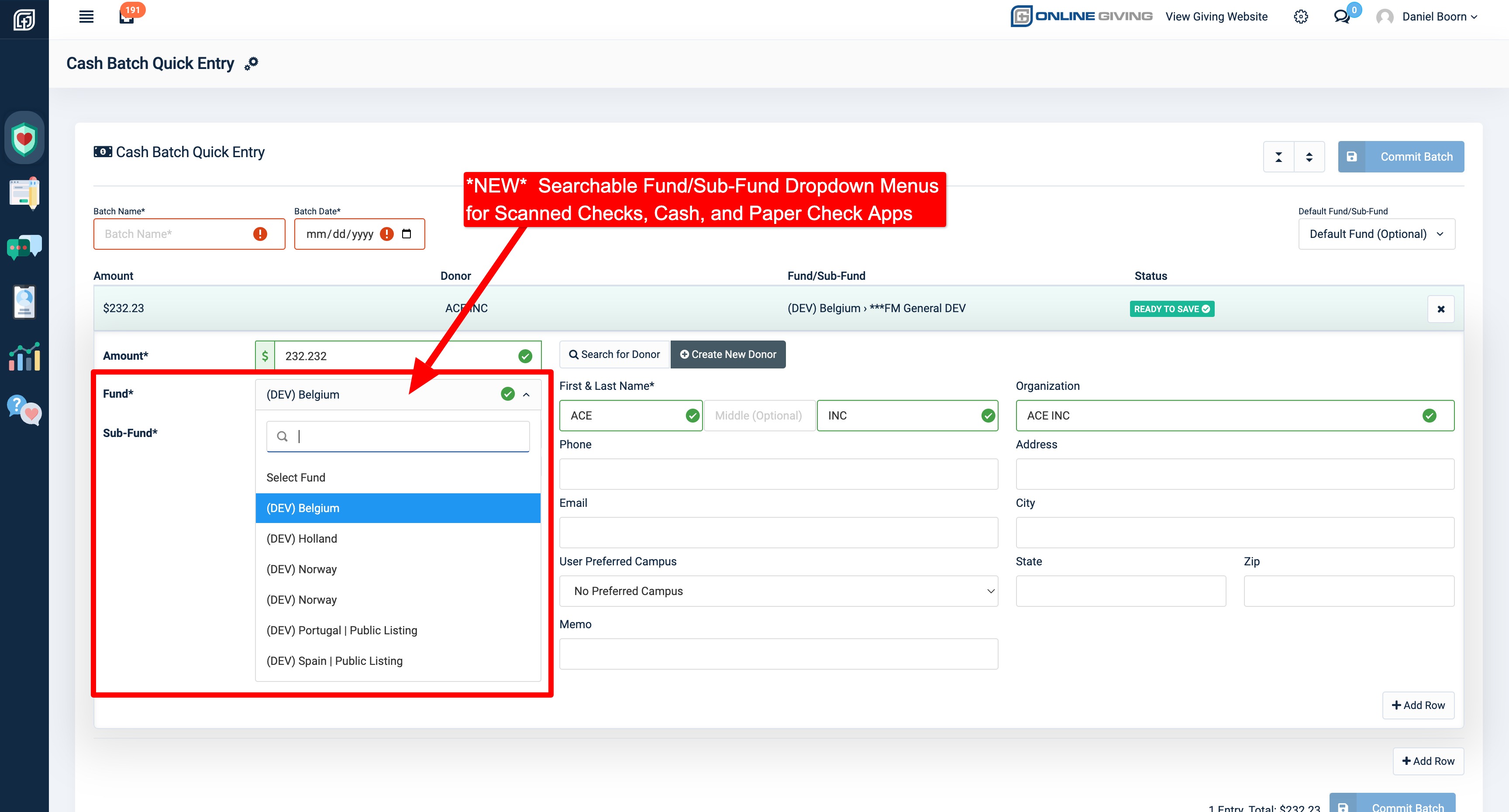
We are excited to inform you that the OnlineGiving.org Control Panel Scanned Check and Quick Entry (cash and paper check) features on the OnlineGiving.org Control Panel has been updated. The update includes searchable dropdown menus for both single-line and multi-line entries for funds and sub-funds. The purpose of this update is to simplify the fund selection process for customers with a large number of fund options.
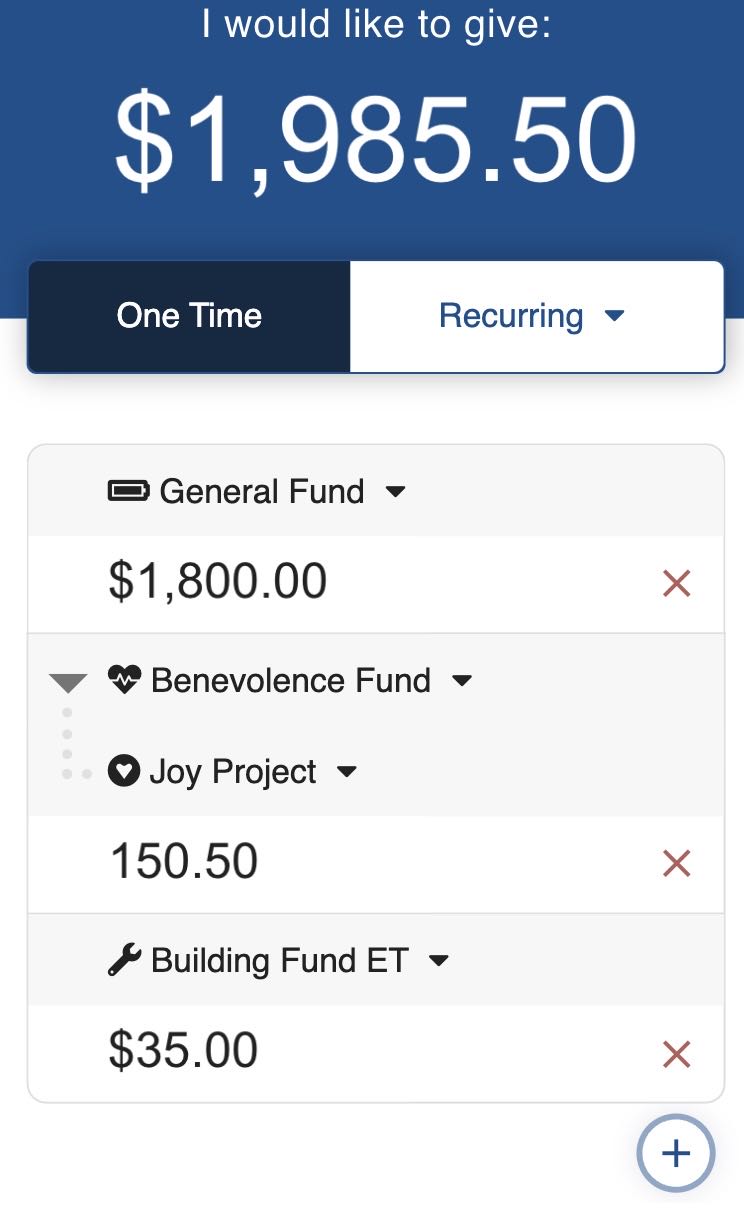
OnlineGiving.org Donation Form > Fund Icons Now Displayed in Form
A new update has been implemented on the OnlineGiving.org Donation Form. This update now allows the display of the fund/sub-fund icon on the donation form after selecting from the fund/sub-fund picker. Earlier, the icon was only visible on the fund picker modal window. With this update, the icon will be displayed beautifully on the donation form as well. Include below are reviews of the update for reference.


OnlineGiving.org Control Panel > Custom Forms > View Custom Form Submissions > Export > Additional Transaction Columns Added
We are pleased to report that we have implemented an update to the OnlineGiving.org Control Panel Custom Form Submission Export feature. This update includes the addition of three new columns, which are Transaction Charge Status, Transaction Payment Type, and Transaction Gateway Response Message. These new columns provide important additional transactional information for custom form submissions associated with transactions.