Feature Updates 02/09/2023
NEW OnlineGiving.org Control Panel Batch Display Information/Options when Viewing Transaction(s) from a Quick-Entry or Check Scan Batch
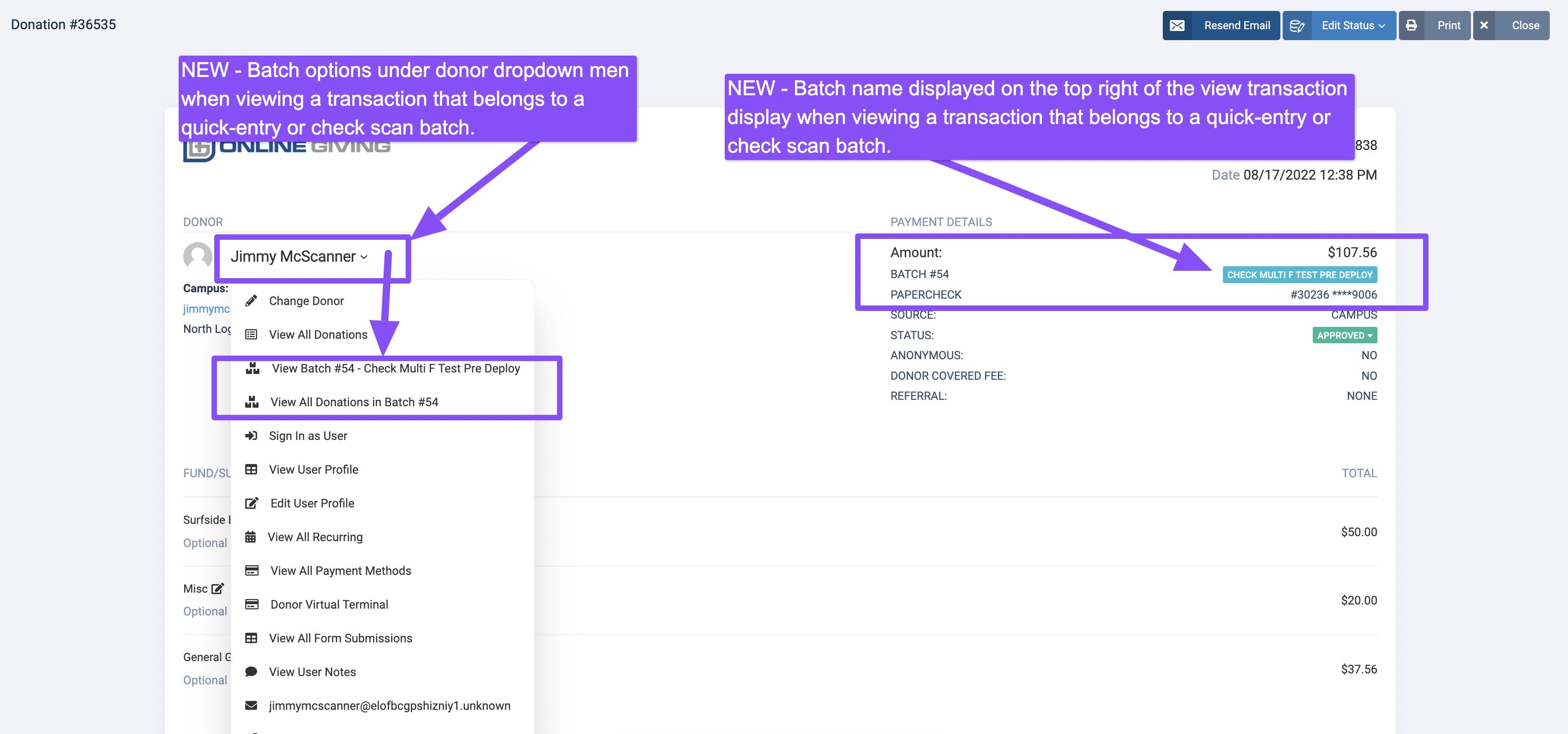
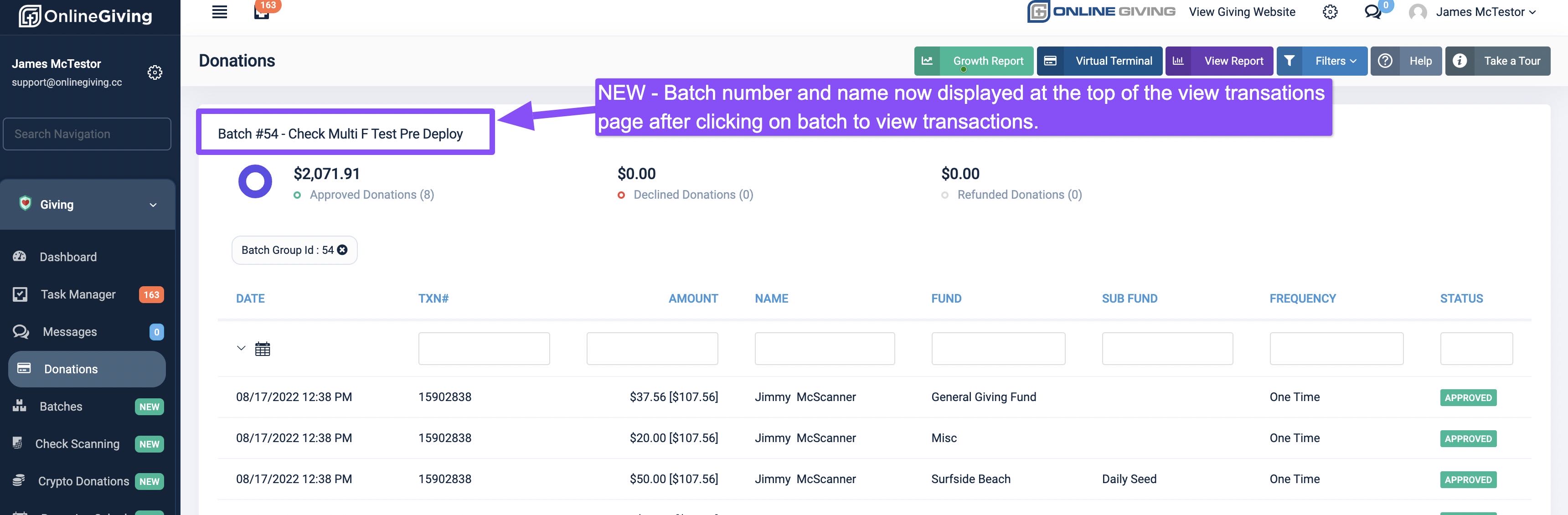
We're pleased to announce an update that enhances the OnlineGiving.org > Control Panel > View Transactions feature to display batch information when viewing transactions from a quick-entry and check scan batch (see the preview below). Additionally, the OnlineGiving.org > Control Panel > View Transaction Display Modal feature has been updated with quick access dropdown menu options for a church administrator to quickly pull up a batch or transaction batches when viewing a transaction that belongs to a quick-entry or check scan batch. For your convenience, we've included screenshots below.
Preview of Batch Information on View Transactions Feature
Preview of Batch Options and Information on View Transaction Display