Feature Updates 02/18/2026
Donor Status & Donor Lifecycle Filters with Smart Context Panels
We’ve introduced powerful new donor segmentation tools inside Admin > Users > Filters — designed to help you quickly identify who’s new, who’s growing, and who may need personal follow-up.
Each filter now includes a clear, in-page “Understanding This Filter” panel that explains:
-
What the filter shows
-
Why it matters
-
What action to take next
-
How it compares to similar filters
No guesswork. No confusion. Just clarity and actionable insight.
Where to Find It
Navigate to:
Admin → Users → Filters
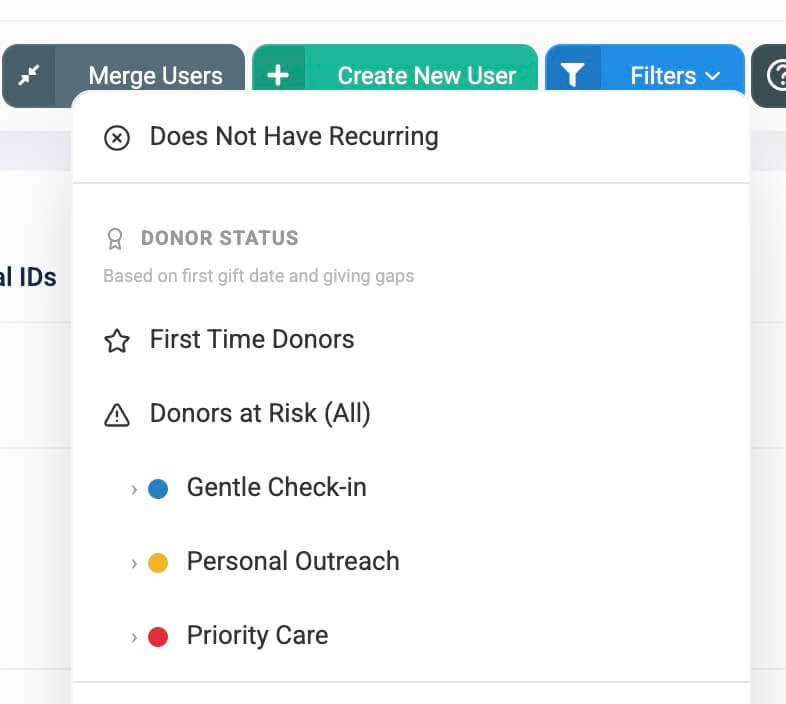
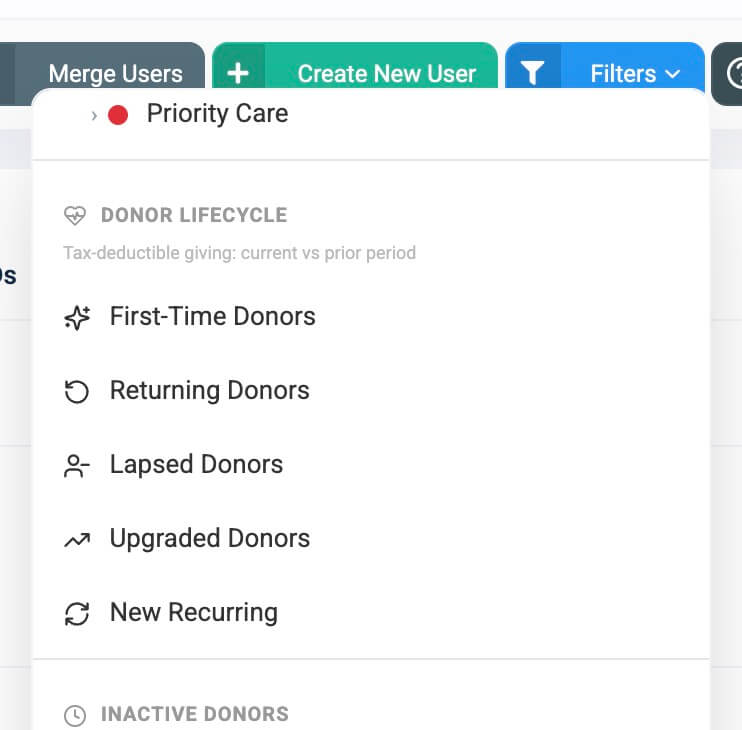
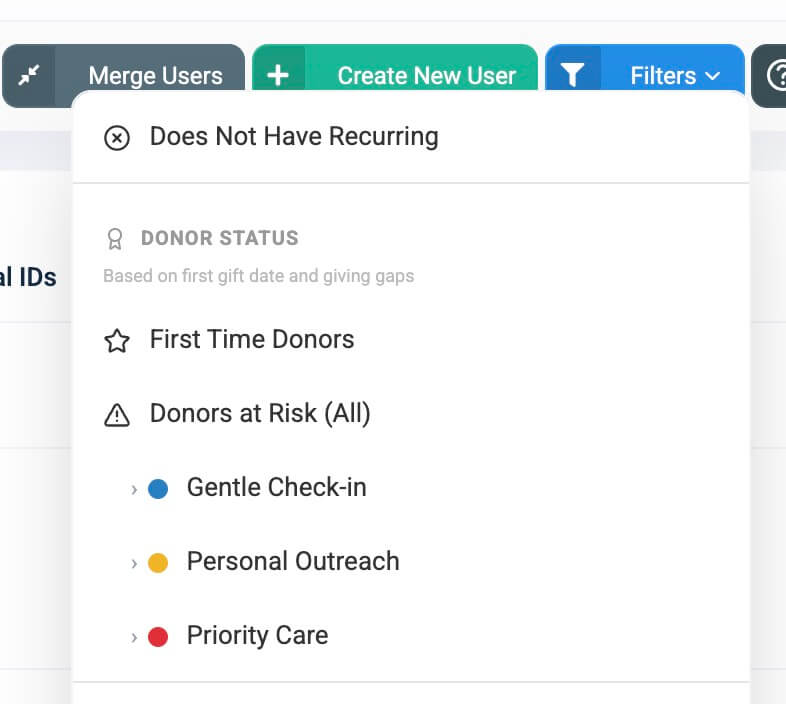
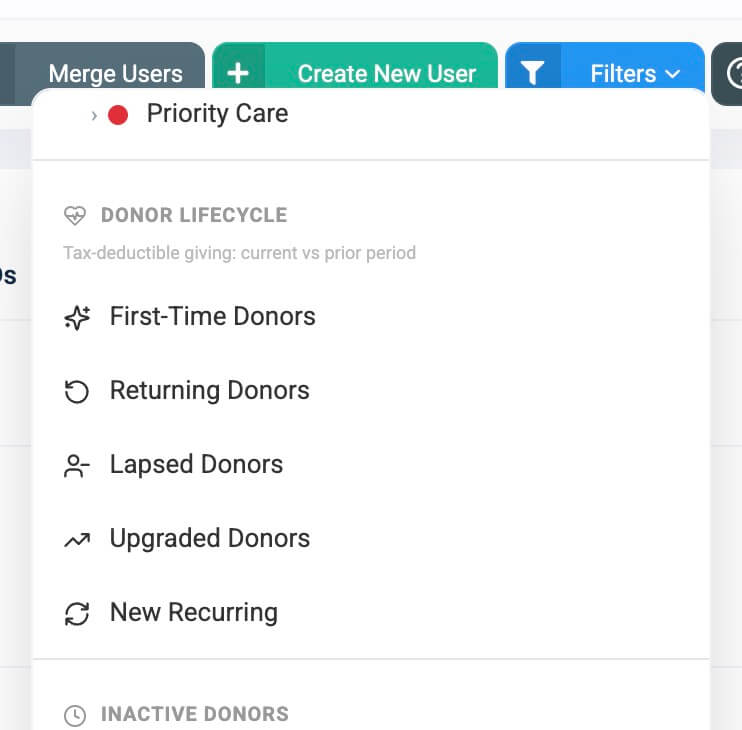
You’ll now see two sections:
-
Donor Status
-
Donor Lifecycle
 |
 |
These filters also power:
-
Generosity Snapshot Reports
-
Generosity Snapshot Emails
-
Stewardship Pastoral Care (At-Risk) Report (Beta, More Soon)
-
CSV and Excel user exports
Your segmentation remains consistent across the entire platform.
Donor Status Filters
Based on first gift date and giving gaps
Donor Status filters evaluate a donor’s overall giving behavior across all time.
They help you answer:
-
Who just gave for the first time?
-
Who may be drifting?
-
Who needs immediate follow-up?
No date range is required, though you may apply one to further narrow results.
First Time Donors
Who this shows:
People who have given exactly one gift ever.
These are your newest supporters — and statistically, the most fragile segment of your donor base.
Why This Matters
Research consistently shows that most first-time donors never give a second gift. A timely and personal follow-up significantly improves retention.
The Information Panel Helps You
-
Understand why first-time donors require immediate attention
-
Set up automated thank-you messages using Event Triggers
-
Distinguish this filter from the Lifecycle “First-Time” filter
Practical Tip
Set up a First Gift Event Trigger once, and every new donor automatically receives a personalized welcome message.

Donors At Risk (All)
Who this shows:
Donors who have gone longer than their normal giving rhythm without making a new gift.
These individuals have not fully lapsed — but their pattern has broken.
This is your early warning system.
How It Helps You
Instead of relying on guesswork, this filter evaluates each donor’s personal giving cadence and identifies when that rhythm has been exceeded.
It focuses on donors between 60 and 365 days since their last gift — helping you intervene before disengagement becomes permanent.
Three Care Tiers
Donors are grouped into three clearly defined levels:
| Tier | What It Indicates |
|---|---|
| Gentle Check-in | Slightly overdue |
| Personal Outreach | Noticeably absent |
| Priority Care | At serious risk of lapsing |
Each tier includes its own guidance panel explaining the recommended next step.

Stewardship Integration
Each At-Risk tier connects directly to the Stewardship Pastoral Care Report (BETA), where you can:
-
Log care interactions
-
Receive AI-powered suggestions
-
Track follow-ups
-
Coordinate outreach across your team
This creates a complete stewardship workflow from identification to action.
Donor Lifecycle Filters
Tax-deductible giving: current vs. prior period
While Donor Status evaluates overall behavior, Donor Lifecycle filters analyze giving within a specific date range and compare it to prior periods.
These filters require an Activity date range.
If none is selected, the system defaults to January 1 of the current year through today.
If necessary, you’ll see a reminder to select a date range before applying Lifecycle filters.
First-Time Donors (Lifecycle)
Who this shows:
Donors whose very first tax-deductible gift occurred within the selected time period.
This measures donor acquisition for a specific campaign, month, quarter, or year.
Why It’s Valuable
-
Evaluate outreach effectiveness
-
Measure event impact
-
Track growth over time

Returning Donors
Who this shows:
Donors who gave during the selected period and had given before.
These are your repeat supporters — the foundation of sustainable giving.
Why It’s Valuable
Compare Returning Donors with First-Time Donors to evaluate retention health.
Healthy growth means increasing first-time donors while maintaining strong returning numbers.

Lapsed Donors
Who this shows:
Donors who gave in the prior equivalent period but have not given in the current one.
For example, if you select January through December this year, this filter identifies those who gave during the same window last year but not this year.
Why It’s Valuable
Ideal for:
-
Annual retention analysis
-
Year-end re-engagement campaigns
-
Strategic stewardship planning
How It Differs from At Risk
-
At Risk identifies donors based on personal cadence in real time.
-
Lapsed compares two defined time periods.
Use At Risk for early intervention and Lapsed for structured retention reporting.

Upgraded Donors
Who this shows:
Donors whose average gift amount during the selected period is higher than their historical average.
These supporters increased their generosity.
Why It’s Valuable
An increase in average gift size signals growing engagement and commitment.

New Recurring
Who this shows:
Donors who started a new recurring subscription during the selected period.
Recurring donors provide predictable, sustainable revenue.
Why It’s Valuable
Track the effectiveness of recurring campaigns and calls-to-action.
Retention Strategy
Follow up 60–90 days after sign-up with a thank-you message to reduce early cancellations.
Advanced Insight
Donors who both upgraded their average gift and started recurring giving represent high-potential relationship builders.

Smart Information Panels
Each filter includes a clean, built-in guidance panel that:
-
Explains exactly what the filter shows
-
Provides strategic context
-
Suggests practical next steps
-
Dynamically reflects your selected date range
-
Displays clearly on both desktop and mobile
The goal is simple: move from insight to action quickly and confidently.
Platform-Wide Integration
These filters power and align with:
-
Generosity Snapshot Reports
-
Snapshot Emails
-
Stewardship Pastoral Care Report
-
User list visual status indicators
-
CSV and Excel exports
Your donor segmentation remains unified across reports, emails, and exports.
What This Means for You
You now have:
-
Early detection of donor drift
-
Clear measurement of donor acquisition
-
Retention tracking across periods
-
Visibility into generosity growth
-
Insight into recurring revenue trends
-
Built-in guidance on what to do next
No spreadsheets.
No manual calculations.
No uncertainty.
Just clarity, strategy, and action — directly inside your control panel.