Feature Updates 03/07/2022
OnlineGiving.org Secondary Phone Number No Longer Removes (Opts-Out of) Text Giving
An update is now live that enhances how "stop" keywords are handled for inbound messages to a registered secondary texting phone number. Moving forward using a "stop" keyword on a secondary texting phone number will no longer remove (opt-out) the user's mobile device from text giving. Prior to the update using a "stop" keyword on the secondary texting line would opt out of all text marketing and text giving. The update still allows the user to opt-out of text marketing but allows them to stay registered for text giving. Donors may still use the "stop" keyword on the primary text line to opt-out of texting giving or the "PROFILE" keyword to manage their text giving settings including adding/removing mobile phone devices.
*New* Optional Feature for OnlineGiving.org Planning Center Integration to Skip Address Update when One or More Existing Address Found
A new optional update is now live for Planning Center churches using OnlineGiving.org. Churches may now reach out to support@onlinegiving.org and request to enable a feature that will skip pushing address information into Planning Center when one or more existing addresses are present in Planning Center for the person. By default, the OnlineGiving.org Planning Center integration will check the existing addresses and will skip pushing duplicate address information. However, this optional feature is for churches who only desire to push address information into Planning Center when none is present in Planning Center. It allows OnlineGiving.org to push addresses when none is present but does not allow overwriting of any existing addresses.
*New* OnlineGiving.org Control Panel > Donations > ShepherdsStaff CSV Export Option
A new donations CSV export option is now available in the OnlineGiving.org control panel under donations for churches using ShepherdsStaff. Church administrators using ShepherdsStaff may now use the new "ShepherdsStaff CSV Spreadsheet" export option to export approved donations for importing into ShepherdsStaff. You can learn more about importing into ShepherdsStaff by clicking here. Kindly note church administrators will first need to add the ShepherdsStaff donor envelope ID to the OnlineGiving.org donor profile and the ShepherdsStaff fund number to the OnlineGiving.org fund prior to exporting. Once the external fund number and donor envelope ID are present they will be remembered for future exports. For your convenience, we've included annotated screenshots below showing the external number update process and export process.
How to Update Donor & Fund Records with ShepherdsStaff External Numbers
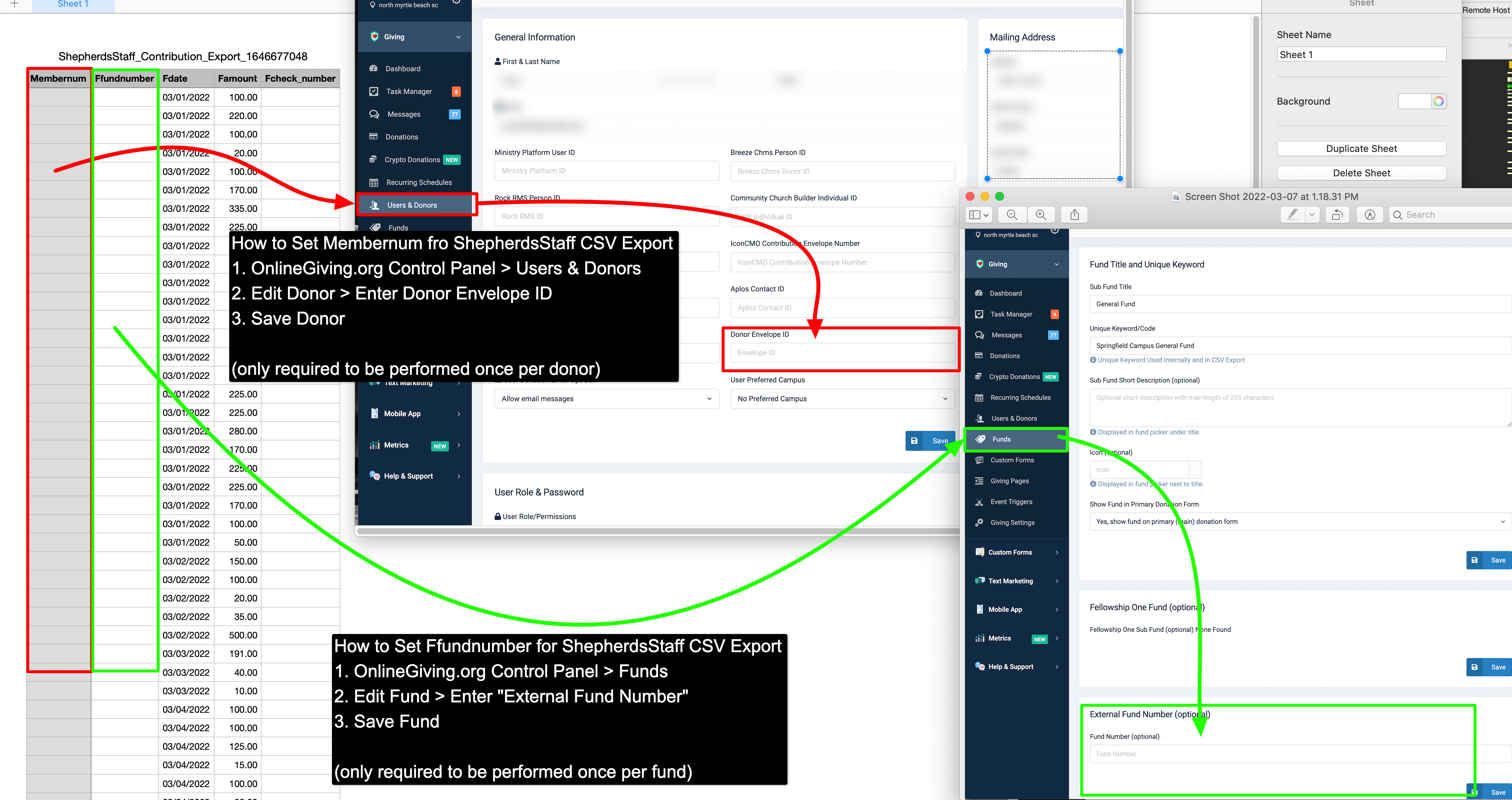
(click image for larger version)
How to Export ShepherdsStaff CSV Export
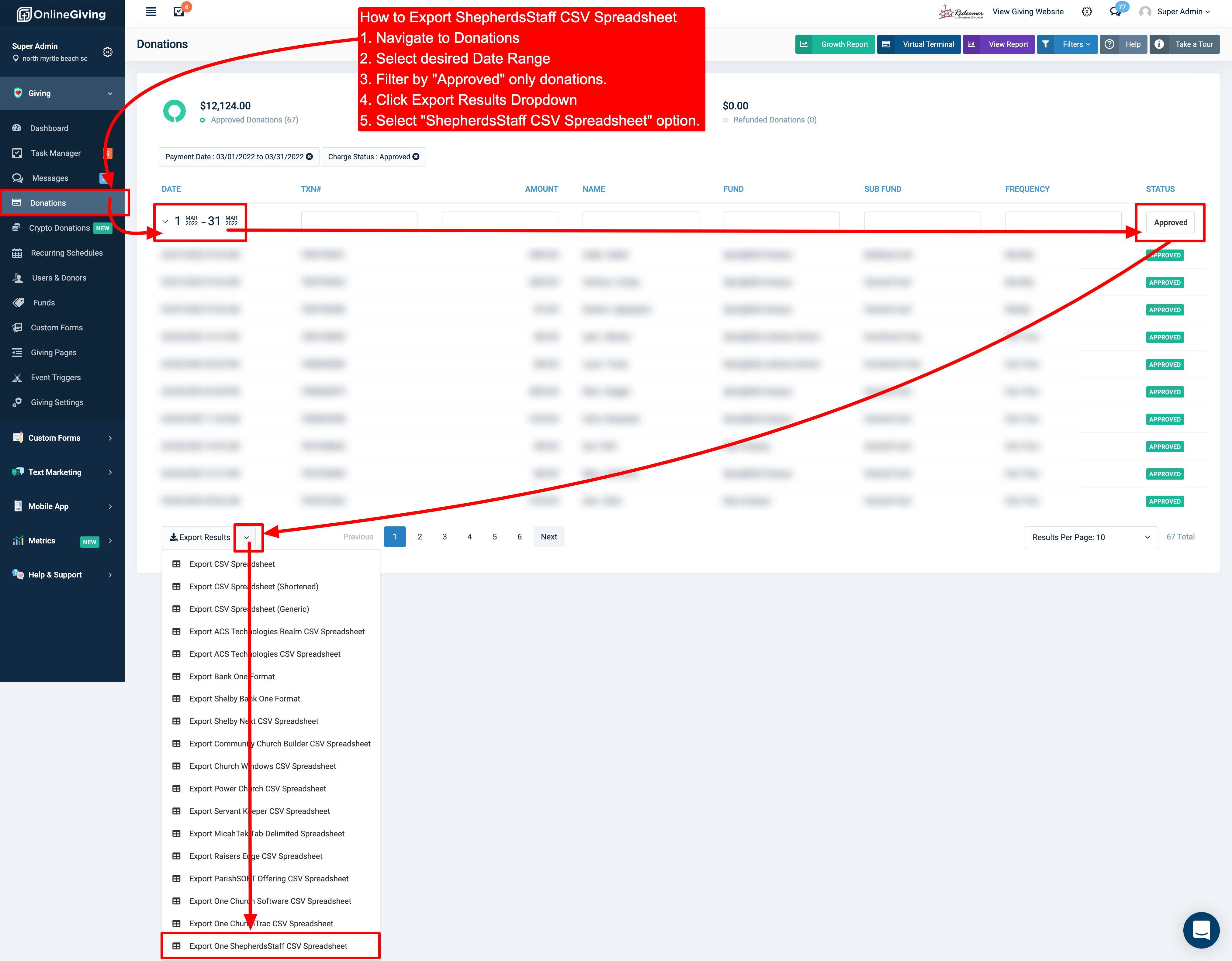
(click image for larger version)