Feature Updates 03/12/2024
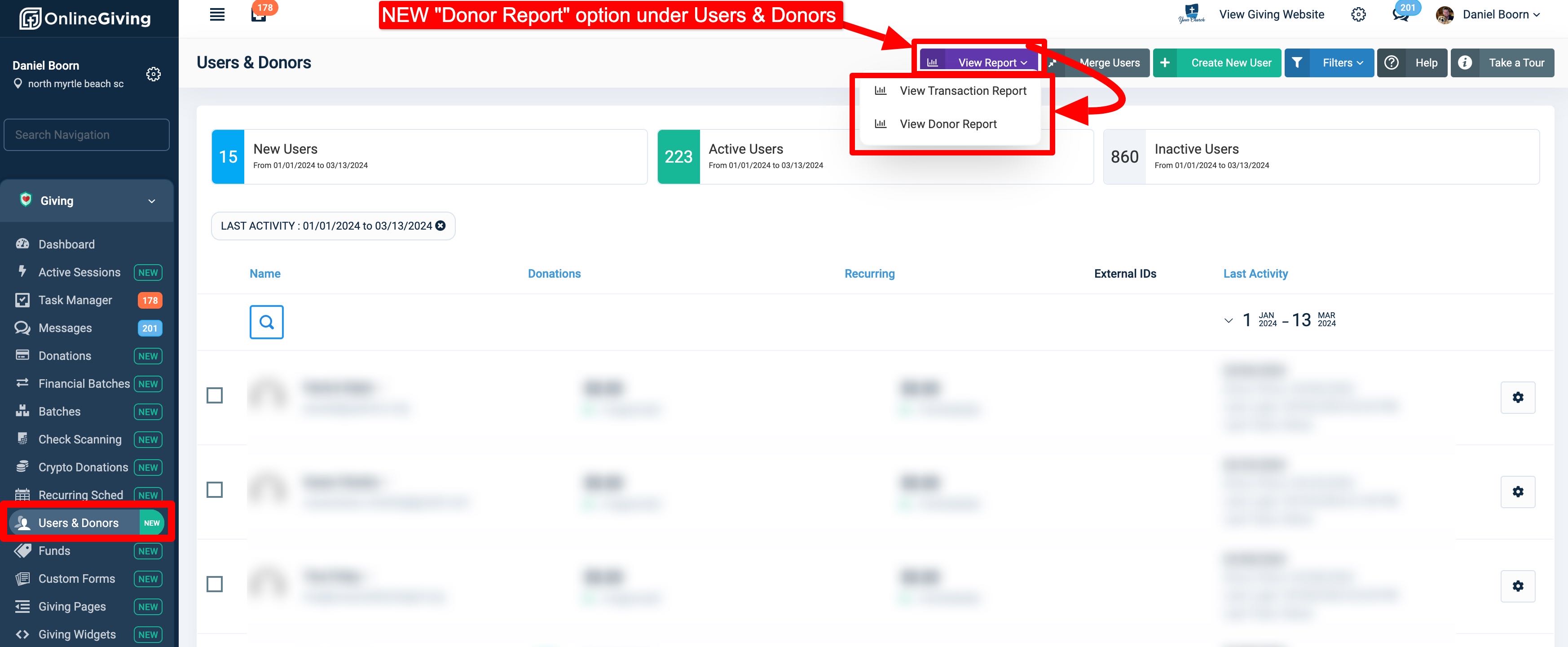
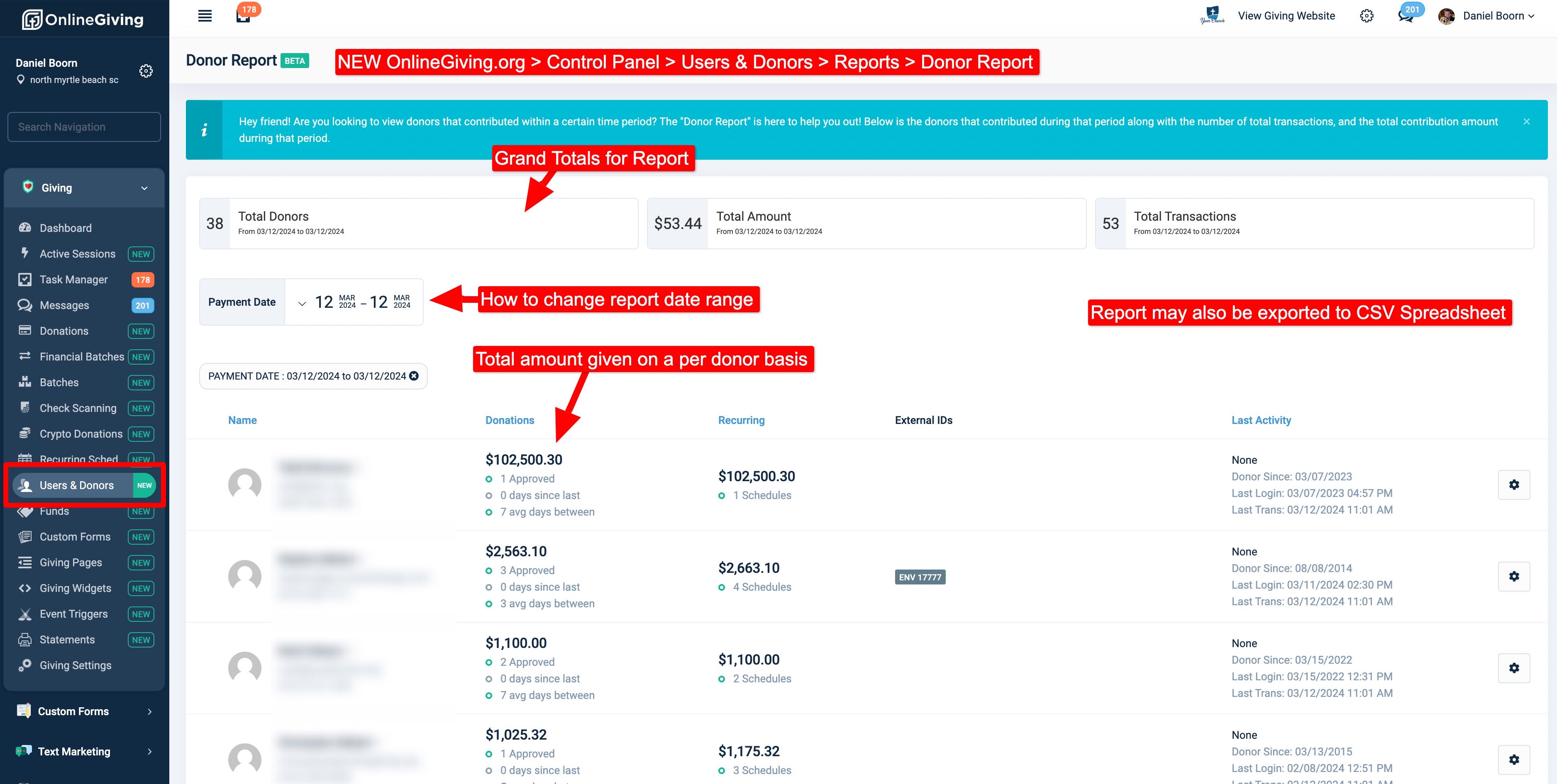
NEW OnlineGiving.org > Control Panel > Users & Donors > Donor Report (BETA)
Are you seeking to view donors who have made contributions within a specific time period? If so, the "Donor Report" feature now available in the OnlineGiving.org Control Panel can assist you in this regard. We are pleased to announce the launch of a new report that provides a detailed breakdown of such donors. To access the report, navigate to Users & Donors > Purple Report Button > Donor Report. The report contains an array of information, including contact details of donors who made contributions within a specific date range, the total amount donated during that period, the total number of contributions, and other relevant details. Moreover, the report can be exported to a CSV Spreadsheet for further analysis. Please refer to the screenshots below to gain a better understanding of this newly introduced feature.