Feature Updates 03/13/2024
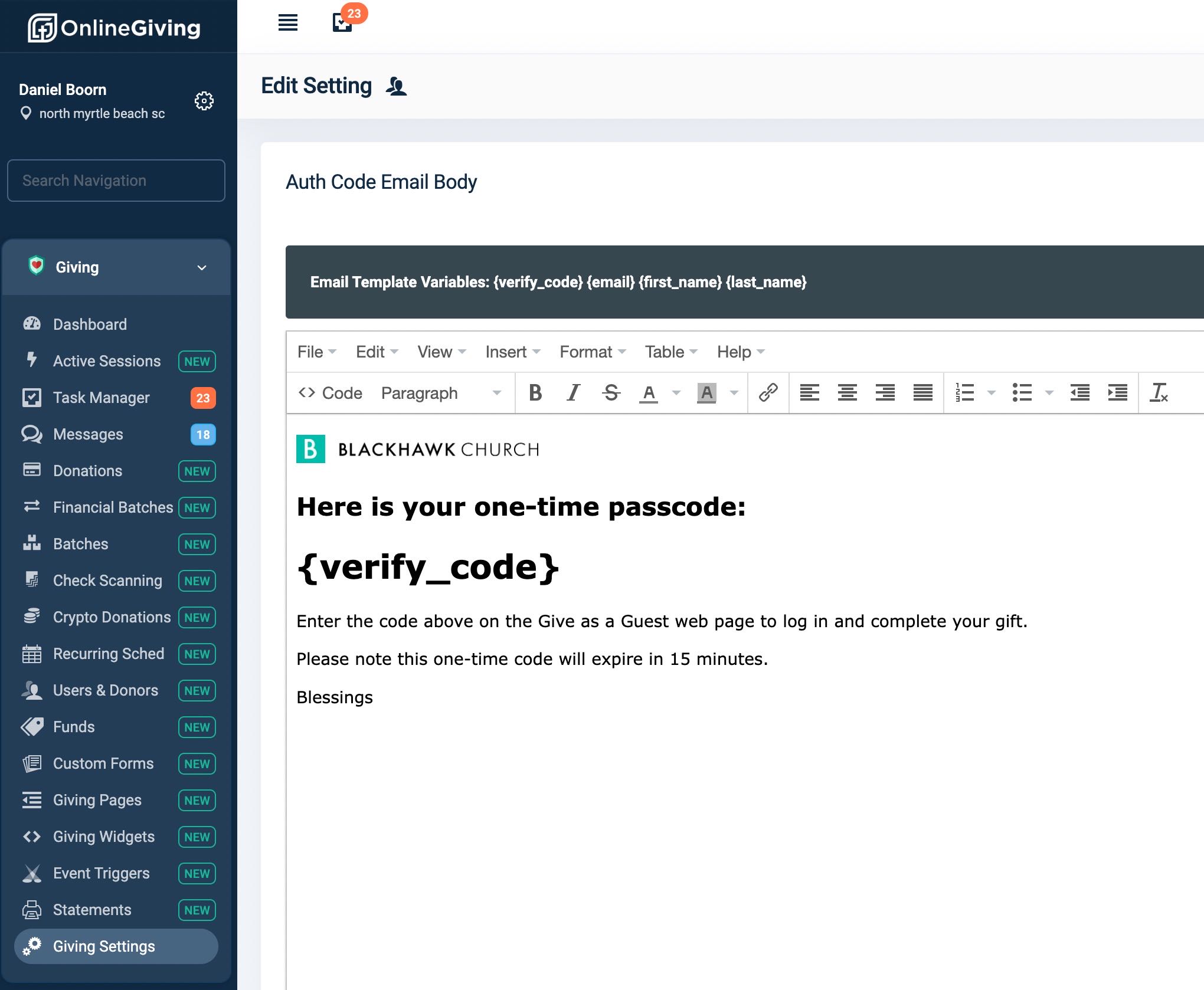
NEW OnlineGiving.org > Users & Donors > User Profile > Donation History Interactive Chart
We have fantastic news to share with you! A brand new update is now available on OnlineGiving.org's Control Panel. We are excited to introduce the new interactive chart in the Users & Donors > User Profile section. This amazing feature displays the donor's giving history on an interactive timeline chart with fund grouping. It's designed to make things easier for church administrators, who can now visualize the donor's giving history in a fun and interactive way. This is especially useful for getting a quick overview of the donor's giving frequency and fund destination. The update also enables you to identify upticks or drop-offs in donor activity and helps you visualize new, consistent, and at-risk donors by giving history. We've included a preview of the update below.
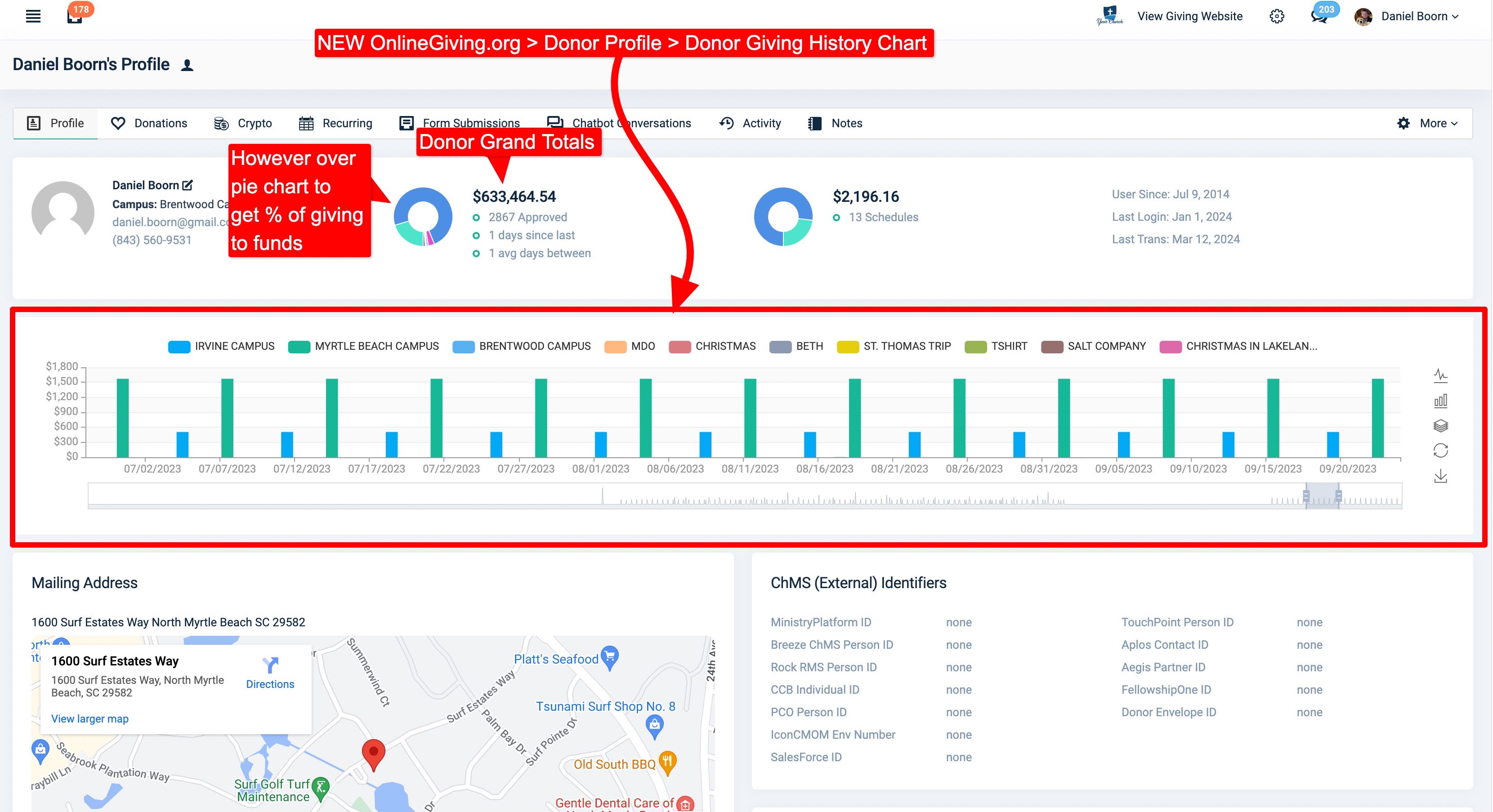
NEW OnlineGiving.org > QuickEntry (Cash & Paper Check) & Scanned Check Updated with Optional "Donor Envelope ID" Field
An updated version of the OnlineGiving.org QuickEntry and Scanned Check features has been launched, which introduces a new and optional field called "Donor Envelope ID" under the "Create New Donor" option. The primary objective of this update is to enable church administrators to directly input the external "Donor Envelope ID" of new donors while entering their contribution details on the QuickEntry and Scanned Check features. When a "Donor Envelope ID" is entered, OnlineGiving.org will automatically save the information to the new donor's profile.
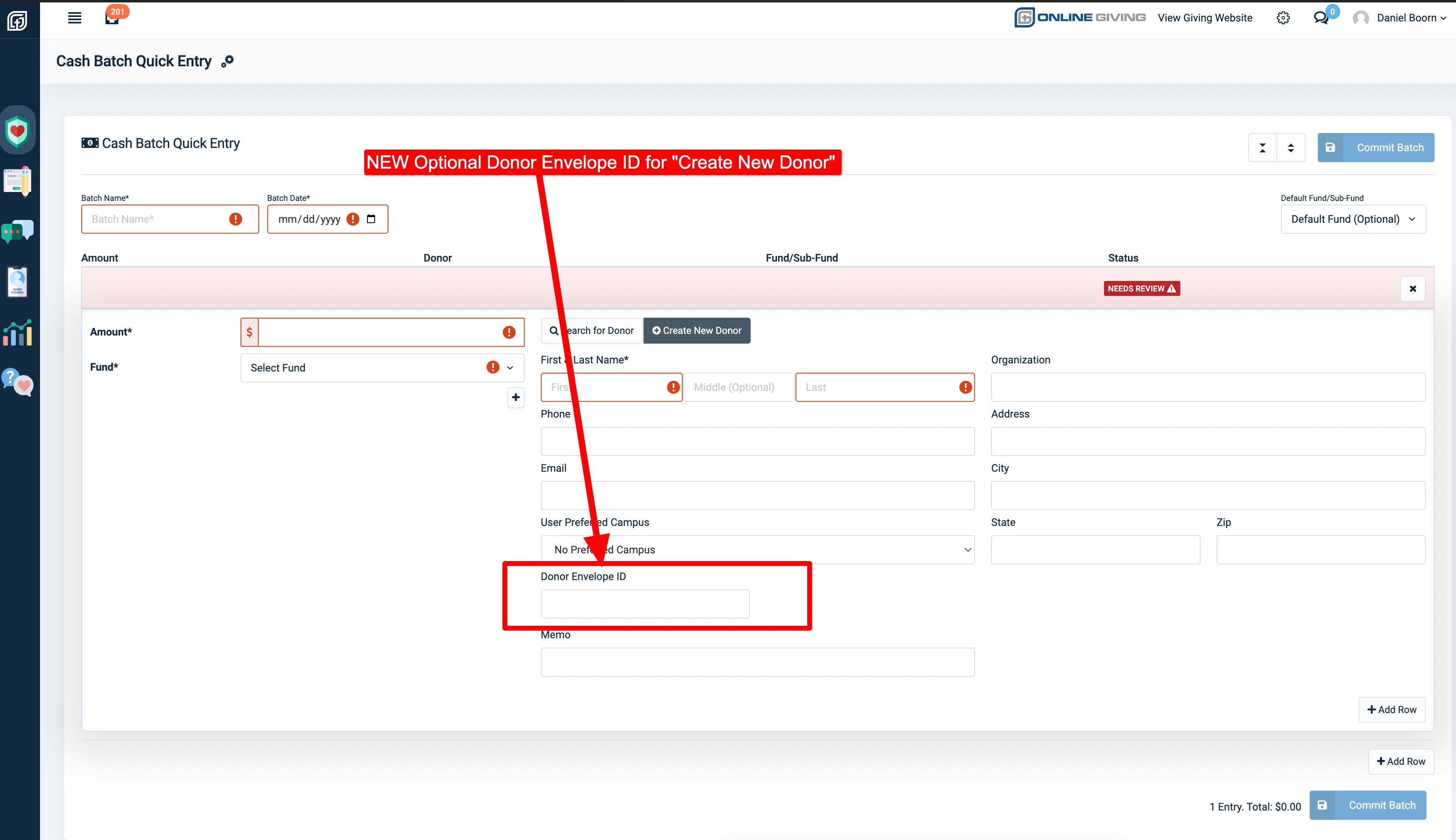
NEW OnlineGiving.org > Settings > Auth Code Email Subject & Body Templates
We are delighted to announce the availability of an optional update that empowers churches to customize the email subject and body templates for the "Auth-Code" email. By default, OnlineGiving.org handles authentication code emails directly to ensure optimal deliverability. However, churches may now contact support@onlinegiving.org to request the auth code email templates to be added to their account, which allows them to customize the email and subject line.
It is important to note that the email subject line should contain the "verification code" directly, and the same code should also be included in the email body template. This ensures that each new authentication code email has its own email thread in email clients and is not grouped based on the same subject line. This feature is essential for donors and users who are seeking an email auth code as it enables them to locate the email quickly. The new optional email templates are accessible in the OnlineGiving.org control panel.
We hope that this update proves helpful for churches and their administrators. They can now customize the "Auth-Code" email to better suit their needs while maintaining the high deliverability that OnlineGiving.org provides.