Feature Updates 03/21/2023
NEW OnlineGiving.org Chatbot > Actions > "Start Chatbot Giving/Payment" Now Supports End Dates
We're pleased to announce the OnlineGiving.org Chatbot Start Chatbot Giving/Payment Action has been enhanced to allow a church administrator to optionally configure an end date for any recurring schedules created through the chatbot action. The new feature aims to enable churches to use a text keyword to allow users to set up recurring payments/donations with a fixed end date. For example, a church could use this new feature to enable donors to create recurring gifts to a particular cause/mission/campaign that requires giving to stop after a set date in the future.
For your convenience, we've included a detailed video of how to use this feature below.
Detailed Screencast Help Video on How to Use End Date for OnlineGiving.org Chatbot "Start Chatbot Giving/Payment" Action
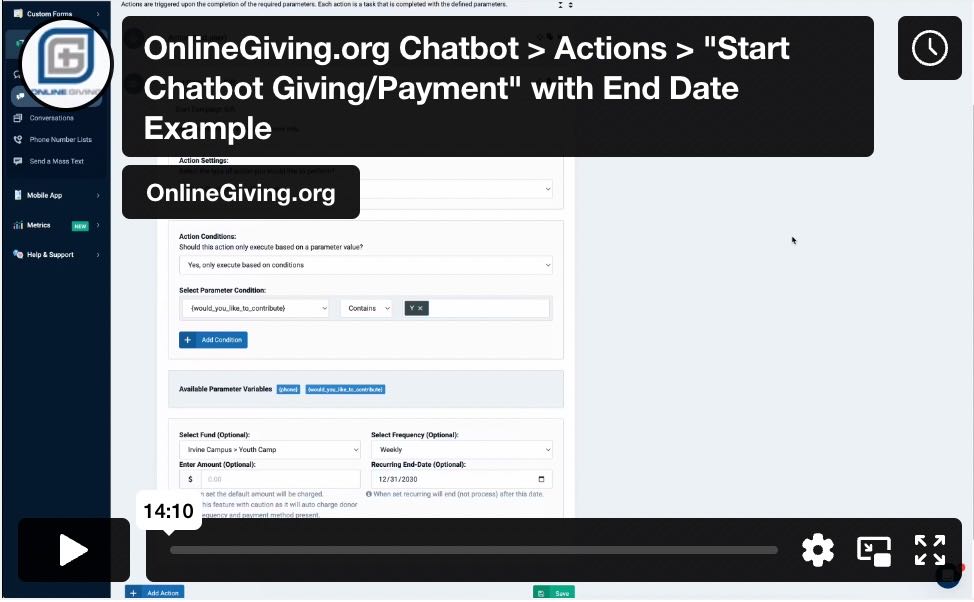
Preview of New End Date Option on the "Start Chatbot Giving/Payment" Action Configuration

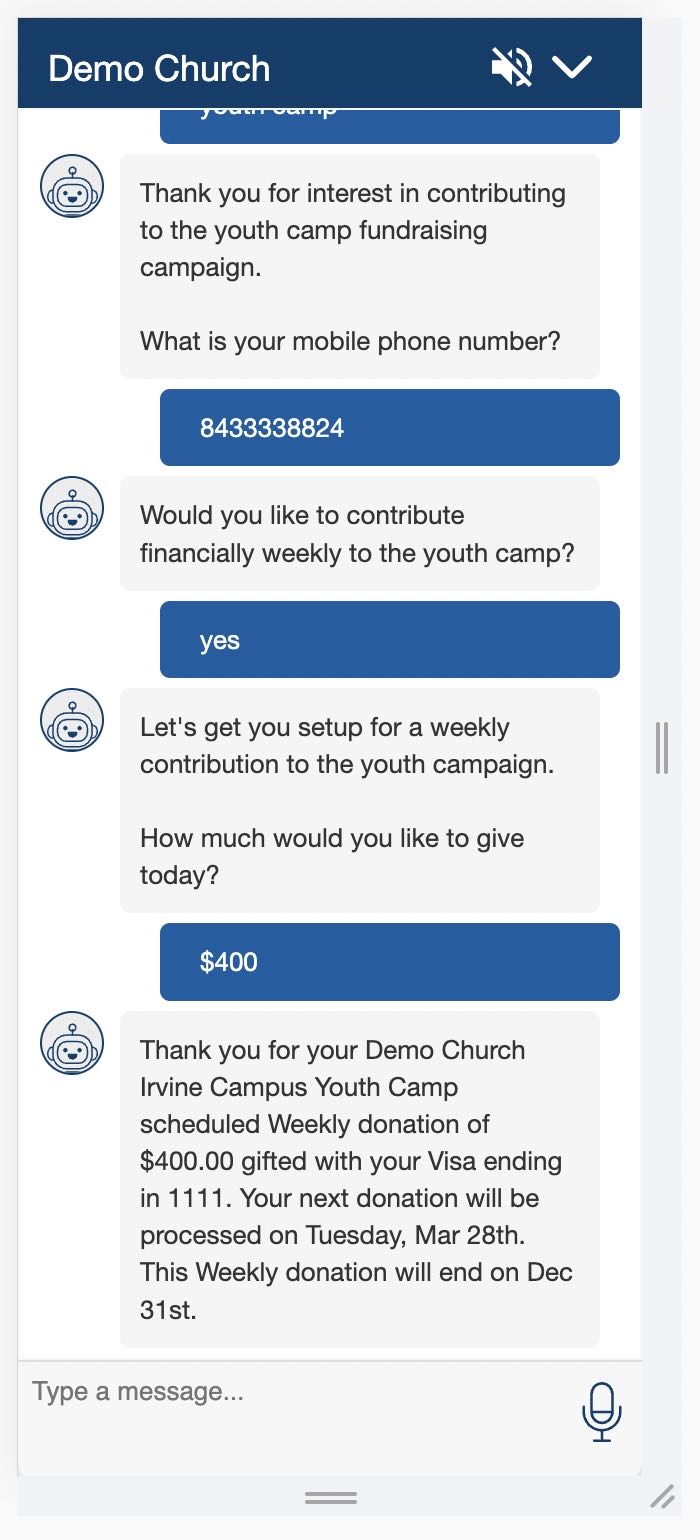
Example of Chatbot Campaign Gift from OnlineGiving.org Chat Assistant Box (Logged in user)
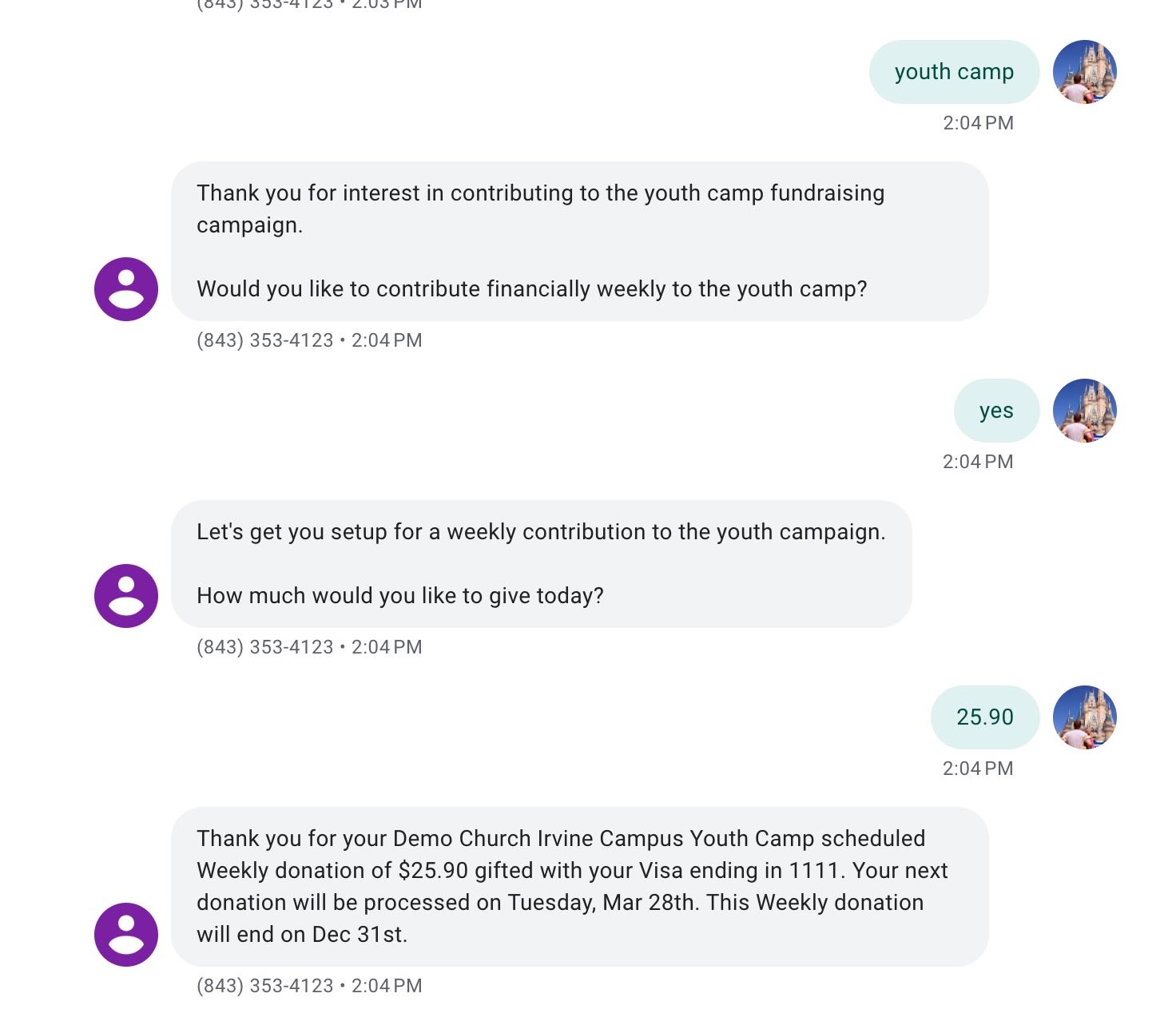
Example of Chatbot Campaign Gift from OnlineGiving.org Text Message SMS (Existing Text Giver)
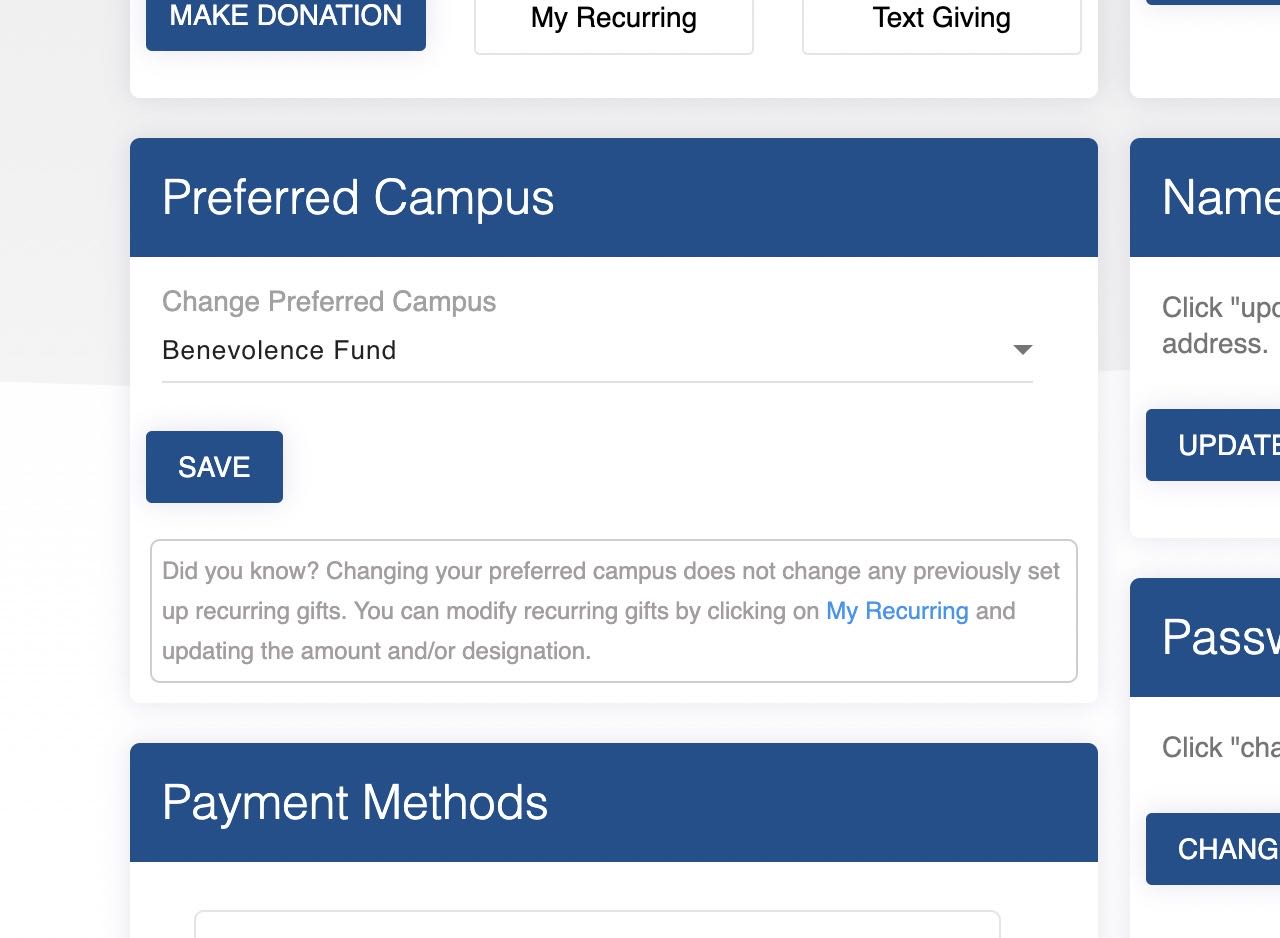
NEW OnlineGiving.org > Giving Profile > Help Message under Preferred Campus
An update is now live to display a friendly help message under OnlineGiving.org > Giving Profile > Change Preferred Campus section to let the user know that changing their preferred campus will not change any existing recurring gifts. Please see below for a preview of the new help message.