Feature Updates 04/09/2026
Your Church's Data Now Speaks Your Language: Meet AI Data Chat
What's New
It is Wednesday afternoon. A board member asks how many donations you received this quarter. Your executive pastor wants to know which funds are growing and which are declining. A staff meeting in twenty minutes needs a breakdown of your top donors for the year.
Before, you would open multiple reports, export spreadsheets, cross-reference numbers, and hope you pulled the right date range. By the time you had the answer, the meeting was half over.
Not anymore.
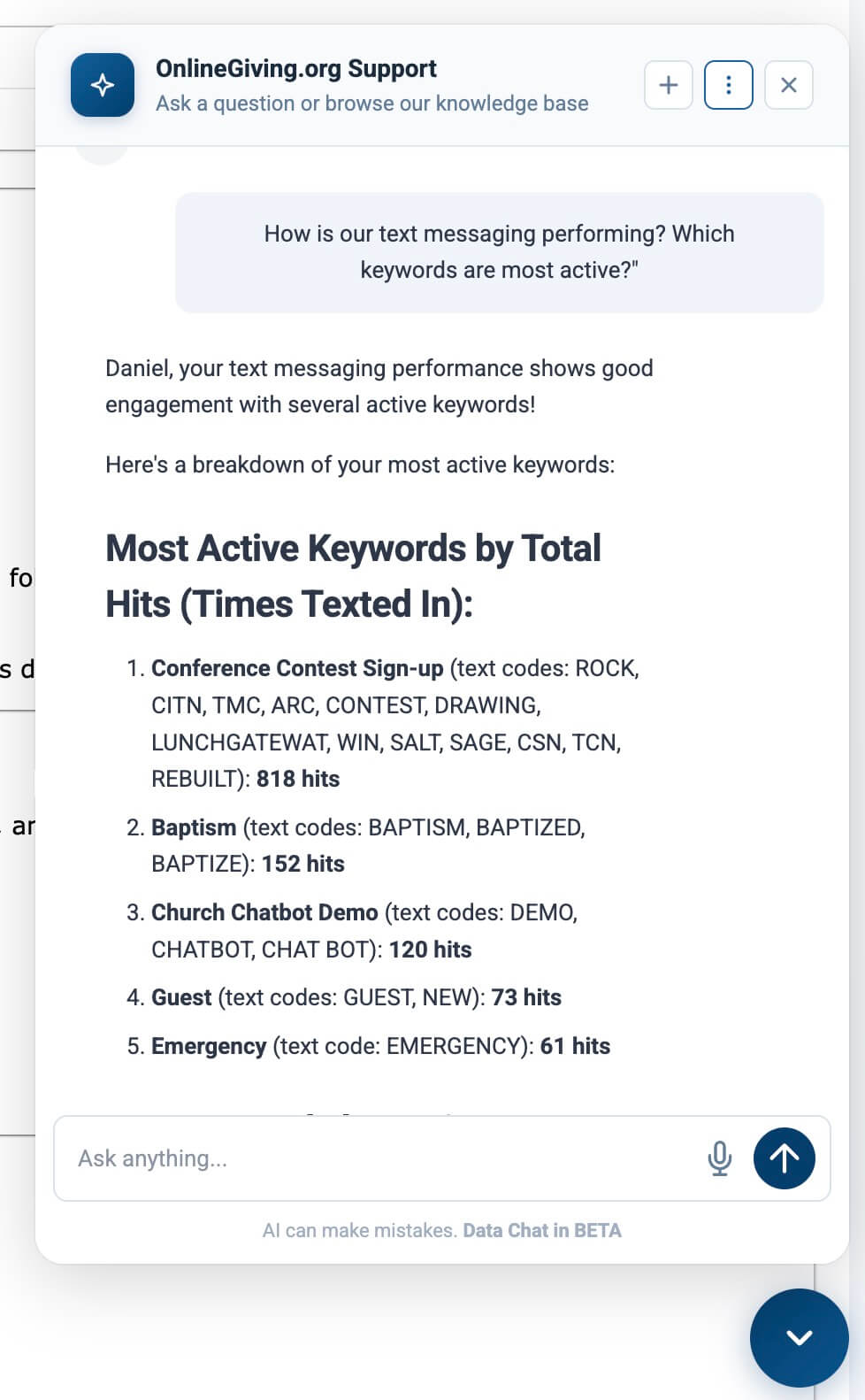
Your AI Support Chat just got a powerful upgrade. You can now ask questions about your church's actual data -- donations, donors, funds, giving patterns, text messaging activity, form submissions, and more -- in plain English. The AI queries your organization's live data, interprets the results with analytical intelligence, and delivers a clear, formatted answer in seconds.
No reports to open. No spreadsheets to export. No SQL to write. Just ask.
 |
 |
 |
 |
 |
 |
 |
 |
Where to Find It
AI Data Chat lives inside the same AI Support Chat you already know. There is nothing new to install, no separate tool to open, and no configuration to enable.
If you are an administrator with access to your church's data, the AI already knows. Open the chat bubble, and you will see data-focused example questions like "How many donations did we get last week?" right on the welcome screen. The subtitle updates to "AI-powered support & live data from your organization" so you know data chat is active.
Ask About Your Data in Plain English
Type a question the way you would ask a colleague.
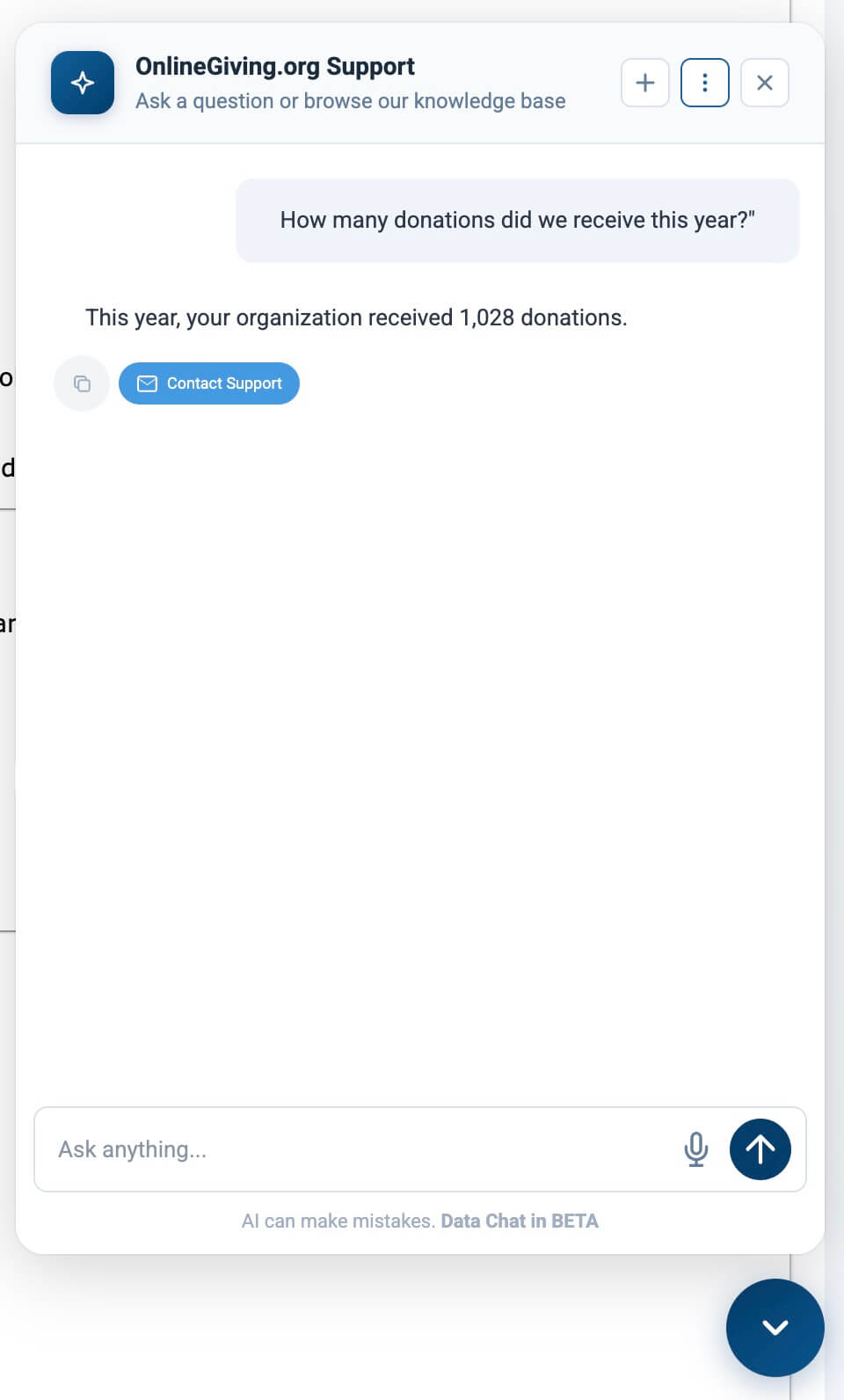
- "How many donations did we receive this year?"
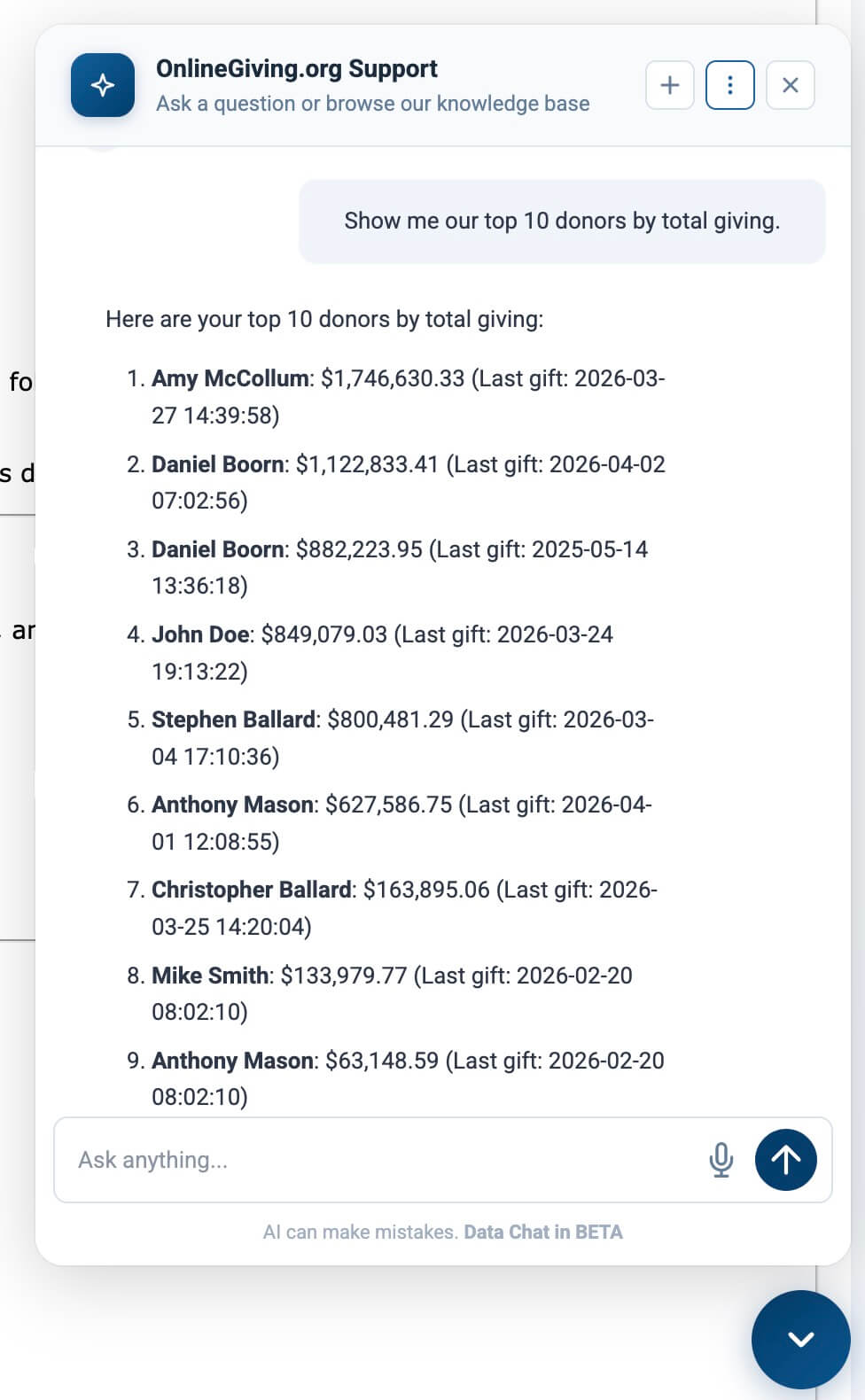
- "Show me our top 10 donors by total giving."
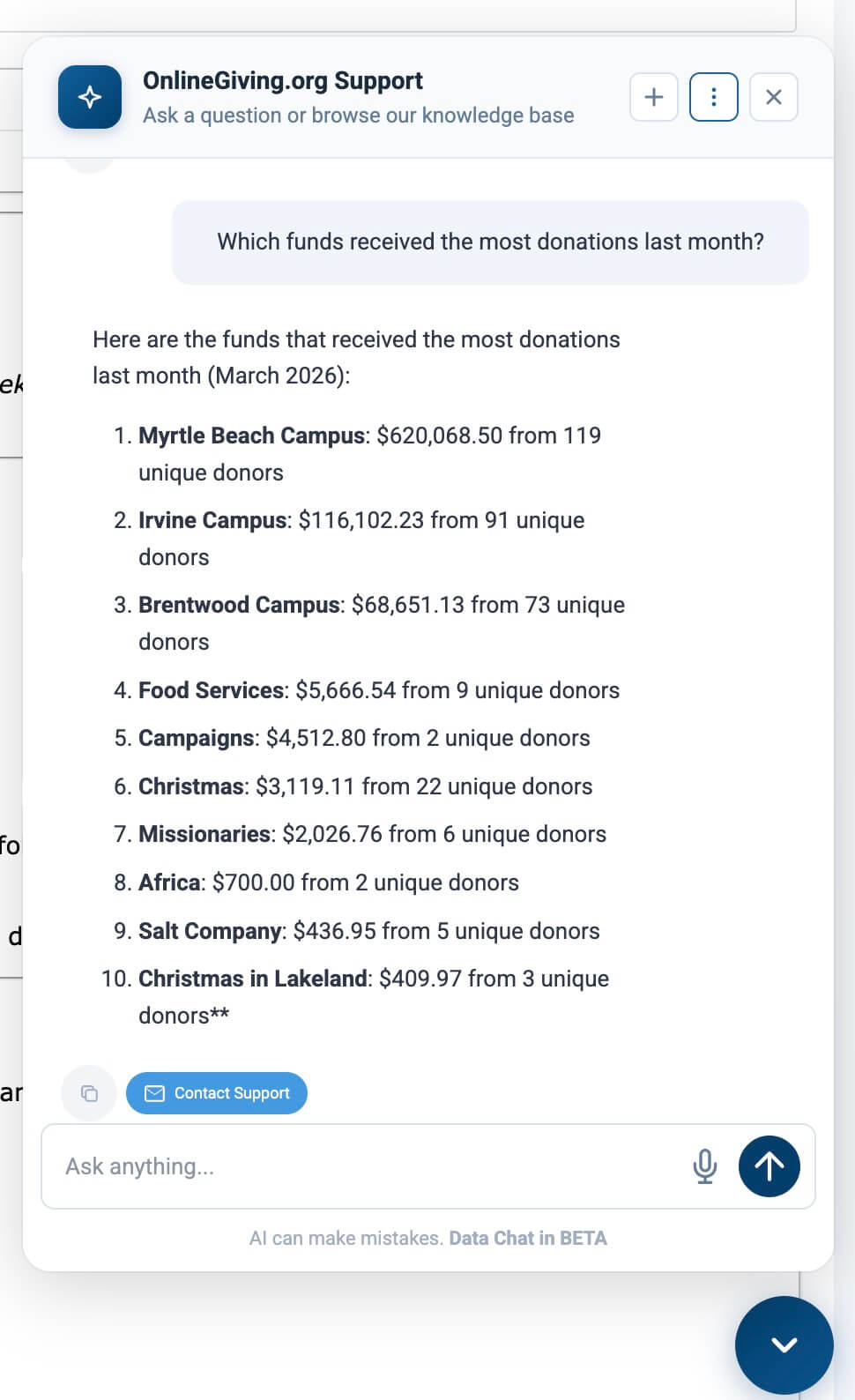
- "Which funds received the most donations last month?"
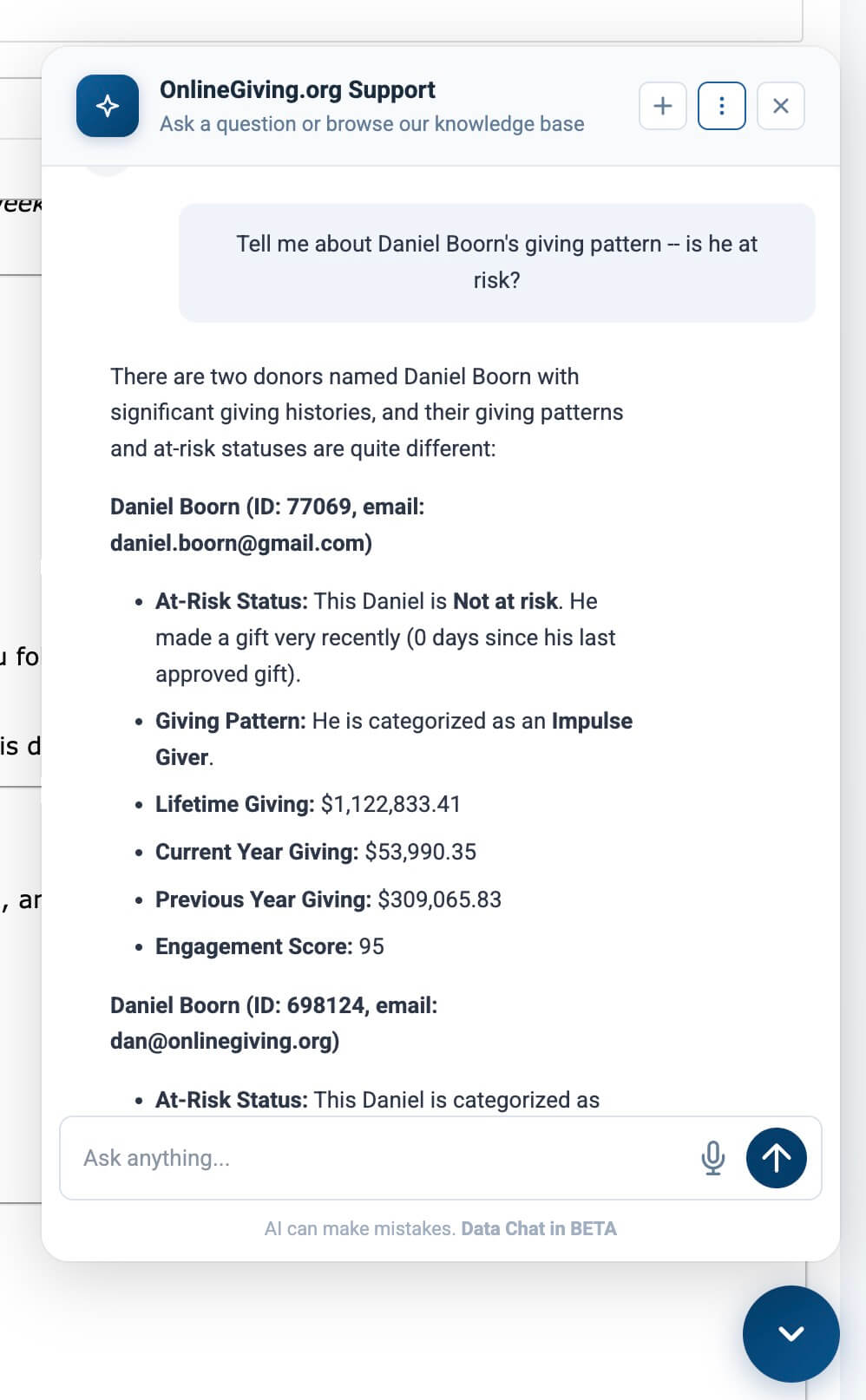
- "Tell me about John Doe's giving pattern -- is he at risk?"
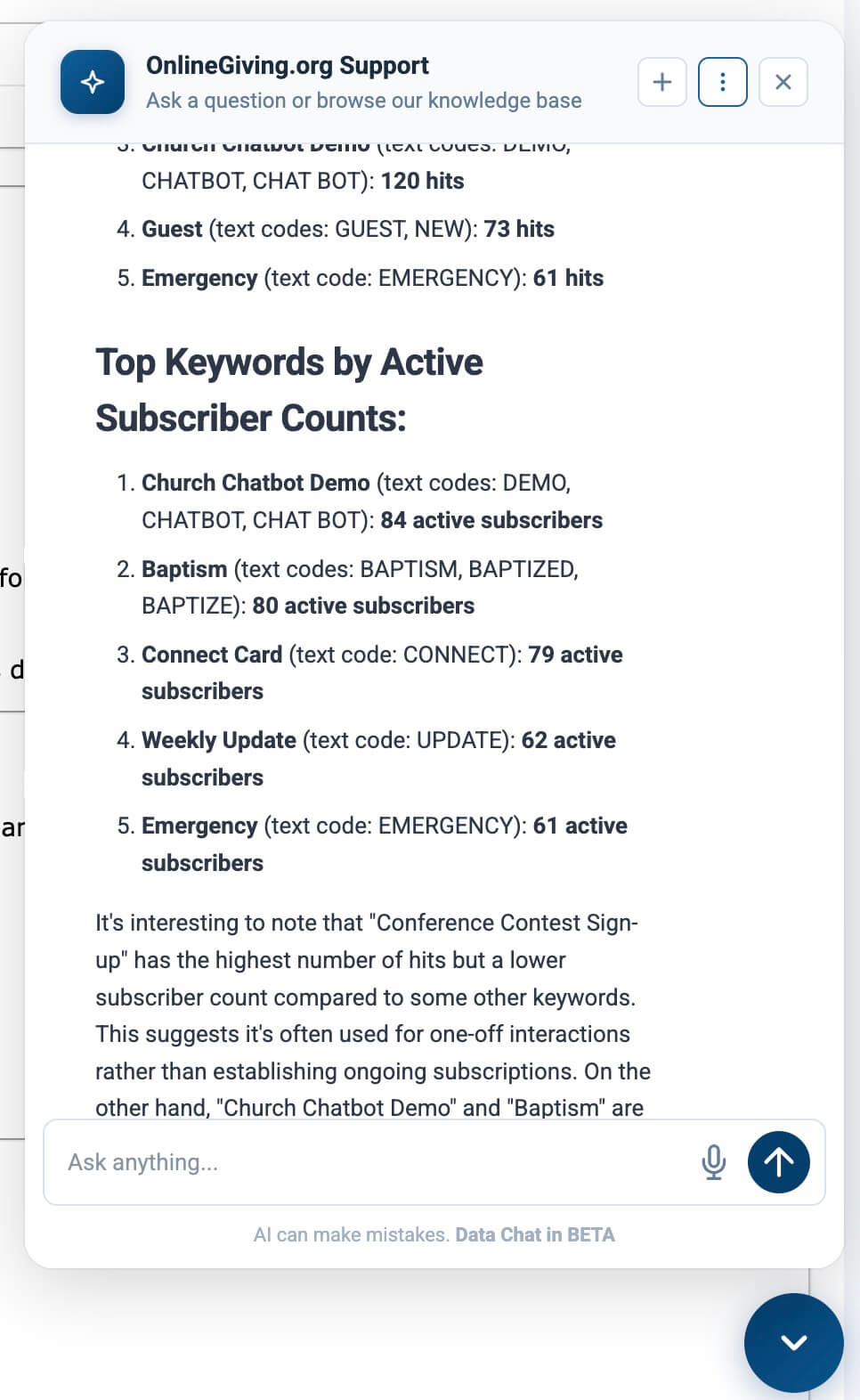
- "How is our text messaging performing? Which keywords are most active?"
- "Who submitted prayer request forms this week?"
The AI translates your question into a precise database query, runs it against your organization's data in real-time, and presents the results in a clean table or summary. It understands context -- when you follow up with "Can I see that broken down by fund?" it knows exactly what you are referring to.
Why it matters: Your data should not require a data analyst to access. When a pastor can ask "Who are our at-risk donors?" and get an immediate, accurate answer with names and giving patterns, that is data serving ministry instead of sitting in a database.
Numbers and Guidance, Together
Here is what makes this different from a raw data tool: the AI does not just hand you numbers and walk away. It combines live data with knowledge base guidance to give you context, interpretation, and next steps.
Ask "Which of our at-risk donors are still engaging through forms or text messaging but stopped giving?" and the AI will:
- Query your data to identify at-risk donors with recent form or text activity
- Interpret the pattern -- someone who stopped giving but is still submitting prayer requests is likely facing a financial hardship, not leaving the church
- Recommend action -- prioritize compassionate pastoral outreach, not a giving ask
- Point you to the report -- link to your Stewardship Pastoral Care Report for the full visual breakdown
Why it matters: Numbers without context lead to wrong decisions. When the AI tells you why a pattern matters and what to do about it, you make better pastoral decisions faster.
Deep Analytical Intelligence
The AI is not just running simple count queries. It understands your church's data at a deep level:
Giving Health
- Donor lifecycle stages: new, retained, lapsed, recovered
- Year-over-year trends and seasonal patterns
- Payment method distribution and recurring vs one-time giving
- Fund performance and giving concentration
Pastoral Care
- At-risk donor identification and care tier classification
- Engagement scoring across giving, forms, and text messaging
- Care priority recommendations for limited pastoral time
- Cross-domain signals: giving + forms + texts = holistic picture
Text Messaging
- Keyword performance and subscriber growth
- Delivery rates, chatbot conversations, and decisions
- Cost analysis and ministry ROI
- Overdue follow-ups and stale conversations
Custom Forms
- Submission trends and engagement patterns
- First-time vs returning submitters
- Anonymous submission analysis
- Multi-form engagement signals
Products and eCommerce
- Order analytics and product performance
- Revenue concentration and average order value
- Person-level purchase history
Why it matters: These are the same analytical insights that power your admin reports -- but now you can access them conversationally, ask follow-up questions, and get pastoral interpretation without navigating to five different report pages.
Thinking Through Complex Questions
Some questions require more than a simple lookup. When you ask something analytical -- "If I only have 30 minutes for pastoral outreach this week, who should I contact and why?" -- the AI activates an extended thinking mode that reasons through the problem step by step.
It considers multiple data points, weighs competing priorities, and arrives at a thoughtful recommendation. This is the same kind of reasoning your most experienced staff member would use, but backed by every data point in your system.
Why it matters: The hardest ministry decisions are not the ones with obvious answers. They are the ones that require balancing urgency, engagement signals, giving patterns, and pastoral bandwidth. The AI thinks through that complexity with you.
Smart Suggested Questions
When you open the chat, you will see suggested questions tailored to your access level:
With data access, you will see questions like:
- "How many donations did we get last week?"
- "Who are our top donors this year?"
- "Show me our giving totals by fund."
Along with support and ministry prompts like:
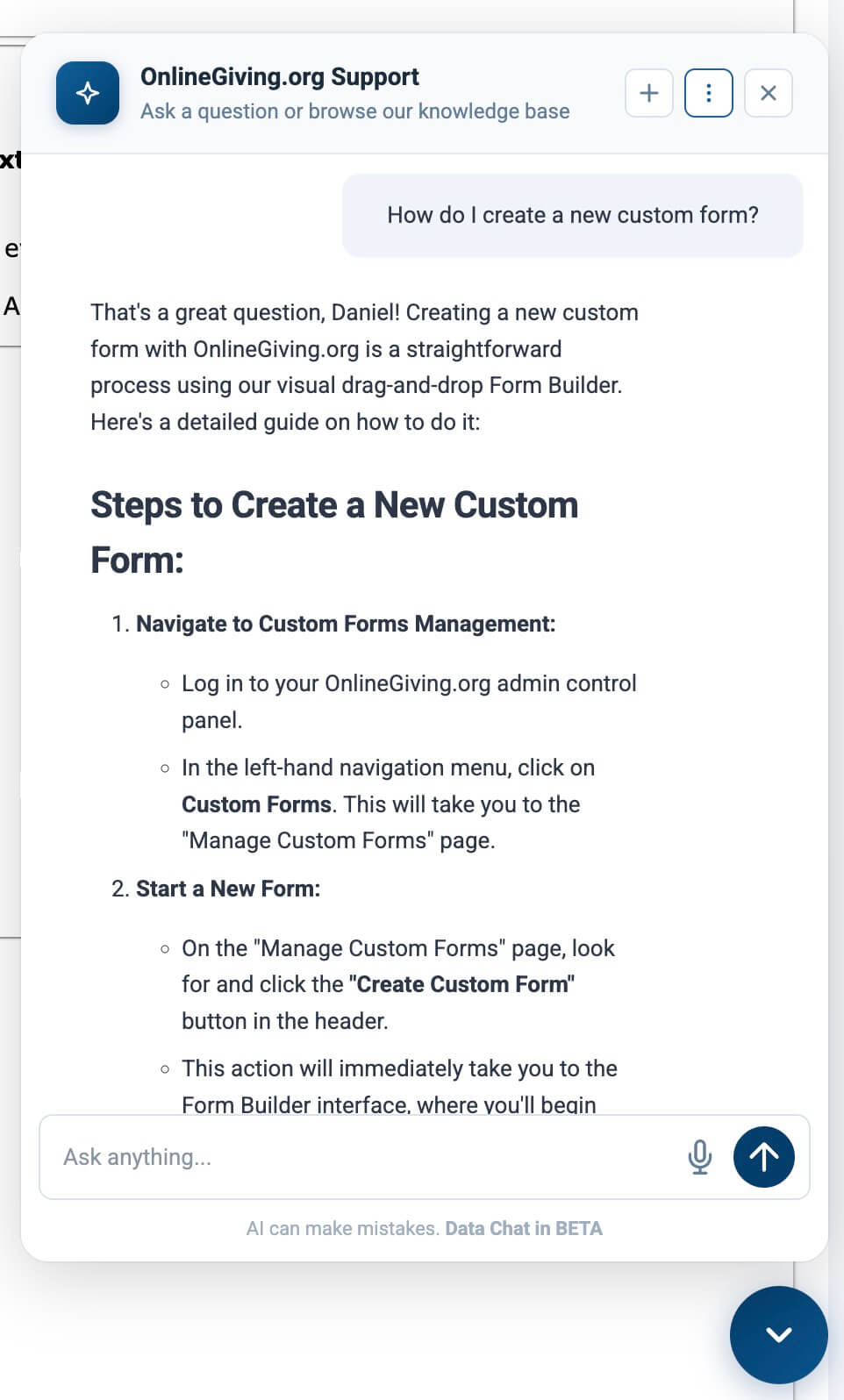
- "How do I create a new custom form?"
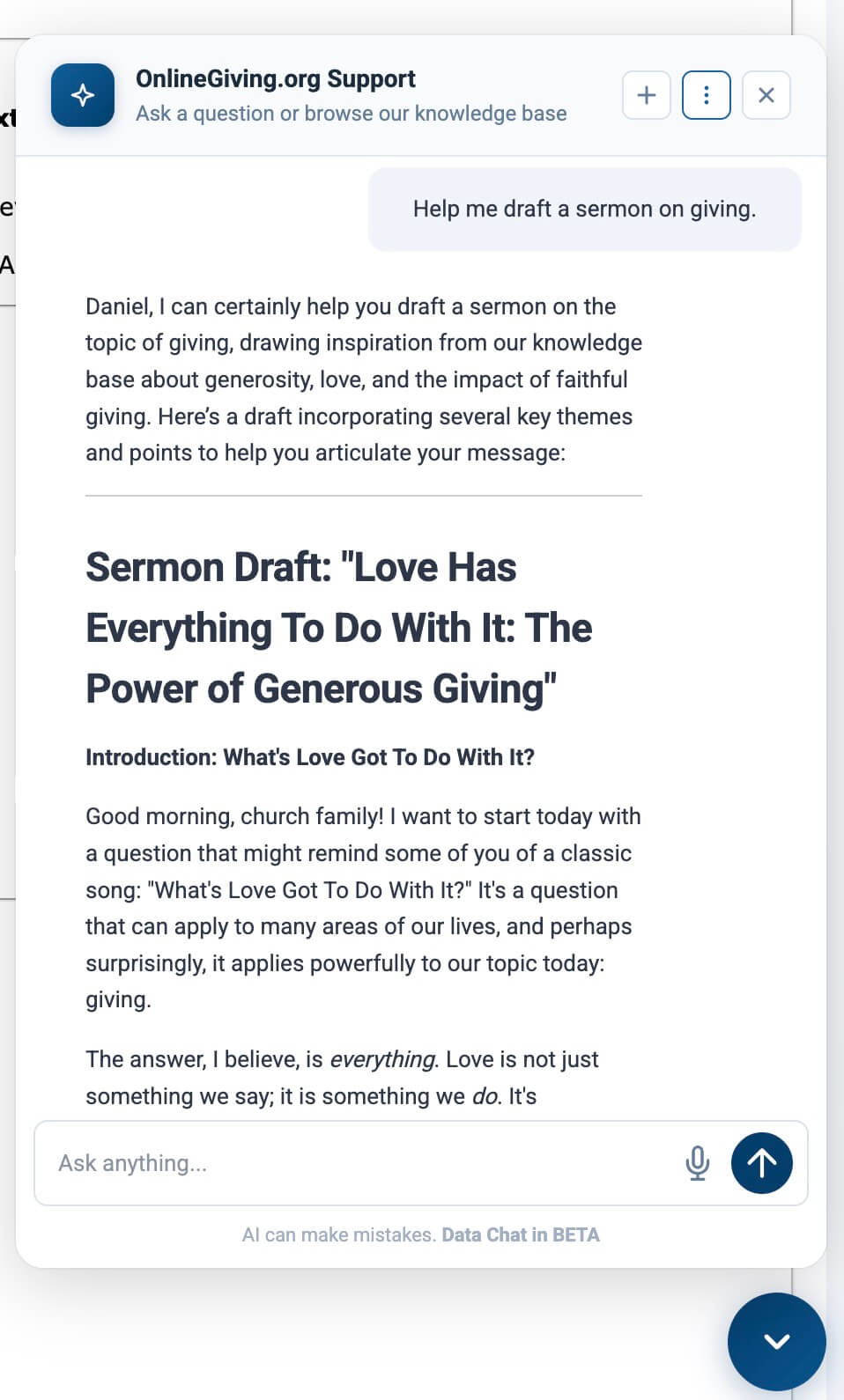
- "Help me draft a sermon on giving."
Without data access, you still get the full Support GPT experience with support, ministry, and migration prompts -- nothing changes for non-data users.
Why it matters: New users immediately see what the AI can do for them, and the suggestions match their actual permissions. No one sees a data question they cannot use.
Secure by Design
We built AI Data Chat with the same care we bring to handling your financial data:
Role-Based Permissions
Not every admin sees the same data. The AI respects your existing role structure:
- Full administrators can query all data views
- Payments administrators see only payment and product data
- Custom Forms administrators see only form-related data
- Text Marketing administrators see only text messaging data
- Dashboard-only administrators do not have data chat access
Output Protection
Every response passes through an output guard that automatically redacts sensitive data before they ever reach your screen. If a query somehow returns sensitive data, it is scrubbed before you see it.
Query Safety
A multi-layer internal AI query validation system ensures only safe, read-only queries run on organizational data.
Rate Limiting and Abuse Protection
Token usage is budgeted per user per hour. If unusual query patterns are detected, the system flags the activity and can temporarily pause data access with a clear explanation to the user.
Why it matters: Your congregation trusts you with their financial information. We treat that trust as sacred. Every layer of this feature was designed so you can confidently ask the AI about your data without worrying about security and privacy.
Full Audit Trail
Every question asked, every query run, and every result returned is logged with full traceability:
- Internal audit log: Every generated query, its status, timing, and row count. Audited by our team for security and improvement purposes.
- Token usage tracking: Per-user, per-domain usage with cost estimates. Currently data-chat is free to use with a very generious free usage limit.
- Thread history: Conversational context preserved across follow-up questions allowing page to page conversations.
- Violation logging: Any security flag is recorded and monitored. Ensuring any attempts of abuse is blocked automatically.
This is not just for compliance -- it means our support team can see exactly what the AI did if you ever have a question about an answer. We also frequently audit chats to look for improvements.
Conversation Memory
Ask a question, then follow up naturally. The AI remembers what you discussed:
You: How many donations did we have this year?
AI: Your organization had 60 successful donations this year.
You: Which funds are those for?
AI: The 60 donations were across these funds: Central (28), Benevolence Fund (13), Surfside Beach (10)...
You: Can I have that with amounts?
AI: Central: 28 donations totaling $80,294.88, Benevolence Fund: 13 donations totaling $1,508.51...
Each follow-up builds on the previous answer. The AI maintains context for up to 12 hours and 10 conversation turns, so you can explore your data naturally without re-explaining what you are looking for.
Why it matters: Real questions are not one-offs. You start with a high-level number, then drill down. The AI follows your train of thought just like a team member sitting next to you would.
Timezone-Aware Answers
When the AI returns dates and times from your data, it automatically converts them to your church's configured timezone. No more mental math converting UTC to Central time. If your church is in Dallas, you see Dallas time.
At a Glance
- Natural-language data queries: Ask about donations, donors, funds, and more without touching a report or spreadsheet
- Combined data + guidance: Get the numbers AND the pastoral interpretation in one answer
- Deep analytical intelligence: At-risk donors, engagement scoring, giving health, text messaging performance
- Extended thinking for hard questions: Complex pastoral priority questions get thoughtful, multi-factor reasoning
- Role-based access: Each admin sees only the data their role permits
- Read-only replica queries: Your primary database is never touched; all queries run on a safe copy
- Output scrubbing: Sensitive data is automatically redacted before it reaches your screen
- Conversation memory: Follow up naturally; the AI remembers what you discussed
- Timezone-aware results: Dates and times in your church's local timezone, always
- Full audit trail: Every query logged for transparency and compliance
- Smart suggested questions: Permission-aware example prompts show you what is possible
Try It Now
- Open the AI Support Chat bubble in the bottom-right corner of any admin page.
- Try asking: "How many donations did we receive this month?"
- Follow up with: "Show me the top 5 donors."
- Then try: "Tell me about [donor name]'s giving pattern -- are they at risk?"
- Explore the suggested questions on the welcome screen for more ideas.
Your church's data has always been there. Now it speaks your language.