Feature Updates 04/18/2022
NEW OnlineGiving.org. Donation Batches for Cash, Paper Checks!
We're pleased to announce that OnlineGiving.org's cash and check quick entry application is now a public beta. Church administrators may now create cash or paper check donations with our new donation batch feature. Additionally, for those who do not know, OnlineGiving.org's check scanning with remote bank deposit application is currently in private beta. Together, the OnlineGiving.org platform now allows for cash, paper check, and scanned checks (with remote deposit) in combination with our existing digital giving methods!
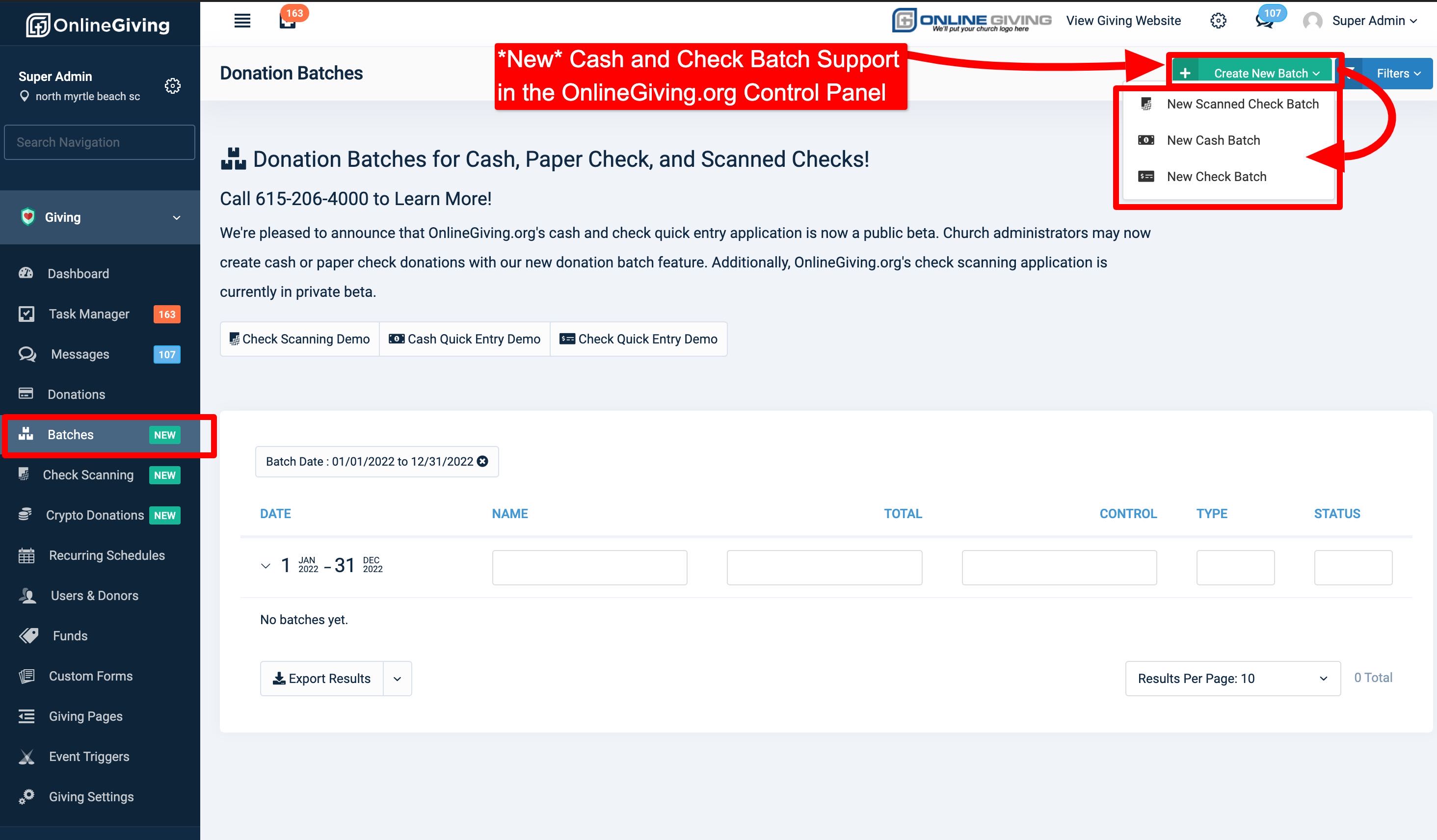
Church administrators may now access the cash and paper check quick entry batch features in the OnlineGiving.org Control Panel > Giving > Batches > Create New Batch button on the top right of the page. We've included links below to video demonstrations of the new check, paper check, and scanned check features!
- OnlineGiving.org Check Scanning Demo: https://vimeo.com/691097354/8f44f5e251
- OnlineGiving.org Cash Quick Entry Demo: https://vimeo.com/700583263/bf1eef4974
- OnlineGiving.org Check Quick Entry Demo: https://vimeo.com/700583661/9a068e44b8
Full ChMS integration is always included in all of our donation recordings (when applicable and available), and our beta applications include full ChMS donation support! Kindly note that "Cash Quick Entry" and "Check Quick Entry" are in public beta and available to all OnlineGiving.org church administrators. Currently, "Check Scanning" is in private beta and is scheduled for public beta in 4-6 weeks. Interested in joining our private beta for check scanning? Call 615-206-4000 to Learn More!
Preview of How to Access New Cash/Check Batch Quick Entry Features: