Feature Updates 04/27/2021
OnlineGiving.org Control Panel App Designer Conditional Display Properties for App Components
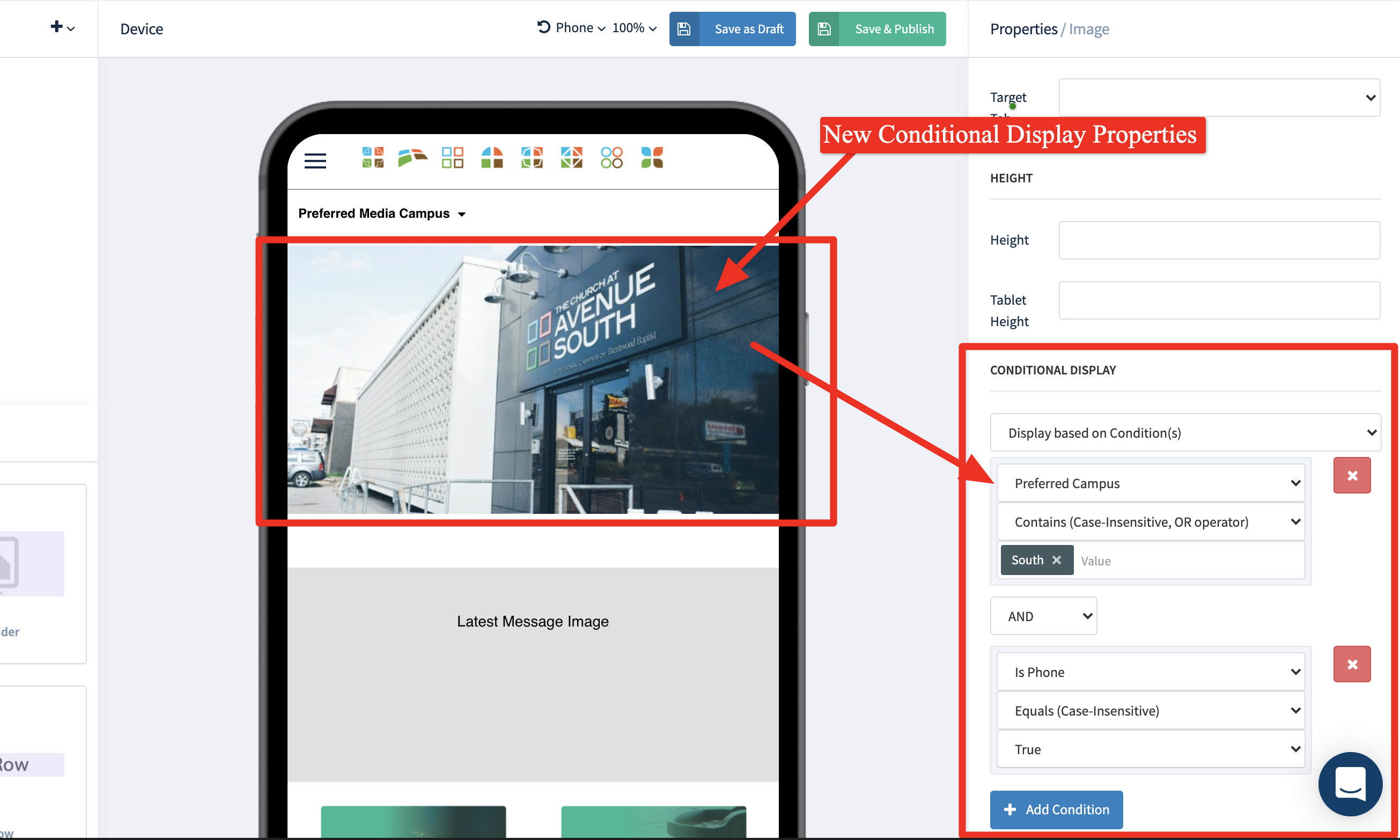
We're pleased to report an update is now live to the OnlineGiving.org Control Panel App Designer to allow nearly all of our drag and drop components to be conditionally displayed or hidden based on the church administrator's application design. The new conditional display feature allows a church administrator to design an application to conditionally display different app components based on application devices such as phone vs. tablet. Additionally, church administrators may conditionally display components based on preferred campus, allowing for different images, slide shows, buttons, or similar to be changed based on the mobile app users' preferred campus. To take it a step further, we also designed the feature to allow multiple conditions to be configured and joined together with either an "AND" or "OR" operation. The goal is to empower the App Designer to allow application components to be more dynamic (smart) based on the end-user context, such as device or user profile. With time, we plan on extending the list of available conditions that administrators may use with this feature.
We're excited to see what our church's build with this new feature! Soon, church administrators of multi-campus locations can design pages (or the home page) to change entirely based on preferred campus or device type dynamically! Now that's exciting news!
Preview of New Conditional Properties in App Designer:
OnlineGiving.org Control Panel App Designer Phone/Tablet Preview Enhancements
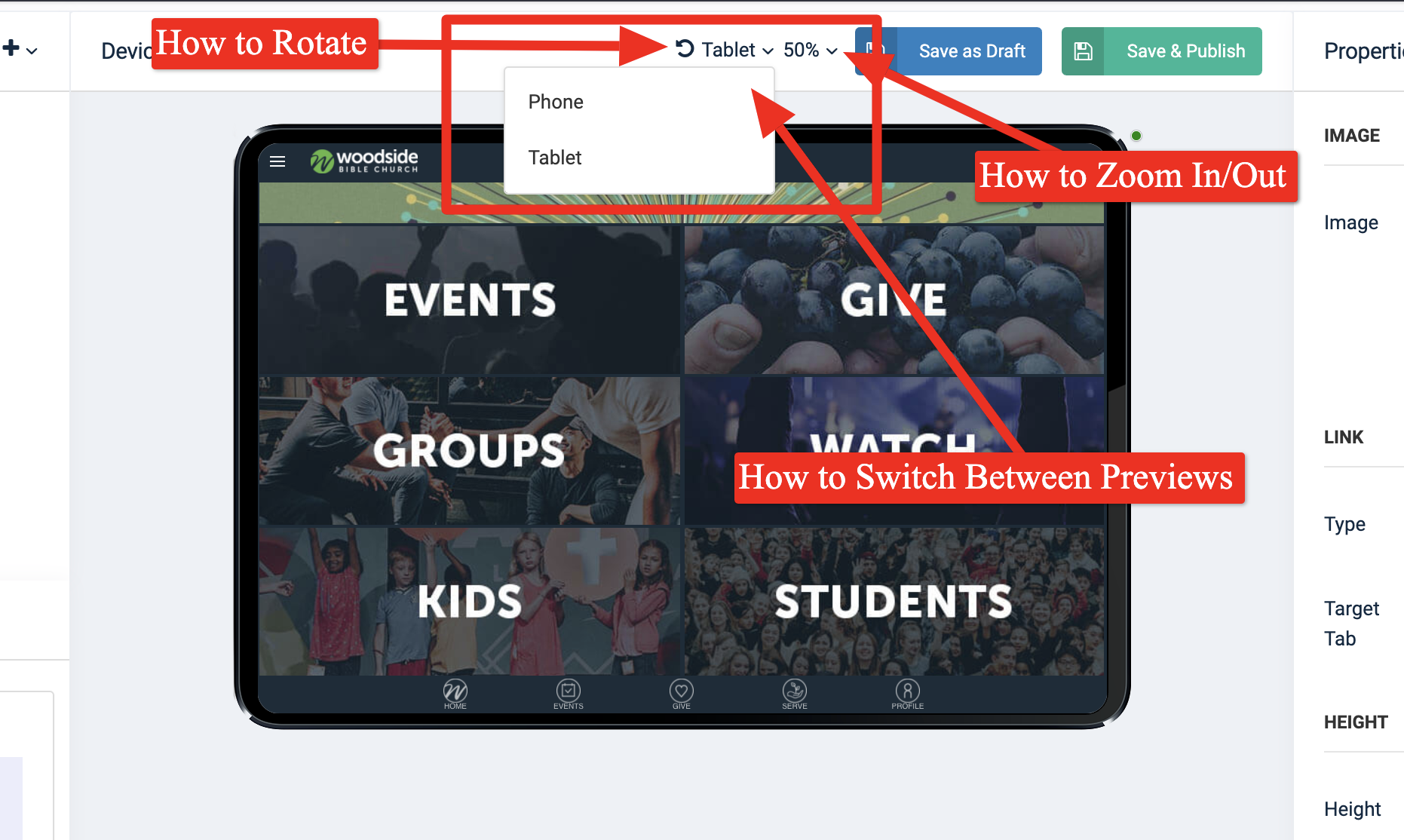
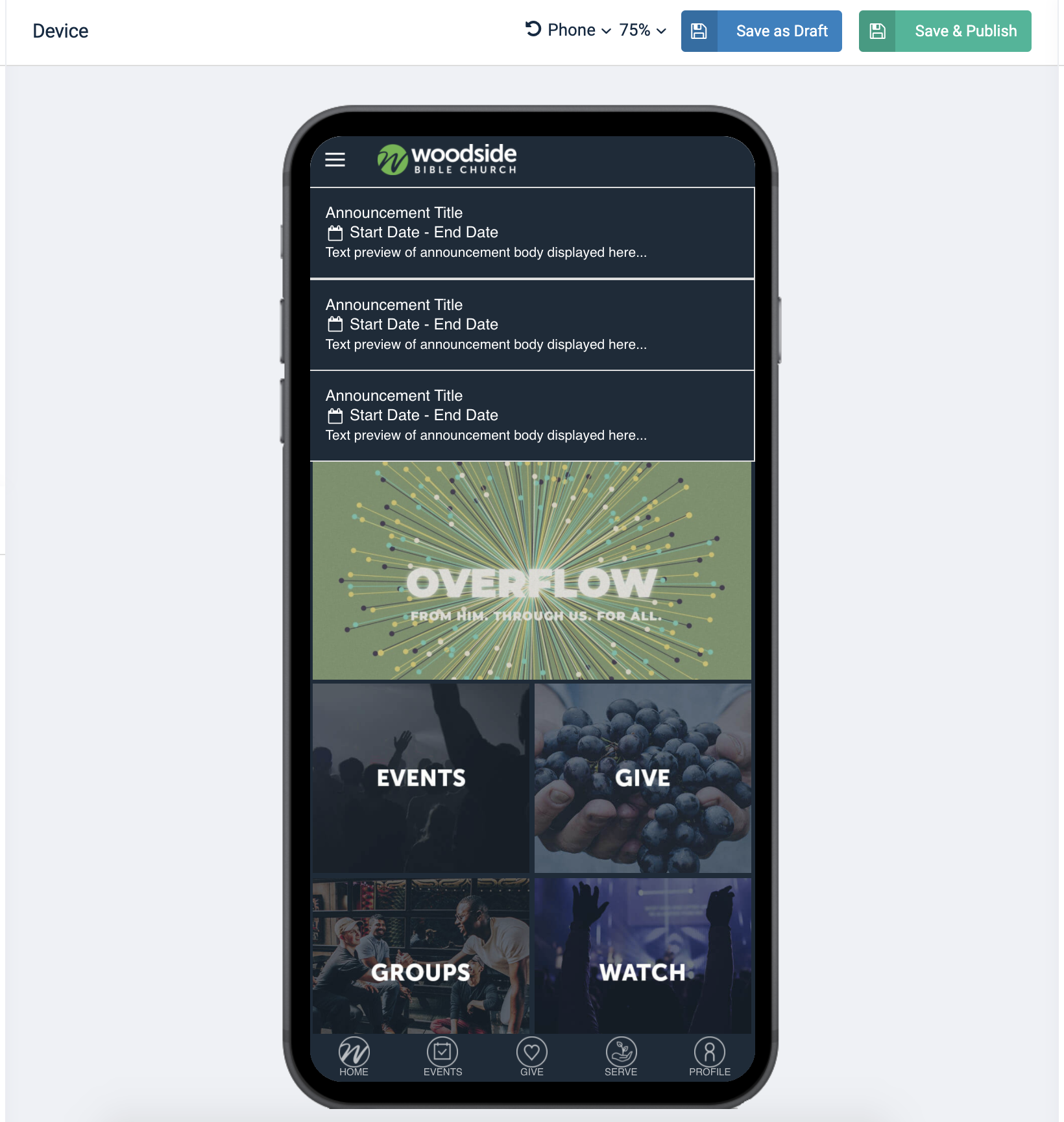
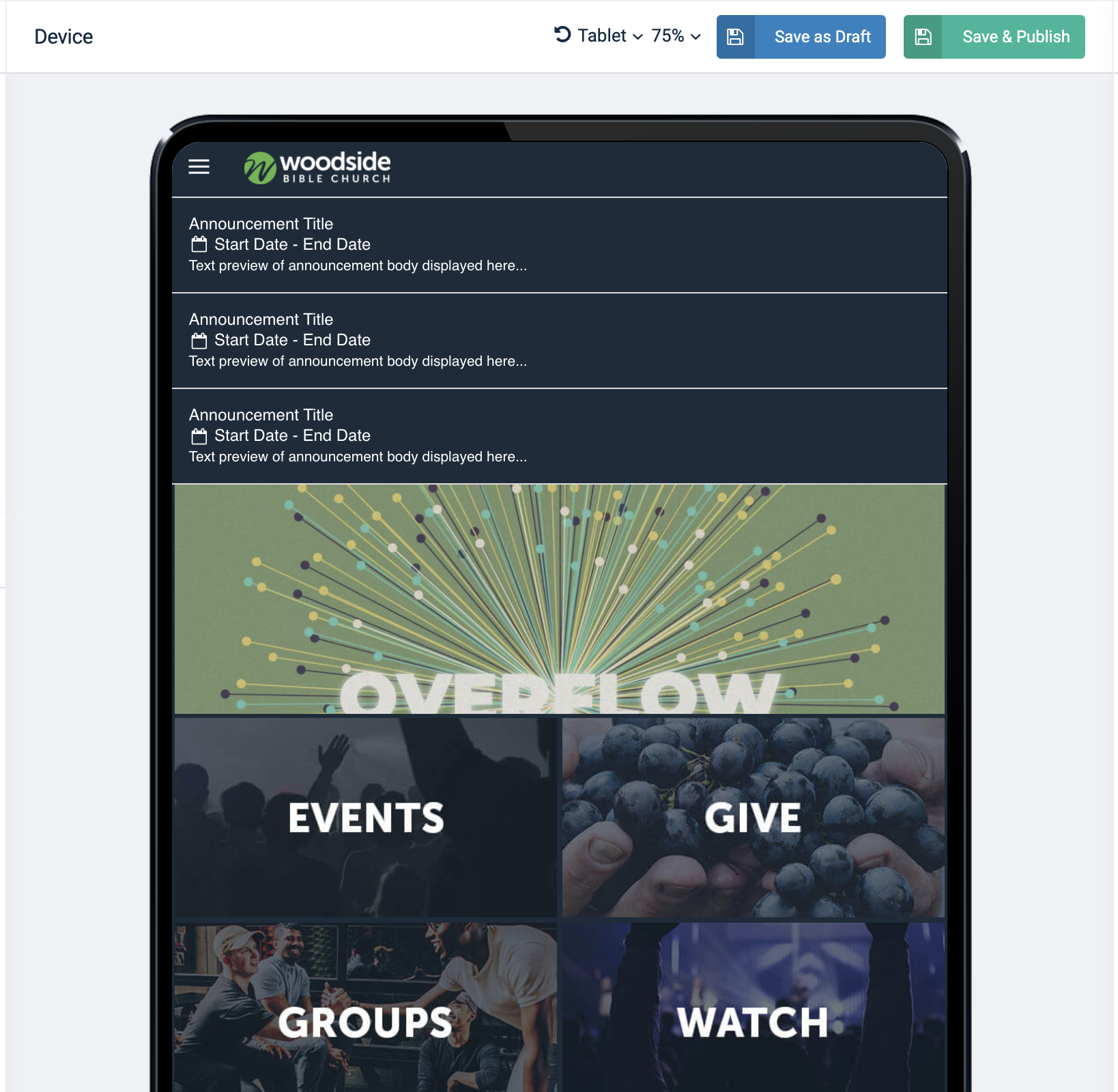
We're pleased to report an update is now live to the OnlineGiving.org Control Panel App Designer to enhance the preview modes for phone vs. tablet devices. Specifically, we've updated the preview displays to have updated preview device templates with smaller borders and rounded corners to emulate the latest device standards better. App Design administrators may use the "Phone" and "Tablet" feature to preview the mobile application design on different device types and use the rotate device and zoom features to preview in landscape vs. portate modes with different zoom levels. Kindly see below for previews:
Preview of Updated Phone Template:
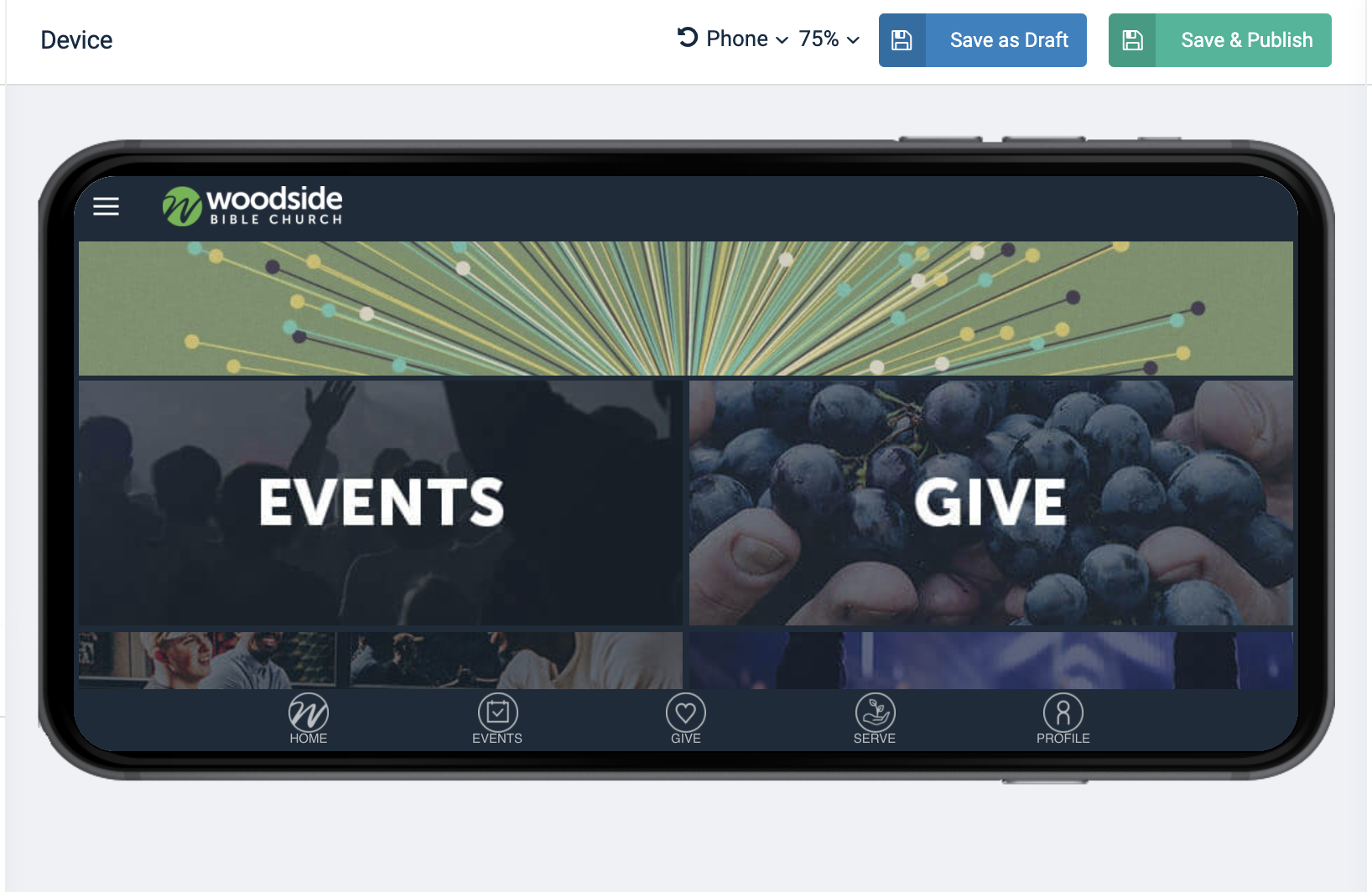
Preview of Updated Tablet Template:
Preview of How to Switch between Devices, Zoom and Rotate: