Feature Updates 04/30/2021
New Optional Smart Display to Encourage Bank Account vs. Credit Card
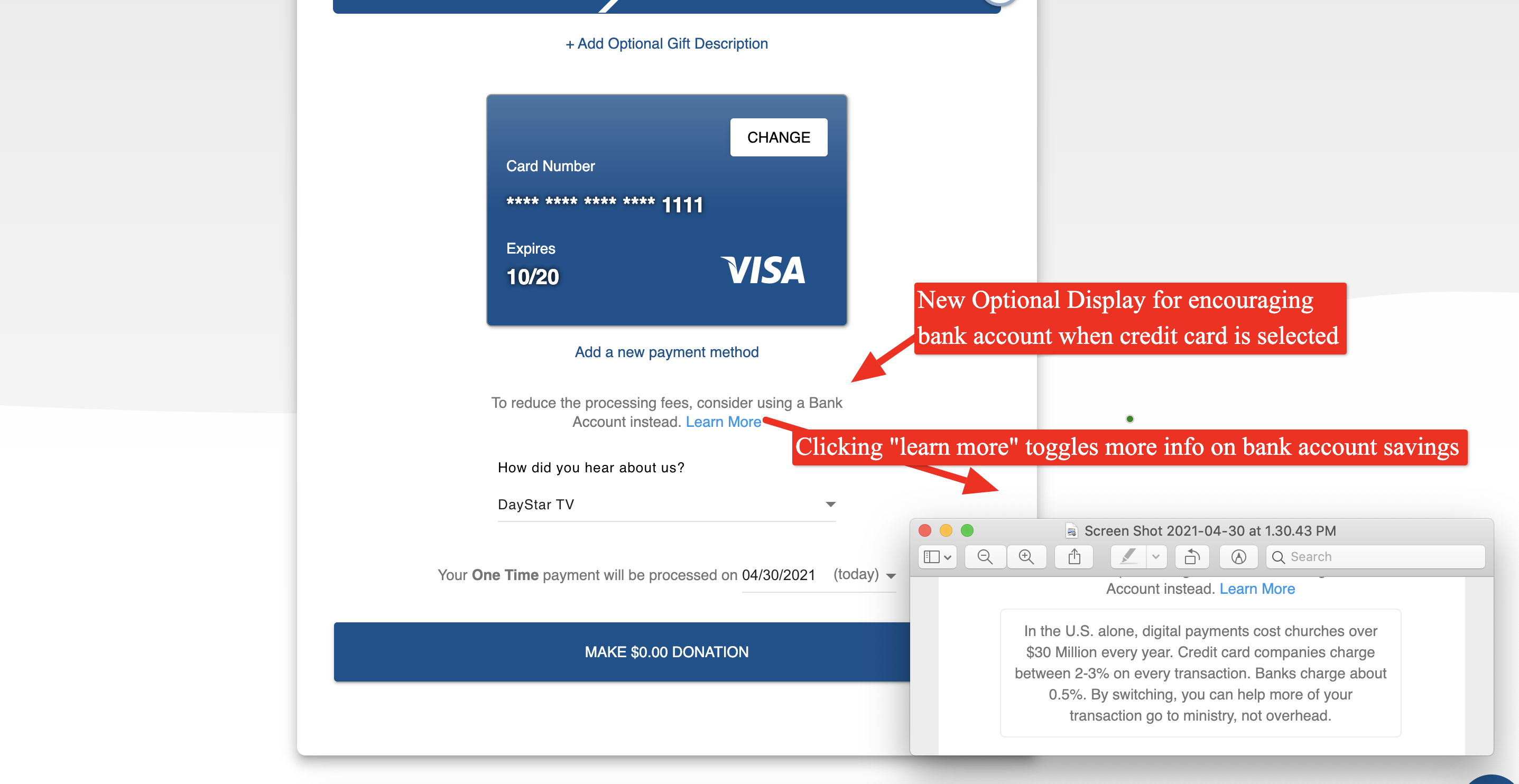
A new optional smart display feature is now available for churches to encourage bank account over a credit card for cost savings purposes. If enabled, the feature will display a short friendly message about the cost savings of switching to a bank account when a credit card is currently selected, and an electronic check (bank account) is available. The feature also has a "more information" feature to toggle a short bit of information about the cost savings of a bank account vs. a credit card. Kindly see below for previews of the new optional feature. To enable the feature, please reach out to support@onlinegiving.org.
Preview of Optional New Smart Display:
New Optional Persistent Authentication Mode For OnlineGiving.org Mobile Application
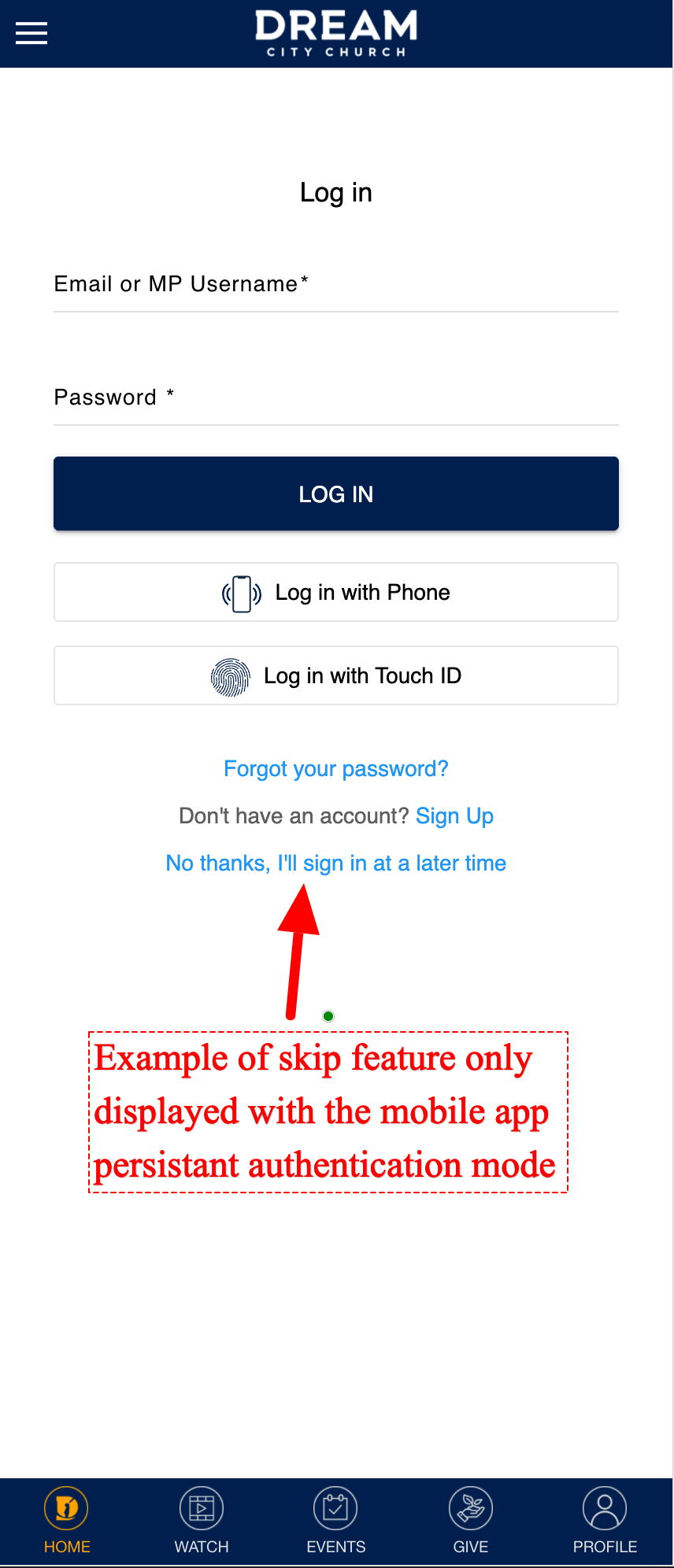
We're pleased to announce a new optional feature is now available for church's using the OnlineGiving.org mobile app, allowing for gentle persistence to encourage the mobile app user to log in. Specifically, once the feature is enabled, the mobile application will automatically prompt the app user to log in on the application load. From the log-in prompt, app users may sign in, register, or choose to skip the login. If the app user chooses to skip the login, the feature will wait time, such as 3 days, and try again. e.g., gentle persistence. The amount of time by default is 3 days but can be easily customized to any church desires such as 3 days, 7 days, 30 days, etc. If you are interested in enabling the feature, please reach out to support@onlinegiving.org for more information.
Preview of Persistent Authentication Prompt with Optional Skip Feature:
Campus Picker Feature for OnlineGiving.org Mobile App Updated to Save Preferred Campus to Donor Profile
We're pleased to report the campus picker feature for the OnlineGiving.org mobile application has been enhanced to automatically save the preferred campus to the mobile app user's donor profile if they are signed into the mobile application. If the mobile app user is not signed in, the preferred campus is stored locally and automatically saved upon sign-in by the app user.
Did you know? The Mobile App Persistent Auth & Campus Picker Designed to Work Together. The persistent authentication will automatically trigger the campus picker after sign-in (if the event multi-campus support is enabled) and the mobile app preferred campus is unknown.