Feature Updates 05/13/2022
OnlineGiving.org Cash, Scanned Check, Manual Check Batch Transactions Will Now Record with Batch Date
An update is now live to the OnlineGiving.org batch transaction feature, including cash, scanned check, and manual check transaction batches. Moving forward, any transaction created by cash, scanned check, or manual check batch will have a transaction payment date that matches the batch date supplied by the church administrator. Before the update, the transaction date was set to the submission date/time. The goal is to allow transaction payment dates to may batch dates which gives control to the church administrator of the date of the transitions that are created and pushed into the ChMS.
OnlineGiving.org MinistryPlatform Invoice Payments Enhanced with Dedicated Error Handler Page for Payments
We're pleased to report an update is now live that enhances the OnlineGiving.org MinistryPlatform invoice payments feature with a dedicated error page that will now be displayed in the event an unexpected (temporary) issue is detected that prevents the invoice payment page from loading, such as the MP REST API failing to respond with invoice information.
Before the update, when an MP server failed to respond with invoice information, the error was handled with our stock error message redirect, which lands on the login page and displays a brief message. Based on church feedback, it was discovered that the redirect could create possible end-user confusion with the error message on the login page.
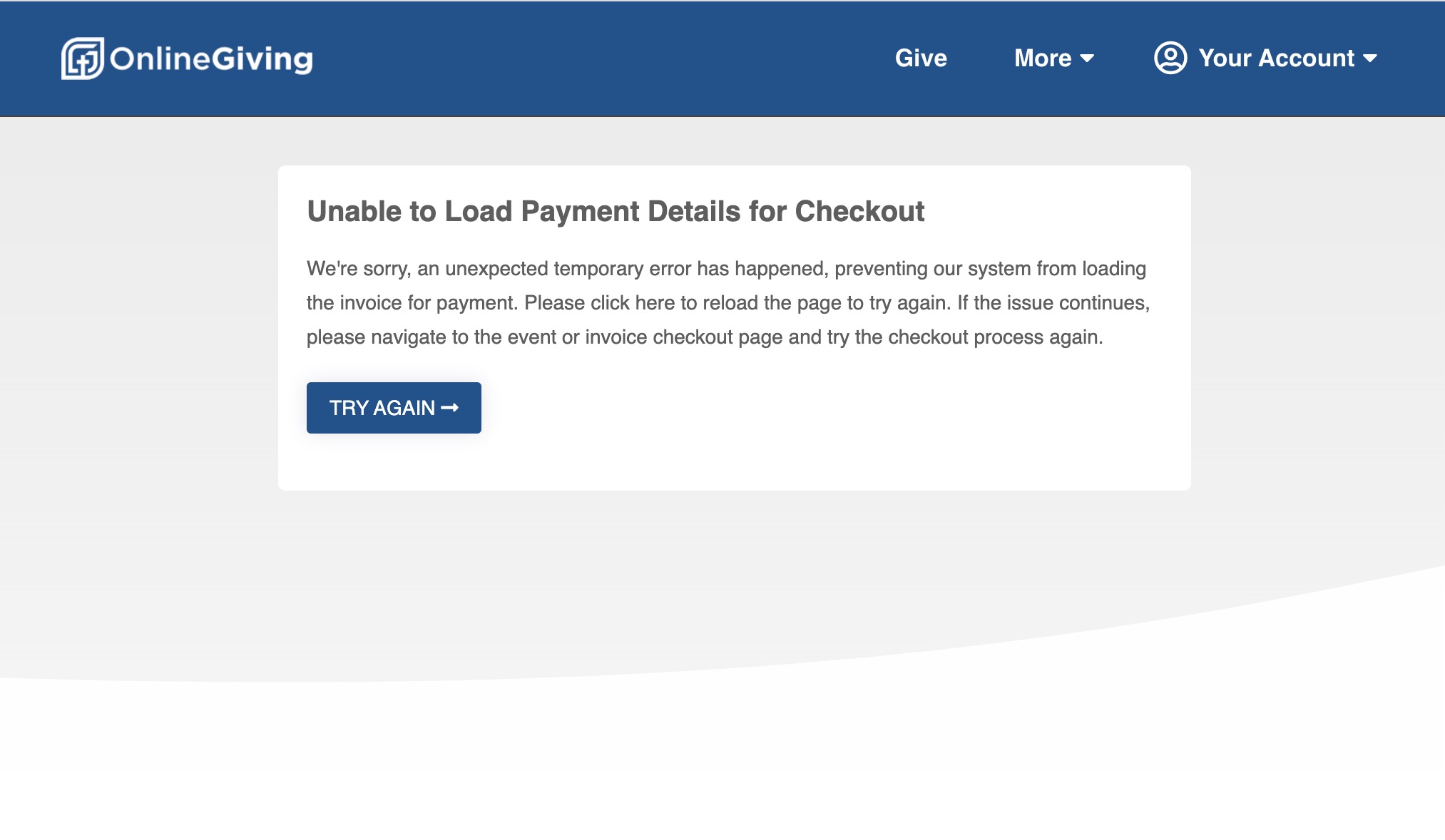
The update's goal is to have a dedicated unexpected error handling page dedicated to MP payments that can be displayed when the OnlineGiving.org payment checkout cannot load correctly due to the remote MP server failing to respond. The dedicated page displays a friendly message to the end-user that an unexpected (temporary) error has occurred and displays a button for the user to try to load the payment page again quickly. This prevents the user from inadvertently getting off track and making a donation and also allows them to try the request again to complete their payment quickly.
The church requires no action as the feature has been enabled globally for all OnlineGiving.org MinistryPlatform customers. We've included a preview of the new custom error page below from our online demo for your convenience.
Preview of the New Dedicated MP Payment Error Page
Note: Kindly note the actual error page will be displayed with the church's logo and color theme.
OnlineGiving.org Control Panel Search Giving Settings by Keyword
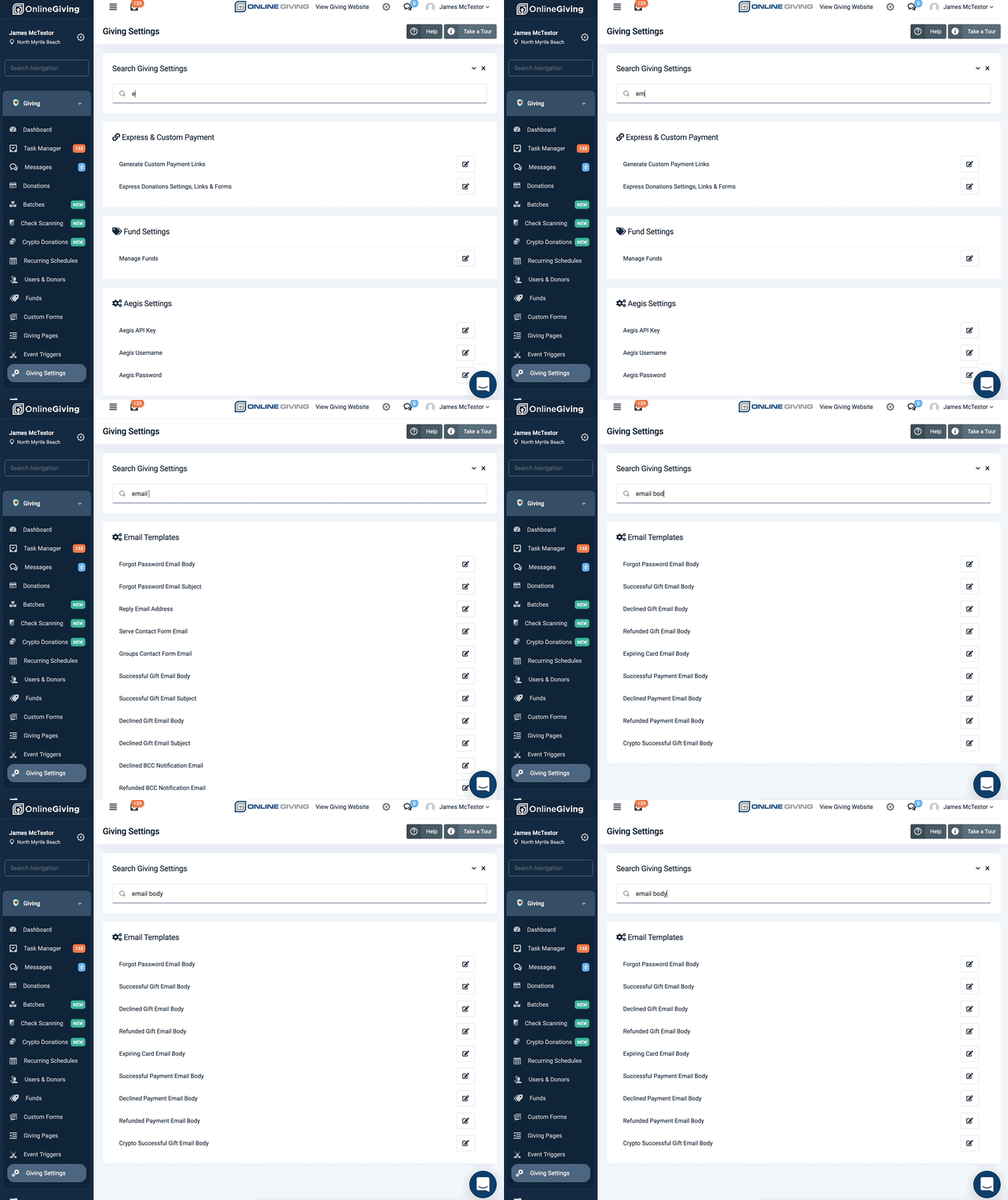
We're pleased to report an update is now live on the OnlineGiving.org Control Panel > Giving > Settings page to add a keyword search feature to the top of the page. Church administrators may now easily start typing a keyword into the search box to filter settings quickly.
Preview of New Giving Settings Keyword Search in Action
OnlineGiving.org Control Panel Search App Settings by Keyword
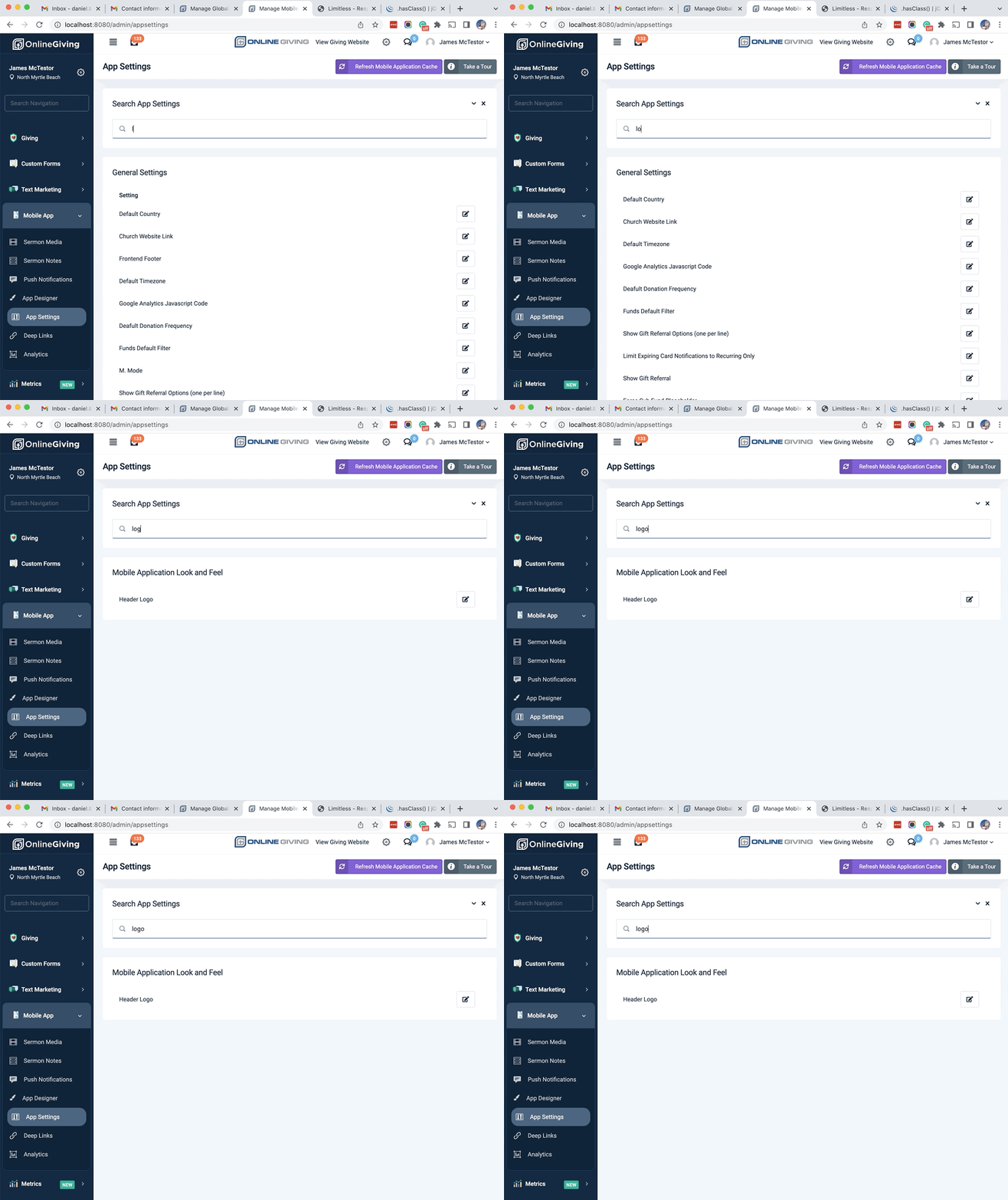
We're pleased to report an update is now live on the OnlineGiving.org Control Panel > Mobile App > App Settings page to add a keyword search feature to the top of the page. Church administrators may now easily start typing a keyword into the search box to filter settings quickly.
Preview of New App Settings Keyword Search in Action