Feature Updates 05/30/2025
New Optional Footer on Stock Transfer Instructions
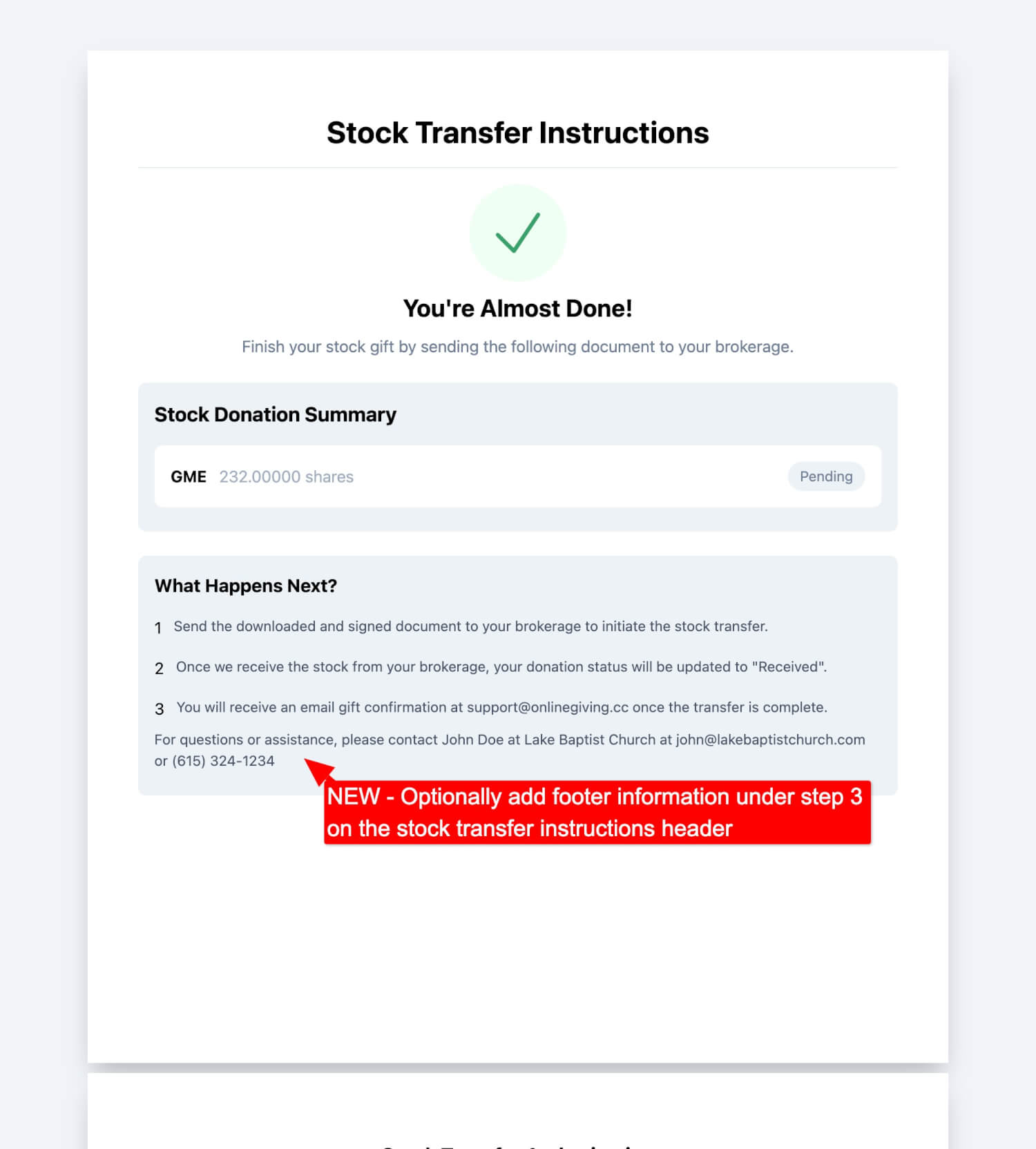
We’ve introduced a new enhancement to the Stock Transfer Instructions view on OnlineGiving.org. Ministries can now optionally display a custom contact footer beneath Step 3 in the “What Happens Next?” section. This allows you to include personalized support details—such as a contact name, email address, or phone number—to help donors complete their stock transfer confidently.
Example Use Case:
For questions or assistance, please contact John Doe at Lake Baptist Church at john@lakebaptistchurch.com or (615) 324-1234.
This footer gives donors a clear point of contact, improving clarity and donor trust during the giving process.
How to Enable
To add this custom footer to your stock transfer instructions, please contact our team at support@onlinegiving.org.
Smarter Check Number Detection in Scanning System
A new update is now live on OnlineGiving.org that enhances the accuracy of check number recognition during check scanning. The system now automatically detects and corrects check numbers that contain decimal points—whether sourced from OCR or MICR ink. When a decimal is detected, the updated logic retains only the portion of the check number to the left of the decimal, ensuring cleaner, more accurate data capture.
Feature Release: Auto-Select “Other” Gift Amount in Embedded Giving Widgets
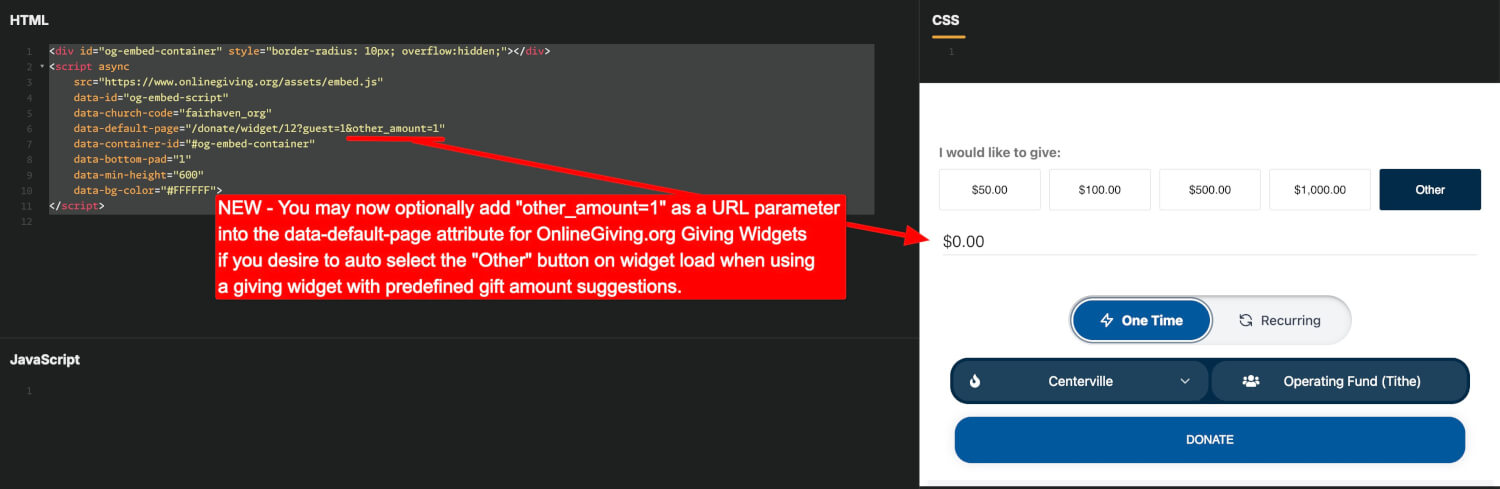
A new enhancement allows you to pre-select the “Other” gift amount option when loading an embedded giving widget. This is ideal for cases where predefined donation amounts are present, but you want the donor experience to begin with a custom amount entry.
How to Use
Append the URL parameter other_amount=1 to the data-default-page attribute in your embed script.
Example:
<script async src="https://www.onlinegiving.org/assets/embed.js" data-id="og-embed-script" data-church-code="your_church_code" data-default-page="/donate/widget/12?guest=1&other_amount=1" data-container-id="#og-embed-container" data-min-height="600" data-bg-color="#FFFFFF"> </script>This ensures the “Other” amount option is automatically selected when the widget is displayed, allowing immediate input of a custom donation amount.
Visual Behavior
When the widget loads:
-
The “Other” button is pre-selected.
-
The donation input field is focused with a default value of $0.00.
-
Suggested gift amounts remain accessible if the donor chooses to switch.
Why It Matters
This update enables:
-
More flexibility for donors who prefer to enter a custom amount.
-
Improved usability for campaign-specific giving strategies.
-
A smoother, more personalized donor experience right from the start.