Feature Updates 05/31/2022
New Quickly Generate QR Codes for Custom Forms, Funds, Sub-Funds, and Custom Giving Pages in OnlineGiving.org Control Panel
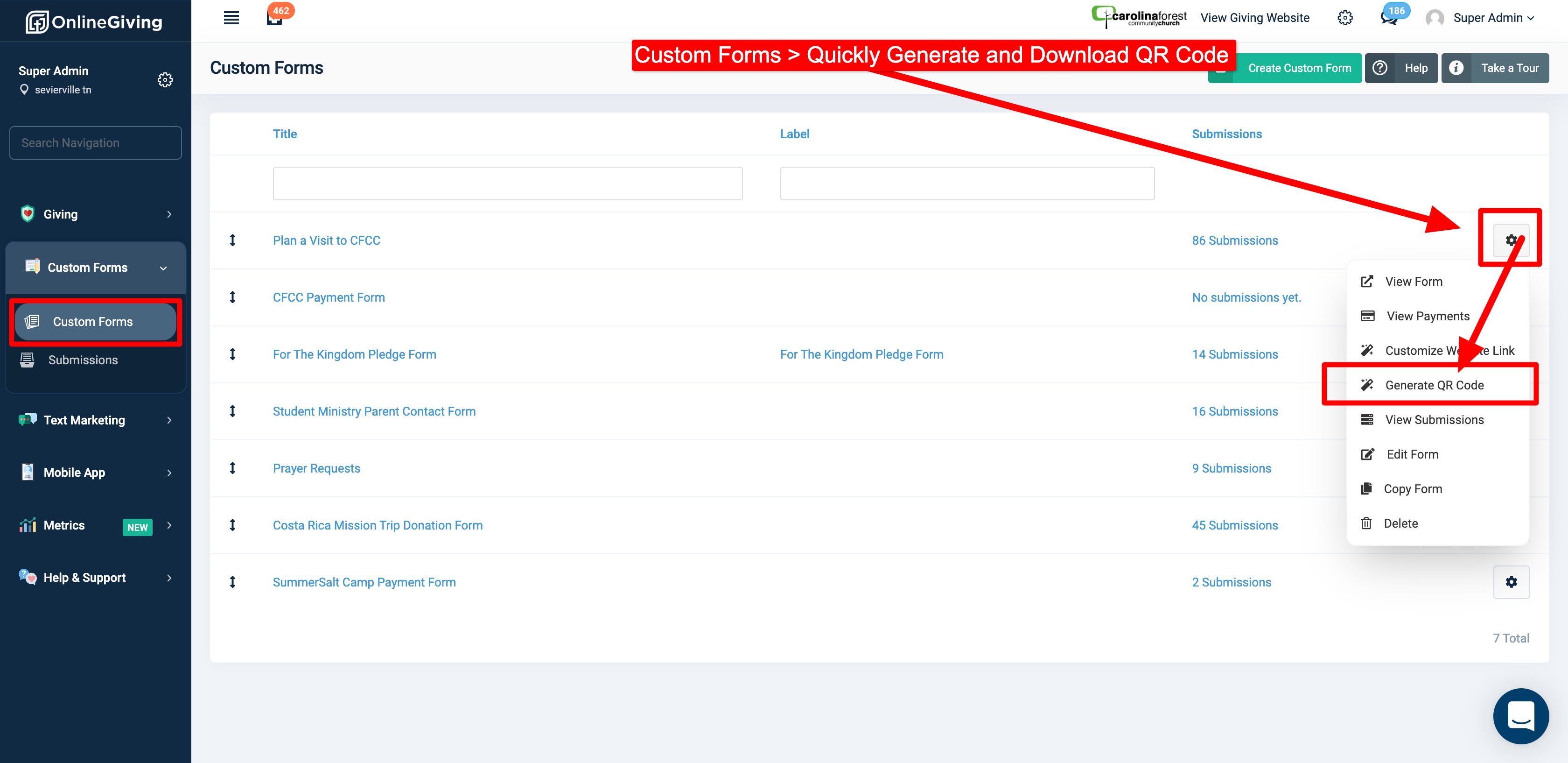
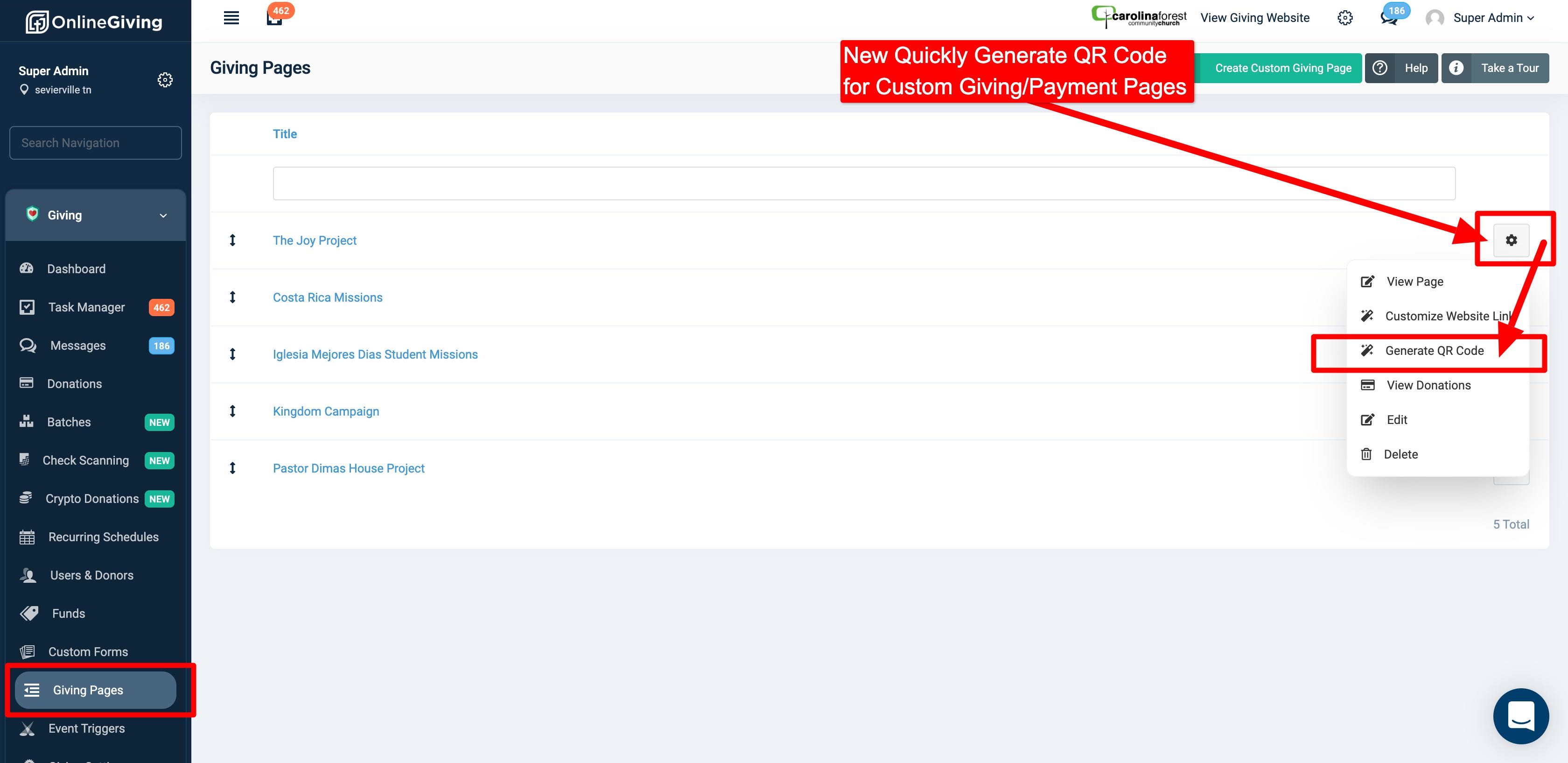
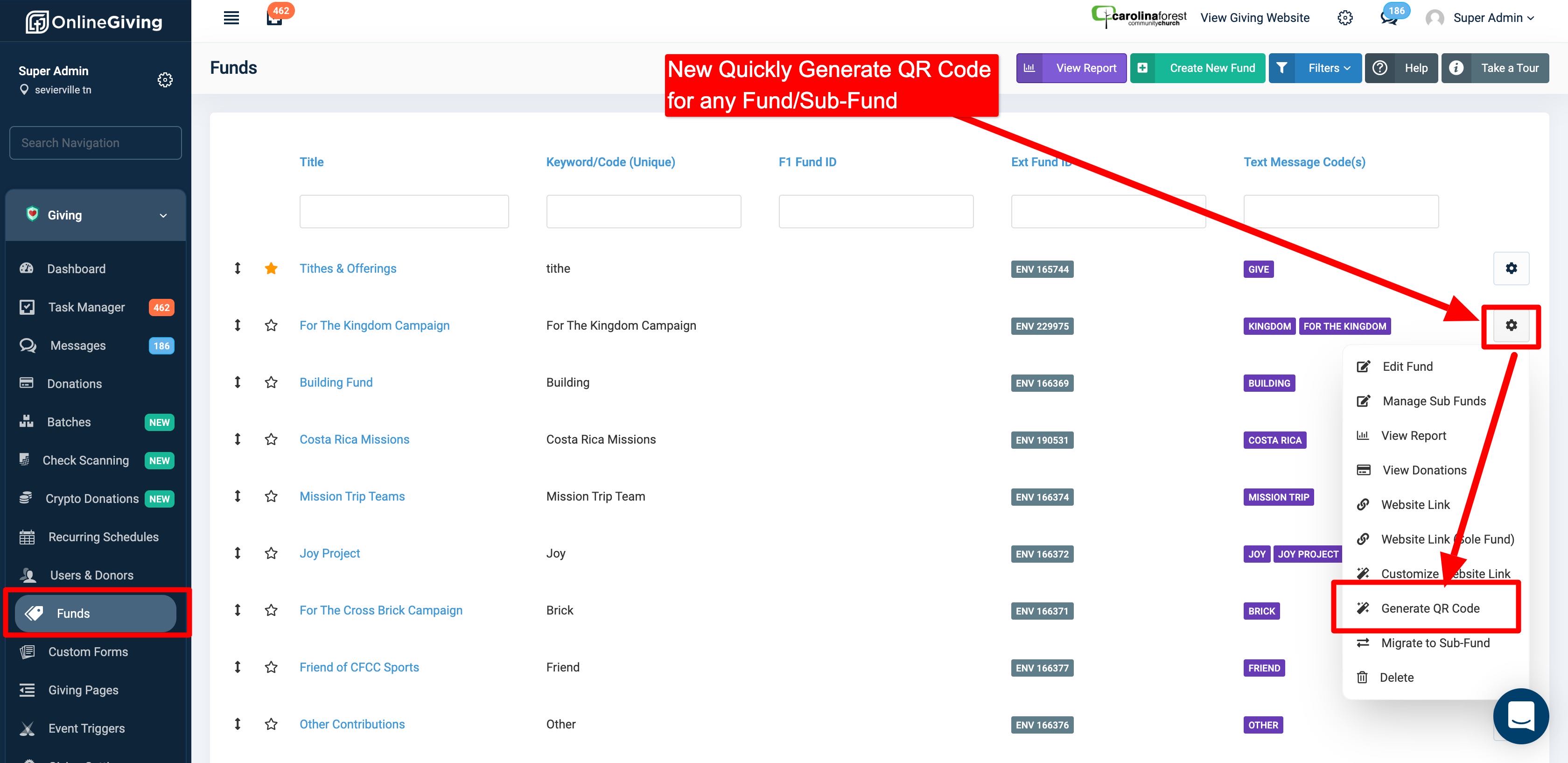
We're pleased to report an update is now live for the OnlineGiving.org Control Panel that adds easy QR Code generation for custom forms, funds, sub-funds, and custom giving pages. Church administrators will now see a new dropdown option under the gear/setting icon dropdown menu called "Generate QR Code" to easily generate and download QR Codes for marketing purposes. For your convenience, we've included screenshots below.
Preview of Custom Forms Generate QR Code Option
Preview of Custom Giving Pages Generate QR Code Option
Preview of Funds/Sub-Funds Generate QR Code Option
New OnlineGiving.org Control Panel > Giving Settings > Payment Link Generator Enhanced with QR Code Support
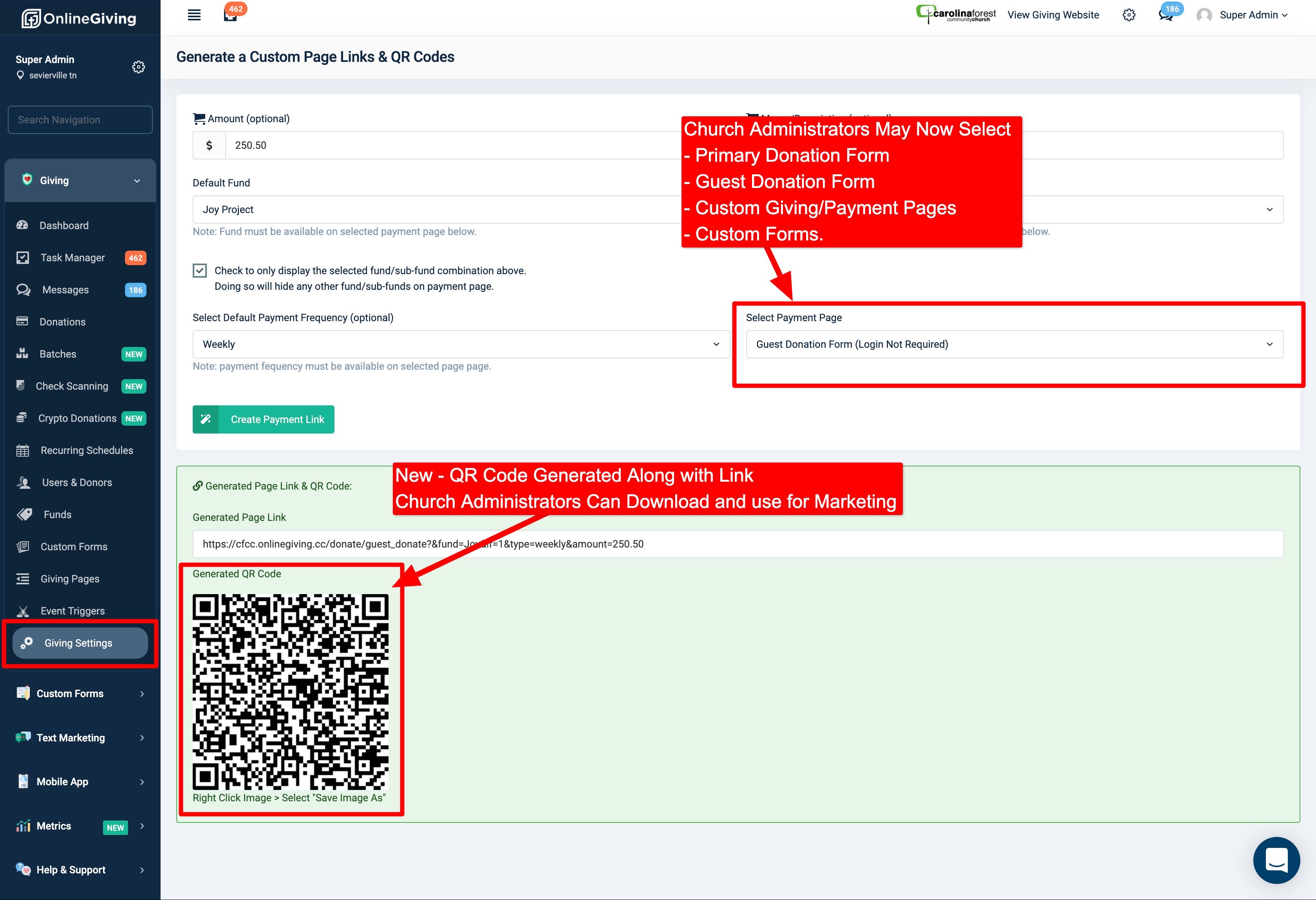
We're pleased to report an update is now live that enhances the OnlineGiving.org Control Panel > Giving Settings > Payment Link Generator to add support for generating QR Codes along with custom links. Additionally, church administrators may now use the payment link generator for all forms/pages including the primary donation form, guest donation form, custom forms, and custom giving pages.