Feature Updates 06/16/2025
Crypto Giving History: Updated Design and Enhanced Functionality
An update is now live for the Crypto Giving History feature on OnlineGiving.org. This release introduces a fresh user interface designed for improved clarity, responsiveness, and alignment with your church's branding.
Modern Design with Auto-Theme Integration
The new interface includes our auto-theme technology, which automatically adjusts colors to match your church's selected brand palette. This ensures a consistent and personalized visual experience across your giving platform.
Simplified Filtering and Navigation
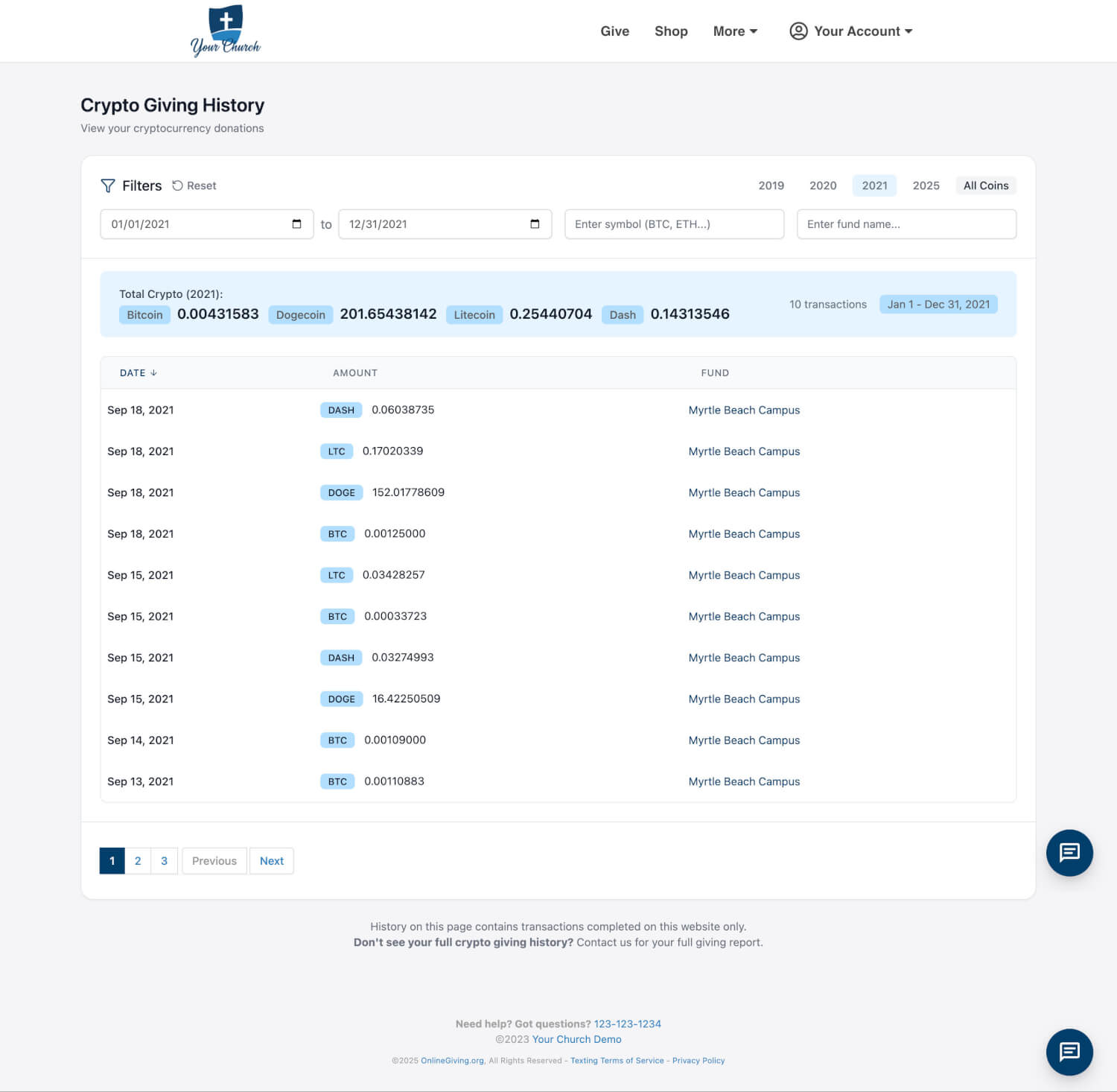
Users can now filter crypto transactions by:
-
Year (quick buttons)
-
Cryptocurrency symbol (e.g., BTC, ETH, DOGE, LTC)
-
Fund name
-
Custom date range
These filter tools have been redesigned to be more intuitive and accessible, allowing donors and administrators to locate records with ease.
Yearly Giving Totals by Coin
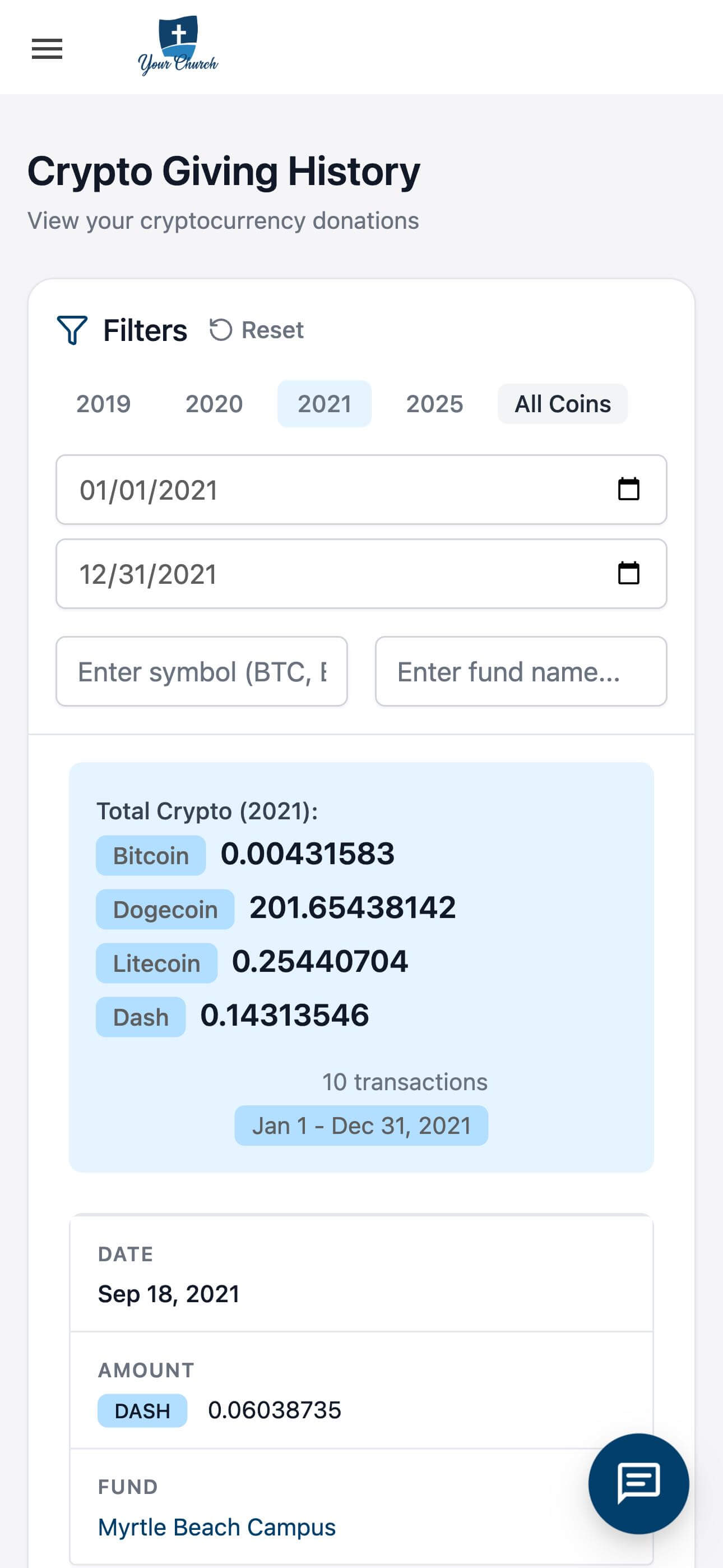
Each year view now includes a summary of total crypto gifts, broken down by coin. For example, 2021 donations are shown with aggregate amounts for Bitcoin, Dogecoin, Litecoin, and Dash. This provides a clear snapshot of giving volume across currencies.
Responsive Design for All Devices
The updated layout is fully responsive and optimized for desktop, tablet, and mobile use. All features remain accessible regardless of device size, offering a consistent experience across platforms.
Streamlined Transaction Table
The transaction history display has been improved with:
-
Clearer date formatting
-
Coin-specific tags
-
Linked fund names
This makes it easier to review donation details at a glance.
Improved Empty-State Messaging
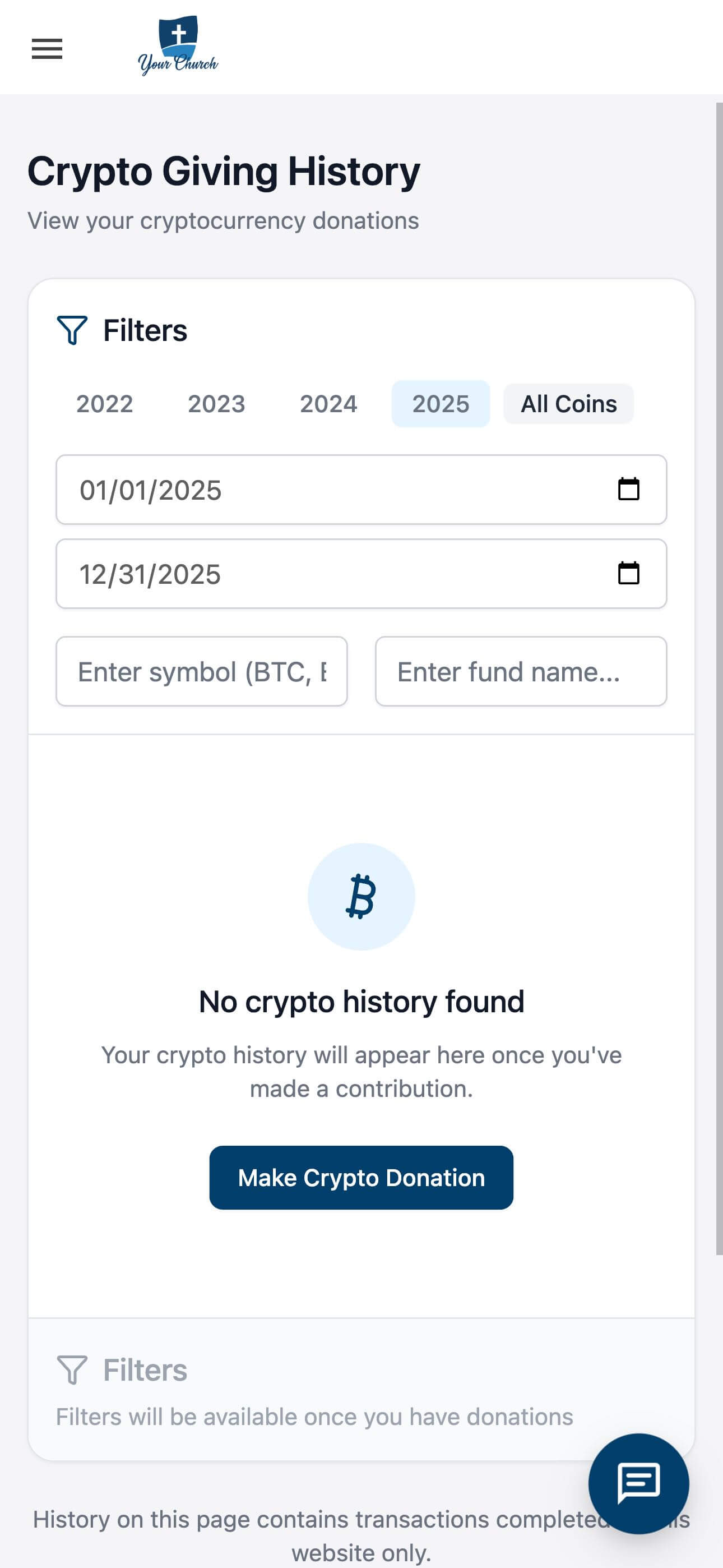
If no crypto donations have been made during the selected period (e.g., 2025), users are informed with a clear message and prompted to begin a new contribution. Filters are disabled in these cases to reduce confusion and maintain focus.
This update is part of our ongoing commitment to delivering a clean, reliable, and user-friendly giving experience for churches and their communities.
 |
 |
 |
 |