Feature Updates 07/05/2023
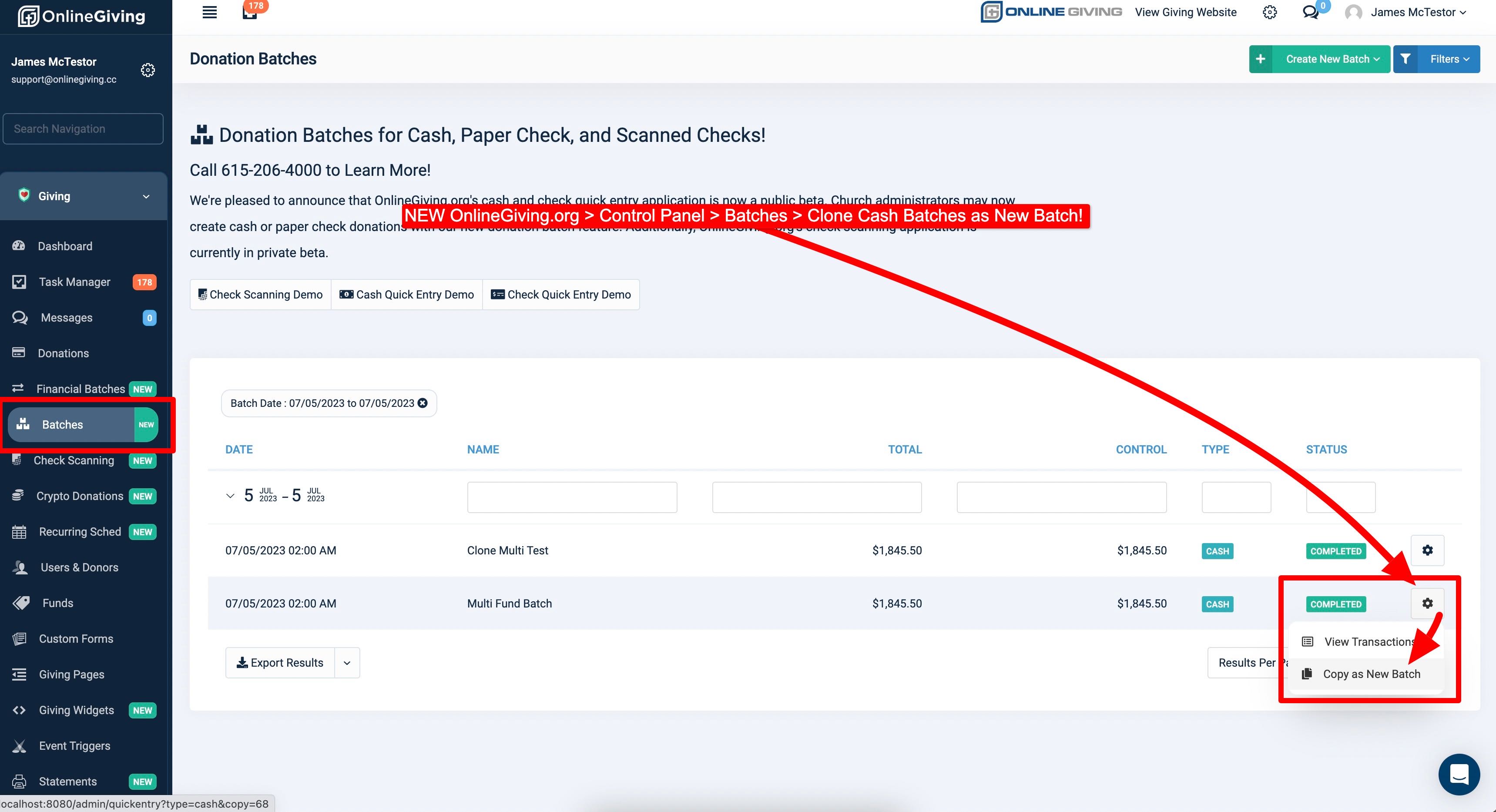
NEW OnlineGiving.org > Control Panel > Batches > Clone Cash Batches as New
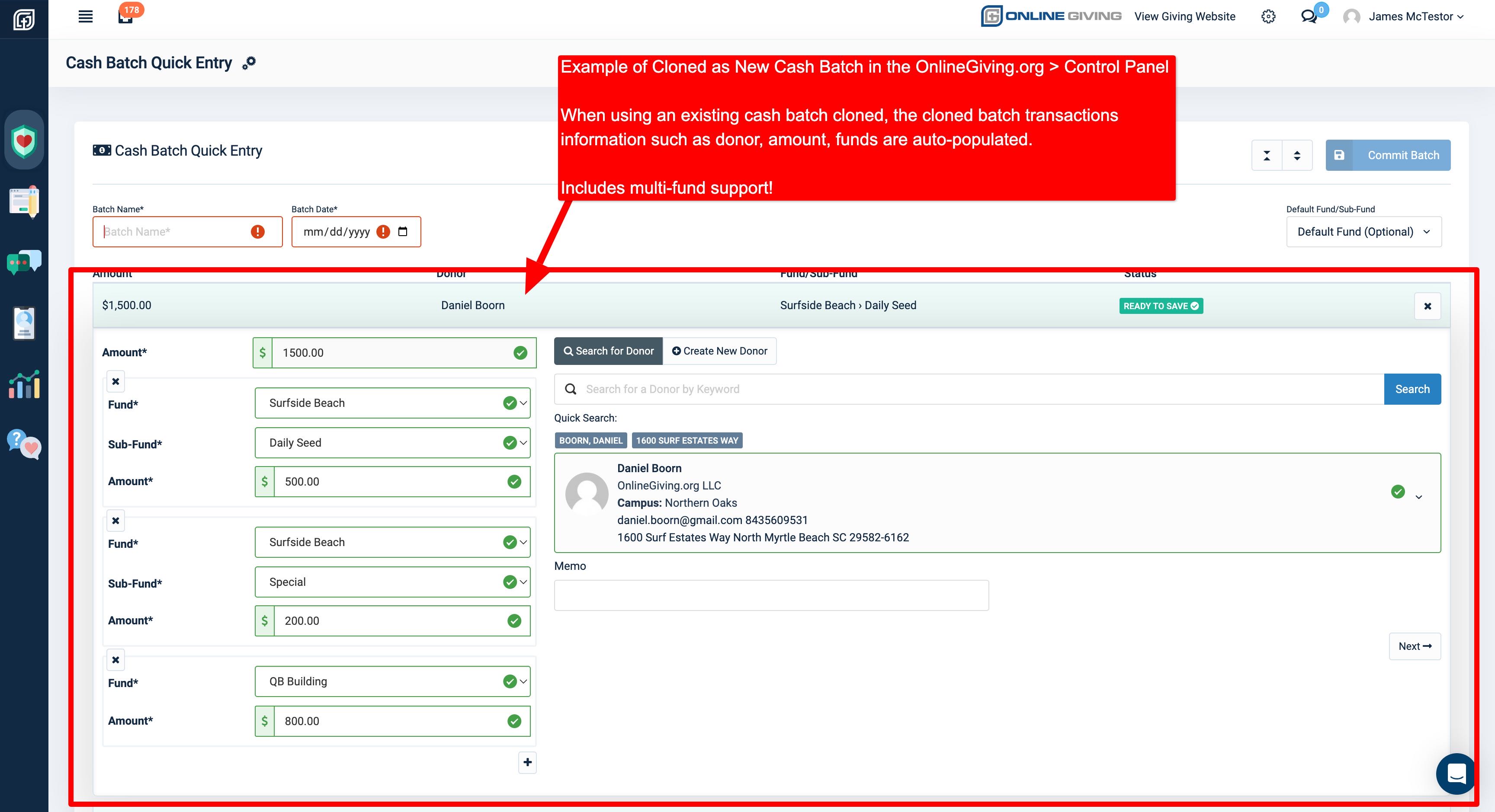
We're pleased to announce an enhancement is now live to the OnlineGiving.org > Control Panel > Batches > QuickEntry feature. Church administrators may now clone existing cash batches by selecting the "Clone as New" option. The goal of the enhancement is to provide an easy way for church administrators to springboard cash batches that are known to repeat frequently. The new "Clone as New" feature works by taking the data from the source (cloned) batch, such as donor information, amount, fund(s), and auto-populating those into a new QuickEntry cash batch. The new feature works with both single-line and multi-line transactions!
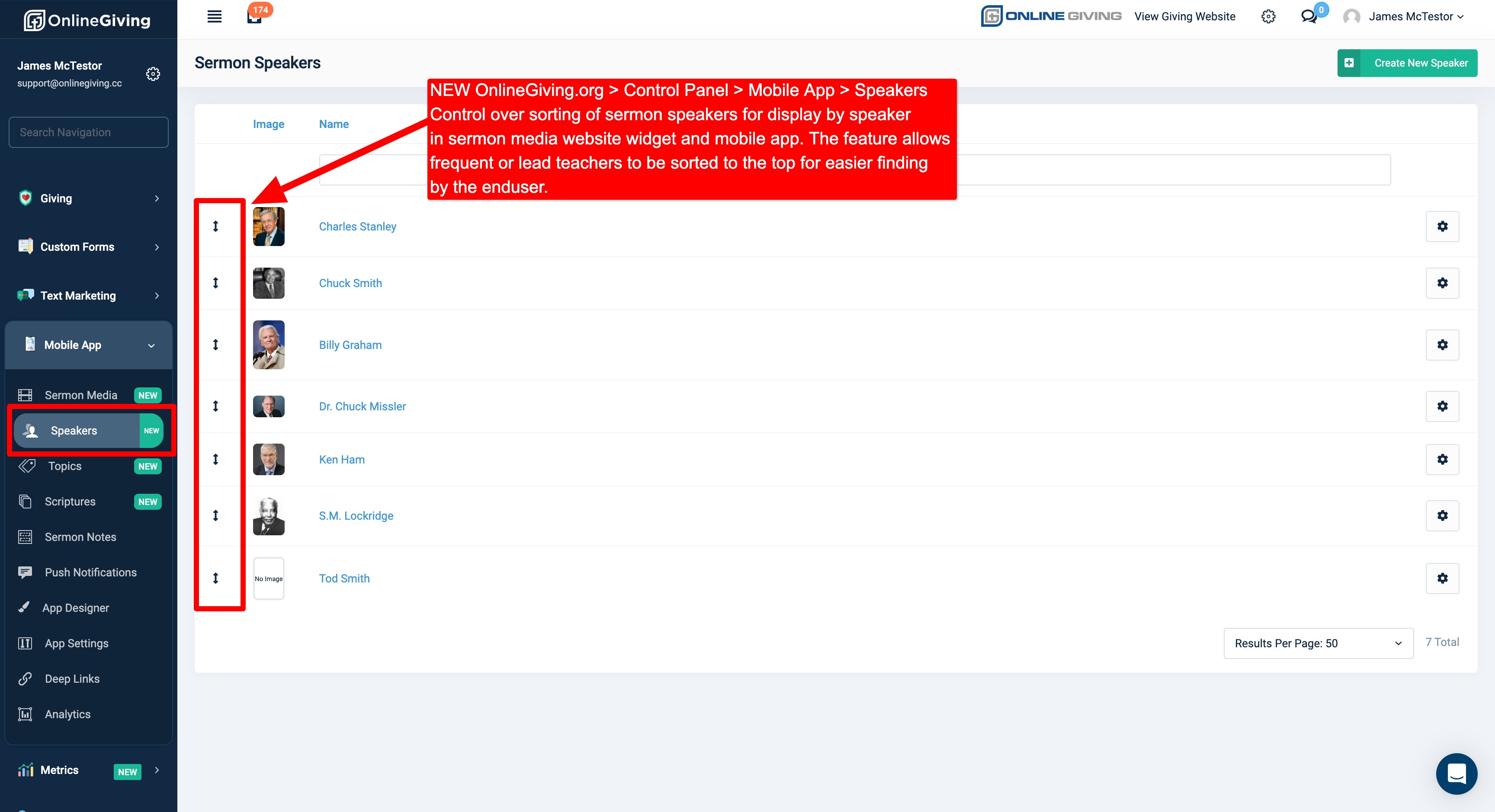
NEW OnlineGiving.org > Control Panel > Sermon Media > Speakers > Sort Display Speakers for Mobile App & Website Widget
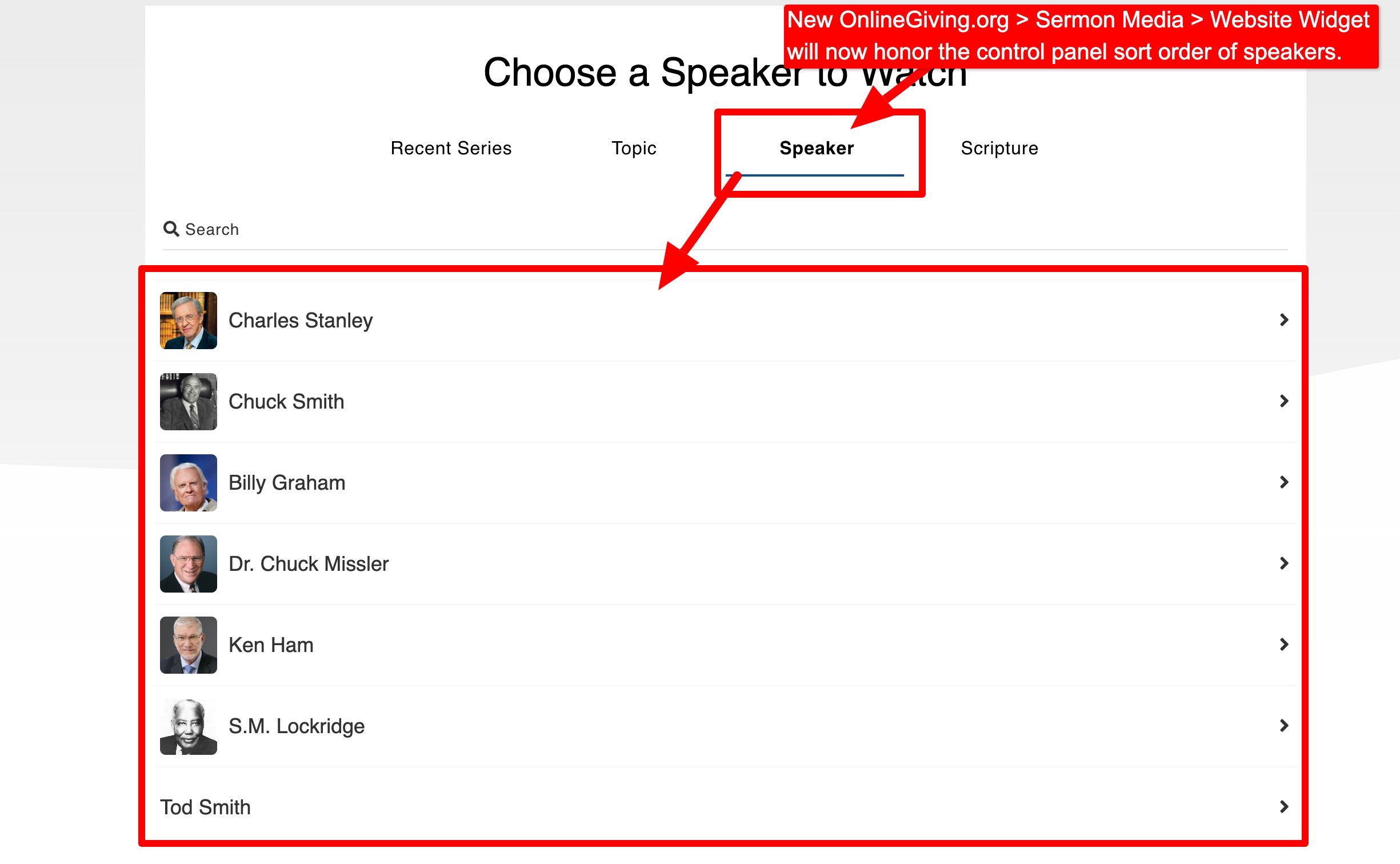
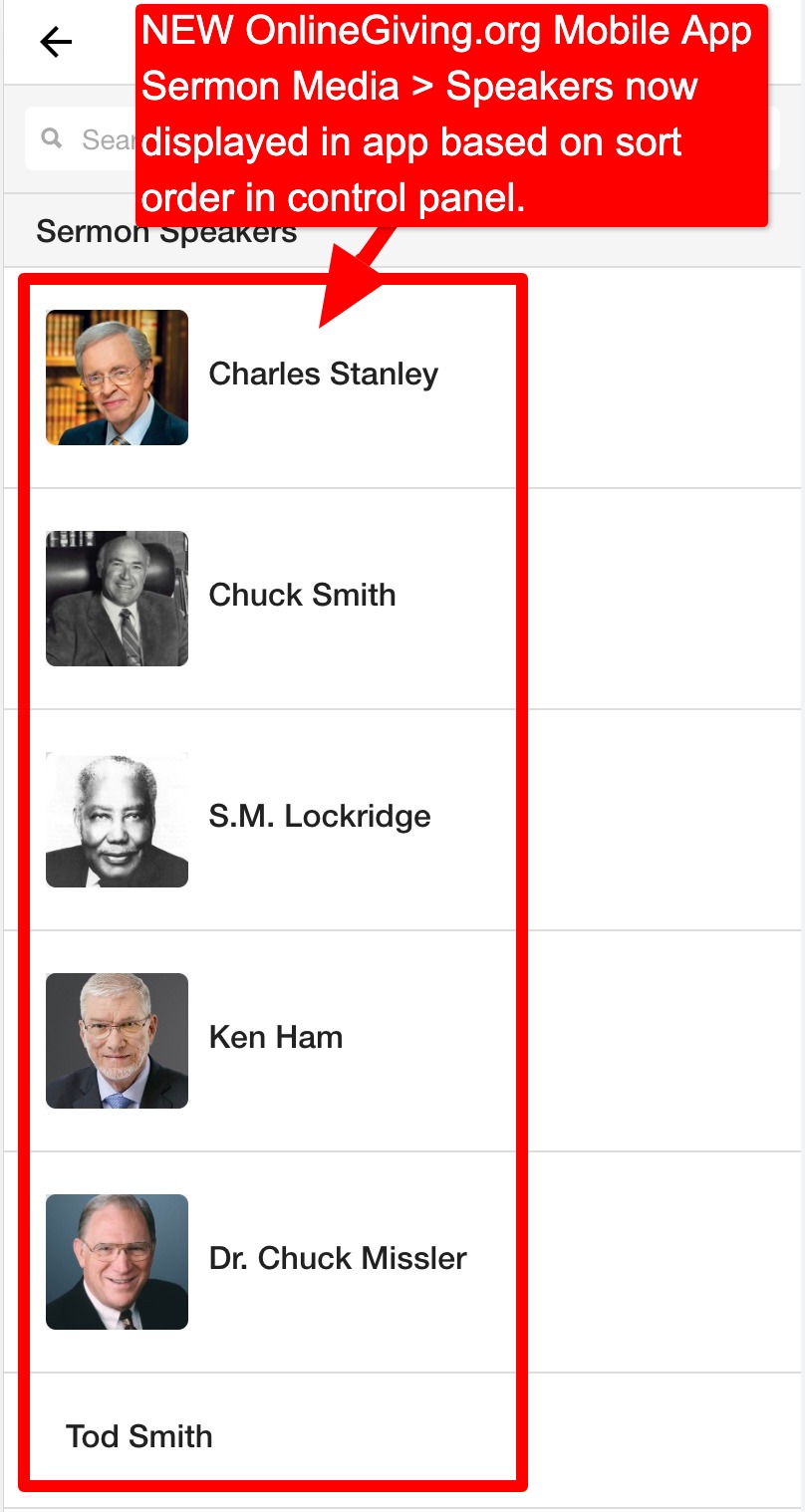
We're pleased to announce an update is now live to the OnlineGiving.org Sermon Media manager to allow church administrators to drag-n-drop speakers to change their sort display in the OnlineGiving.org mobile app and website sermon media widget. Before the update sermon, speakers were displayed by name in ascending (a-z). The enhancement aims to allow church administrators to sort frequent or lead teachers to the top of the speaker list, allowing the end-user to locate them more easily. The update is now live globally for all OnlineGiving.org control panels, sermon media widgets, and mobile apps.
Preview of Sermon Speaker Sort Features