Feature Updates 07/06/2021
OnlineGiving.org > Custom-Form > Create Pledge > One-Time Pledge Support added for Frequency
We're pleased to report an update is now live that adds one-time support to the list of available pledge frequency options for the custom-form MinistryPlatform Create Pledge action. Church administrators may now include One-Time in their pledge contribution frequency options. e.g., One-Time, Weekly, Every 2 Weeks, Twice Monthly (1st & 15th), Monthly, Quarterly, and Yearly. When the frequency custom-form question/param is present, the MP Create Pledge integration will take advantage of the additional information and parse out the installment information for the pledge record. One-Time pledges are recorded with "Installments Planned = 1" and "Installments Per Year = 1".
OnlineGiving.org > Custom-Form > Send Email Visual Editor Updated with Table and Media Support
We're pleased to report an update is now live to the OnlineGiving.org control panel > custom-form builder > send email visual editor to add support for easily adding tables, video media, and more. The update aims to allow church administrators to customize the email templates with complex table layouts and more.
OnlineGiving.org > Chatbot > Create Pledge > One-Time Pledge Support added for Frequency
We're pleased to report an update is now live that adds one-time support to the list of available pledge frequency options for the chatbot MinistryPlatform Create Pledge action. Church administrators may now include One-Time in their pledge contribution frequency options. e.g., One-Time, Weekly, Every 2 Weeks, Twice Monthly (1st & 15th), Monthly, Quarterly, and Yearly. When the frequency chatbot parameter is present, the MP Create Pledge integration will take advantage of the additional information and parse out the installment information for the pledge record. One-Time pledges are recorded with "Installments Planned = 1" and "Installments Per Year = 1".
OnlineGiving.org > Chatbot > Send Email Visual Editor Updated with Table and Media Support.
We're pleased to report an update is now live to the OnlineGiving.org control panel > chatbot builder > send email visual editor to add support for easily adding tables, video media, and more. The update aims to allow church administrators to customize the email templates with complex table layouts and more.
OnlineGiving.org Mobile Application > MinistryPlatform > My Groups > Group Meeting > New Mark Group Event as "Did Not Meet"
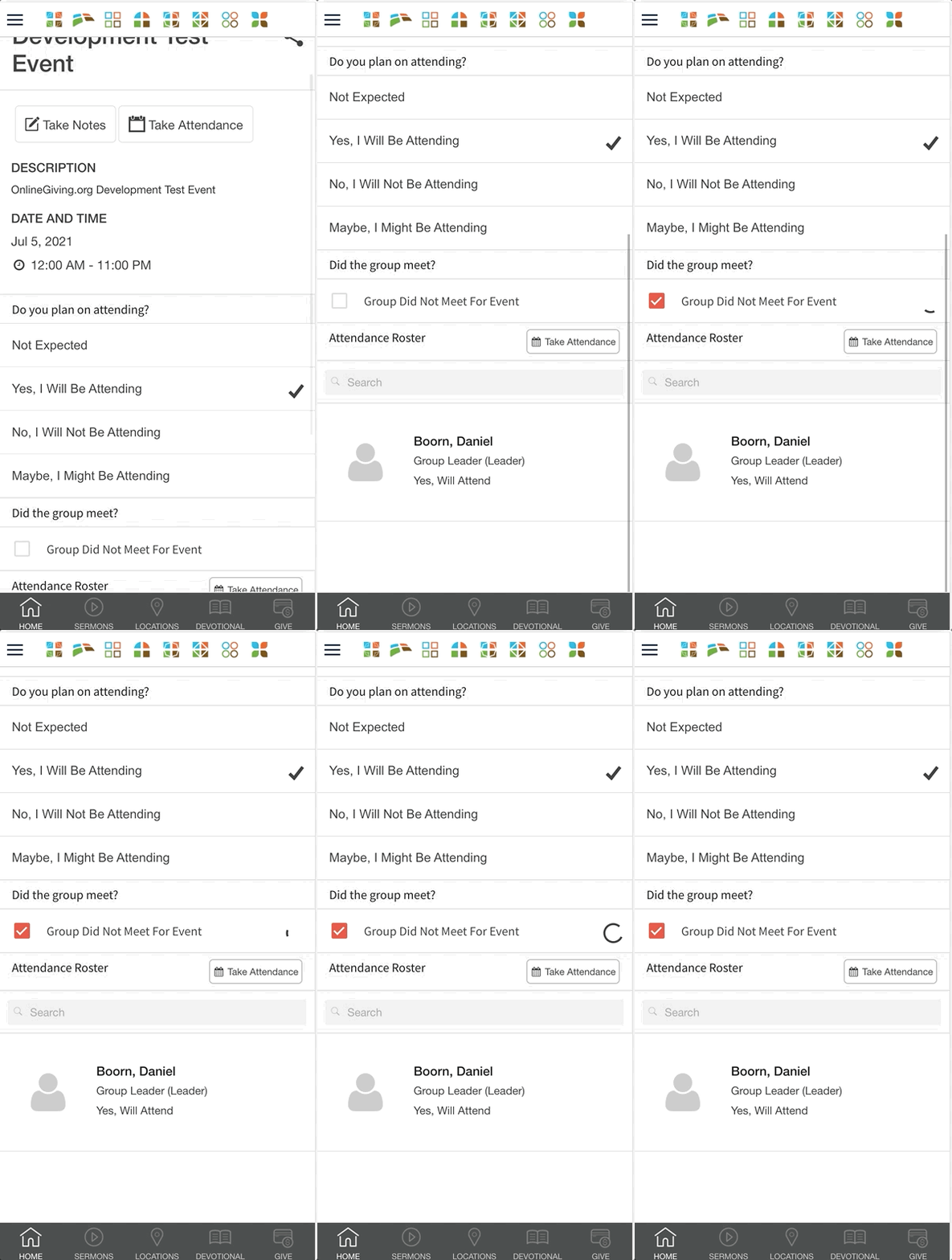
An optional update is now live for the OnlineGiving.org mobile application MinistryPlatform My Groups feature, allowing a group leader to record a group event as "Did Not Meet." The feature's goal is to allow the church a method of indicating that a group did not meet. e.g., due to safety concerns or similar. The feature requires a custom "Do_Not_Record" boolean database field to be added to the MP Group_Events table. The mobile application can detect the custom field's presence and automatically display an option to group leaders to indicate the group did not meet for a specific event. When the custom field is not present, the feature is not displayed.
Preview of the "Did Not Meet" My Groups Feature in Action:
OnlineGiving.org Mobile Application > MinistryPlatform > My Groups > Group Leadership Forms
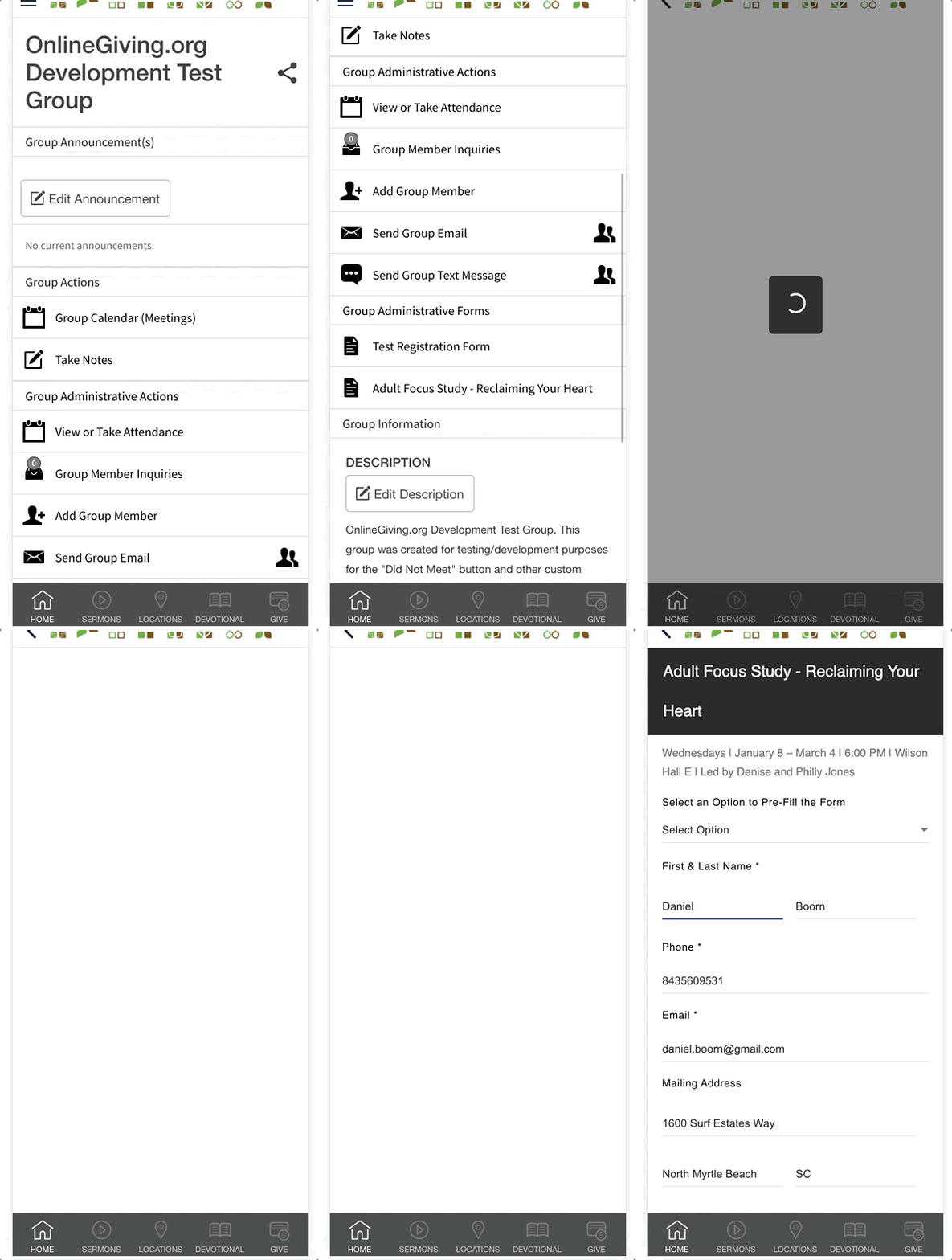
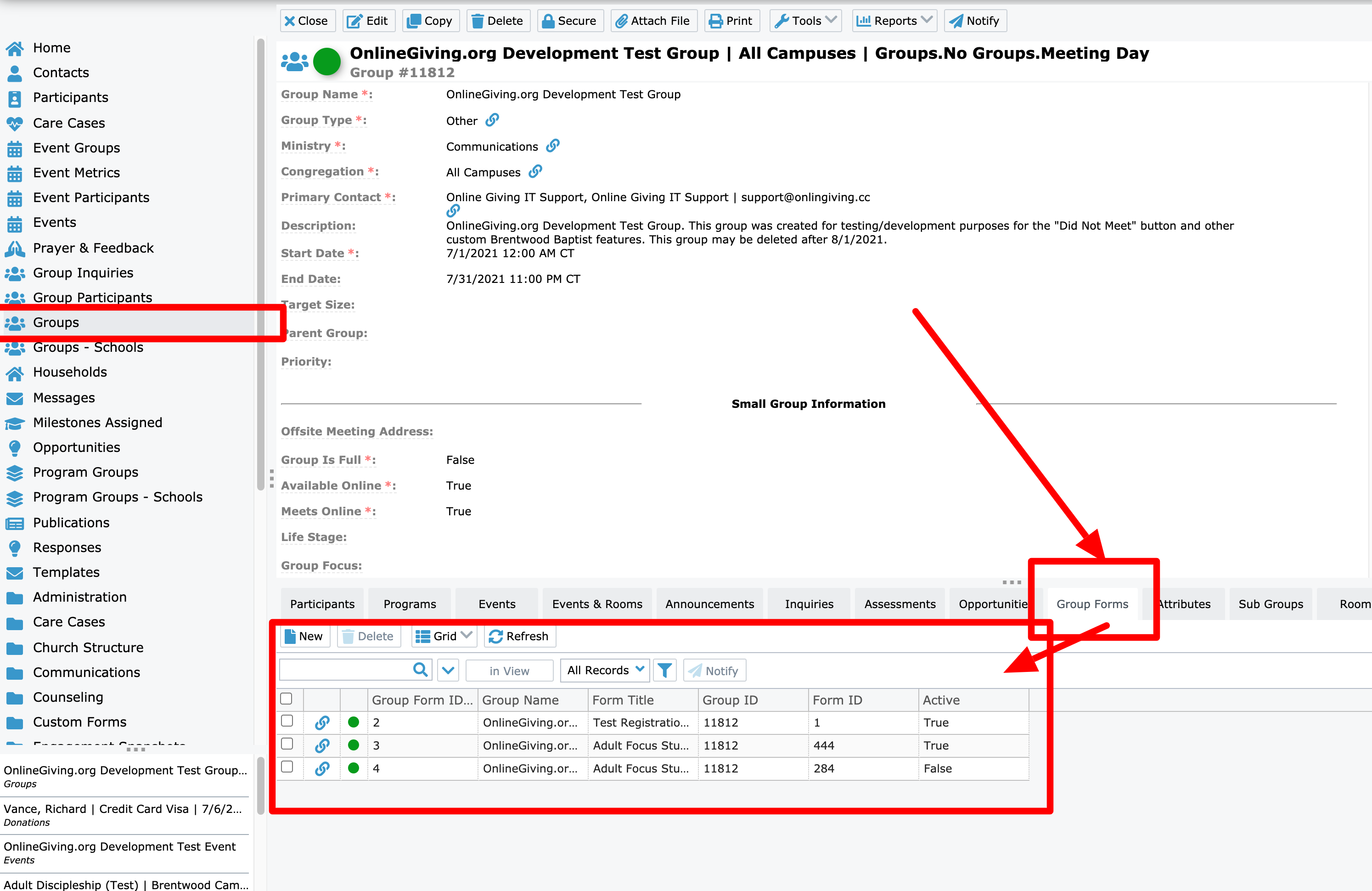
We're pleased to report an optional feature enhancement is now live for MinistryPlatform churches using the OnlineGiving.org mobile application My Groups feature. The update allows MP church administrators to associate one or more MP forms with a specific group directly from the MP control panel (see below for a preview). Once the feature is configured and enabled, the mobile application will check for group-specific forms when a group leader views a group. Group leaders can then easily access group-specific MP forms and complete those forms directly inside the mobile application (see below for a preview). To take advantage of the new feature, please please reach out to support@onlinegiving.org to get started.
Preview of Custom Group Forms Tab in MP Control Panel:
Preview of Group Forms Display to Group Leaders in My Groups: