Feature Updates 07/12/2021
OnlineGiving.org > Control Panel > Chatbot Builder > Actions > New Condition "Is Empty (Blank)" & "Is Not Empty (Not Blank)" Now Available
We're pleased to announce the OnlineGiving.org control panel chatbot builder has been enhanced with two new conditional operators for conditionally executing a chatbot action:
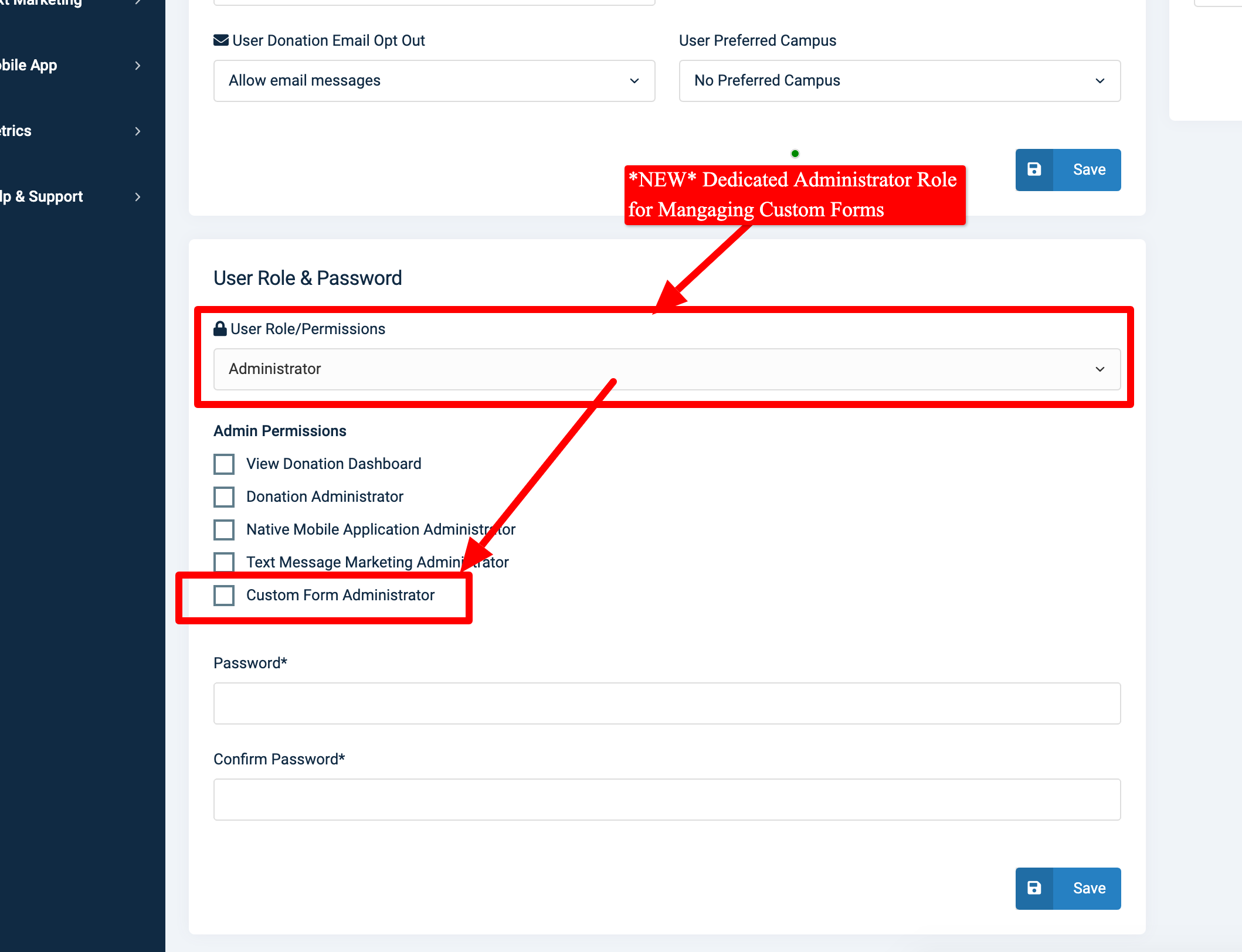
- "Is Empty (Blank)" - Use this option to conditionally execute a chatbot action for a parameter (chatbot question) that was blank or not asked.
- "Is Not Empty (Not Blank)" - Use this option to conditionally execute a chatbot action for a parameter (chatbot question) that contains an answer (is not blank).
The purpose of the enhancements is to offer two new special conditions for conditionally performing an action after a chatbot conversation has been submitted.
Preview of New Options in Control Panel > Chatbot Builder > Actions:
OnlineGiving.org > Control Panel > Custom Form Builder > Actions > New Condition "Is Empty (Blank)" & "Is Not Empty (Not Blank)" Now Available
We're pleased to announce the OnlineGiving.org control panel custom form builder has been enhanced with two new conditional operators for conditionally executing a custom form action:
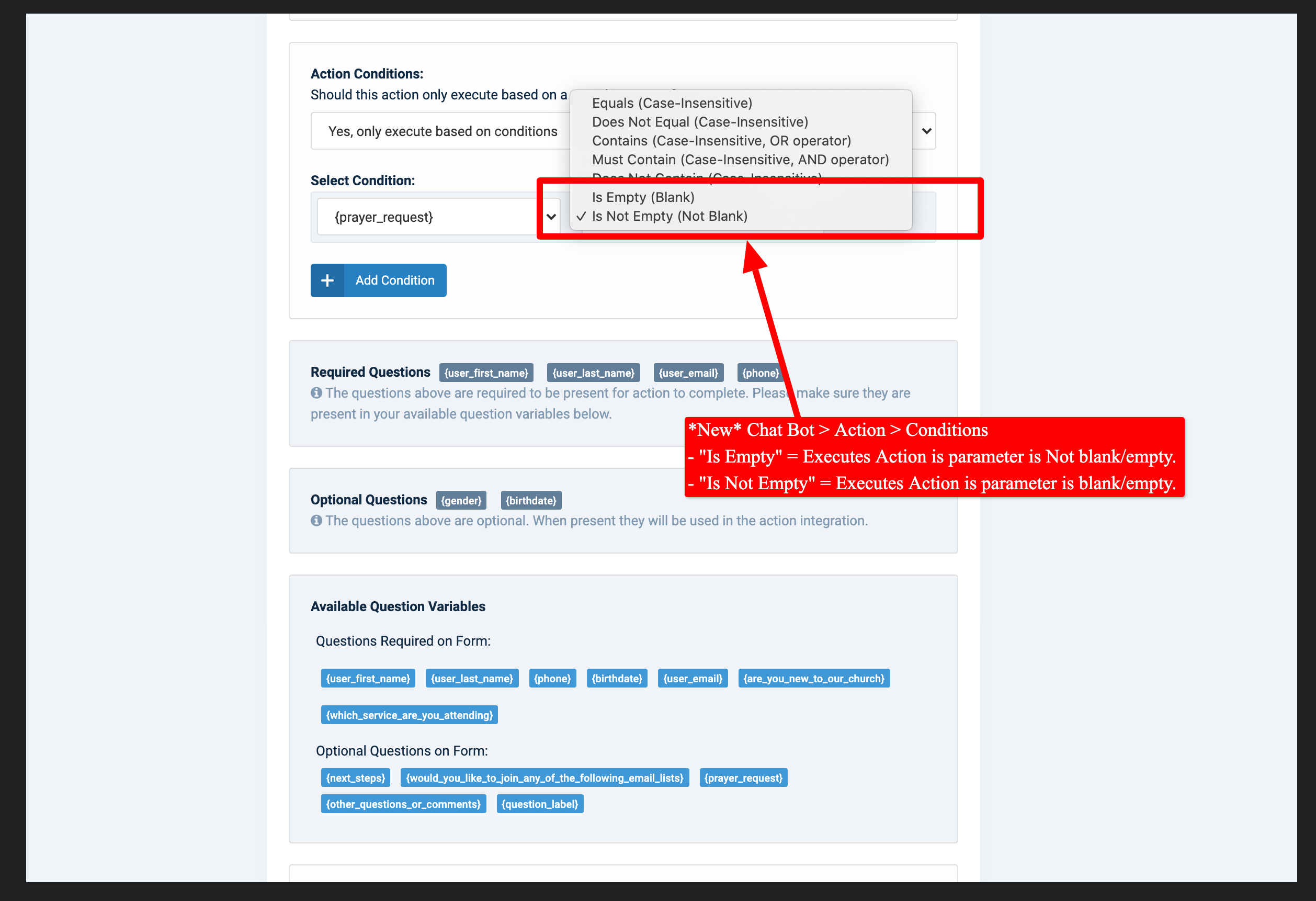
- "Is Empty (Blank)" - Use this option to conditionally execute a custom form action for a question that was blank or not asked.
- "Is Not Empty (Not Blank)" - Use this option to conditionally execute a custom form action for a question that contains an answer (is not blank).
The purpose of the enhancements is to offer two new special conditions for conditionally performing an action after a custom form submission.
Preview of New Options in Control Panel > Custom Form Builder > Actions:
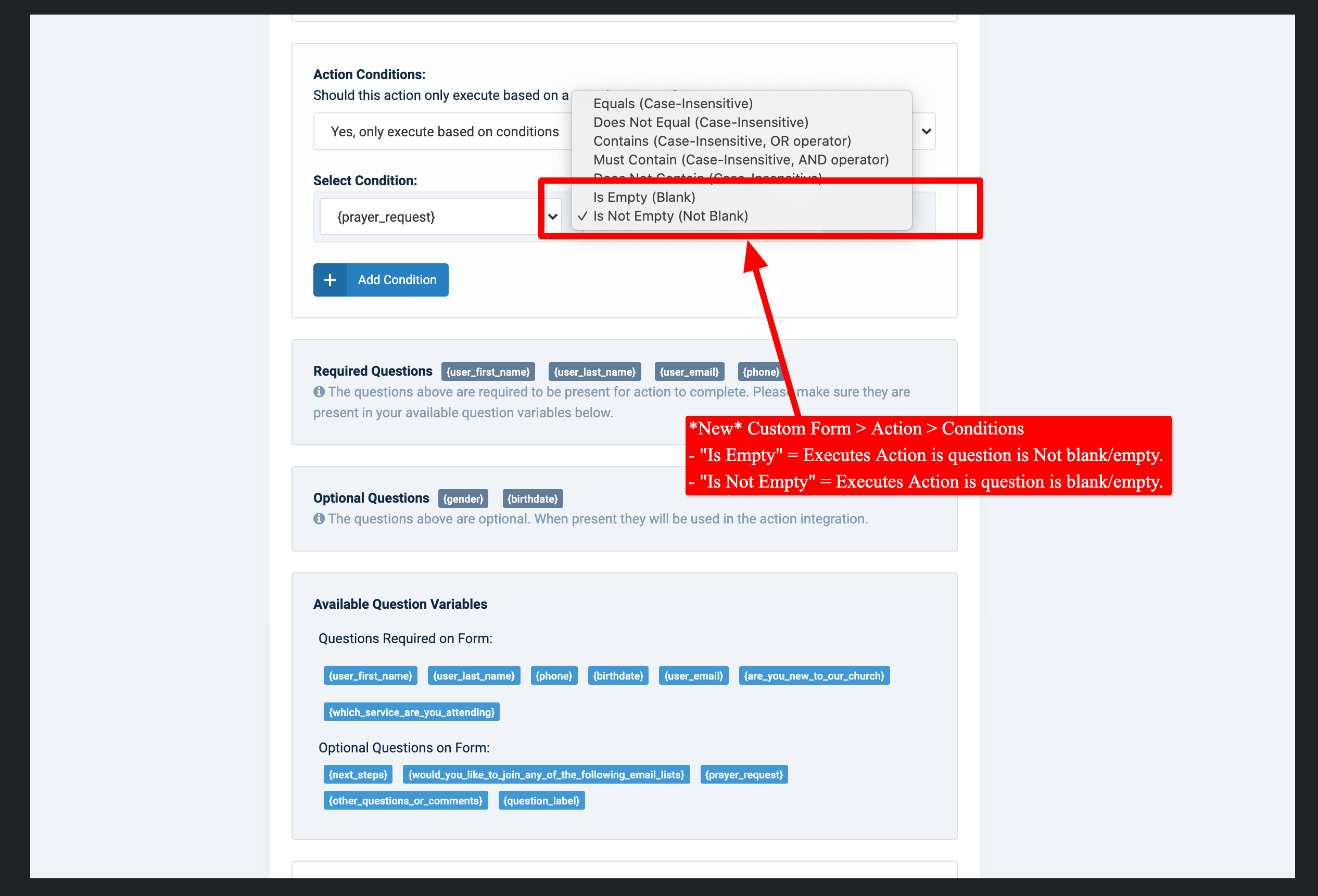
*New* OnlineGiving.org > Dedicated Custom Form Administrator Role
We're pleased to announce an update is now live to the OnlineGiving.org control panel user roles feature with the ability to now assign a "Custom Form Administrator" role. The new "Custom Form Administrator" role allows church administrators to create admin panel users with access to manage/create custom forms. For example, a user can be created with a single role "Custom Form Administrator" to grant access to a staff member (or volunteer) to create/manage custom forms in the OnlineGiving.org control panel without viewing or managing any other feature in the control panel.
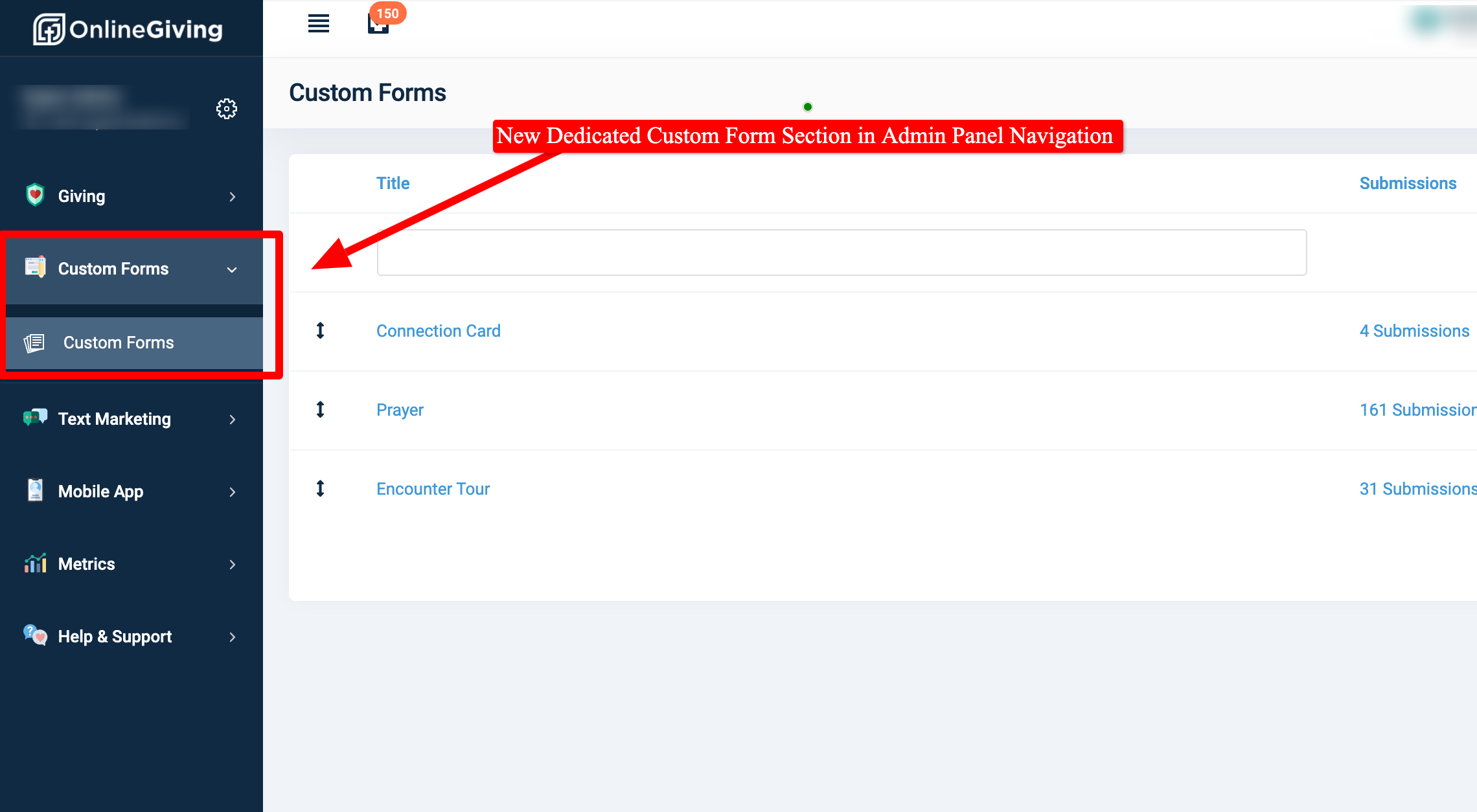
Additionally, it's important to note that church administrators will only see and only have access to features related to their administrative accounts. For example, a church admin who has "Custom Form Administrator" and "Text Message Marketing Administrator" roles would only have access to those associated features. Further, they would only see navigation options for the user roles they have in the control panel.
Finally, we granted all "Donation Administrator" administrators "Custom Form Administrator" roles.
Preview of New Dedicated Admin Panel Navigation for Custom Forms:
Preview of New Custom Form Administrator Role: