Feature Updates 07/17/2025
Feature Release Announcement: Enhanced Address Standardization and Geographic User Heatmaps
We are pleased to introduce a major enhancement to the OnlineGiving.org platform that significantly improves the accuracy of your donor data and expands your capabilities for visualizing that data geographically.
With this release, we've implemented a new automatic address standardization system for all user and donor accounts. Previously, this feature was only available through select Church Management System (ChMS) integrations. Now, address standardization is enabled by default for all OnlineGiving.org accounts, regardless of integration. This ensures that addresses are automatically cleaned, standardized, and geocoded behind the scenes.
User & Donor Address Standardization with Geolocation
Every user and donor address is now processed through advanced geolocation services that verify, format, and enrich the data using USPS and global postal standards. Addresses are standardized to long-form, fully-qualified formats, and include precise latitude and longitude data.
New: Geographic Heatmap of User/Donor Locations
We've also launched a new User Heatmap Visualization feature that allows your team to view a live geographic heatmap of your users based on their physical, standardized addresses.
This differs from the Transaction Heatmap, which relies on the geolocation of a user’s device or network at the time of the transaction. That type of mapping is useful for analyzing behavioral patterns, fraud detection, or device-based activity. However, it does not always reflect where your users or donors actually live.
By contrast, the new User Heatmap uses verified residential addresses from the user profile to produce an accurate picture of where your community is physically located. This means you can now:
-
View geographic clusters of your donors across neighborhoods, cities, and regions
-
Visually identify new areas of growth or engagement opportunities
Below is an example heatmap generated using real address data. The darker regions reflect areas with the highest density of users:
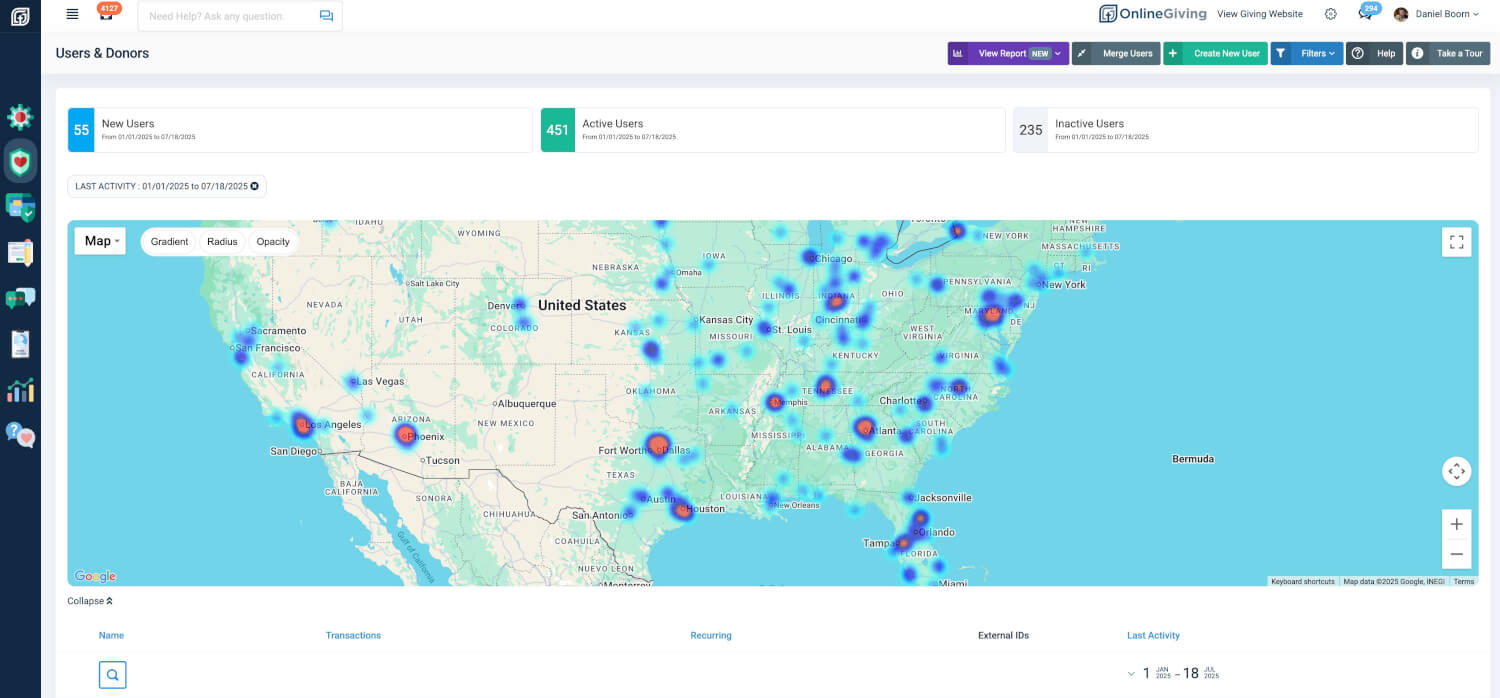
How to Access These Features
Both the address standardization and the new User Heatmap are now live and available across all account types.
-
To access the User Heatmap:
Go toUsers & Donorsin your Control Panel