Feature Updates 07/21/2025
Feature Release: Transform Your Giving Pages with Ministry AI Powered Layouts and Content
We’re excited to announce a groundbreaking update to the Custom Giving Pages inside your OnlineGiving.org Control Panel. This feature release completely redefines how churches present their giving opportunities, turning simple donation forms into fully personalized landing pages with rich content, flexible layouts, and Ministry AI generated messaging—all editable in seconds.

A New Era of Giving Page Design
This update introduces the optional Page Layout Mode, giving you the flexibility to design your giving pages in a way that best suits your ministry’s message and goals. You now have the freedom to build:
1. Streamlined Giving-Only Pages
Perfect for quick and focused donations with minimal distractions.
2. Full-Content Landing Pages
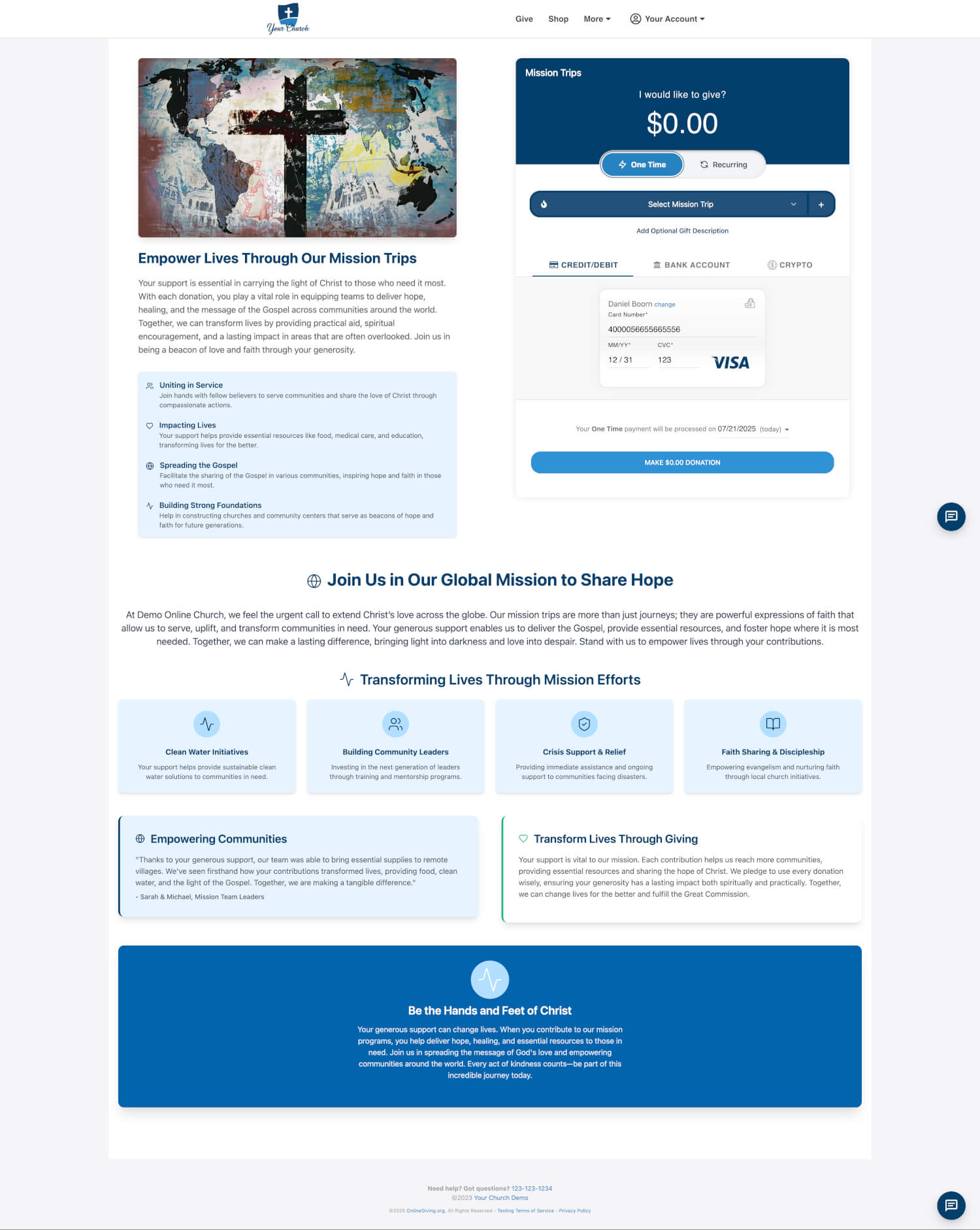
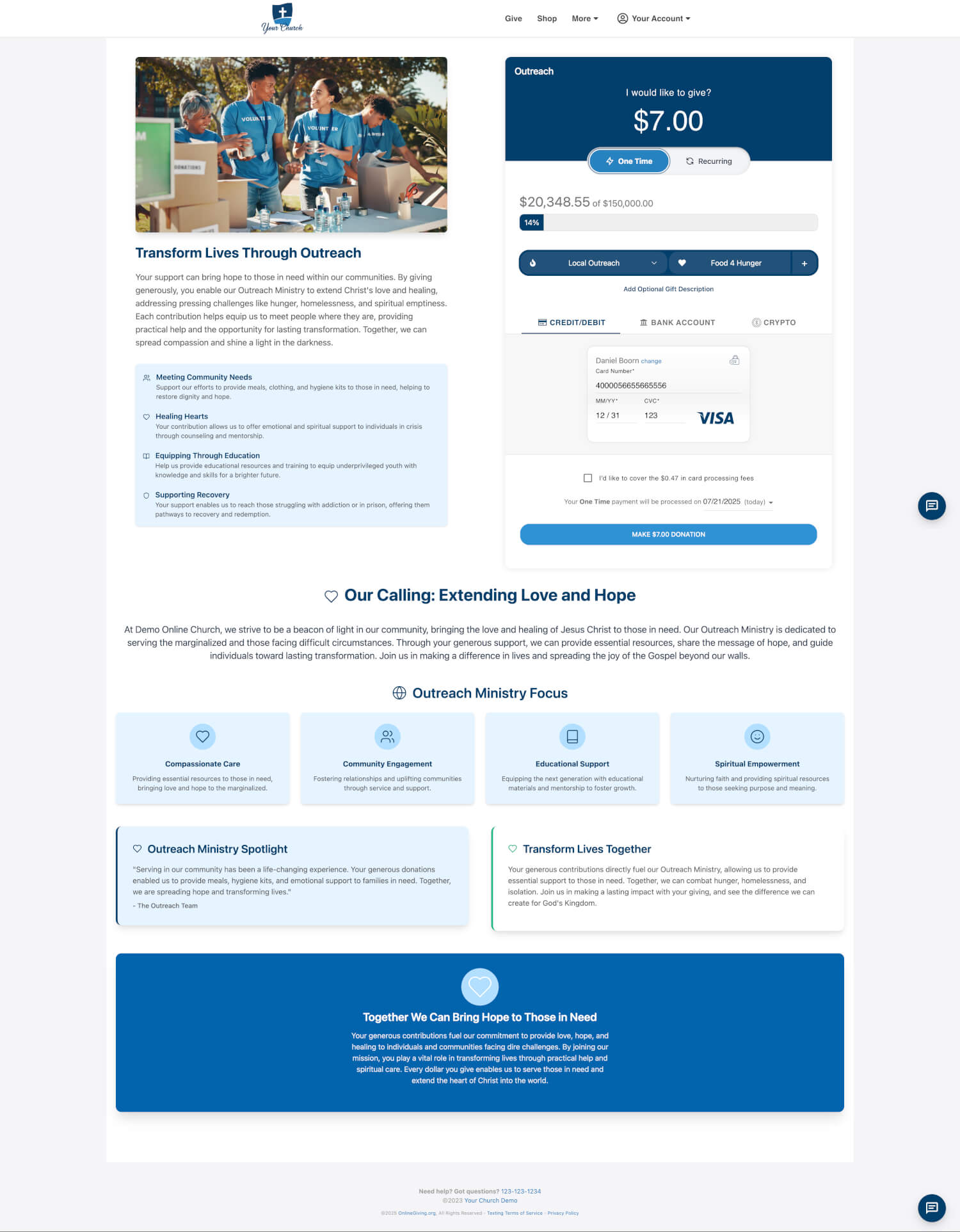
Great for campaigns, storytelling, outreach, and cause-based fundraising. These layouts allow you to showcase purpose, story, and impact with content blocks, headlines, icons, and AI-assisted editing.
 |
 |
 |
 |
Page Layout Options (Beta)
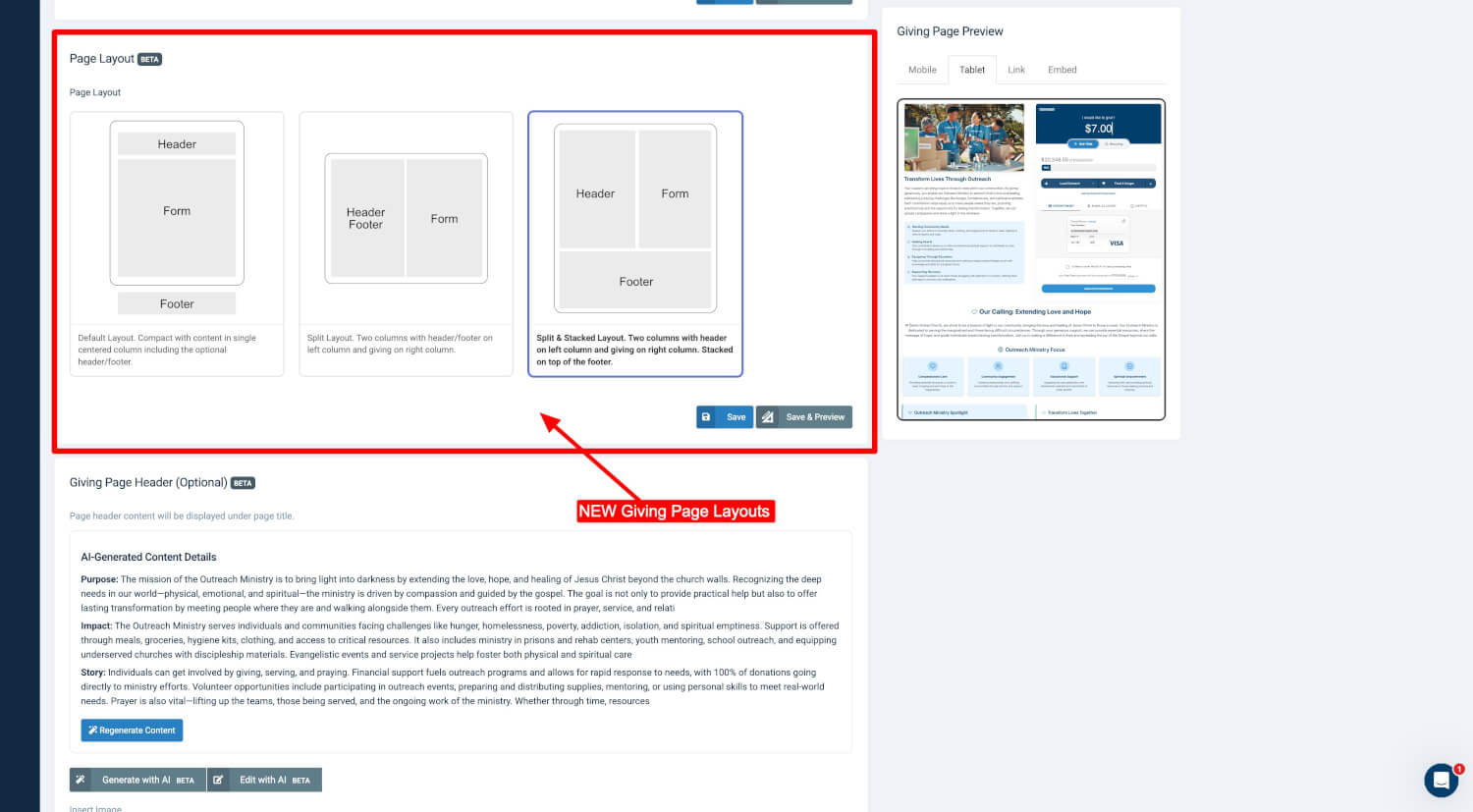
When creating or editing a giving page, you can now choose from three layout options:
-
Default Layout
A clean, centered column with optional header and footer content above and below the form. -
Split Layout
Two columns, placing the giving form and rich content side-by-side for balance and clarity. -
Split & Stacked Layout
A hybrid design with header and giving content in columns and footer content stacked below.
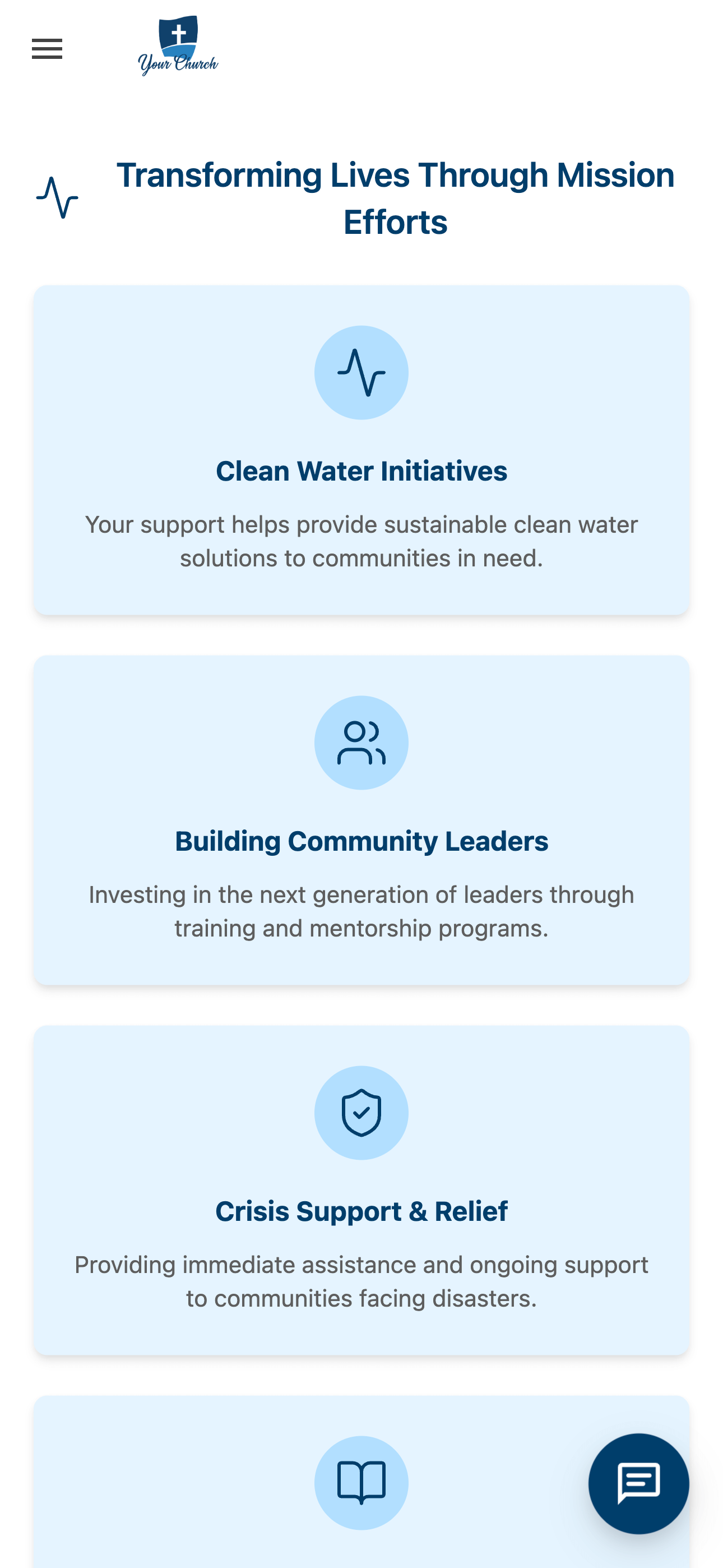
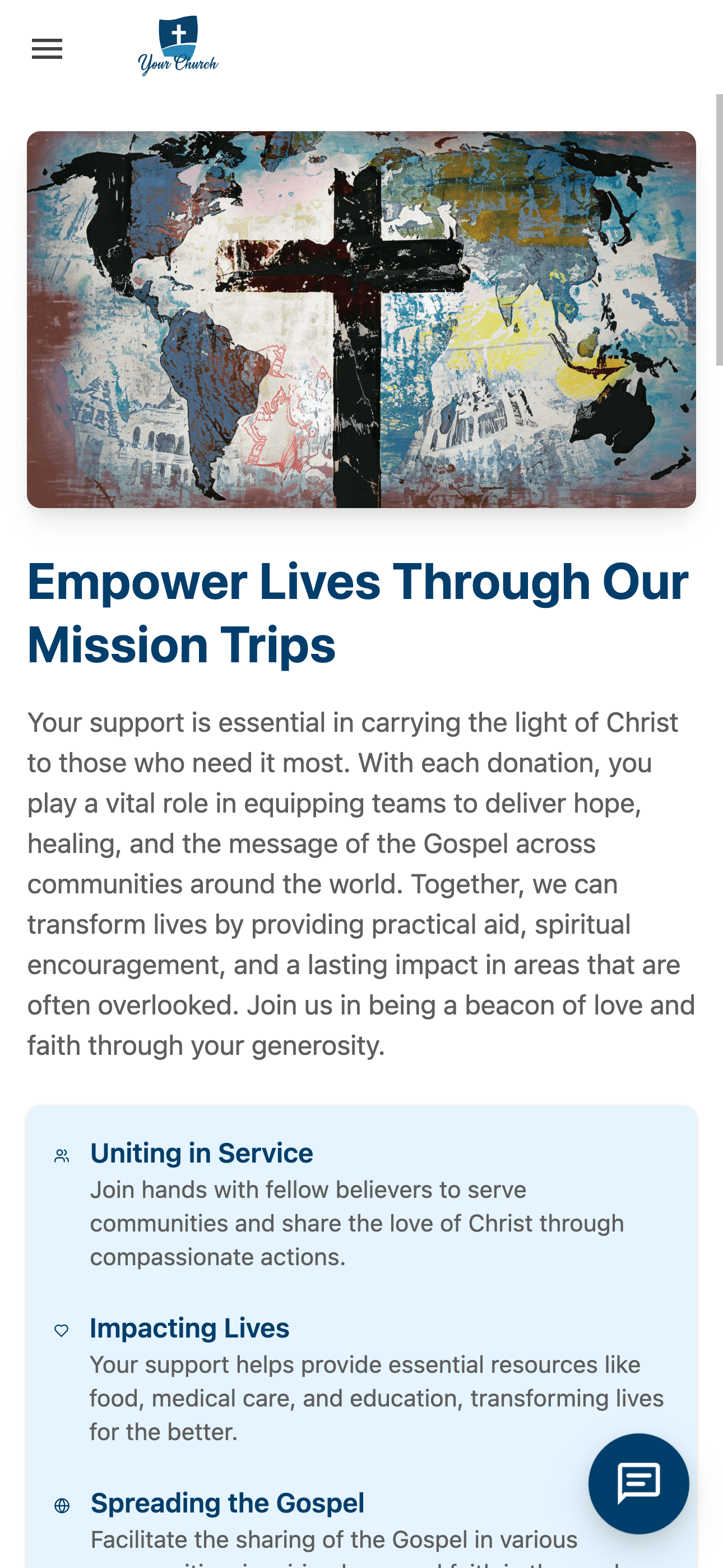
Each layout adapts to mobile and tablet views and allows for dynamic content presentation.
Ministry AI Generated Giving Page Content
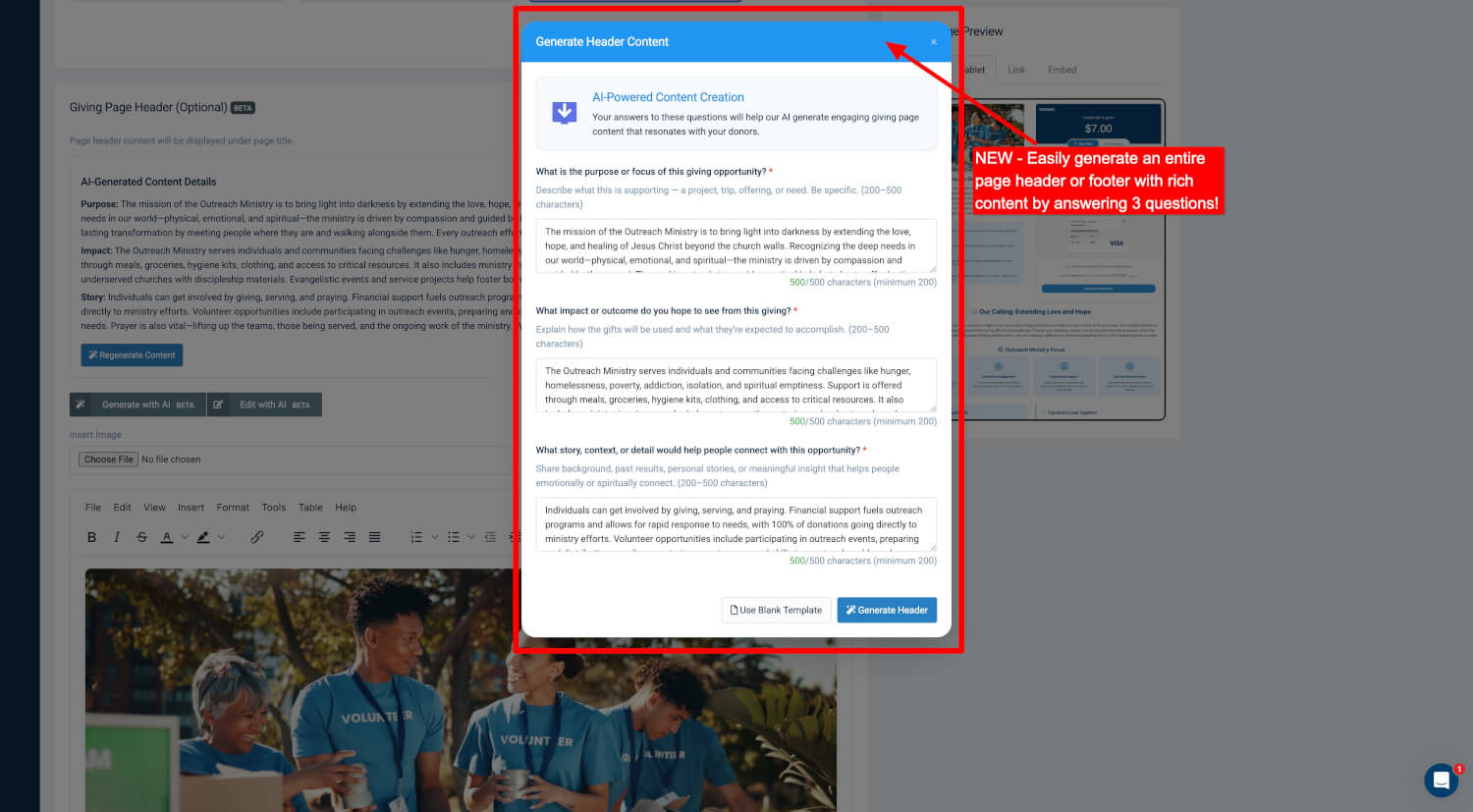
One of the most powerful parts of this release is the Ministry AI powered content generator. When creating or editing your page header or footer, you can now click:
-
Generate with AI
-
Edit with AI
By answering just three guided questions, the system will generate rich, structured content that reflects your campaign’s unique purpose and voice. This includes:
-
Customized headlines
-
Fully written mission and story sections
-
Icon-based grids with real descriptions
-
Footer narratives like "Our Calling," ministry spotlights, or testimonials
No filler. No lorem ipsum. This is real, tailored content built from your answers.
Live Ministry AI Editing
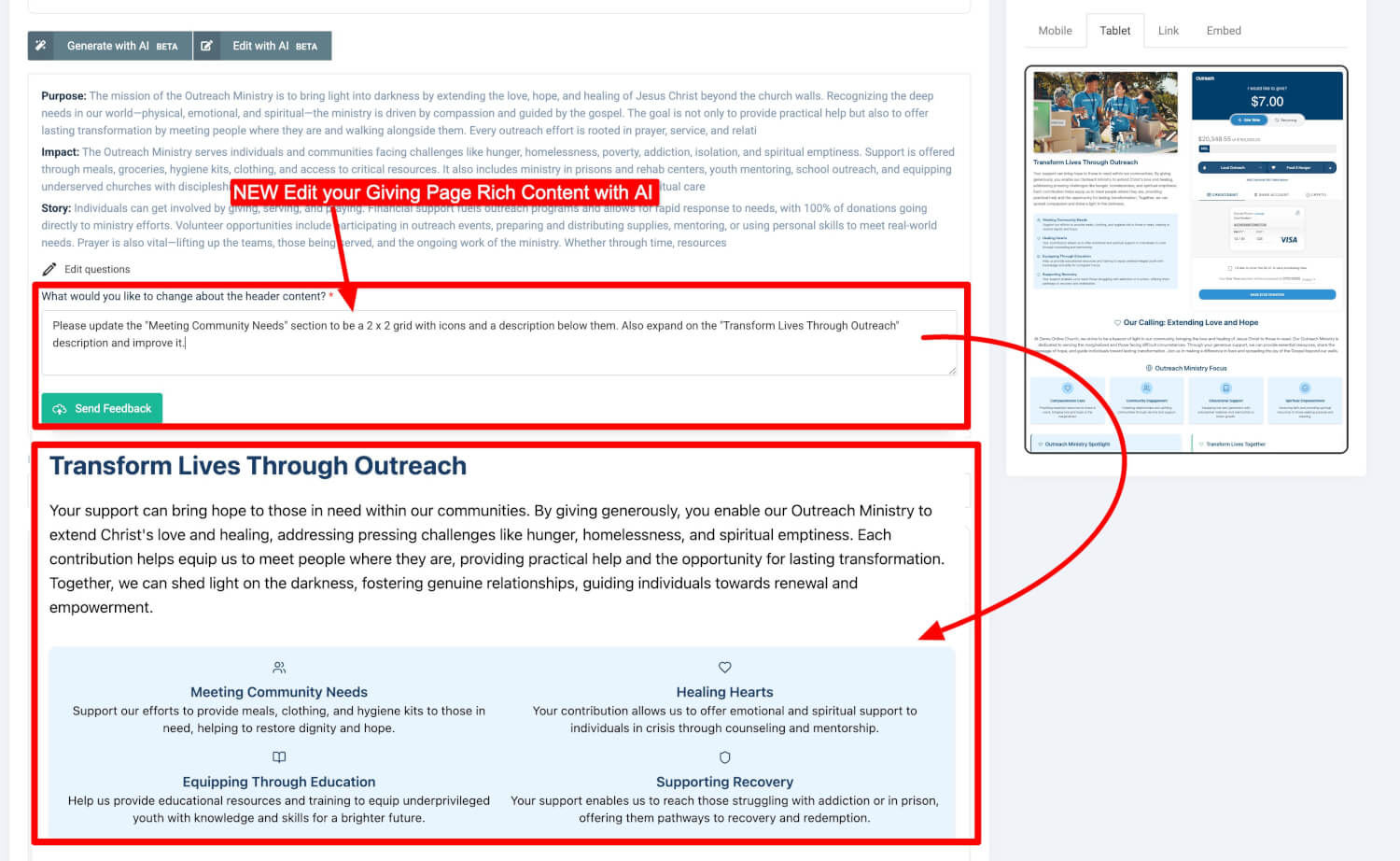
Need to make changes after generating content? The Edit with Ministry AI tool lets you modify specific sections simply by describing what you want. You can:
-
Ask to reword or expand sections
-
Request icon grids or columns
-
Add new ministry spotlights or stories
-
Rewrite headlines or adjust tone
This feature allows anyone—regardless of writing or design skills—to create ministry-aligned content with clarity and speed.
Fully Themed Footers with Ministry AI Too
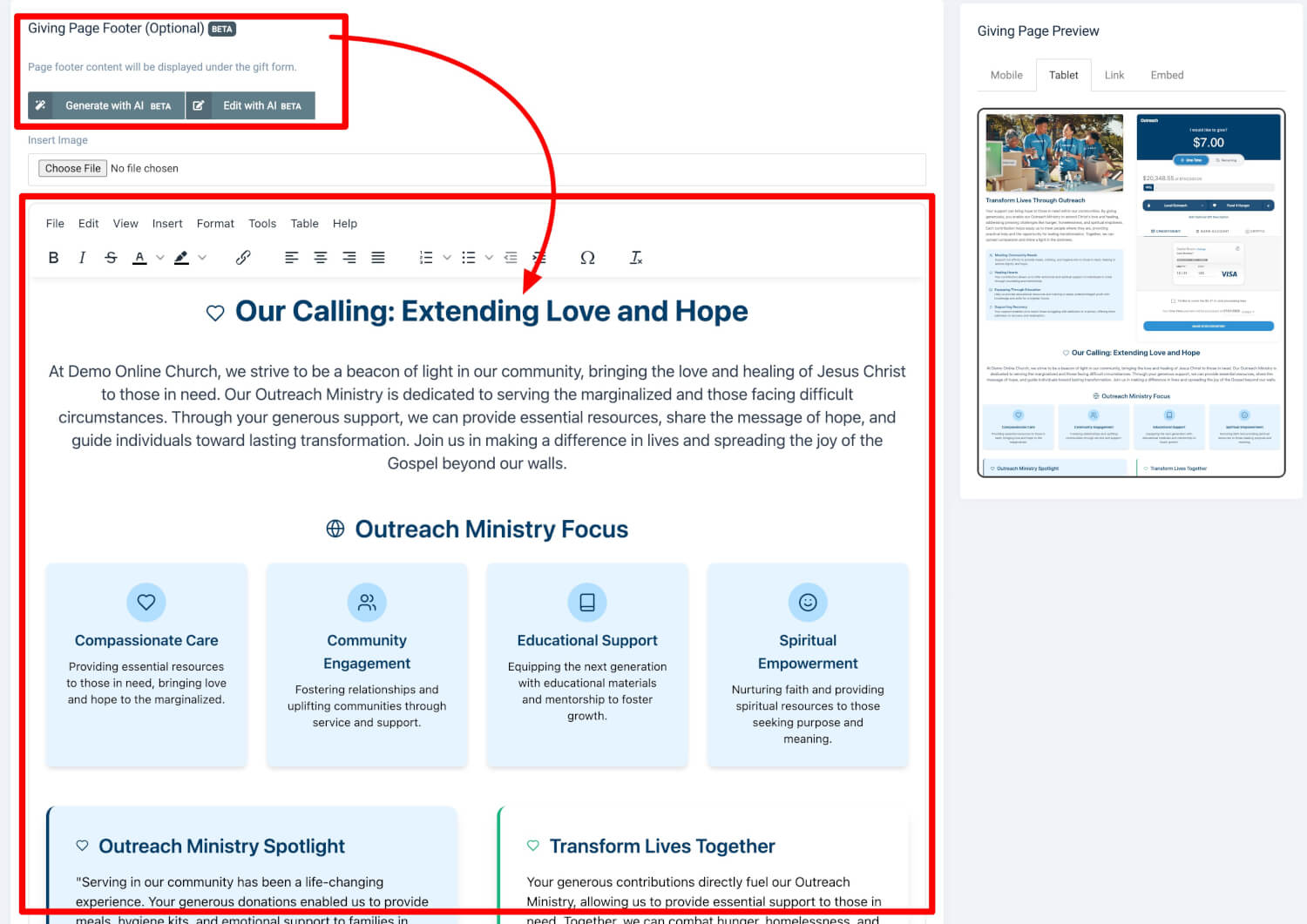
The Giving Page Footer (Optional) area is now a fully capable storytelling zone. You can include:
-
Detailed mission statements
-
Icon-based ministry focus areas
-
Outreach callouts or testimonials
-
Scriptural encouragements or campaign overviews
Like the header, this section is AI-enabled and can be generated or edited based on your specific cause or initiative.
See It in Action
To explore the possibilities of these new giving page layouts and AI-powered storytelling tools, check out these real examples:
-
Mission Trips Giving Page:
https://demo.onlinegiving.org/donate/form/4#!/ -
Outreach Ministry Giving Page:
https://demo.onlinegiving.org/donate/form/537#!/
These pages demonstrate how your church can turn a simple form into a compelling landing page that invites generosity, communicates mission, and aligns with your brand.
Summary of What’s New
-
Optional Page Layout Mode with 3 layout choices
-
AI-generated content for headers and footers
-
“Edit with AI” feature to rewrite content live using natural instructions
-
Structured icon grid support (2x2 or more)
-
HTML-based content blocks with your tone and mission
-
Tablet and mobile-friendly preview panel
-
Live examples available for guidance
Ready to Get Started?
This feature is now live in your control panel. Simply go to any custom giving page, select your layout, and click “Generate with AI” or “Edit with AI” to begin.
If you'd like help building your first AI-powered giving page or reviewing layout options, please reach out to our team at support@onlinegiving.org. We’re here to help you make the most of this transformative feature.