Feature Updates 07/27/2023
OnlineGiving.org > Rock RMS Plugin Update
We're pleased to report that Rock RMS now ships with the required MicrosoftIdentity bin files that are required for single sign-on purposes with the OnlineGiving.org Rock RMS plugin. For this reason, OnlineGiving.org has submitted an updated plugin to the Rock RMS Ship for versions 14+ that removes the MicrosoftIdentity bin (XML and DLL) to avoid any confusion or issues with the shipped bin files. Once Rock RMS approves the update, it will be available in the Rock RMS shop. It's important to note that no action is required by any church with the OnlineGiving.org plugin installed and fully functional. The update (once approved by Rock RMS) would only apply to those migrating from Rock RMS 13 to version 14. Again, no action is required if the church already has installed a functional OnlineGiving.org Rock RMS plugin.
OnlineGiving.org > Aplos Integration Updated
We're pleased to report an update is now live to the OnlineGiving.org integration that upgrades the core API connection methods to the latest Aplos API domains. The church requires no action as the update is already live for all OnlineGiving.org Aplos churches.
OnlineGiving.org MinistryPlatform Mobile App > My Groups > Take Attendance > Select Group Event Enhancements
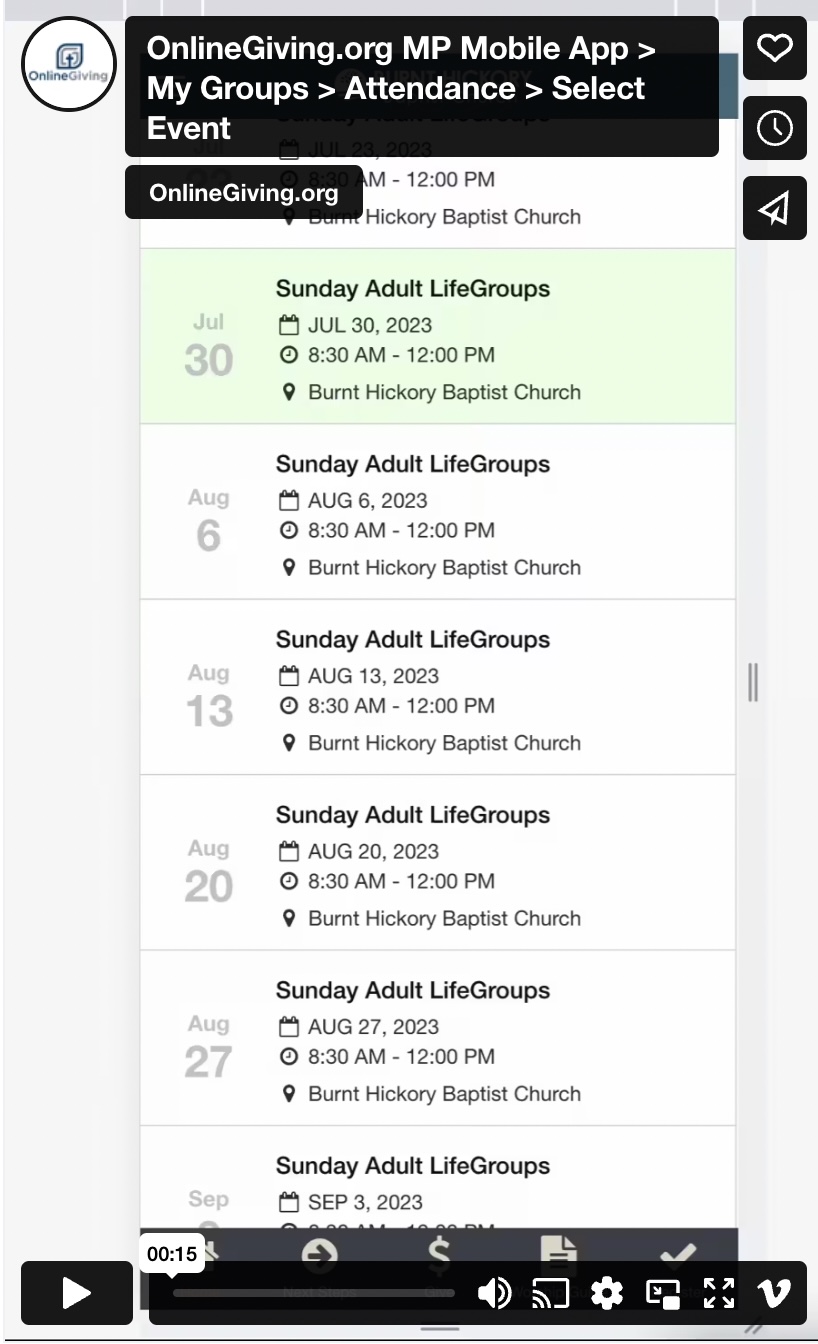
We're pleased to announce an update is now live to the OnlineGiving.org MinistryPlatform Mobile App > My Groups > Take Attendance > Select Group Event feature. The mobile app will now automatically locate the most current event (based on the current date and the event start date) and automatically highlight that date in green and scroll to that event to aid in allowing group administrators to find the most current event for attendance quickly.
It's important to note that mobile app users may need to close the open app from the mobile device app switcher to view the latest changes. For iOS devices, swipe up and hold from the bottom of the screen to view the app switcher (tasks manager), then swipe up on the open app to close, then open the app again to view the latest changes. For older iOS devices, double-tap the home button to view the app switcher. For Android devices, tap the navigation button, swipe up on the open app to close, and then open the app to view the latest changes.
Preview of New Auto-Scroll & Highlight Feature: