Feature Updates 07/29/2025
Custom Forms Now Support Page Layouts and Ministry AI
OnlineGiving.org is pleased to announce a major update to our Custom Forms platform. Churches can now transform basic forms into rich, purpose-driven experiences with flexible Page Layouts and Ministry AI-powered content generation—no coding or design experience required.
OnlineGiving.org Ministry AI = Intelligent Forms That Convert
AI Form Builder
AI creates complete forms with optimal fields
Content Generation
AI writes form questions and content
Conditional Logic
AI-powered conditional flow recommendations
Form Editor
AI edits and improves existing forms
New Custom Form Page Layouts
With the new Page Layout Mode, churches can present forms in ways that better communicate mission, guide next steps, and inspire action.
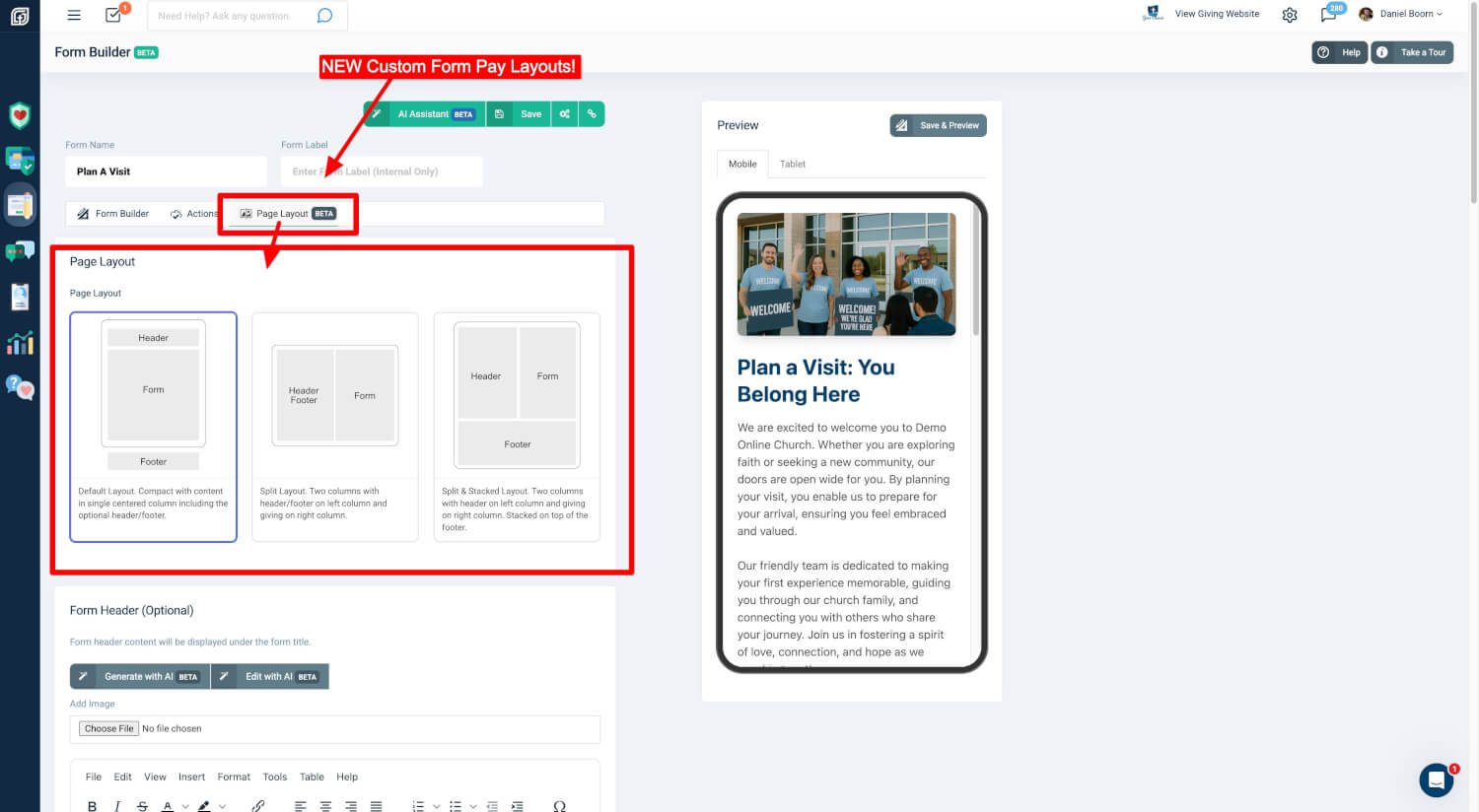
Available Layouts:
-
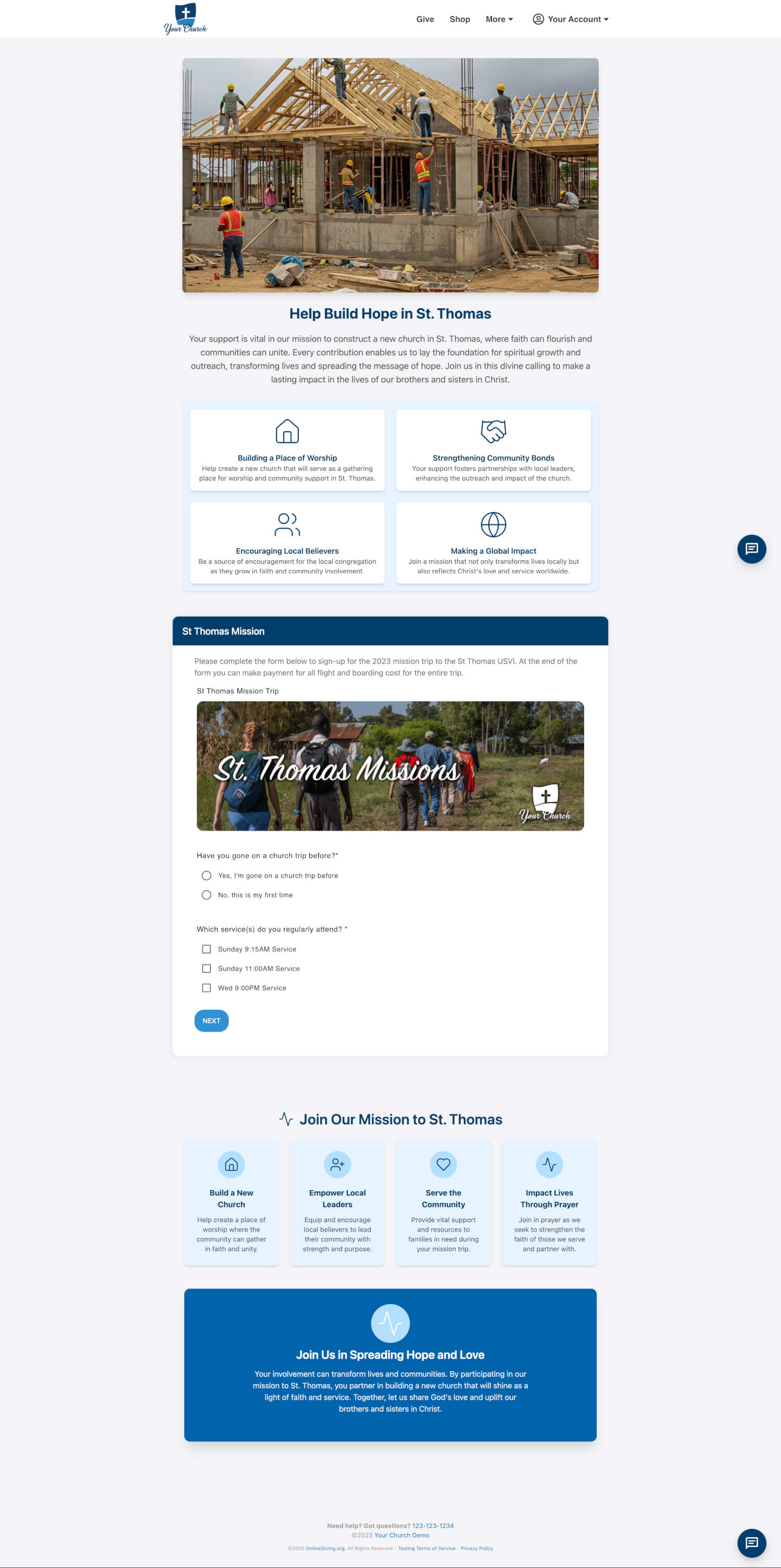
Default Layout – A single-column layout with optional header and footer content.
-
Split Layout – Side-by-side content and form areas.
-
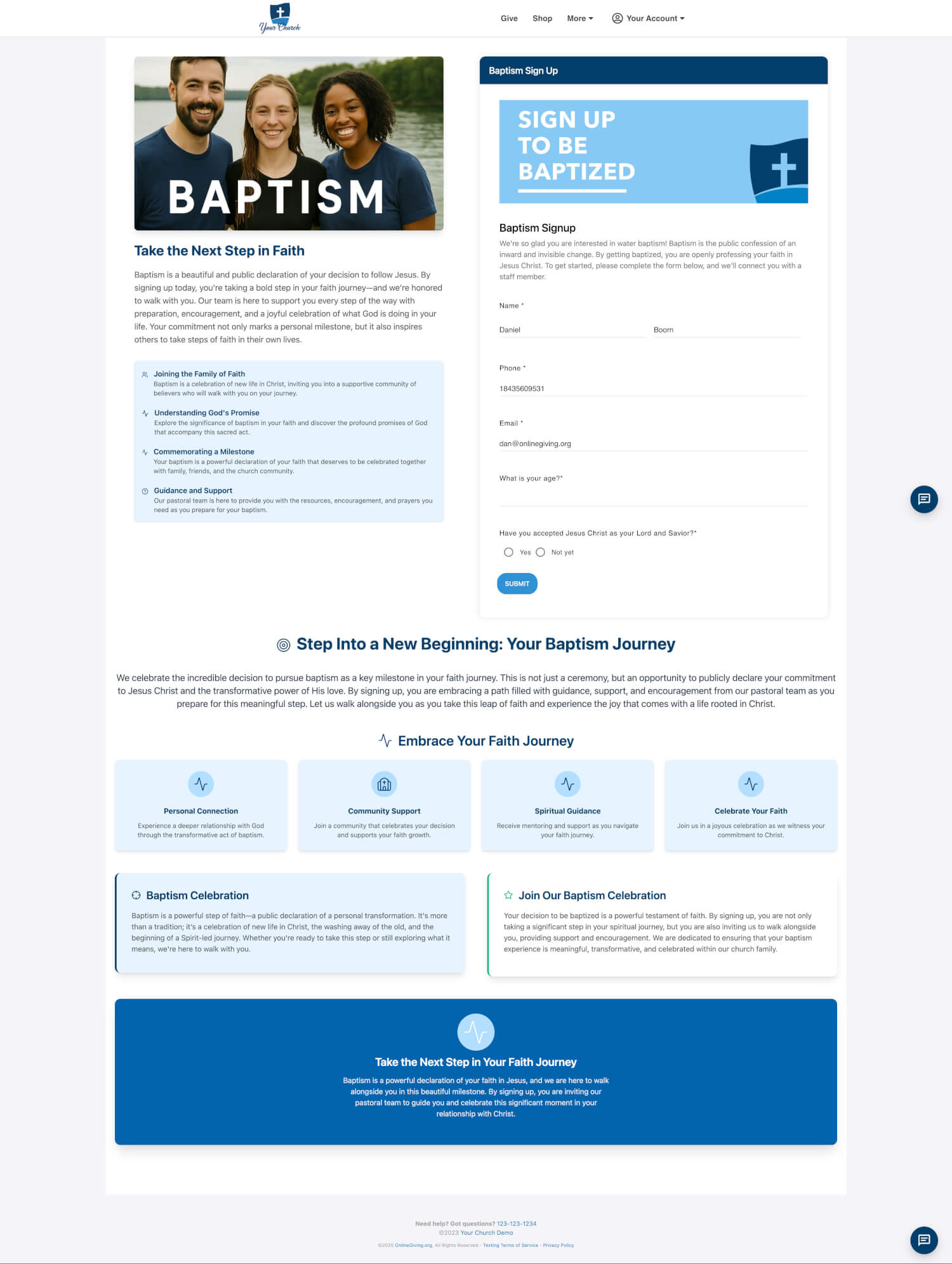
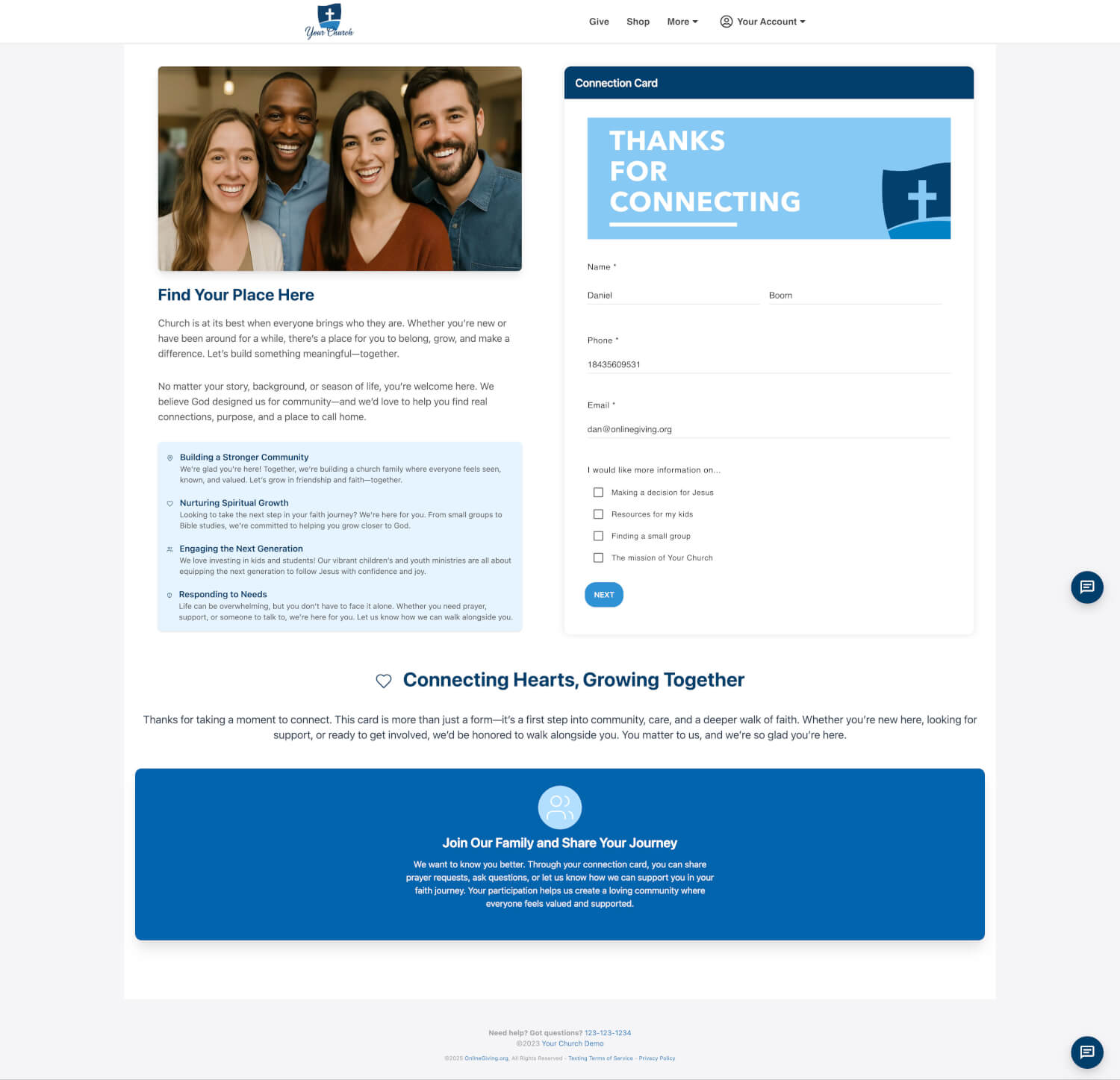
Split & Stacked Layout – Content and form columns, followed by stacked footer content.
All layouts are mobile and tablet responsive and support structured content blocks, icon highlights, HTML, images, and more.
Ministry AI: Generate Content Instantly
Ministry AI enables churches to create powerful messaging in seconds. Just click "Generate with AI," answer three brief questions, and the system will generate personalized headlines and structured content tailored to your form's purpose.
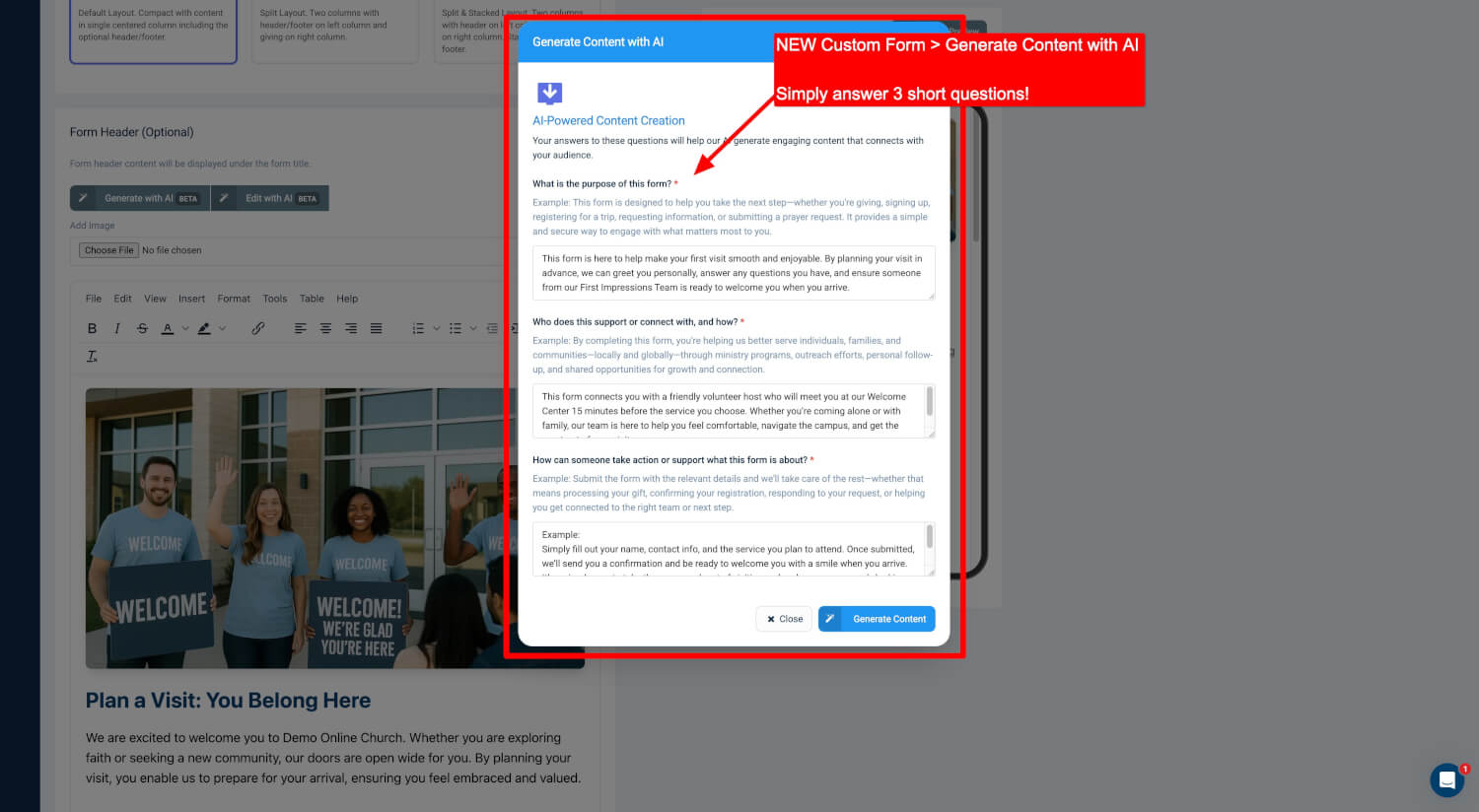
How it Works:
-
What is the purpose of the form?
-
Who does it support and how?
-
What action should someone take?
Content generated may include:
-
Custom headlines
-
Mission-aligned text sections
-
Icon-based highlight grids
-
Call-to-action or testimonial-style footers
Edit with AI – Real-Time Content Editing
Need to make changes after generating content? The "Edit with AI" feature allows you to rewrite or expand any section using plain instructions—no technical skills needed.
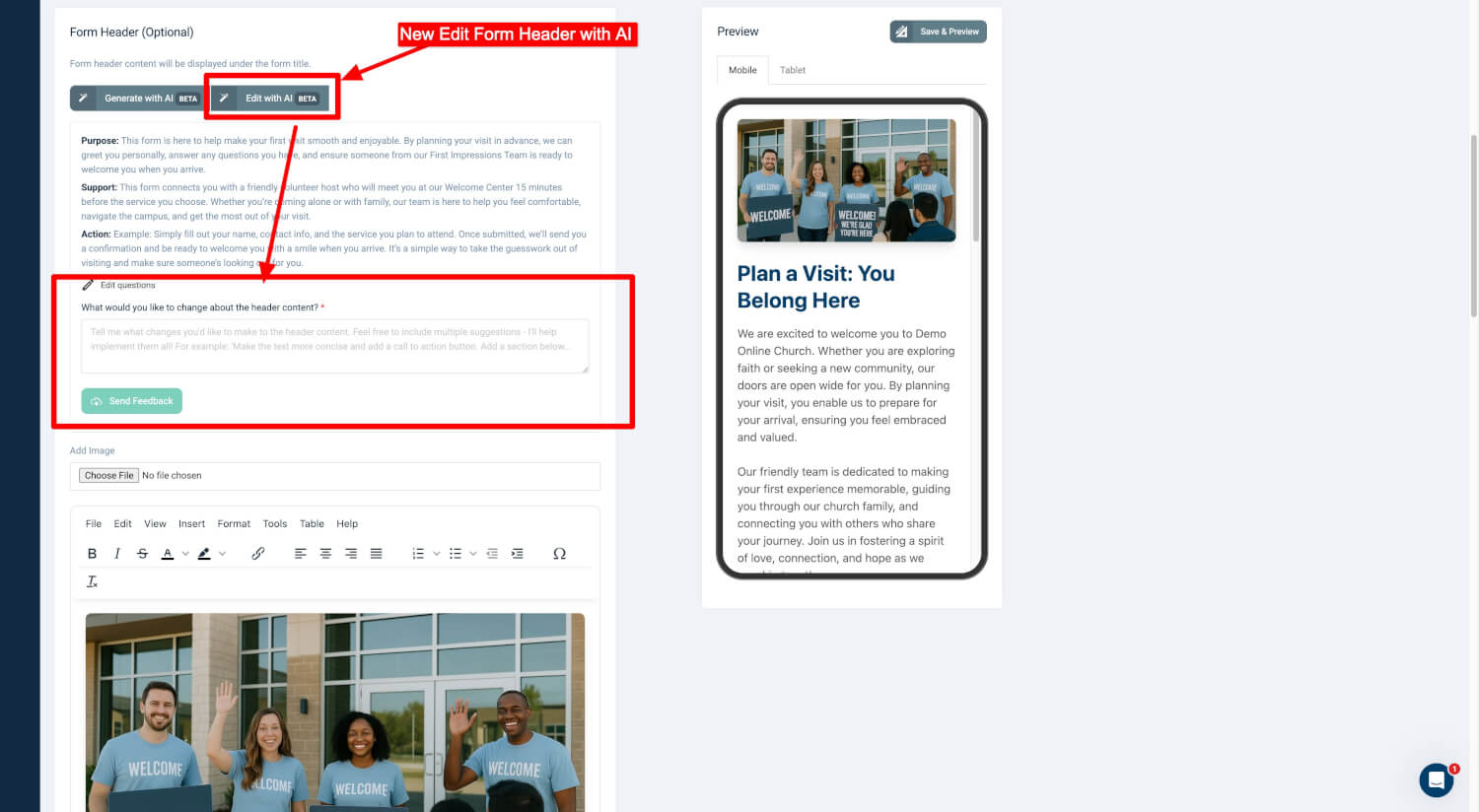
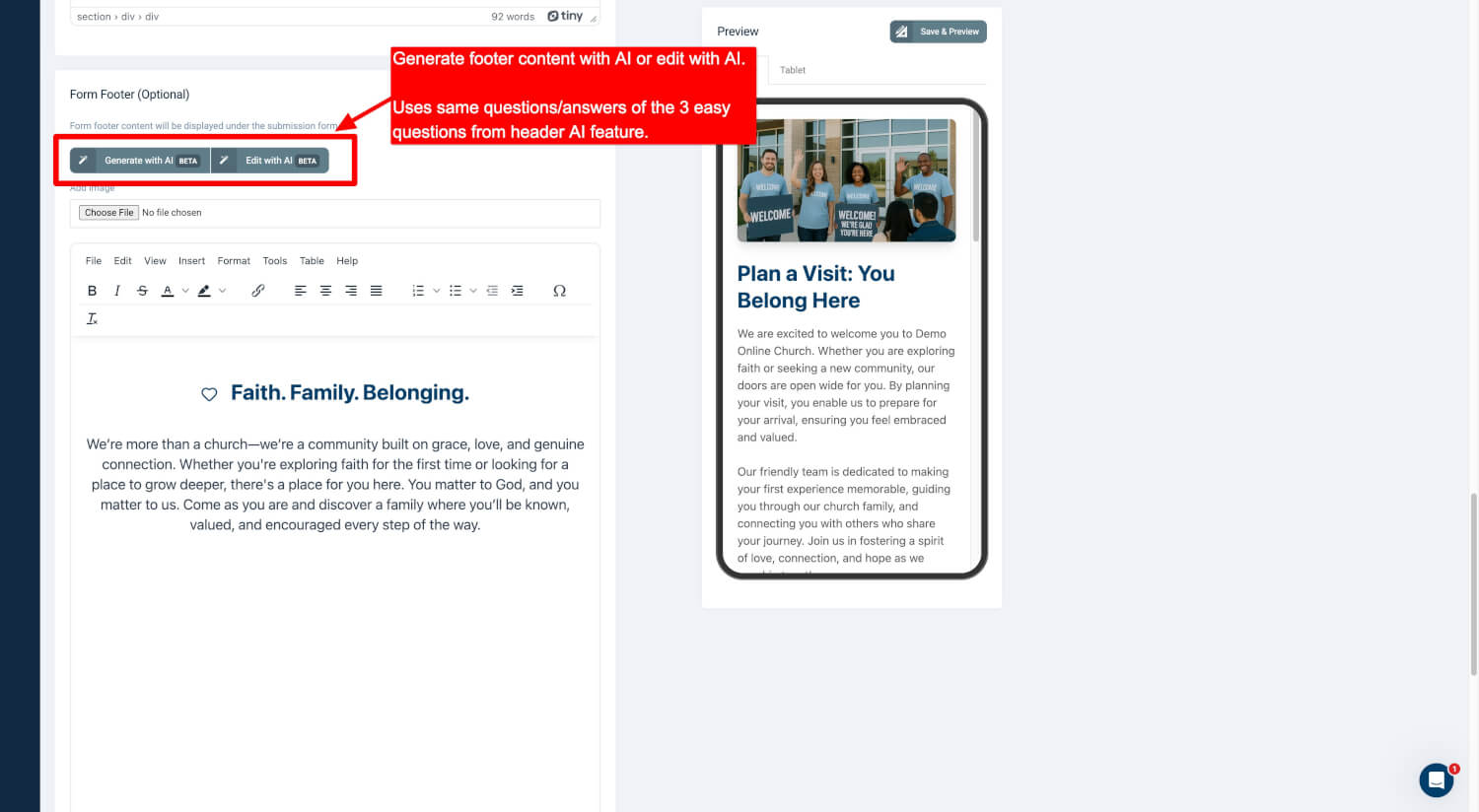
You can:
-
Reword or simplify content
-
Adjust tone (formal, casual, bold, etc.)
-
Add visual sections, testimonials, or stories
-
Expand or condense paragraphs
The header and footer areas both support AI-driven editing for quick and accurate updates.
Fully Responsive by Ministry AI Design
All form layouts and content are built to adapt seamlessly across mobile, tablet, and desktop screens. No extra formatting is required—your content will always display beautifully.
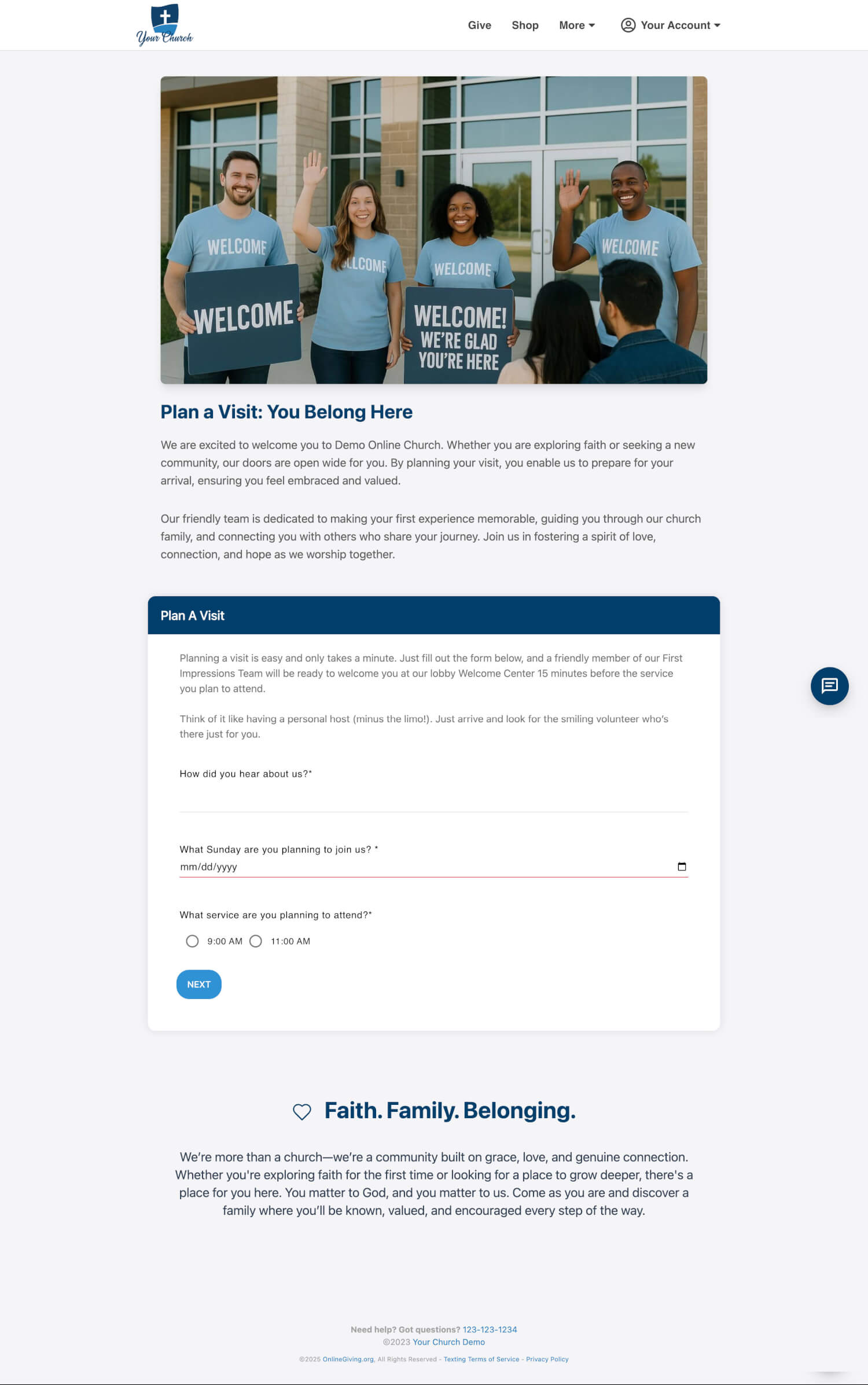
Examples:
 |
 |
 |
 |
 |
|


See It in Action
Explore live examples using the new Custom Form layout and Ministry AI content features:
Plan a Visit
https://demo.onlinegiving.org/donate/customform/2408
Baptism Registration
https://demo.onlinegiving.org/donate/customform/2406
Connection Card
https://demo.onlinegiving.org/donate/customform/2405
Outreach
https://demo.onlinegiving.org/donate/customform/45
Each form demonstrates responsive layouts, structured messaging, and real content—all powered by Ministry AI.
Summary of What’s New
-
Page Layout Mode with 3 flexible layout options
-
Ministry AI-generated content for headers and footers
-
“Edit with AI” tool to revise and rewrite content using natural language
-
Rich content blocks created by AI — including icon-based highlights, structured messaging, and story-driven sections
-
Fully mobile and tablet responsive designs
-
HTML editor support for advanced customization
All of This Builds on the Custom Form Ministry AI Assistant You Already Have
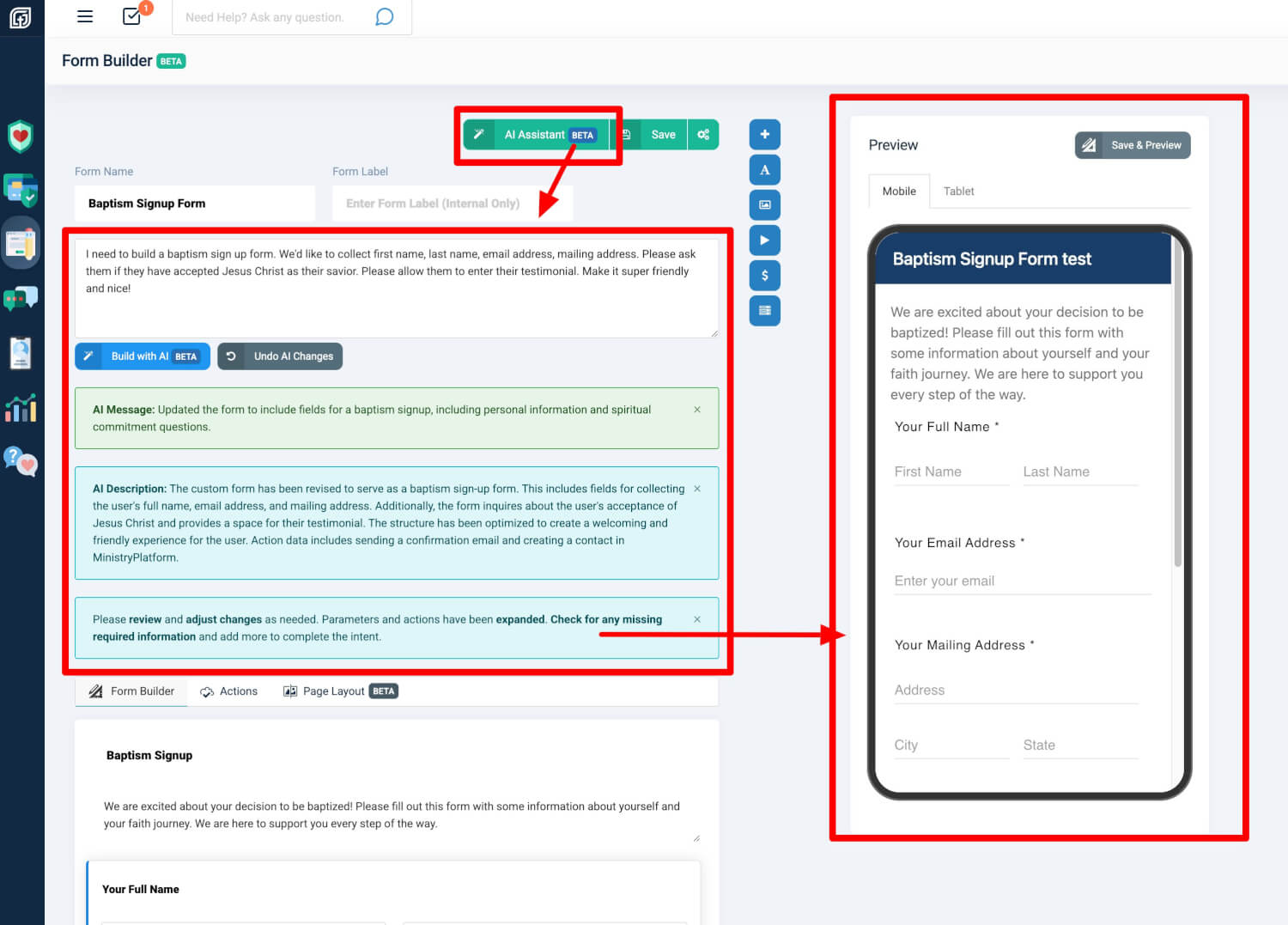
These new layout and content tools are built on top of the existing AI Assistant already available in your Custom Forms. That means you can:
-
Chat with the AI Assistant to instantly build your entire form from scratch—fields, logic, and flow
-
Then apply Page Layout Mode to transform that form into a polished, responsive layout
-
Use Generate with AI and Edit with AI to craft your messaging, icons, footers, and stories
The result: a complete, ministry-aligned landing experience—fully powered by AI, designed for your needs, and ready to launch in minutes.
With AI assisting from start to finish, you can focus on ministry, not manual setup.
Get Started Today
These features are now live in your OnlineGiving.org Control Panel. To begin:
-
Open or create a custom form
-
Use the AI Assistant or Navigate to the Page Layout tab
-
Click Generate with AI or Edit with AI
-
Preview your responsive layout on mobile or desktop
Need help with your first layout or full AI form build? Contact our support team at support@onlinegiving.org — we’re happy to assist.