Feature Updates 08/18/2025
New Feature Release: AI-Powered Fund Descriptions & Icons
We’ve enhanced the Create/Edit Fund experience inside the OnlineGiving.org Control Panel.
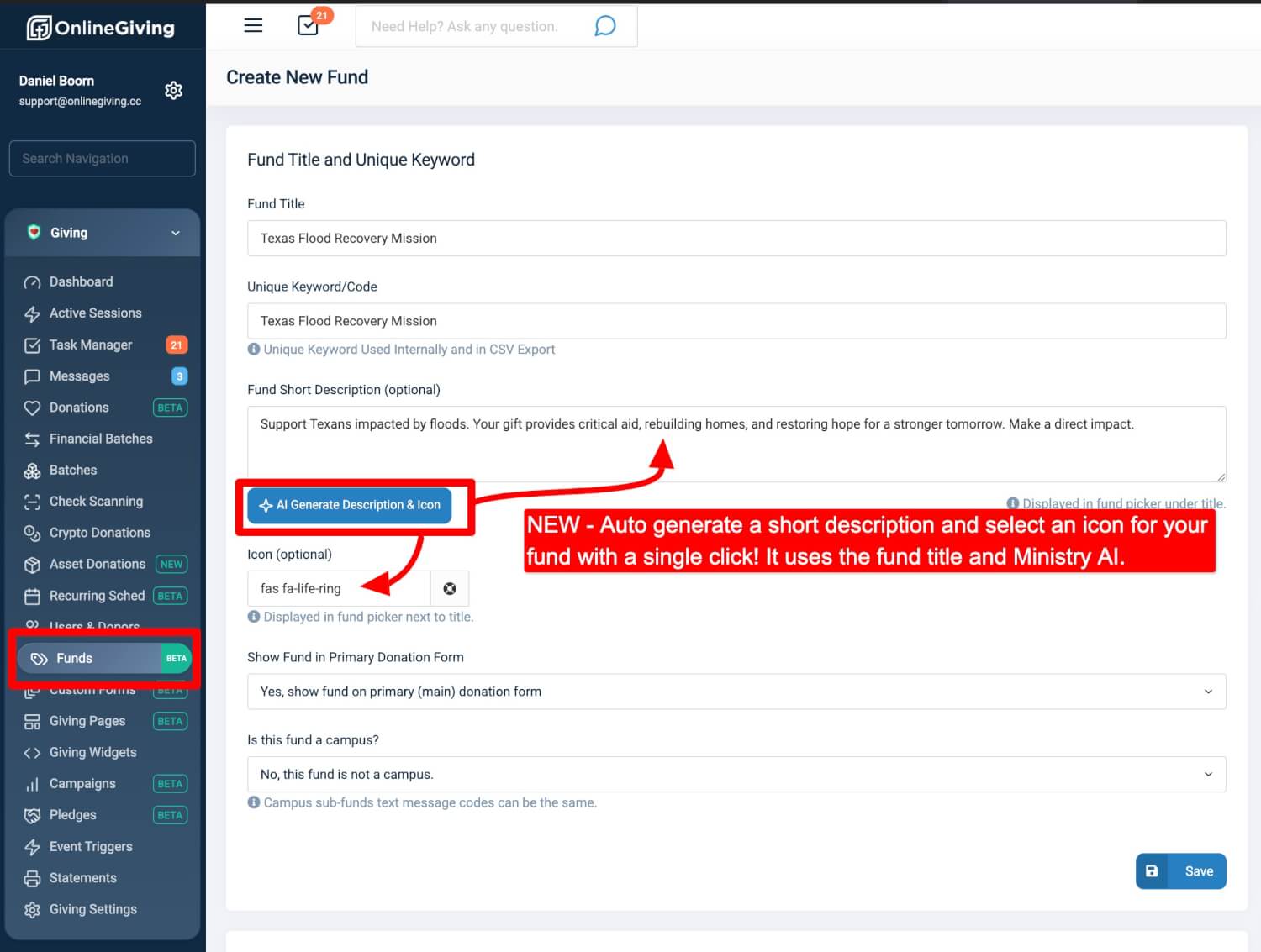
With the new “AI Generate Description & Icon” button, you can now:
-
Instantly generate a short, compelling fund description using Ministry AI
-
Automatically select an appropriate icon based on your fund or sub-fund title
This update makes it easier than ever to set up new funds with professional, ready-to-use descriptions and icons—saving you time while helping your campaigns stand out.
You can access this feature by going to Giving > Funds and selecting Create New Fund or editing an existing one.
New Feature Release: Chat with GPT on Support Pages
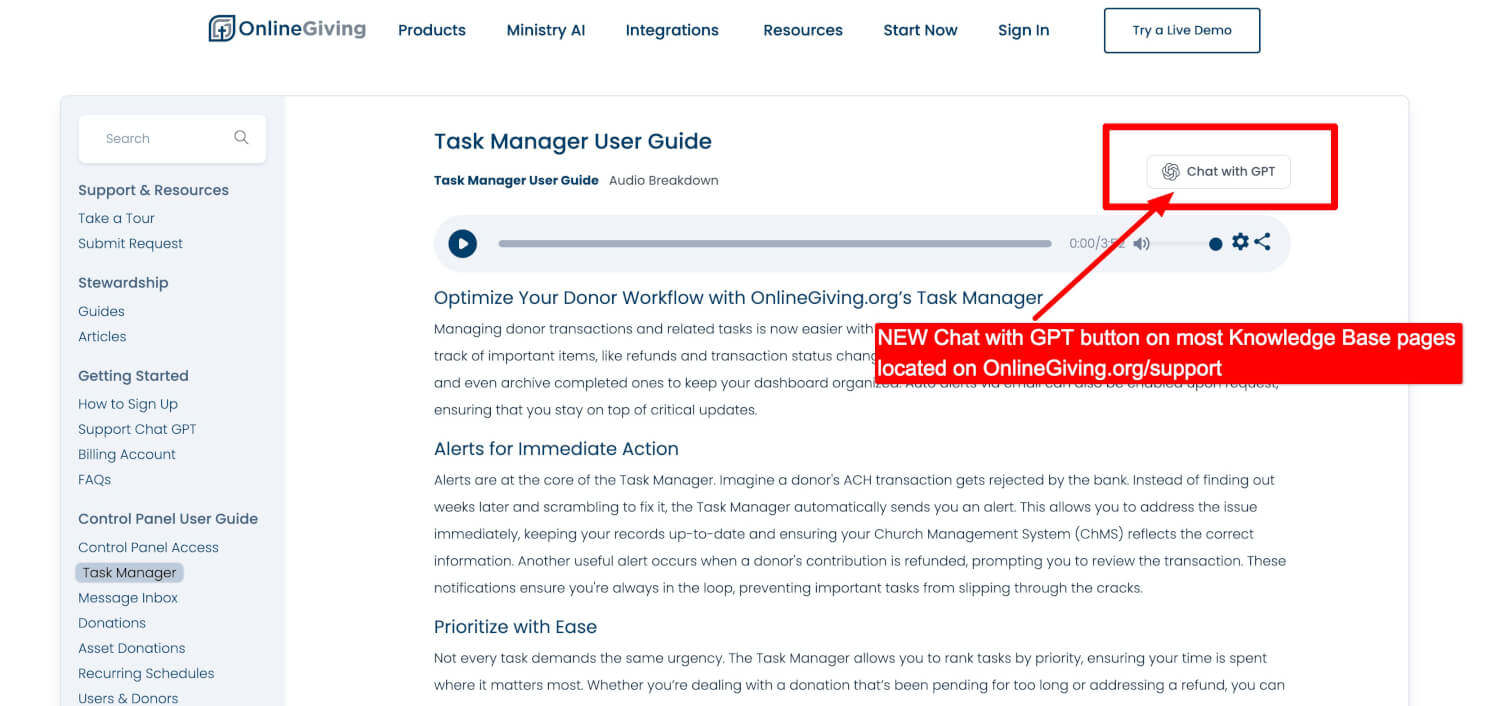
We’ve added a new Chat with GPT button to most pages on OnlineGiving.org/support.
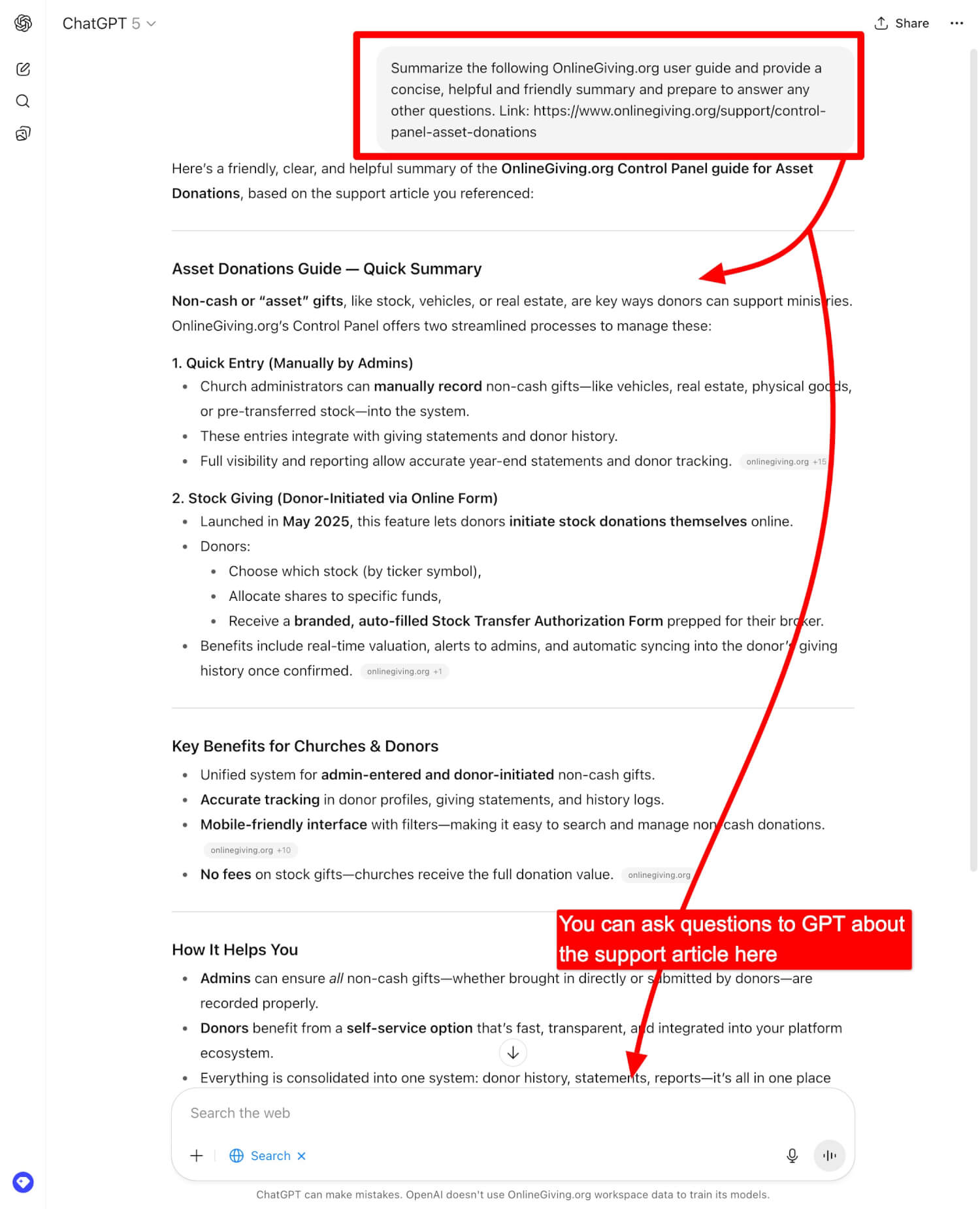
This feature allows both guests and existing customers to instantly send the current support article to their personal ChatGPT account. From there, you can:
-
Ask questions directly about the page content
-
Get a clear, summarized breakdown of the guide
-
Continue chatting for deeper explanations and step-by-step help
Important to Note
This new feature is separate from the built-in Support GPT inside the OnlineGiving.org Control Panel:
-
Chat with GPT (new): Uses your personal ChatGPT account to analyze and summarize support articles.
-
Control Panel > Support GPT: A built-in assistant trained specifically on OnlineGiving.org resources, no personal ChatGPT account required.
Both options provide interactive, on-demand help, giving you flexibility depending on your preference.
Our Goal
We want learning and using OnlineGiving.org to be even easier, faster, and more interactive—whether you’re exploring resources on our support site or working inside your Control Panel.