Feature Updates 08/22/2025
New Feature Release: Interactive Heatmap for Form Submissions
Location: OnlineGiving.org → Control Panel → Custom Forms → Submissions
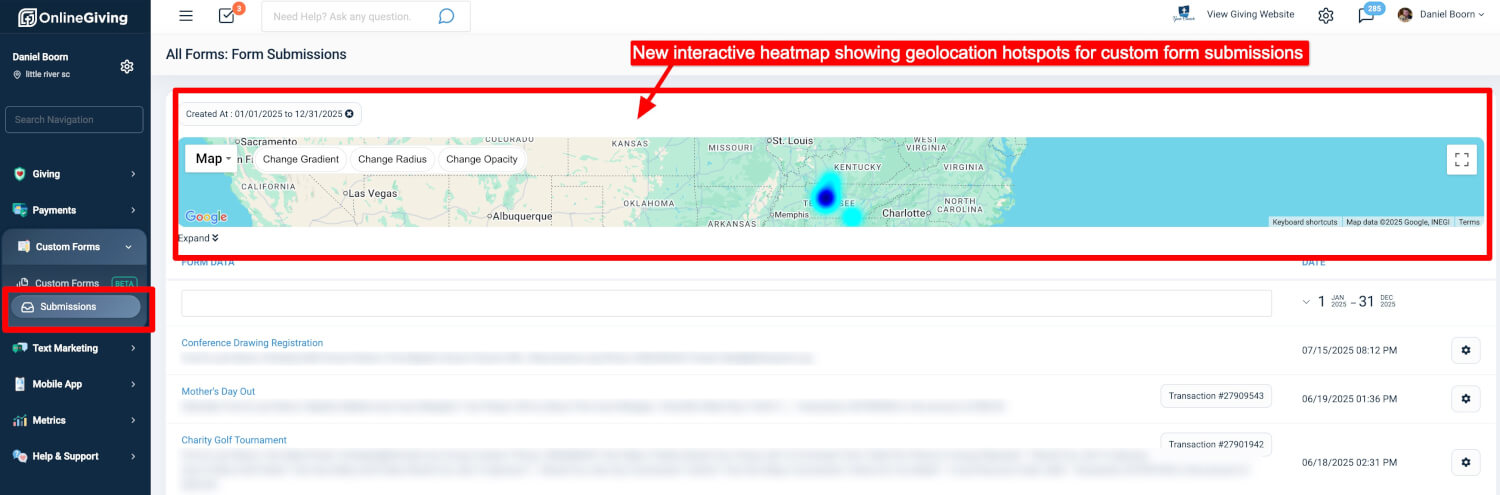
We are introducing a new way to visualize form submissions geographically with the Interactive Heatmap.
What’s New
-
Geographic Hotspot Mapping: See where your form submissions are coming from with a color-coded heatmap highlighting high-traffic areas.
-
Interactive Map Controls: Adjust gradient, radius, and opacity to analyze submission patterns more effectively.
-
Time Range Filtering: Focus on submissions within a selected date range to identify trends tied to campaigns or events.
-
Integrated Dashboard View: The heatmap is built directly into the Form Submissions page, making it easy to switch between geographic insights and detailed submission data.
Why It Matters
-
Quickly identify regional engagement hotspots.
-
Track and compare participation around specific campaigns or events.
-
Visualize responses geographically, which is especially valuable for multi-campus churches tracking engagement across different locations, or for custom forms promoted nationally or globally, where understanding the geographic distribution of responses provides critical insight.
-
Gain actionable insights into audience reach without leaving the control panel.
How to Use
-
Go to Custom Forms → Submissions.
-
Select the desired date range.
-
Review the interactive heatmap at the top of the submissions page.
-
Use the available map controls to refine your view and explore submission activity in detail.
Control Panel Update: Refreshed Navigation Design
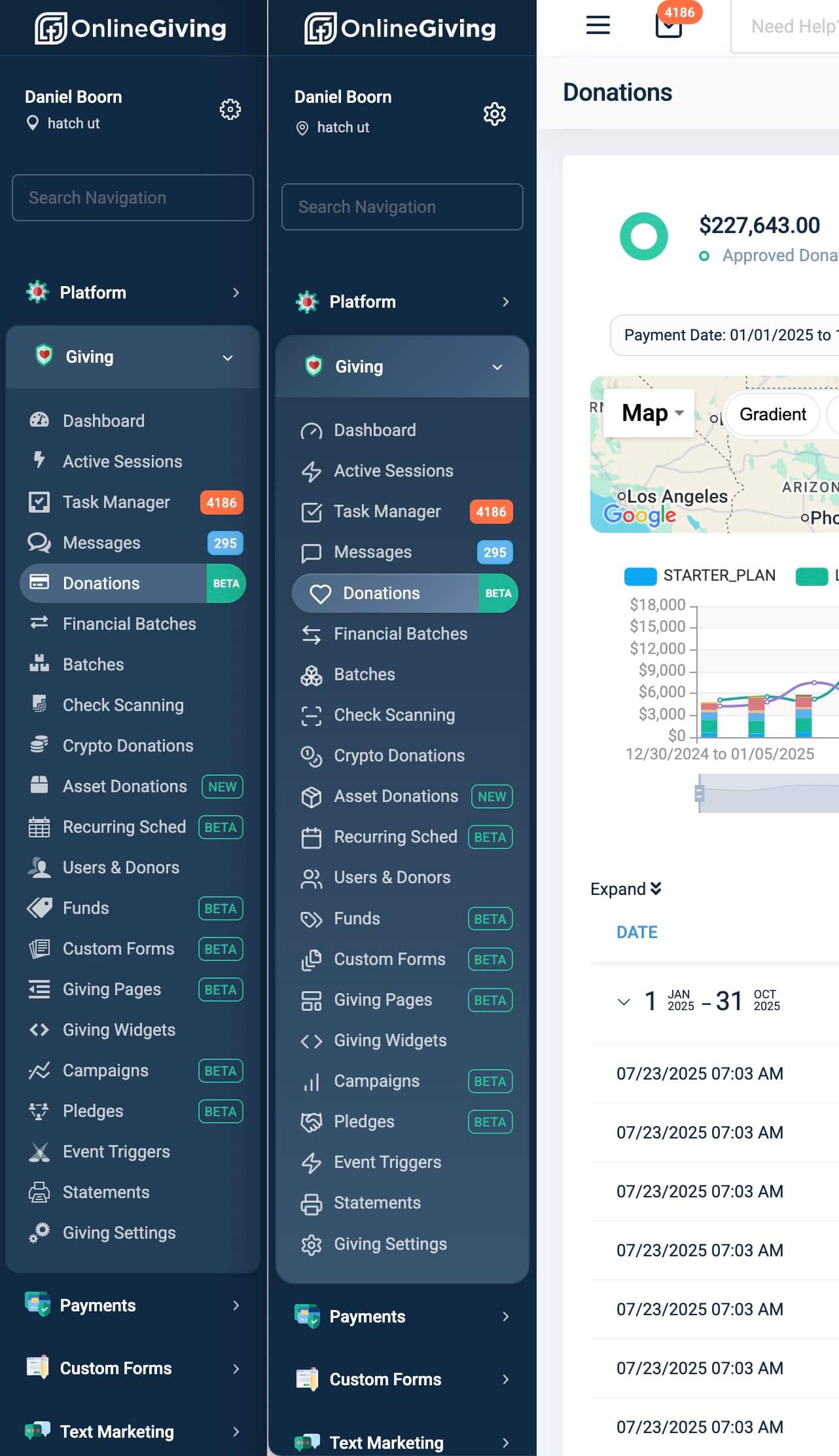
We’ve rolled out a visual update to the OnlineGiving.org Control Panel navigation to provide a cleaner and more modern experience.
What’s New
-
Updated Icons: Refined and consistent icon set across all navigation items, designed for better clarity and readability.
-
Background Enhancements: Subtle gradient adjustments bring a fresher, more polished look while maintaining accessibility and ease of use.
-
Improved Visual Hierarchy: Updated styling for active states and section grouping helps users more quickly identify where they are in the platform.
Why It Matters
This update is part of our ongoing effort to improve the usability and visual consistency of the OnlineGiving.org Control Panel. The changes are subtle but impactful, providing a more modern interface without altering existing workflows or navigation structure.