Feature Updates 08/23/2023
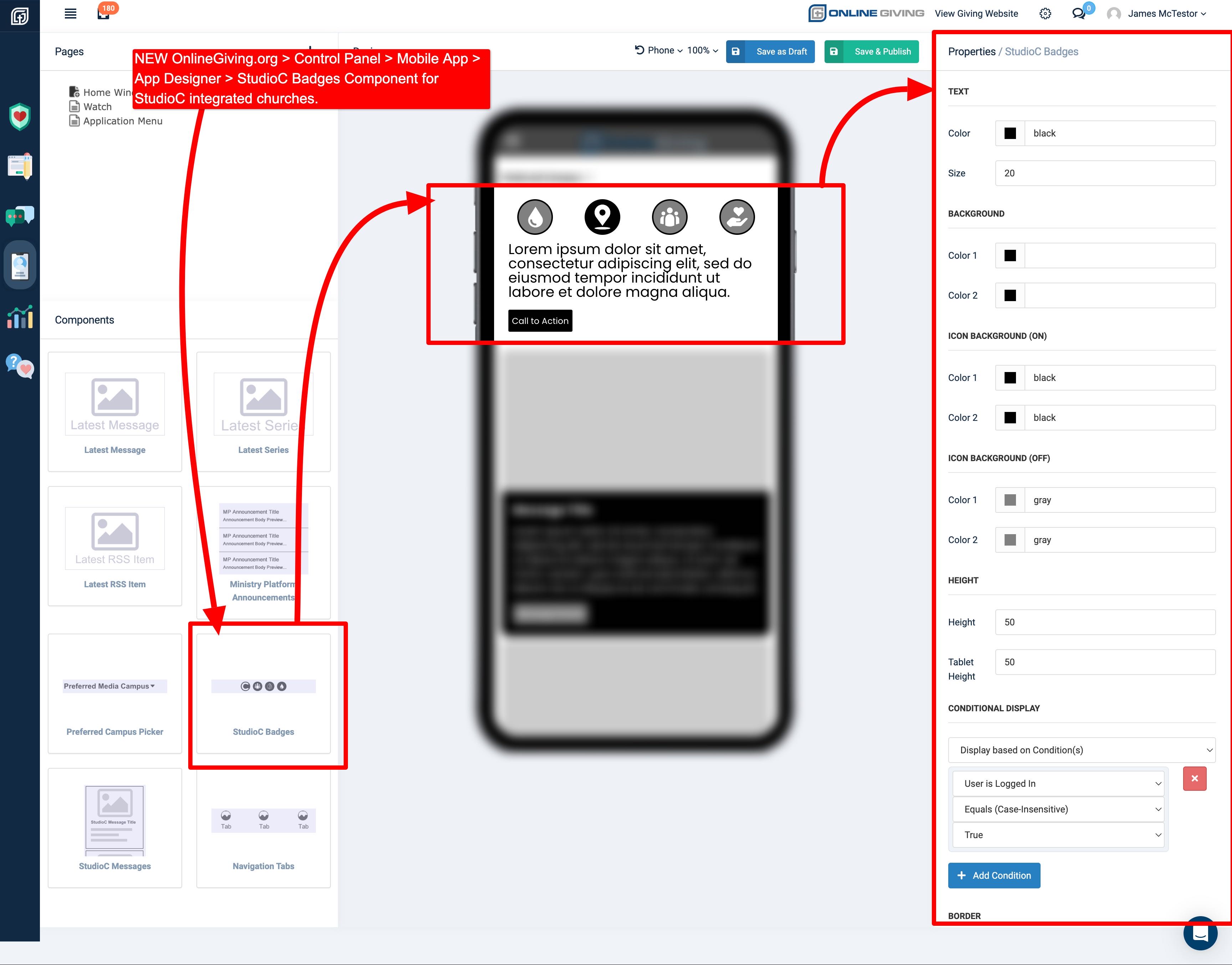
NEW OnlineGiving.org > Mobile App > App Designer > StudioC Badges & Messages Components
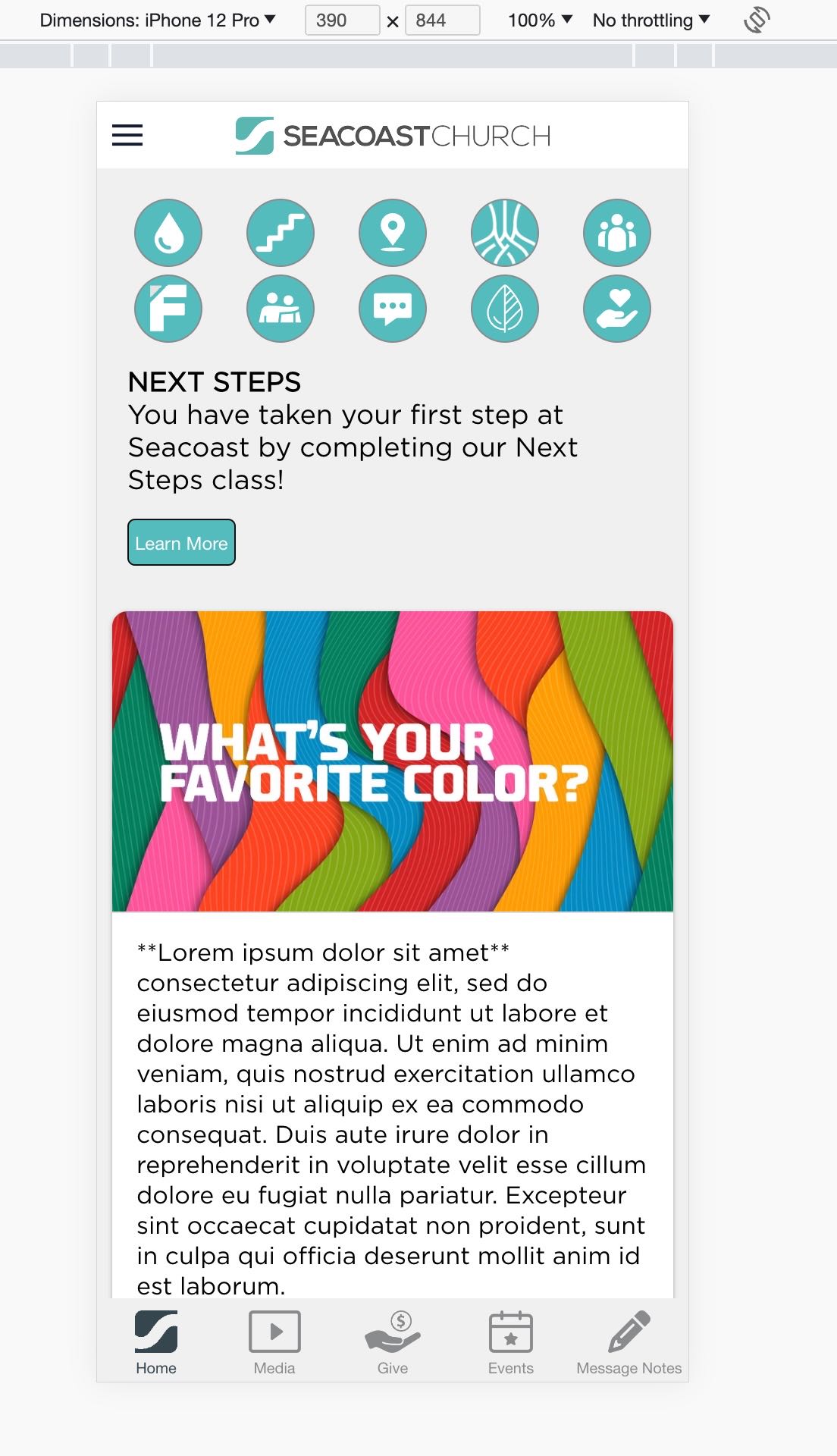
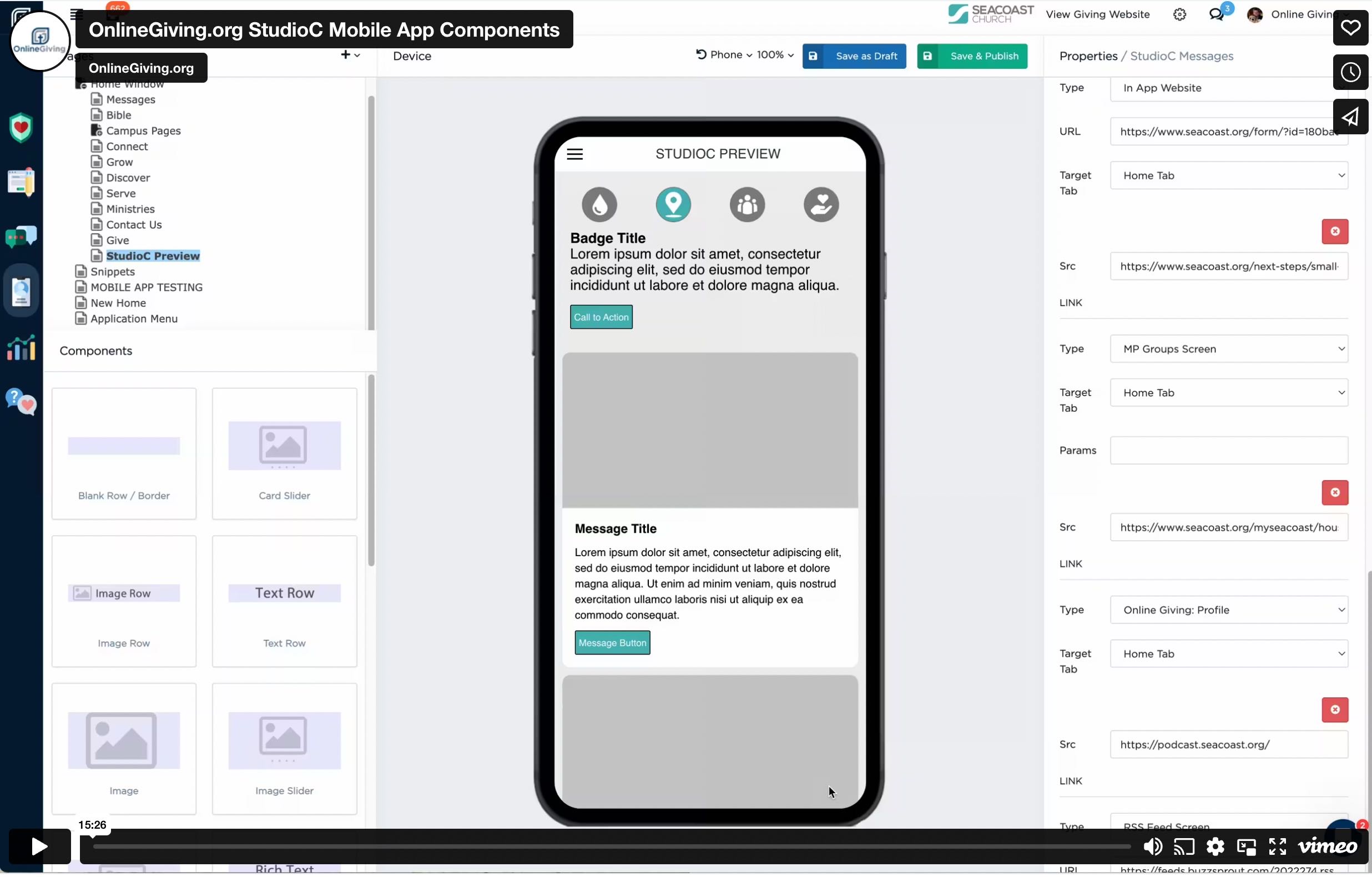
We're pleased to announce an update is now live to the OnlineGiving.org StudioC integration, which includes two new OnlineGiving.org App Designer components: StudioC Badges and StudioC Messages. The OnlineGiving.org StudioC Badges mobile app component is designed to display StudioC badges for authenticated mobile app users. It allows badge interaction, displaying the StudioC badge information depending on badge achievement and supporting milestone and step badges. The OnlineGiving.org StudioC Messages mobile app component is designed to display StudioC messages for authenticated mobile app users and includes support for personal, news, and poll messages.
Church administrators accessing the OnlineGiving.org mobile app with StudioC integration may now use these new components. As a reminder, these components require the user to be logged into the mobile application as StudioC data is based on ChMS identifiers. For this reason, church administrators should use the OnlineGiving.org App Designer conditional display feature to require the user to be logged in for the components to be displayed. We also recommend designing other "guest" content on the App Designer pages that the components are going to be displayed for those users who are not signed into the mobile app.
Preview of OnlineGiving.org StudioC Badge & Messages App Components

Screencast Video Overview of OnlineGiving.org StudioC App Components
UPDATED OnlineGiving.org > Control Panel > Mobile App > Add Designer > NEW Font Awesome 5 Icon Support
We're pleased to announce an update is now live to the OnlineGiving.org mobile application and the OnlineGiving.org Control Panel > Mobile App > Add Designer that adds Font Awesome 5 support. Church administrators may now pick from Font Awesome 5 Icons from the various App Designer components that include icons. The update includes fallback support for still displaying older generation Font Awesome Icons. No action is required by the church as the existing fonts in the mobile app will remain fully functional. The update aims at adding additional icon options to the church administrator.
It's important to note that mobile app users may need to close the open app from the mobile device app switcher to view the latest changes. For iOS devices, swipe up and hold from the bottom of the screen to view the app switcher (tasks manager), then swipe up on the open app to close, then open the app again to view the latest changes. For older iOS devices, double-tap the home button to view the app switcher. For Android devices, tap the navigation button, swipe up on the open app to close, and then open the app to view the latest changes.