Feature Updates 08/26/2024
NEW OnlineGiving.org SalesForce > Optional Cover-the-Fee Dedicated GAU (Fund) Recording
We are excited to announce that the OnlineGiving.org SalesForce integration has been upgraded with a new feature to record the "cover-the-fee" portion of a donation into its own SalesForce GAU Allocation. This feature, already available with other ChMS integrations, is designed to help church administrators easily track "cover-the-fee" giving in a dedicated global GAU (fund) in SalesForce.
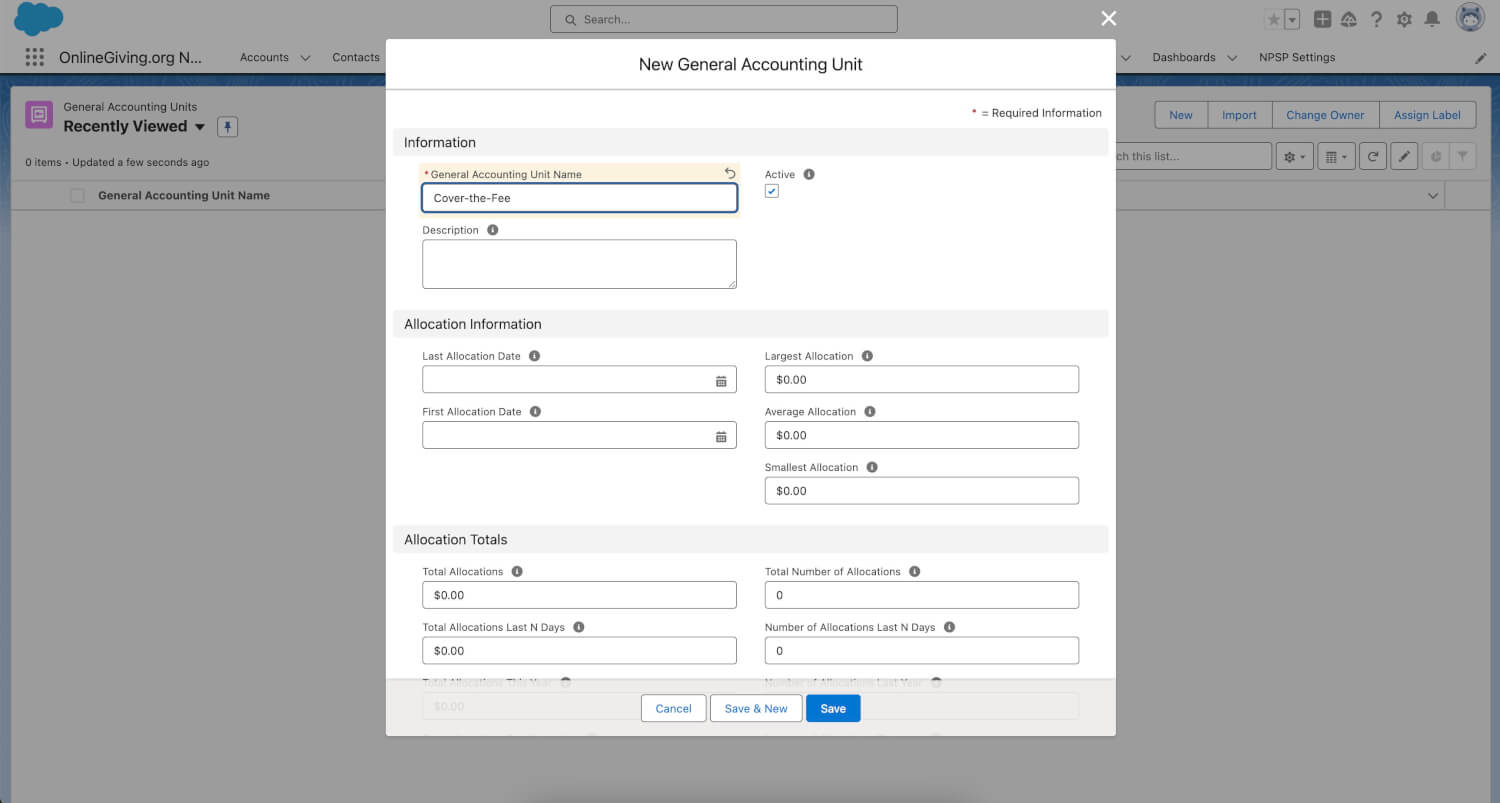
To enable this feature, please contact support@onlinegiving.org today and request the new "cover-the-fee" into a dedicated fund for SalesForce feature. There is no charge for enabling this feature. Once you reach out, we will ask you for the name of the desired SalesForce GAU into which the "cover-the-fee" portion should be recorded. We have also provided a screenshot below on creating a dedicated "cover-the-fee" GAU in SalesForce for this purpose.
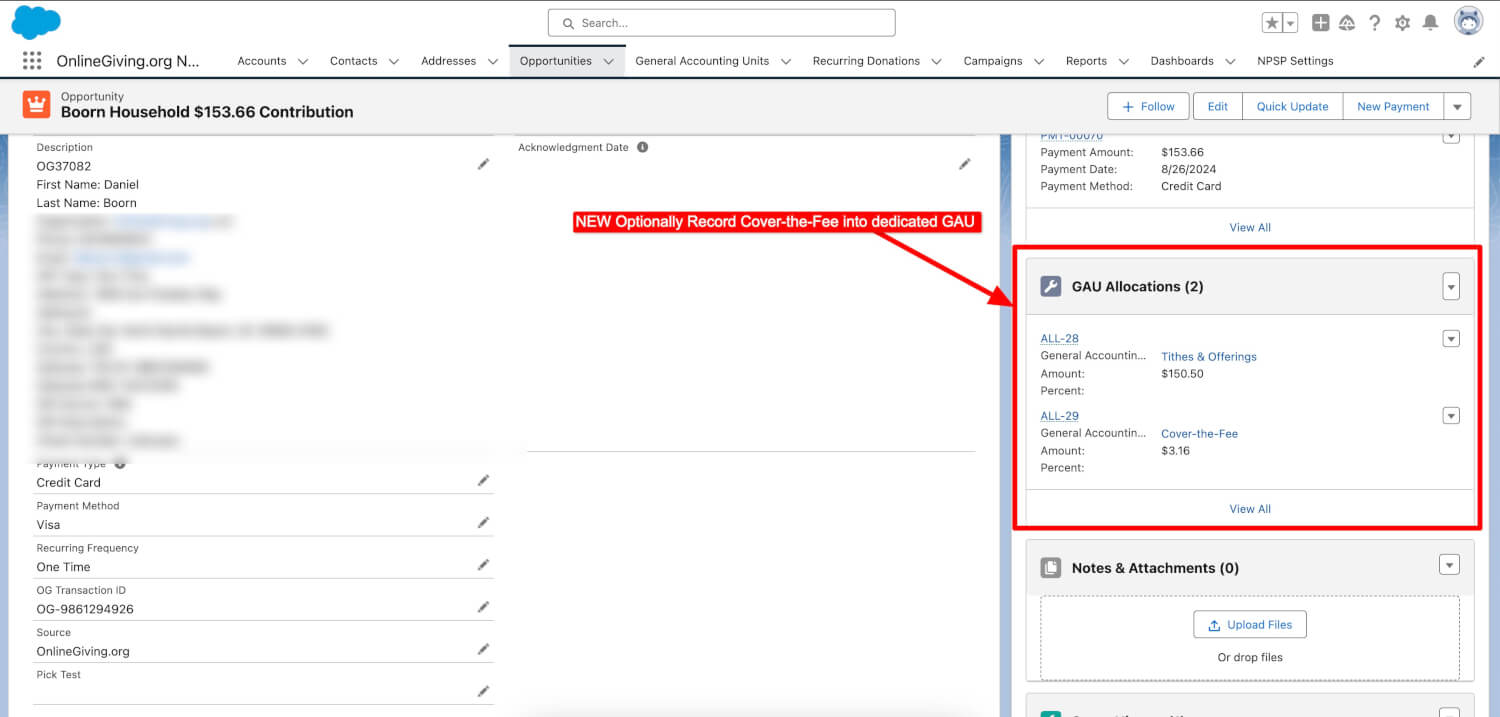
After we receive the information about the SalesForce fund that the church wants to use to record the "cover-the-fee" portion, we will enable and configure the new feature. This will ensure that any donations made after that will have the "cover-the-fee" portion recorded into a separate fund destination. Below, we have included an example SalesForce donation record for reference.
NEW OnlineGiving.org Planning Center > Optional Refund/Failed-ACH Recording (Requires Batch Auto-Commit)
We are thrilled to announce the release of an exciting new update that enhances the integration between OnlineGiving.org and Planning Center. This update introduces an optional feature that enables the support of refunds and failed ACH recordings. Due to Planning Center limitations, only Planning Center donations in committed batches can be marked as refunded. For this reason, the new optional feature is designed to automatically commit batches as they are recorded once enabled, ensuring that any refund or failed ACH can be accurately recorded in Planning Center. Once activated, any refunds processed in the OnlineGiving.org control panel or any detected failed ACH transactions will automatically update the associated Planning Center donations as refunded. This enhancement makes OnlineGiving.org's Planning Center integration an even more streamlined and effective tool for church administrators! To enable this feature for your church please reach out to support@onlinegiving.org today.
NEW OnlineGiving.org Planning Center > Optional Cover-the-Fee Dedicated Fund Recording
We are excited to announce that the OnlineGiving.org Planning Center integration has been upgraded with a new feature to record the "cover-the-fee" portion of a donation into its own fund. This feature, already available with other ChMS integrations, is designed to help church administrators easily track "cover-the-fee" giving in a dedicated global fund in Planning Center.
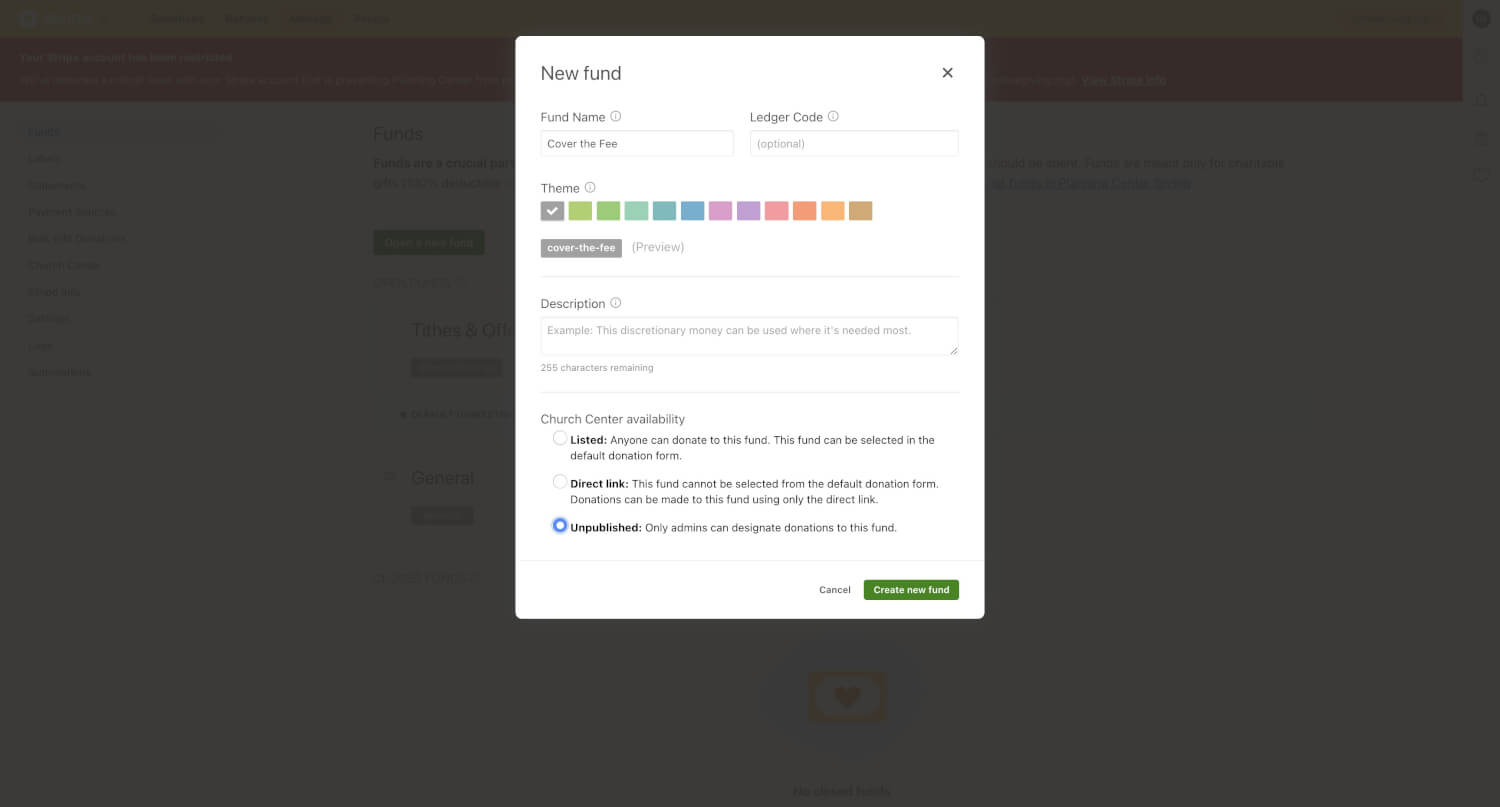
To enable this feature, please contact support@onlinegiving.org today and request the new "cover-the-fee" into a dedicated fund for Planning Center feature. There is no charge for enabling this feature. Once you reach out, we will ask you for the name of the desired Planning Center fund into which the "cover-the-fee" portion should be recorded. We have also provided a screenshot below on creating a dedicated "cover-the-fee" fund in Planning Center for this purpose.
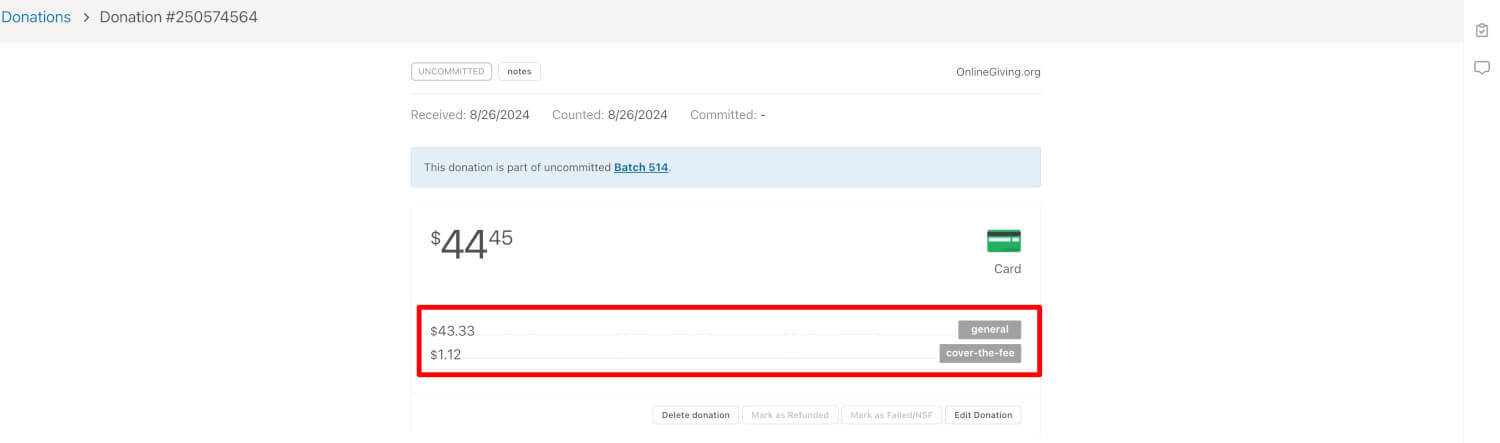
After we receive the information about the Planning Center fund that the church wants to use to record the "cover-the-fee" portion, we will enable and configure the new feature. This will ensure that any donations made after that will have the "cover-the-fee" portion recorded into a separate fund destination. Below, we have included an example Planning Center donation record for reference.
Emojis Now Automatically Stripped from Inbound Text Message and Chat Bubble Messages
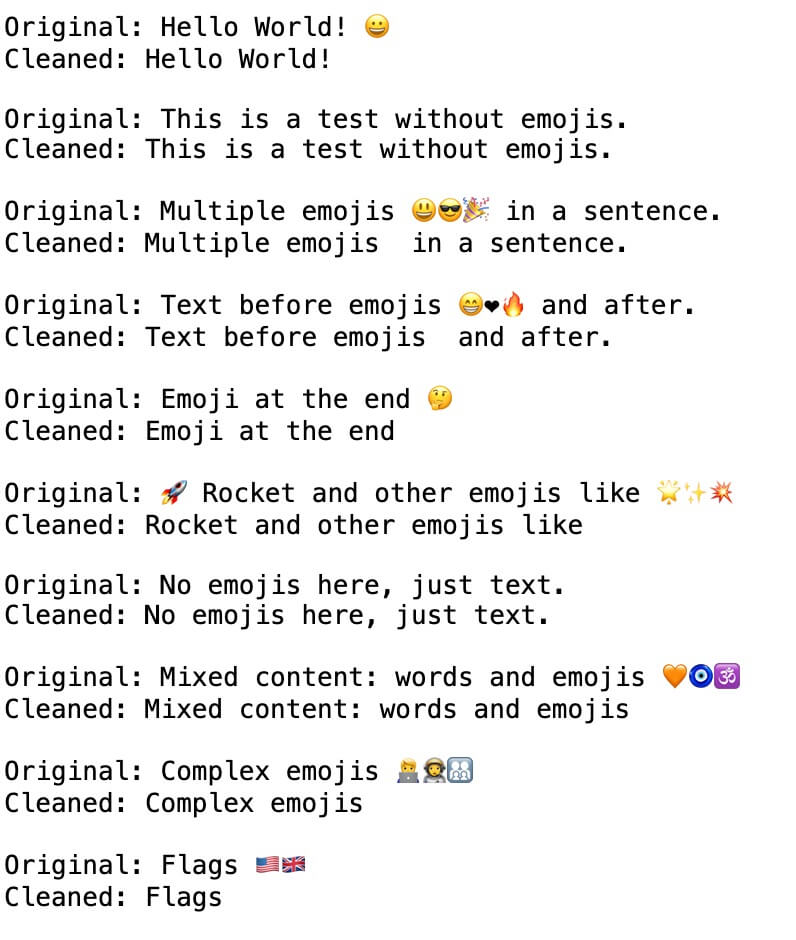
We are thrilled to announce that we have made an update to automatically remove emoji characters from all incoming text and chat bubble messages. This update is aimed at retaining valid characters while exclusively eliminating emojis. This means that users can continue to use their names even if emojis are included, while messages comprising only emojis will be treated as blank. It's important to note that effectively filtering all emoji characters without removing valid special characters for other languages is a formidable task. Nevertheless, the update is designed to safely eliminate emojis while permitting valid special characters for foreign languages. The update applies to all inbound text message and chat bubble messages moving forward.