Feature Updates 08/31/2020
New Gift Source - Mobile App
An update is now live that extends the gift sources to include "Mobile App". In the event a gift is created from the mobile app, Online Giving will now record that gift with a "Mobile App" gift source. Church administrators may now filter by the "Mobile App" gift source in the Online Giving Control Panel > Donations > Filters > Gift Types. Additionally, the "Mobile App" gift source will now be displayed across the Online Giving Control Panel in anyplace that displays gift types such as reports or similar.
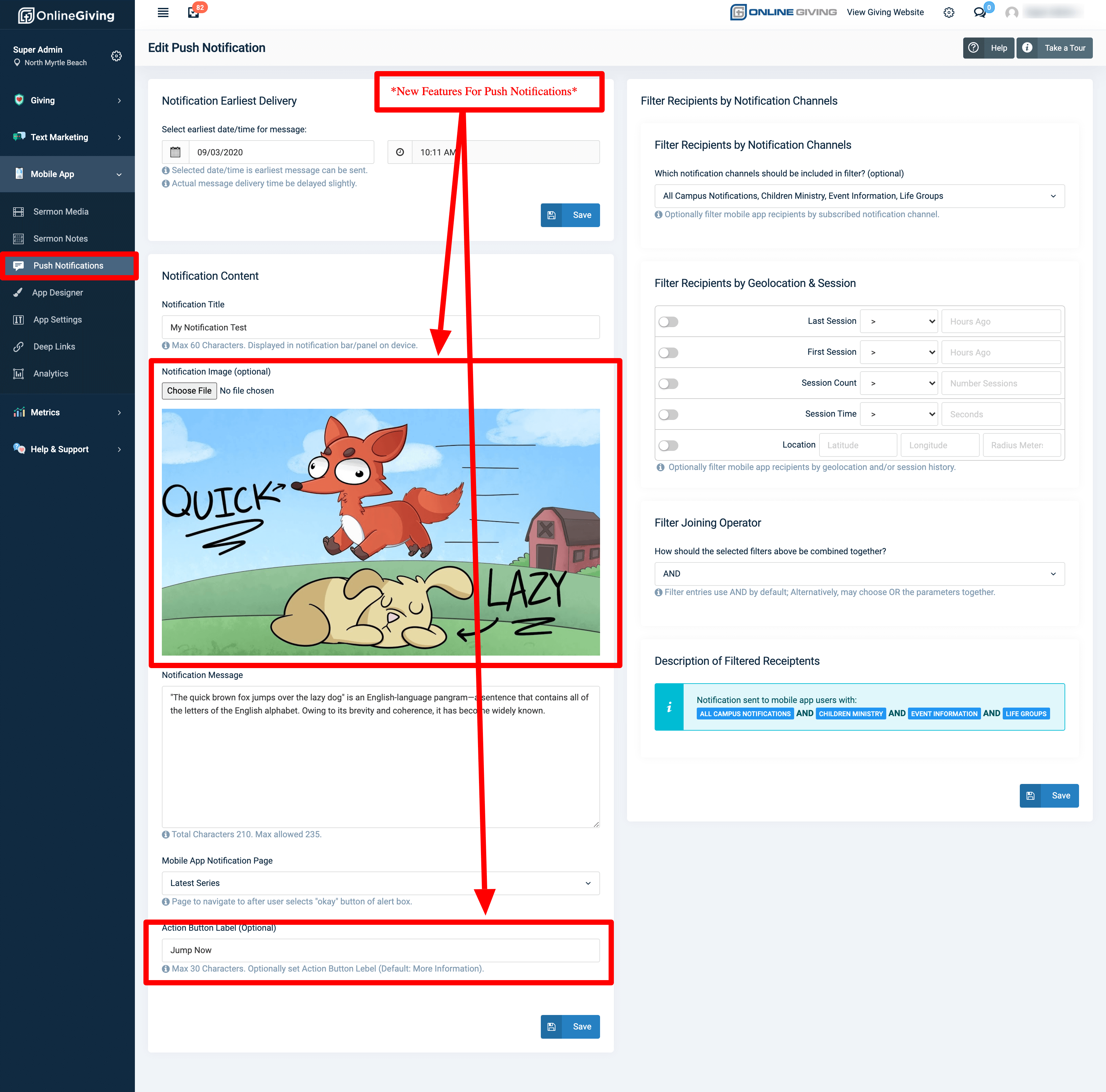
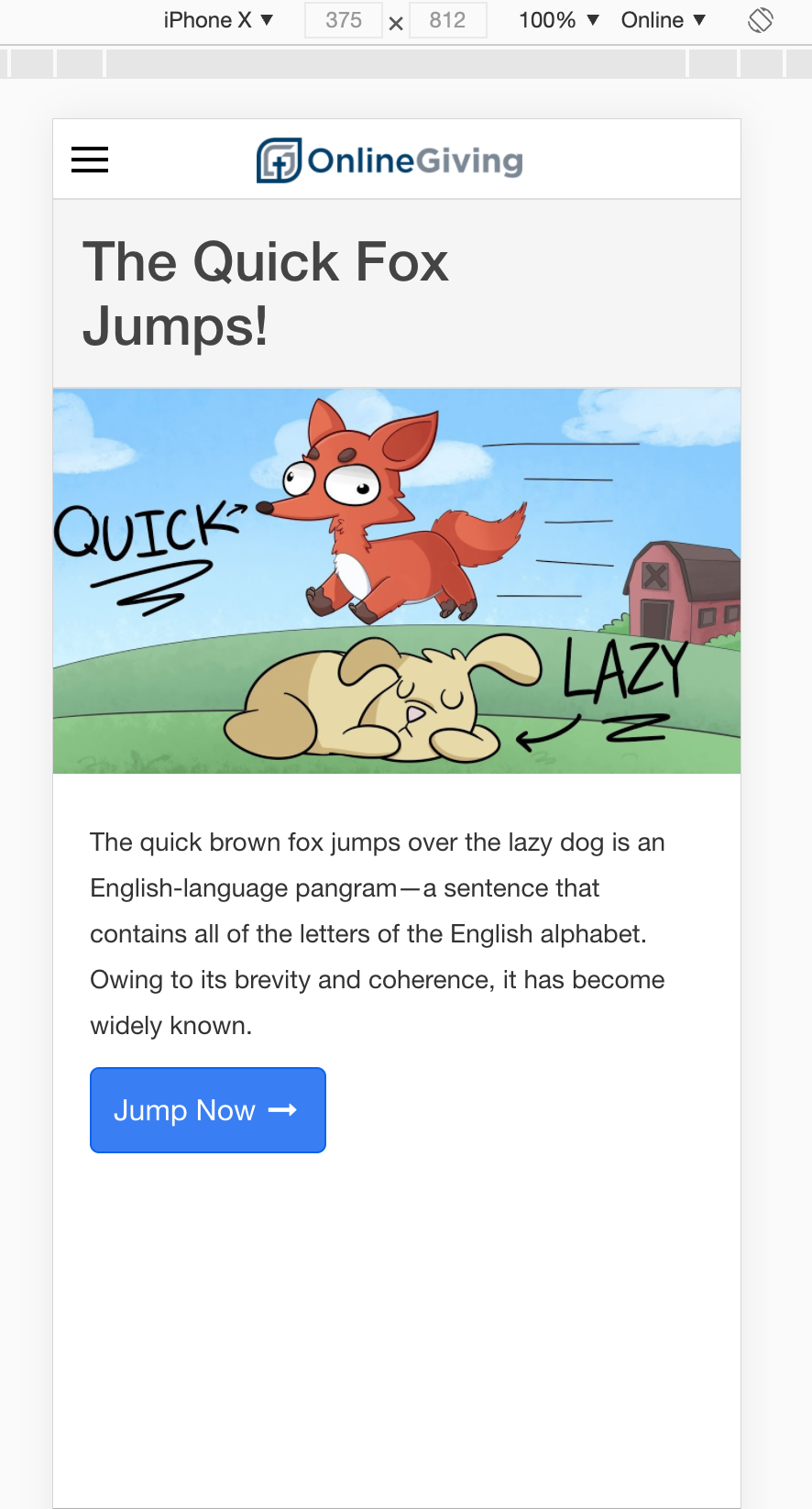
Mobile App > Push Notifications > Optionally Upload Image & Set the Action Button Label
We're pleased to announce an update is now live that enhances the Online Giving Mobile Application push notification feature with the ability to optionally display an image and configure a custom action button label for the push notification detail page view. Church administrators may now optionally upload a JPG or PNG image for display in the mobile application when viewing a push notification. Additionally, church administrators may now overwrite the action button label from the default "More Information" to any 30 characters (or less) label. For your convenience, we've included previews of the new feature below.
It's important to note - You may need to close the open app on your device from the mobile device app switcher to view the latest changes. For iOS devices, swipe up and hold from the bottom of the screen to view app switcher (tasks manager), then swipe up on the open app to close, then open the app again to view the latest changes. For older iOS devices, double-tap the home button to view app switcher. For Android devices, tap the navigation button, then swipe up on the open app to close, then open the app again to view the latest changes.
Preview of New Push Notification Settings in Online Giving Control Panel:
Example of New Push Notification Display in Mobile App with Image and Custom Button Label:
Enhanced Rich Text Editor Added to Sermon Notes & Custom Form Text Elements:
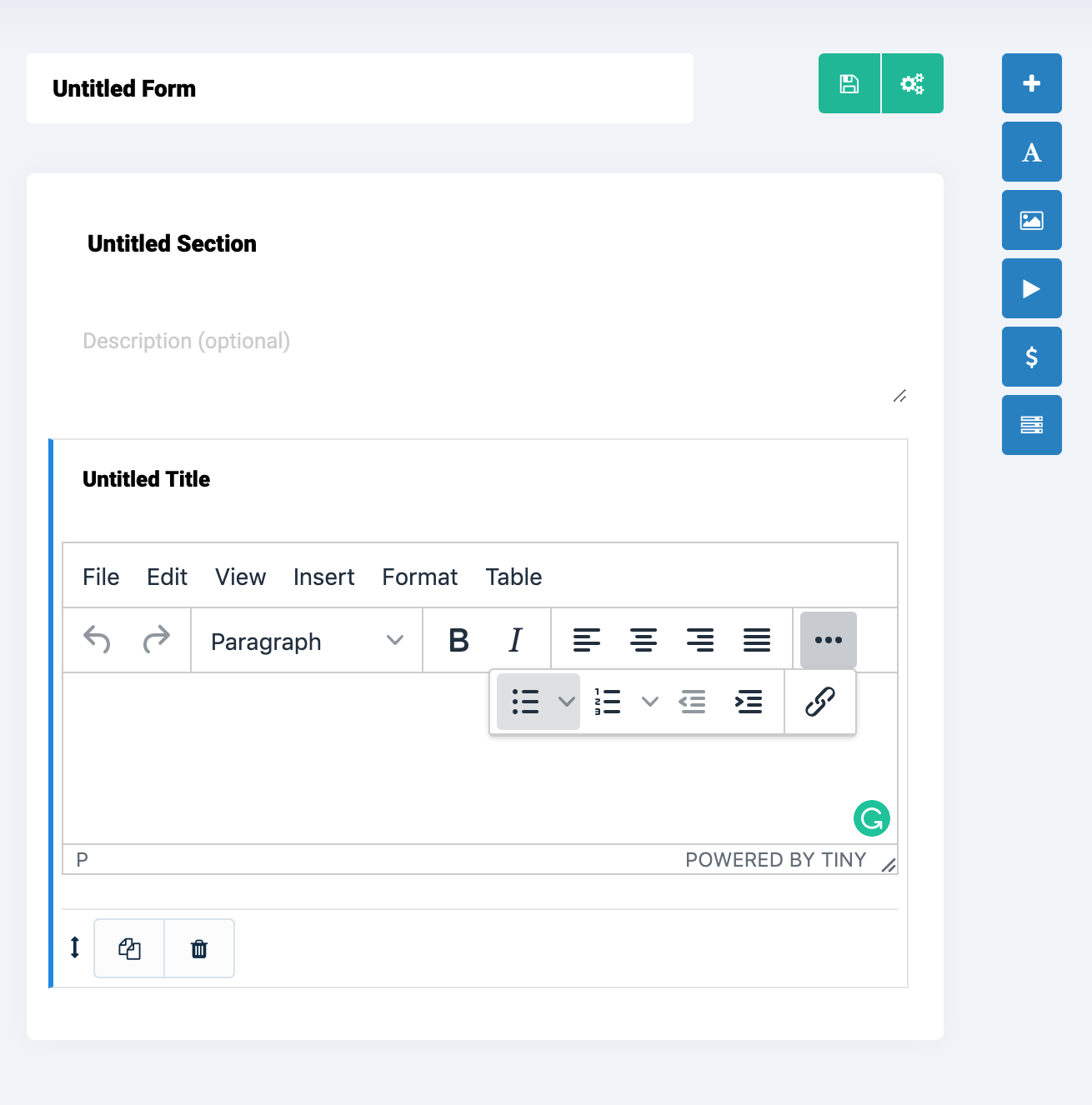
An update is now live that enhances the Online Giving Control Panel Sermon Notes Builder and the Custom Form Builder with the TinyMCE WYSIWYG text editor. The goal of the update was to swap out the existing lightweight rich text editor with a more feature-rich editor allowing for a wide range of editing options. Church administrators will have more control over their sermon notes and custom form rich text fields. Additionally, the new editor has been configuring to help deal with cleaning up (removing invalid) copied/pasted Microsoft Word HTML elements which are oftentimes hidden and inadvertently cause formatting issues.