Feature Updates 09/01/2023
New OnlineGiving.org Mobile App > Google Analytics 4 (GA4) > Component Click Events Captured Now
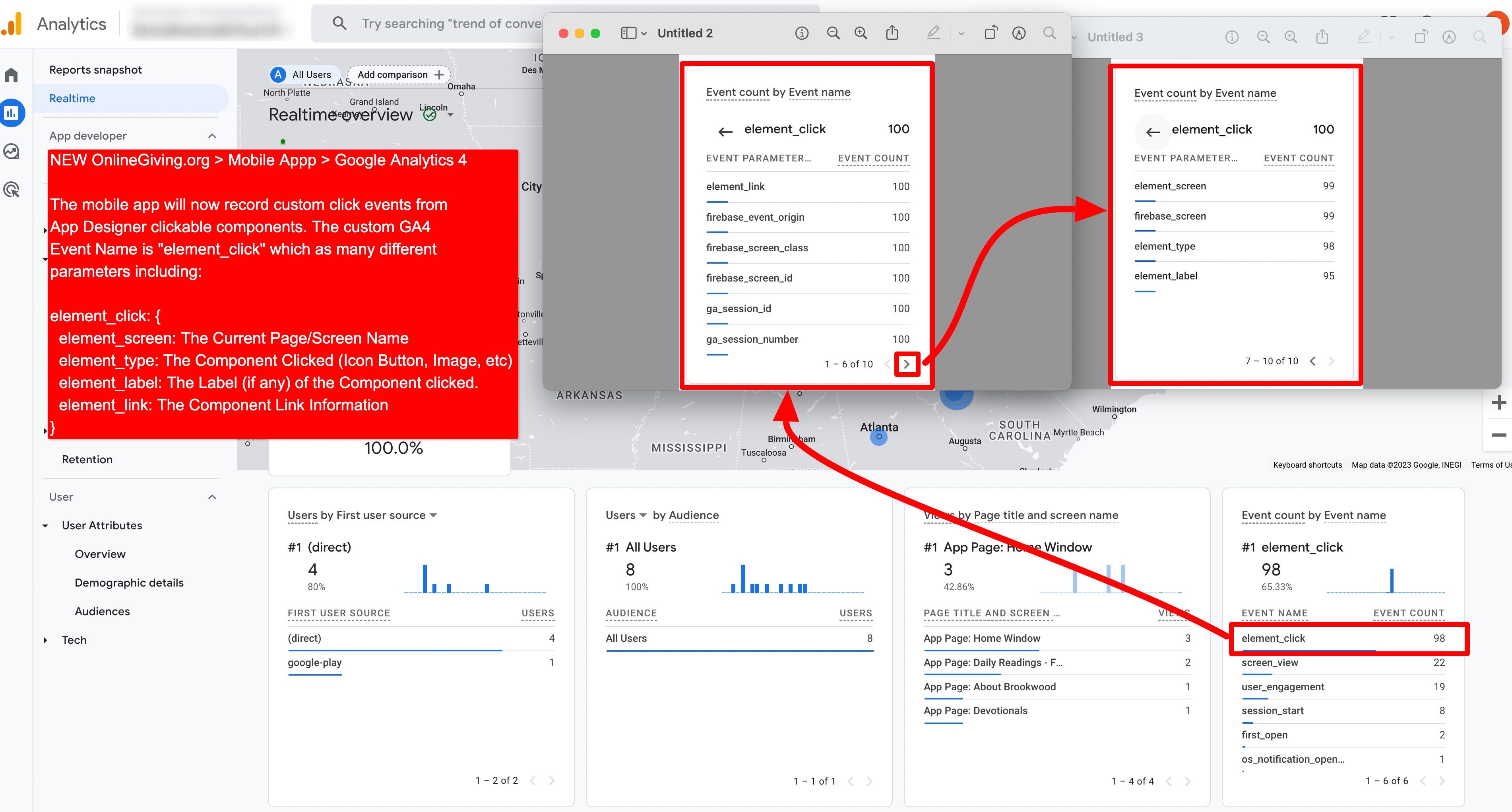
We're pleased to report an enhancement is now live for the OnlineGiving.org Mobile App Google Analytics 4 (GA4), which now tracks the clicks of App Designer clickable Components on pages. The new click events apply to App Designer page Components with clickable linking such as Icon Buttons, Images, Card Slider, Image Row, and much more. The OnlineGiving.org mobile app will now record these click events into GA4 under a new custom event named "element_click." The update aims to provide additional detailed information (besides the standard screen view information) into GA4 for those churches that have Analytic professionals desiring to review and analyze GA4 event reports.
The New GA4 "element_click" Event Structor:
Event Name: element_click
Event Parameters:
- element_screen = The name of the current page where the clicked element resides
- element_type = The type of component clicked on (Icon Button, Image, etc.)
- element_label = The label of the component clicked on (if the element has a label)
- element_link = The clickable action is taken, including a link or otherwise
Special Notes:
The element_link parameter will report with a human-readable array of information in bracket form. This includes the link information of the component from the App Designer, such as the link type, page name/id, web link and more. Examples:
- element_link = [web,http://example.com] (where the link type was web and the link was http://example.com)
- element_link = [page,Devotionals,12901-12121-2322233-3433] where the page is the link type, "Devotionals" was the linked page title, and "12901-12121-2322233-3433" was the internal page GUID.
- element_link = [route,none] where the component had a clickable action with no link set by the administrator
- element_link = [service,open-sermon-modal] where the link type was a special service feature of a component, and the link was to open-sermon-modal (sermon info would be in element_label parameter)
Interested in learning more about GA4 Events? Visit https://www.optizent.com/how-to-see-event-parameters-in-google-analytics-4-reports/
Preview of GA4 Events on Realtime Dashboard
NEW OnlineGiving.org Mobile App > App Designer > Rock RMS Content Channel Component
We're pleased to report an update that is now live that enhances the OnlineGiving.org Mobile App with a new App Designer Rock RMS Content Channel Component. The new app component allows Rock RMS churches with the OnlineGiving.org mobile app to add Rock RMS Content Channel displays mobile application pages. The new component is highly customizable, allowing the church administrator to style the content channel, and includes control over styling the Content Channel Item button/list display. The new component is designed to also link to an app page that contains the new Rock RMS Channel Item Component. Church administrators may use the new feature to add Rock RMS Content Channel informational content such as blogs, devotionals, and much more.
NEW OnlineGiving.org Mobile App > App Designer > Rock RMS Channel Item Component
We're pleased to announce an update is now live that enhances the OnlineGiving.org Mobile App with a new App Designer Rock RMS Channel Item Component, which is designed to display Rock RMS Content Channel Item details, including the Channel Item Title, HTML Content, and any child items. The new component is highly customizable, allowing the church administrator to style the content channel item, and includes control over styling the Content Channel Child Item button/list display.
The new component can be used in two different ways. The first way is to link to the page that contains the Rock RMS Channel Item Component from another App Designer page that has the Rock RMS Content Channel Component (as they work together in a dill-down manner). The second way is using the new page param input now displayed for app page linking, which allows the church administrator to use the param string "rockrms_item_id=123" (no quotes) where "123" is the Rock RMS Item ID that should be displayed. This allows a church administrator to link to a specific Rock RMS Channel Item from any page button, image, or similar in the App Designer. Further, OnlineGiving.org has taken the feature a step further, allowing the new page param "rockrms_item_id=123" query string to be used for generated deep links and push notifications. The latter allows church administrators to send a push notification or publish a deep link QR Code that opens up a specific Rock RMS Content Channel Item Detail in the mobile app.
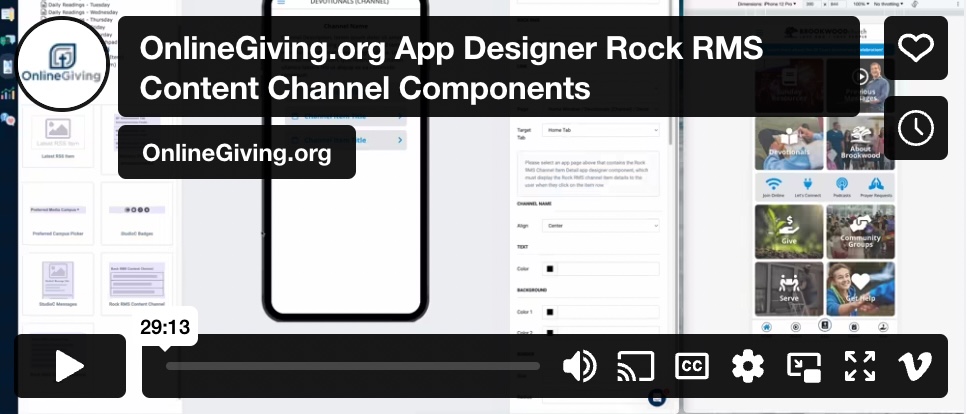
Detailed Video Overview of the OnlineGiving.org App Designer Rock RMS Channel Item & Rock RMS Content Channel Components