Feature Updates 09/24/2020
Text Marketing > Chatbot > New Number Range Data Parser
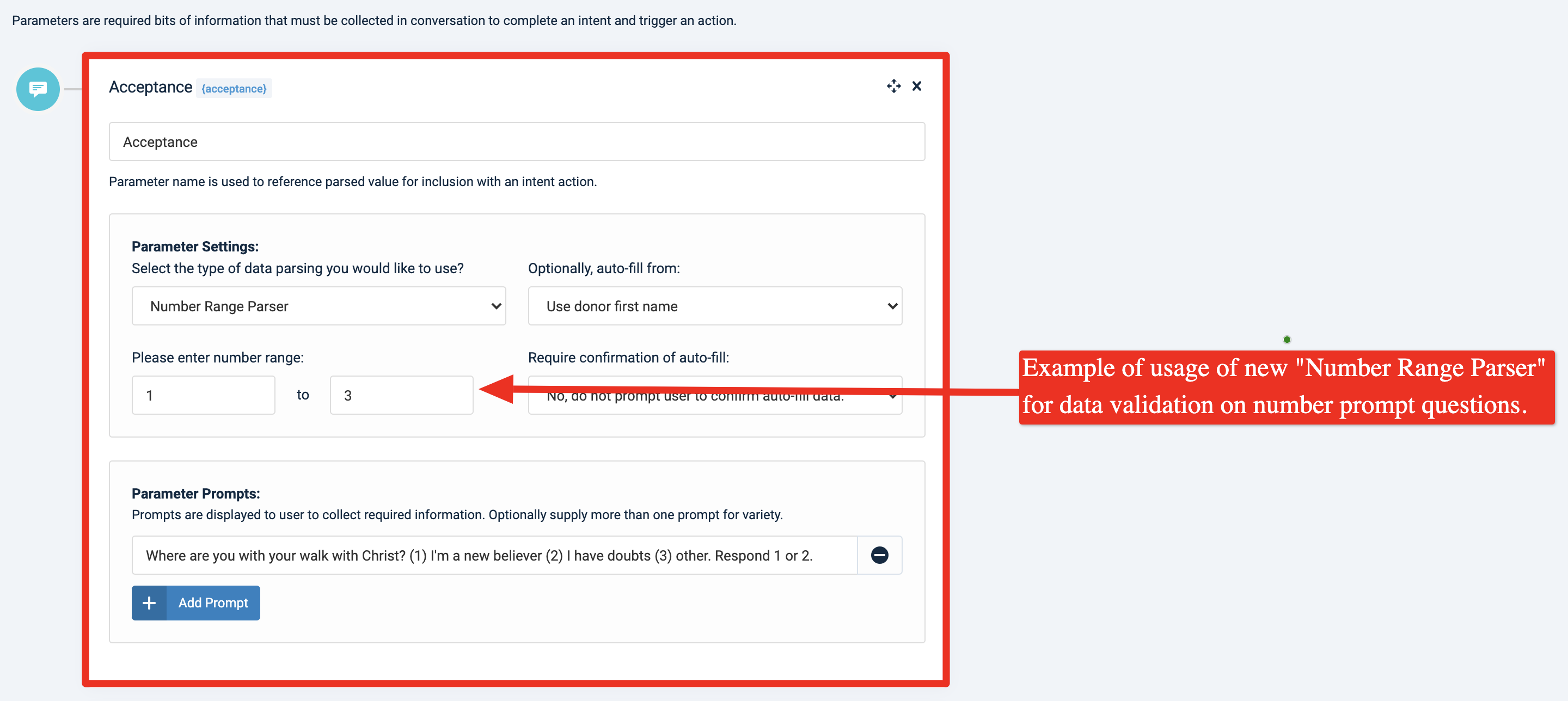
We're pleased to report an update is now live for the Online Giving Chatbot. Church administrators may now choose the "Number Range" data parser option when creating/editing a chatbot in the Online Giving control panel. The new "Number Range" parser allows the church administrator to enter a number range which will require the end-user to respond to the question (parameter) with a number in the provided range. The purpose of this new parser is to allow easy data validation checking for questions (parameters) that require a number response. For your convenience, we've included an annotated screenshot below showing an example use of the new "Number Range" parser -
Example of Question (Chatbot Parameter) that uses Number Range Parser
Text Marketing > Chatbot > New Contains Keyword/Phrase Parser
We're pleased to report an update is now live for the Online Giving Chatbot. Church administrators may now choose the "Contains Keyword or Phrase" data parser option when creating/editing a chatbot in the Online Giving control panel. The new "Contains Keyword or Phrase" parser allows the church administrator to enter a number range which will require the end-user to respond to the question (parameter) with an answer that contains one or more of the keywords (or phrases) provided. The purpose of this new parser is to allow easy data validation checking for questions (parameters) that require a keyword response. For your convenience, we've included an annotated screenshot below showing an example use of the new "Contains Keyword or Phrase" parser -
Example of Question (Chatbot Parameter) that uses Contains Keyword/Phrase Parser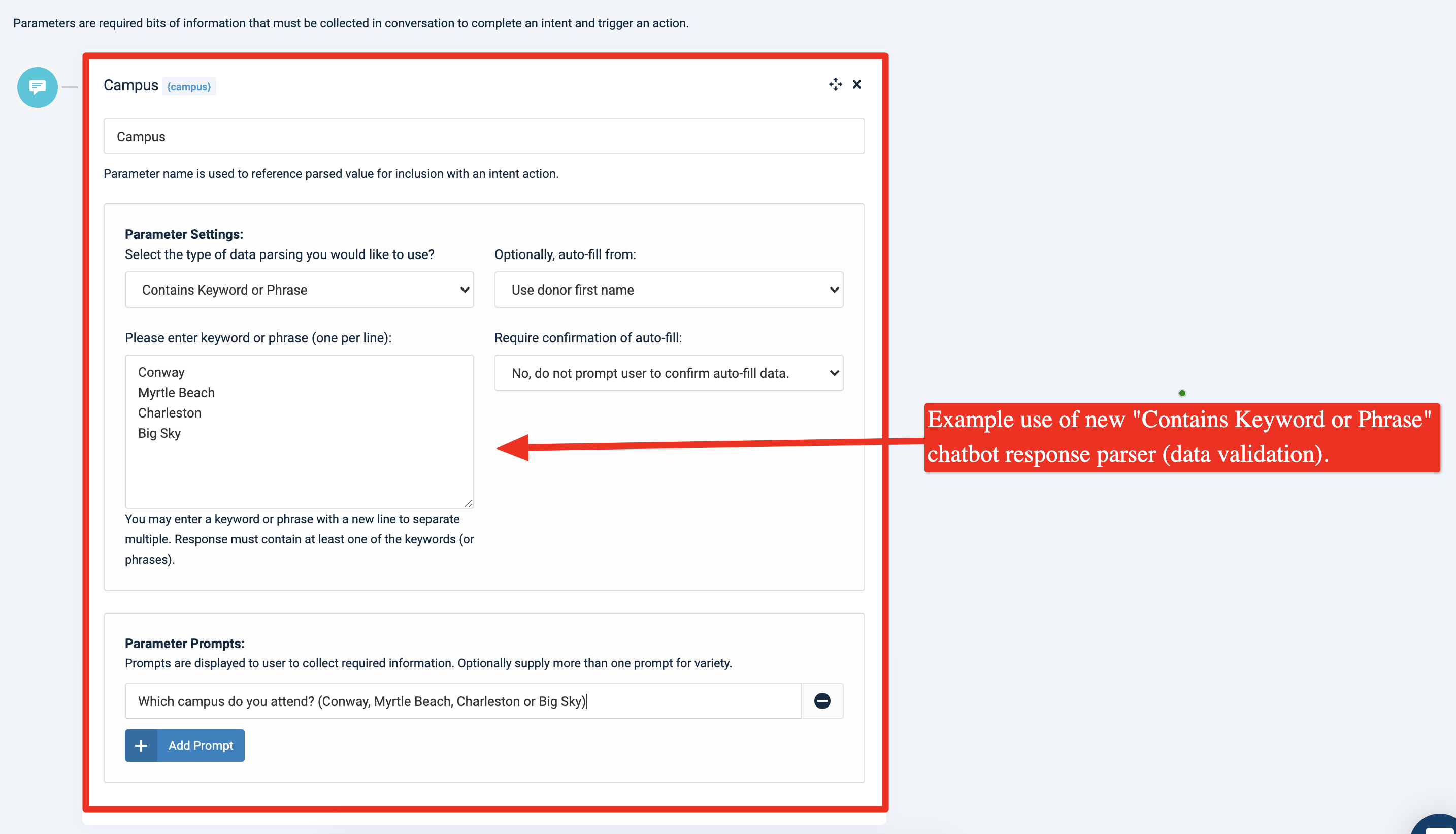
Text Marketing > Send Mass Text Message > New Message > Phone Number List No Longer Auto Selected
An update is now live that ensures a phone number list is not auto-selected by default when creating a new mass text message in the Online Giving control panel. The goal of the update is to force the church administrator to select the desired phone number list when creating a new message and to avoid accidental sending to the wrong list.
Custom Forms > Updated to Auto-Select First Input Element
An update is now live for custom-forms to allow the platform to attempt to auto-select the first form input displayed instead of auto-selecting the payment amount input by default. Kindly note this update only applies to custom-forms. The primary giving page and custom giving pages will still auto-select the amount input on page load. For custom-forms, moving forward the platform will attempt to auto-focus the first input element on the custom-form page for better user experience instead of auto-selecting the amount input. In the event, the platform is unable to select the input, then no inputs will be selected (default behavior of web browser).