Feature Updates 09/24/2024
Introducing AI-Powered Text Message Composition for Mass Text Messaging!
We’re excited to announce a brand-new enhancement to the OnlineGiving.org Control Panel that makes mass text messaging easier and smarter than ever!
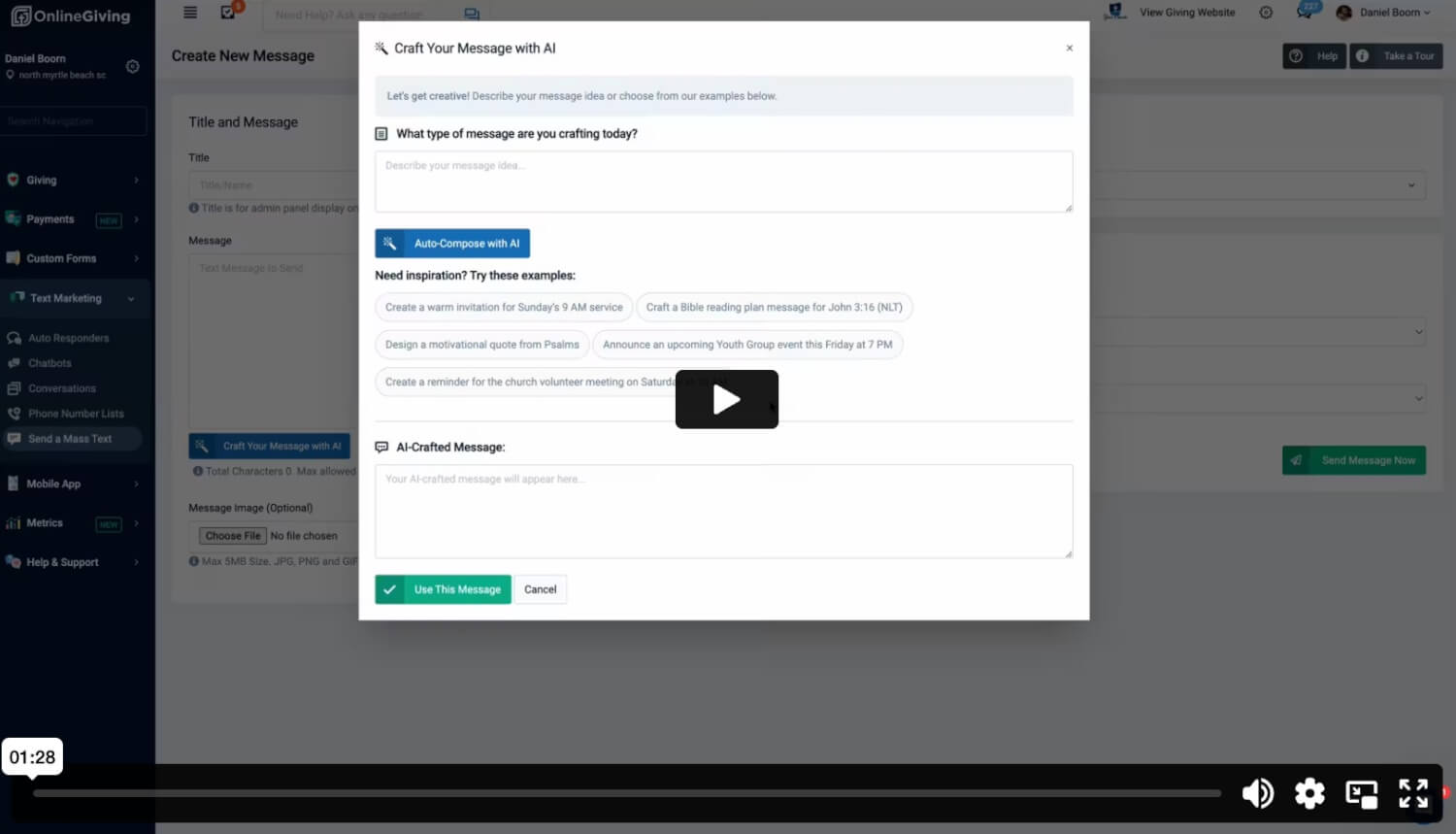
With the new "Compose with AI" feature, church administrators can now effortlessly create personalized and professional text messages in seconds. Here’s how it works:
- Navigate to OnlineGiving.org Control Panel > Text Message Marketing > Send Mass Text Message.
- Click on the new "Compose with AI" button.
- Provide a bit of context or key details for your message.
- The AI will instantly craft a short, friendly, and polished text message for you!
Need inspiration? We’ve got you covered. You’ll also find a selection of message ideas to spark creativity.
Check out the video below to see the Compose with AI feature in action!
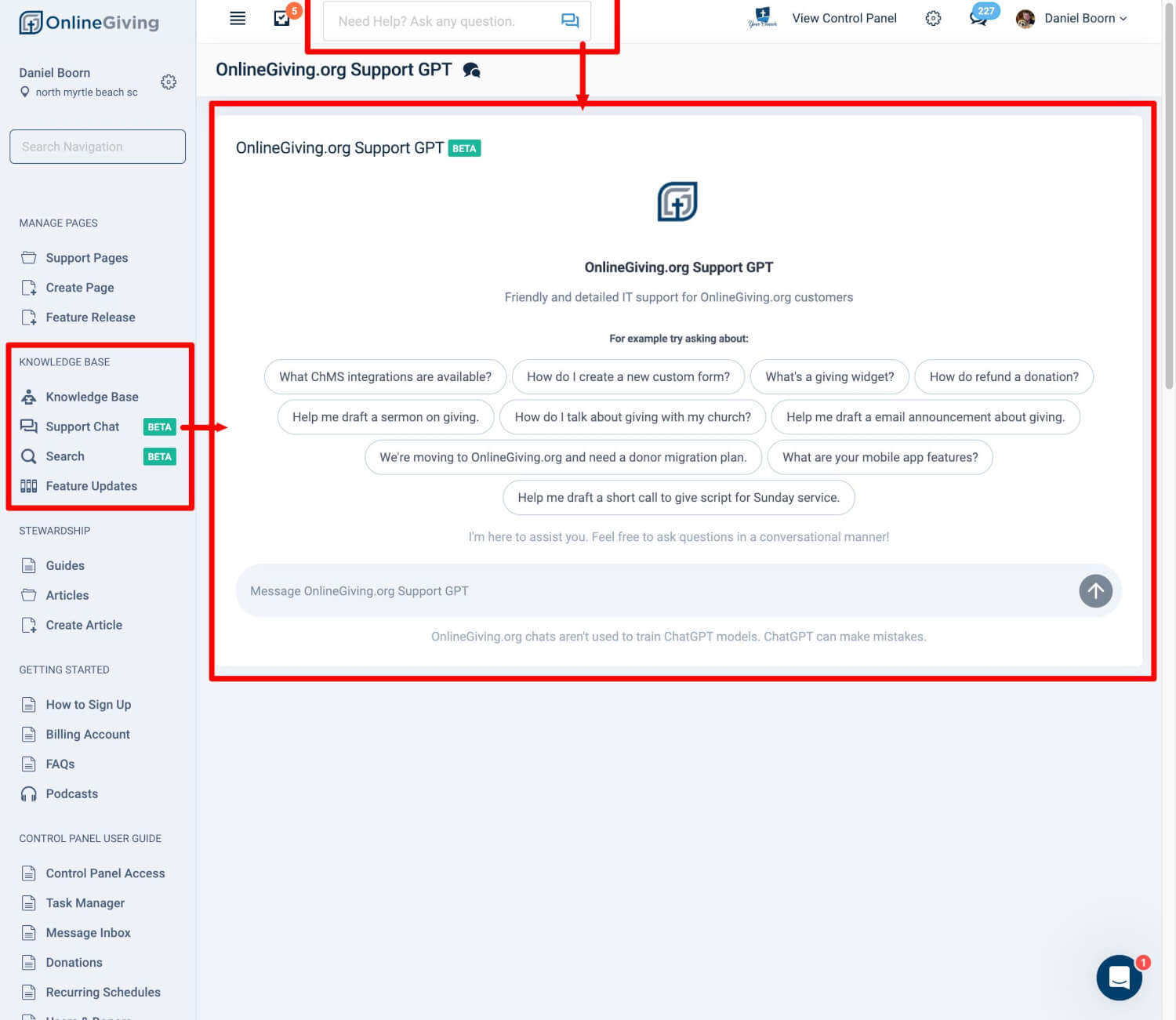
Introducing OnlineGiving.org Support GPT BETA (ChatGPT-Powered AI Assistant)
We are thrilled to announce the launch of a powerful new feature in the OnlineGiving.org Control Panel: the OnlineGiving.org Support GPT. This AI-powered assistant, built on ChatGPT, is designed to provide instant support to church administrators and pastors through our Knowledge Base.
With the Support GPT, you can:
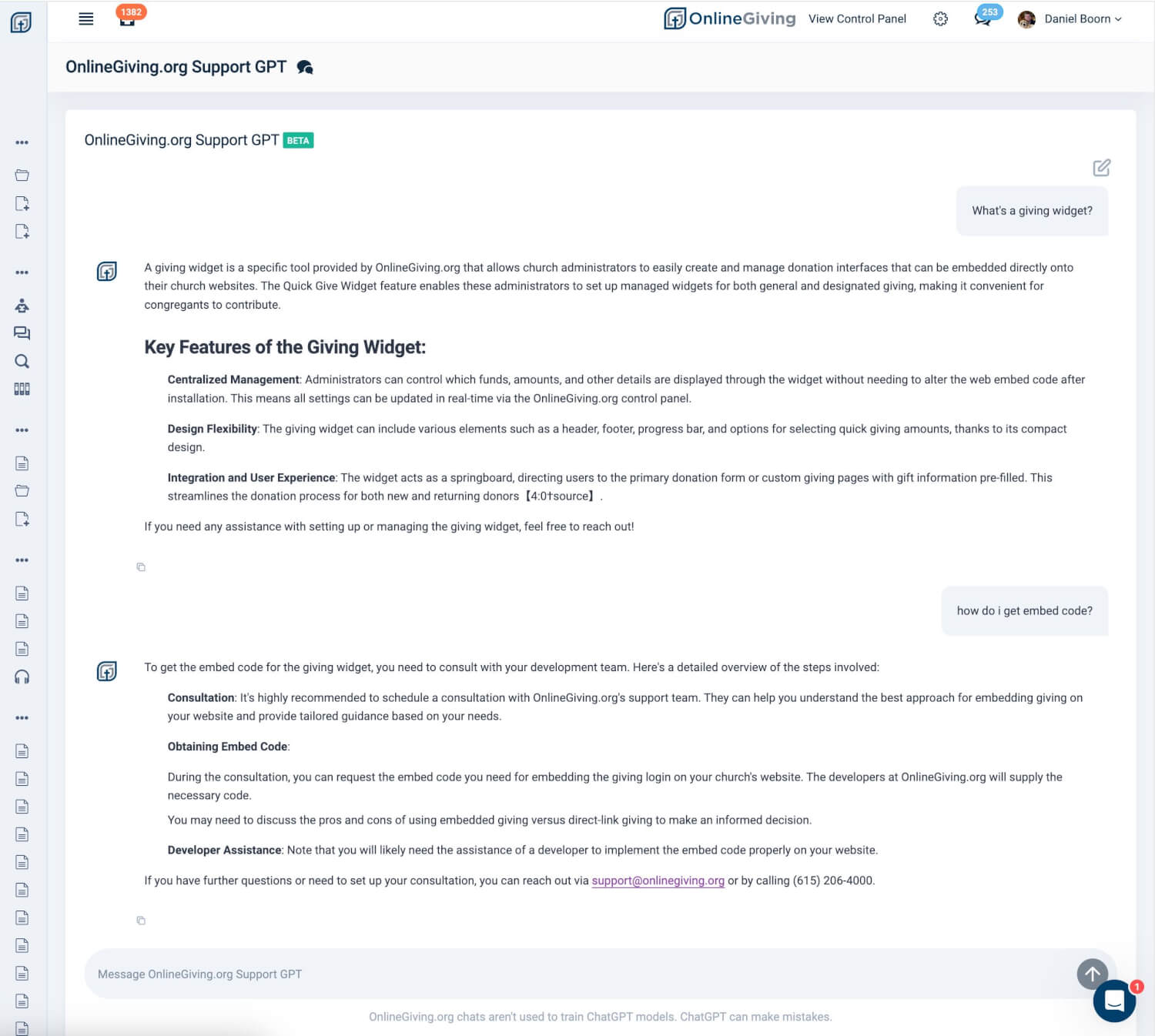
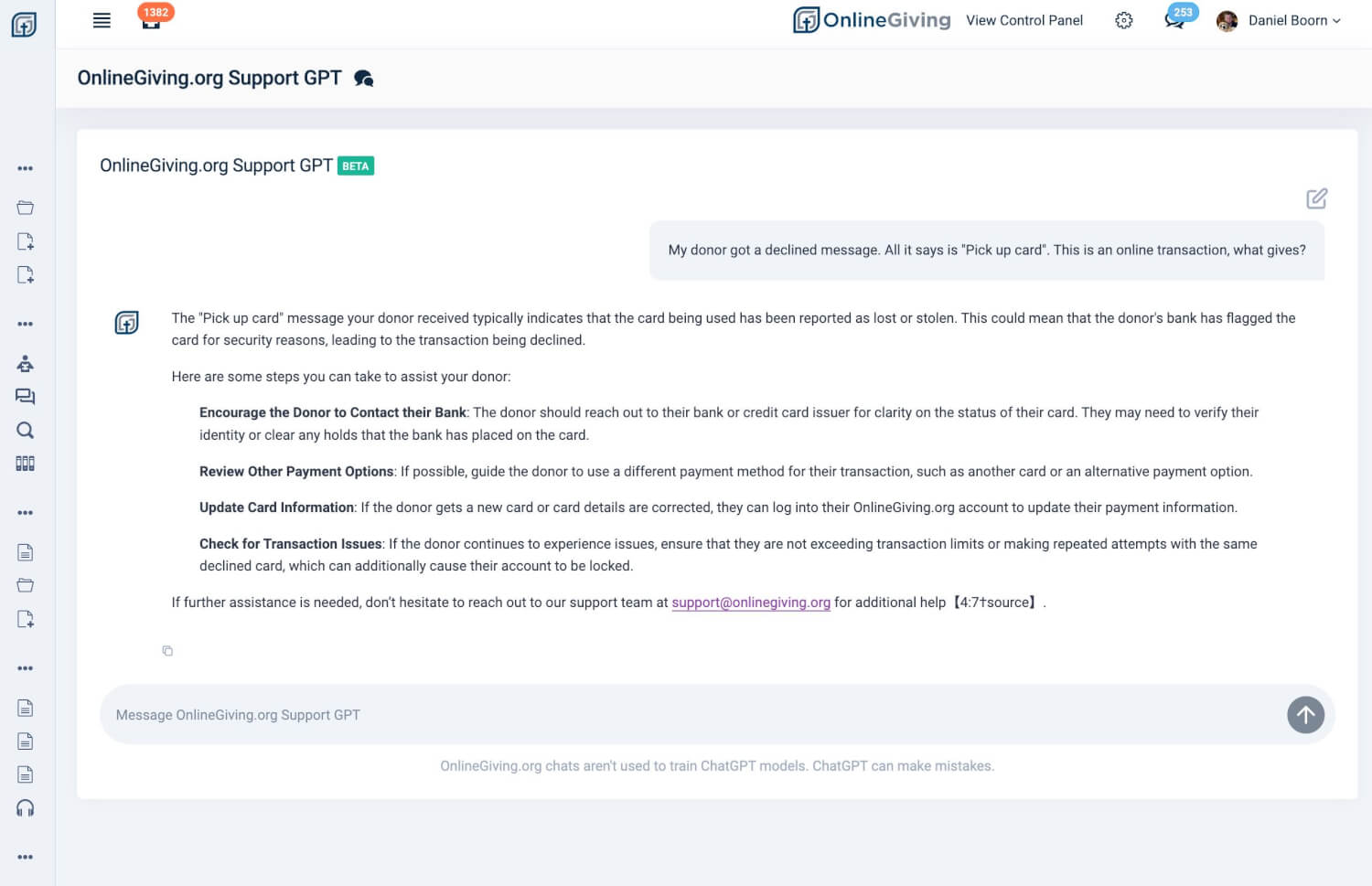
- Ask any question about OnlineGiving.org features or giving-related topics for instant assistance.
- Get personalized help on tasks like migration plans, donor email template creation, and more.
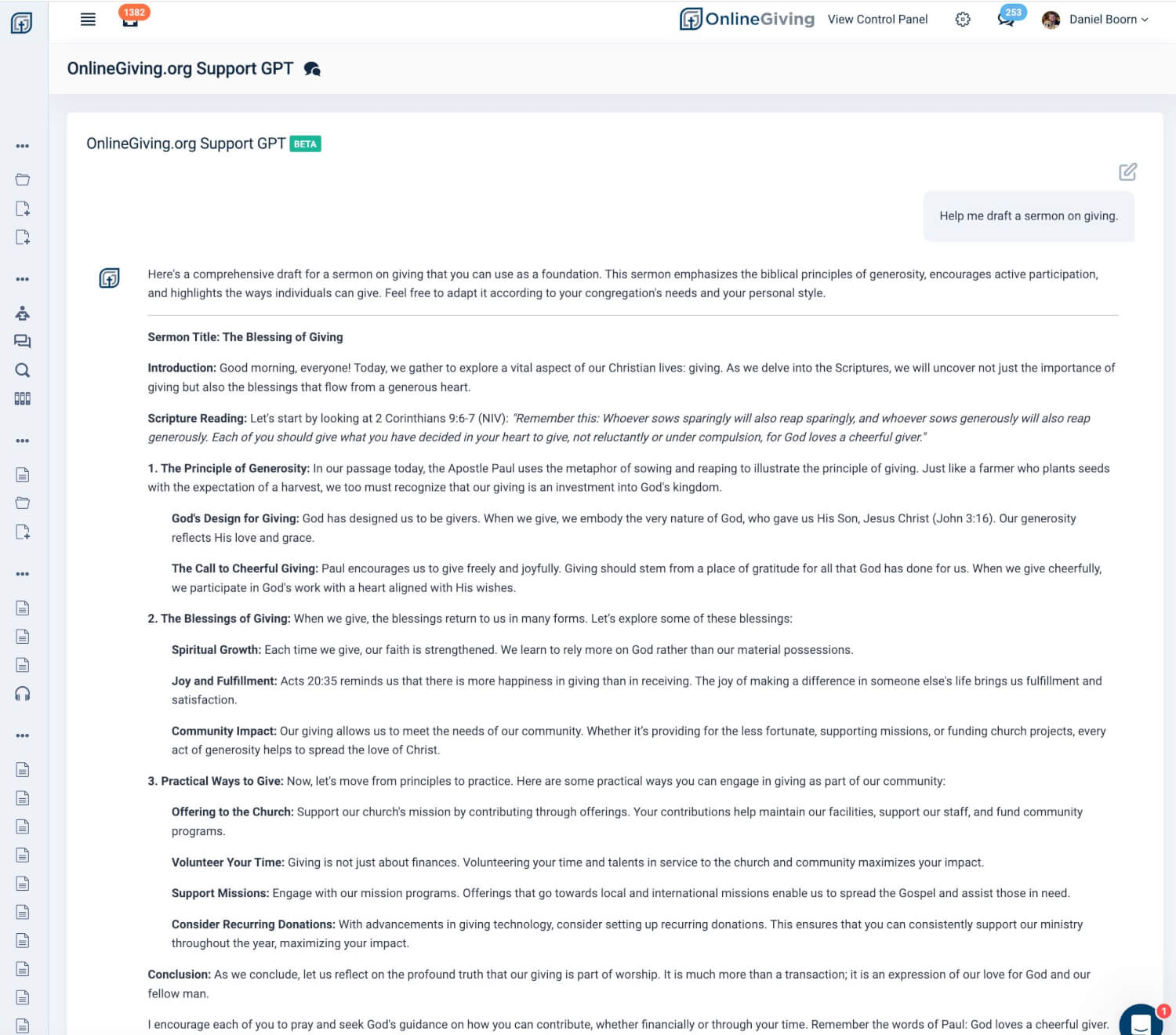
- Generate sermon ideas or short talks focused on giving, perfect for pastors preparing their messages.
The chat feature is your central hub for getting quick answers and guidance on everything related to OnlineGiving.org. Whether you’re looking to streamline your giving operations or seeking inspiration for your next sermon, Support GPT has you covered!
Need to chat with a human instead? No problem! If the AI response doesn’t fully answer your question, simply click “Talk to Human” below any generated chat response. This will instantly open the chat window with live support agents and auto-fill your message—ready to send!
And, of course, our team is always available at support@onlinegiving.org or through the chat bubble in the bottom-right corner of the Control Panel.
Check out the screenshots below to see the feature in action, and we encourage you to give Support GPT a try!
Learn more: https://www.onlinegiving.org/support/using-support-chat