Feature Updates 09/25/2024
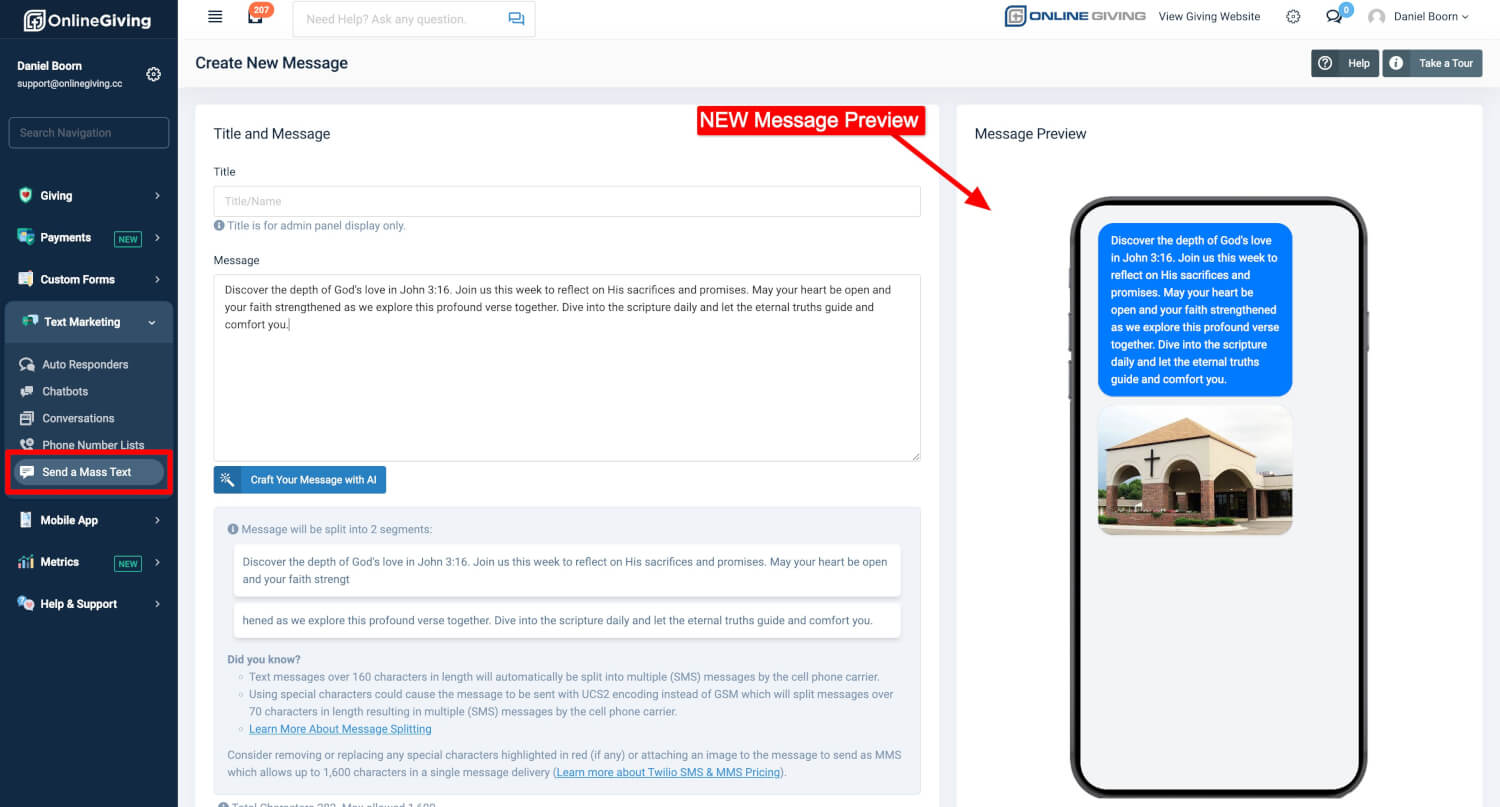
New OnlineGiving.org Text Message Marketing Feature: Phone Preview for Mass Text Messages
We’re excited to introduce a new update to the OnlineGiving.org Control Panel under Text Message Marketing > Send Mass Text Message. This update adds a Phone Preview feature on the right side of your screen, allowing you to see exactly how your message will appear on a mobile device, including any MMS image.
This new tool helps you confidently craft messages by visualizing exactly how they'll look on a recipient's phone. It takes the guesswork out of the process and ensures your messages look great every time!
New OnlineGiving.org Text Message Marketing Auto-Responder Feature: Phone Preview
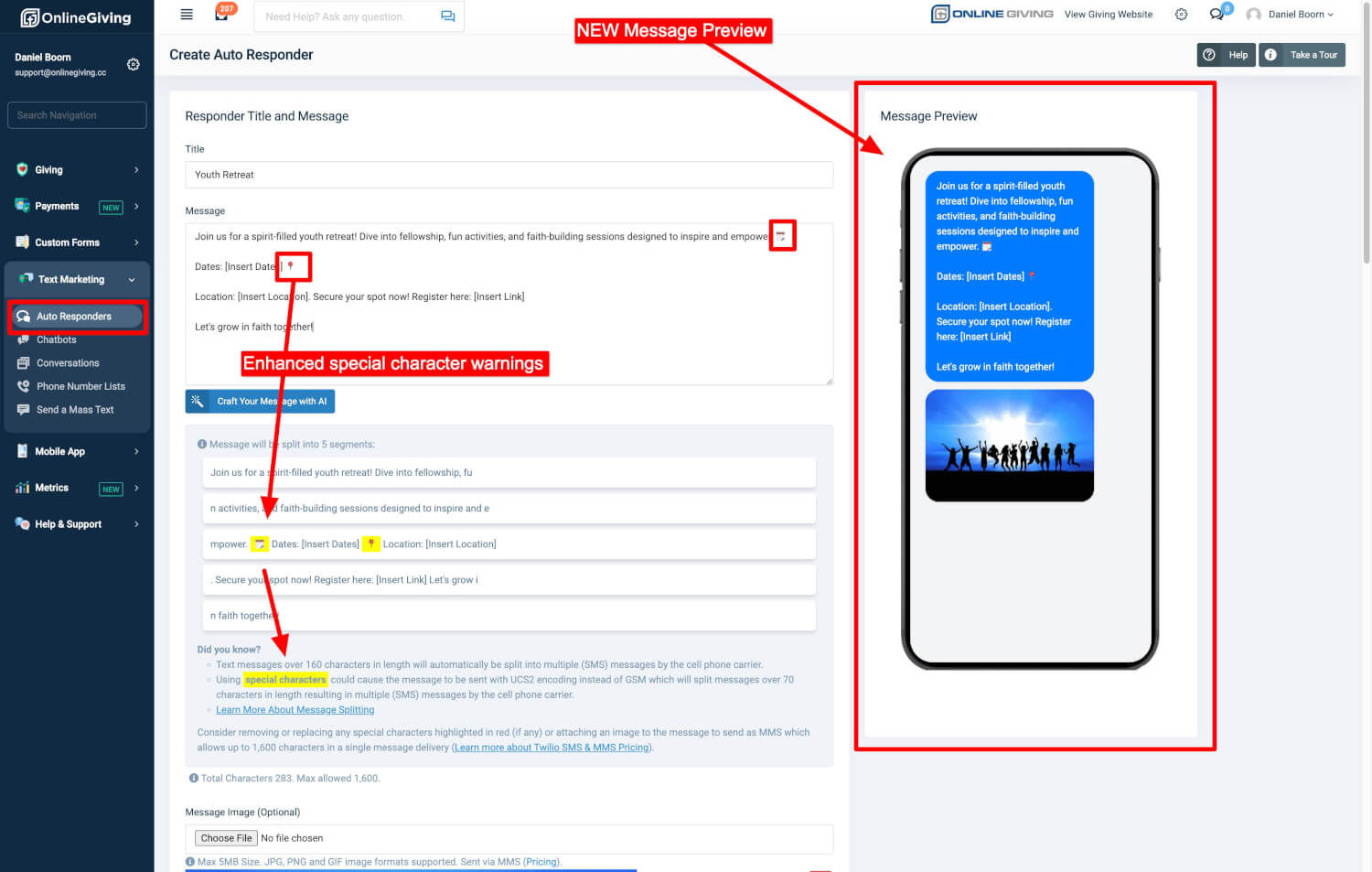
We’re excited to introduce a new update in the OnlineGiving.org Control Panel under Text Message Marketing > New/Edit Auto Responder. This update adds a Phone Preview feature on the right side of your screen, allowing you to see exactly how your message will appear on a mobile device, including any MMS images.
This new tool helps you confidently craft messages by visualizing them in real-time. It takes the guesswork out of the process and ensures your messages always look great on your recipients' phones.
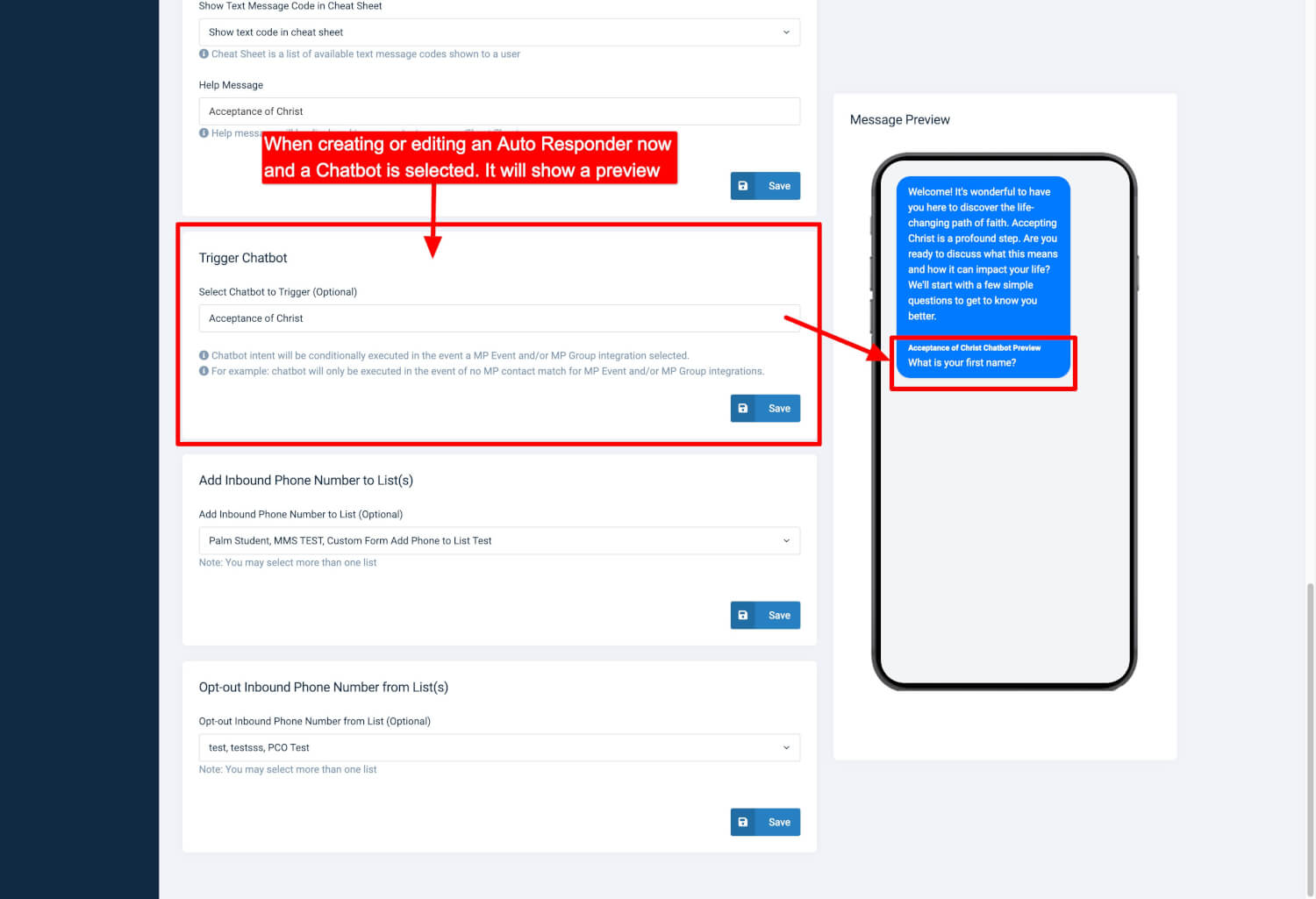
Additionally, the feature has been enhanced to show a preview of any associated chatbot, as Auto-Responders can now trigger chatbot intents. For MinistryPlatform churches, we’ve added specific previews for MP Event Registration or MP Group Registration messages when applicable.
Introducing OnlineGiving.org AI-Powered Text Message Composition for Auto Responders!
We’re excited to announce a brand-new enhancement in the OnlineGiving.org Control Panel that makes creating and automating your text messages easier and smarter!
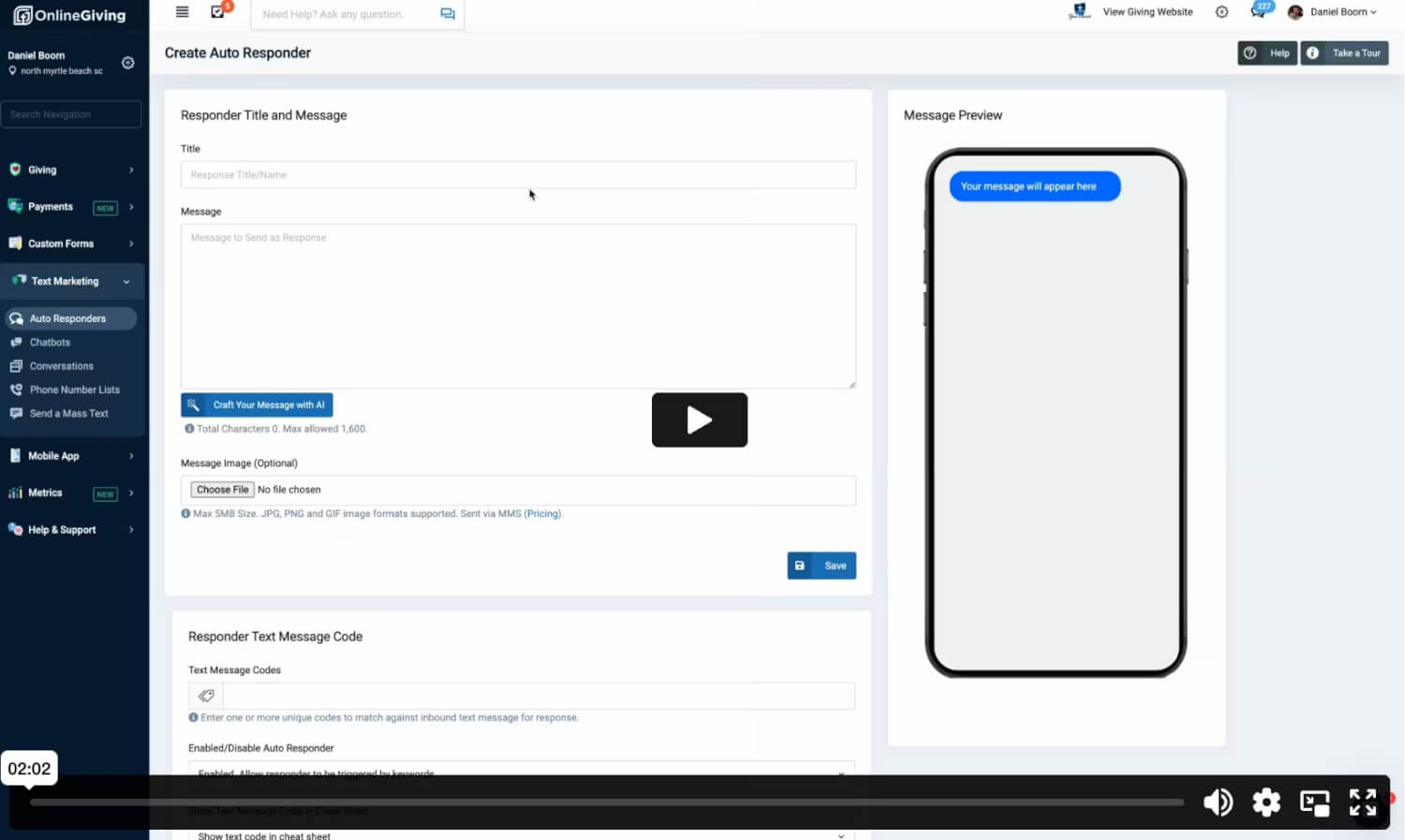
With the new "Compose with AI" feature, church administrators can now effortlessly create personalized and professional text messages in seconds, perfectly tailored for Auto Responders.
The AI instantly crafts short, friendly, and polished text messages for you, making your automated responses more engaging and effective.
Need inspiration? You’ll also find a selection of message ideas to spark creativity and help you communicate more effectively.
Check out the video below to see the Compose with AI feature in action!
Introducing the OnlineGiving.org Chatbot Builder Mobile Phone Preview!
Building chatbots just got a visual upgrade! With the new Mobile Phone Preview feature, you can now see exactly how your chatbot will look on a phone screen while you're building it. Whether you’re setting up your chatbot’s questions or designing actions, you’ll have a real-time view of how your users will experience it.
- Real-Time Mobile Display: See how your chatbot’s questions (parameters) will appear on a mobile device, making it easier to design the perfect experience for your users.
- In Context, All the Time: The Mobile Preview works in both the Parameters and Actions sections, so you can visualize the entire chatbot flow as you create or tweak it.
- Toggle Param Names & Conditions: Want to fine-tune things? You can toggle the display of Param Names and Conditions to ensure everything is perfectly in place.
- Seamless & Ready to Use: No setup required! It’s all built right into the chatbot editor for an easy, streamlined experience.
With this new feature, designing chatbots that look and feel great on mobile devices is smoother than ever. Get in there and start crafting a better chatbot experience today!
