Feature Updates 09/30/2025
New Feature: Set User Preferred Campus Custom Form & Chatbot Action
We’re excited to announce a new update to the OnlineGiving.org Custom Form and Chatbot Builder: the “Set User Preferred Campus” action.
This action gives church administrators more flexibility by allowing a custom form or chatbot to automatically update a user’s preferred campus in their OnlineGiving.org profile.
How It Works
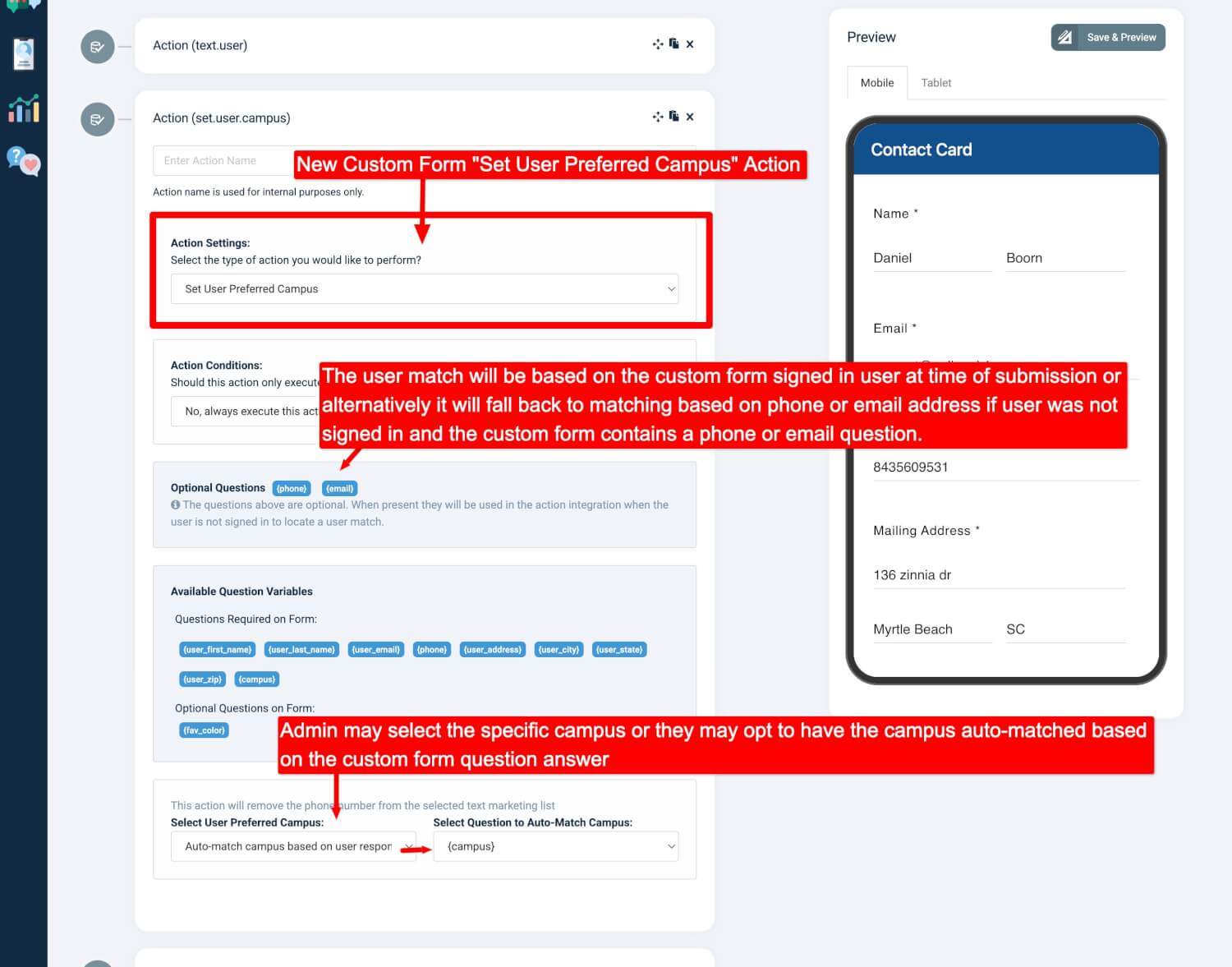
For Custom Forms
-
Signed-in users: If the user is logged in when submitting a form, their authenticated profile will be updated.
-
Not signed-in users: If the user isn’t logged in, the system will attempt to match a profile using the “phone” or “email” form fields (if present).
-
A match is made based on the unique mobile phone number or email address provided.
-
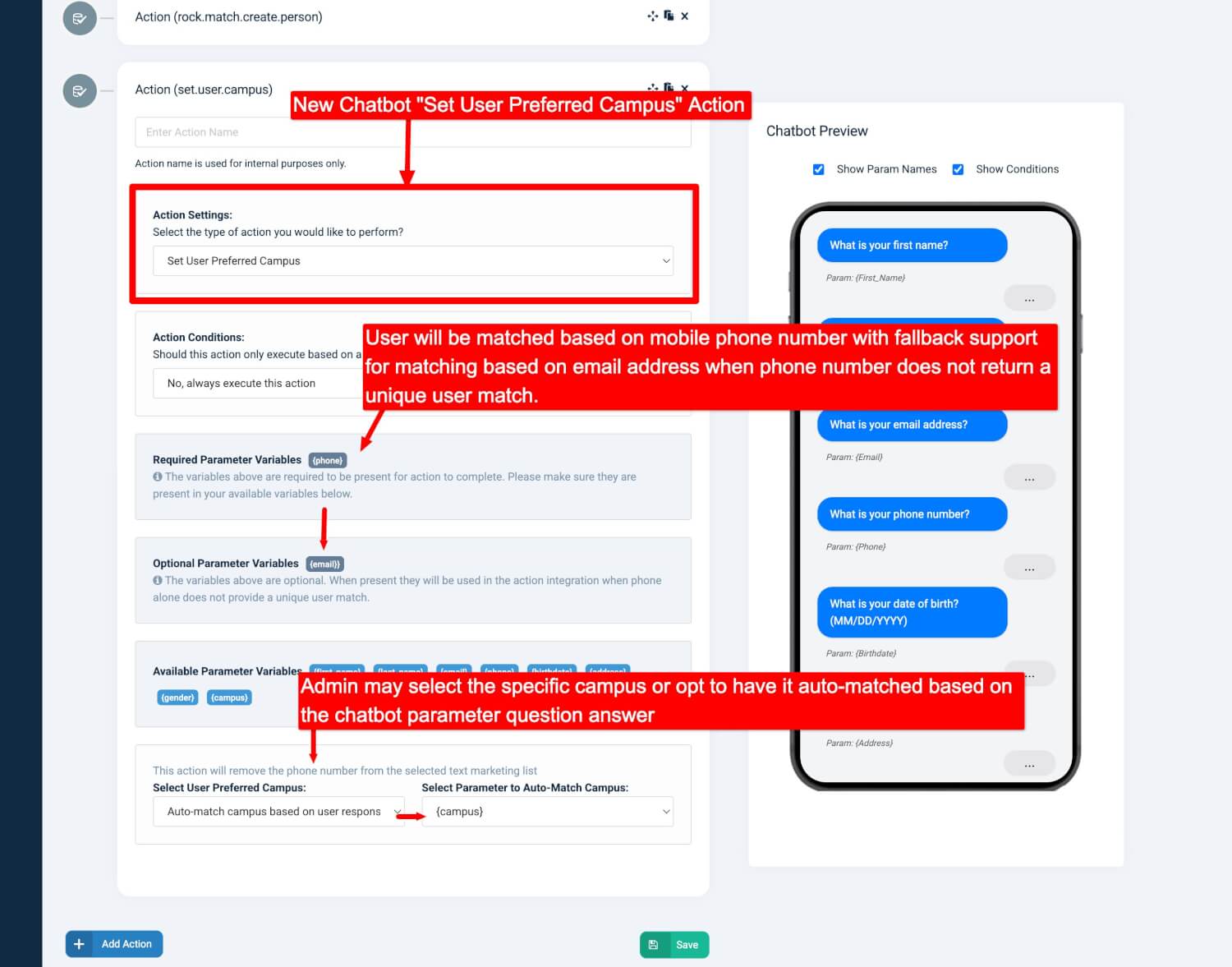
For Chatbots
-
If the user’s identity is linked to their mobile phone (such as from a registered text-giving device), that profile will be updated.
-
If the mobile phone isn’t linked, the system will fall back to using “phone” or “email” chatbot parameters (if present) to match a user profile.
Updating the Preferred Campus
Once a profile match is found, the action will:
-
Directly set the preferred campus chosen in the form or chatbot action settings.
-
Or, if auto-match is enabled, it will attempt to automatically match the preferred campus based on the user’s response to a specific question (e.g., “What is your campus?”).
Why It Matters
This feature makes it easier for churches with multiple campuses to:
-
Keep user records accurate and up-to-date.
-
Personalize communication and engagement based on a user’s preferred campus.
-
Streamline administration by reducing manual updates to user profiles.
Previews