Feature Updates 10/01/2025
New Feature: Update User Contact Fields Chatbot & Custom Form Action
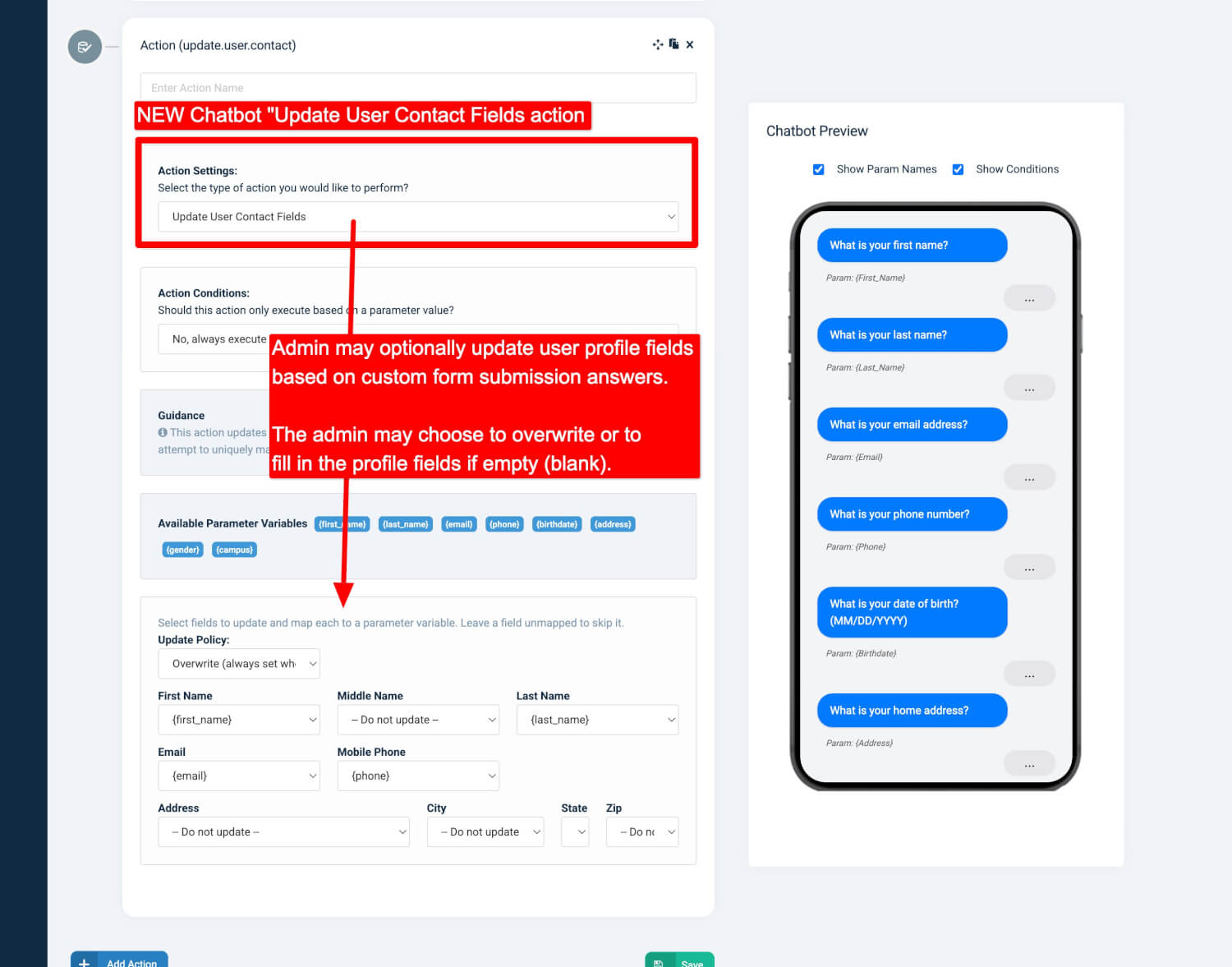
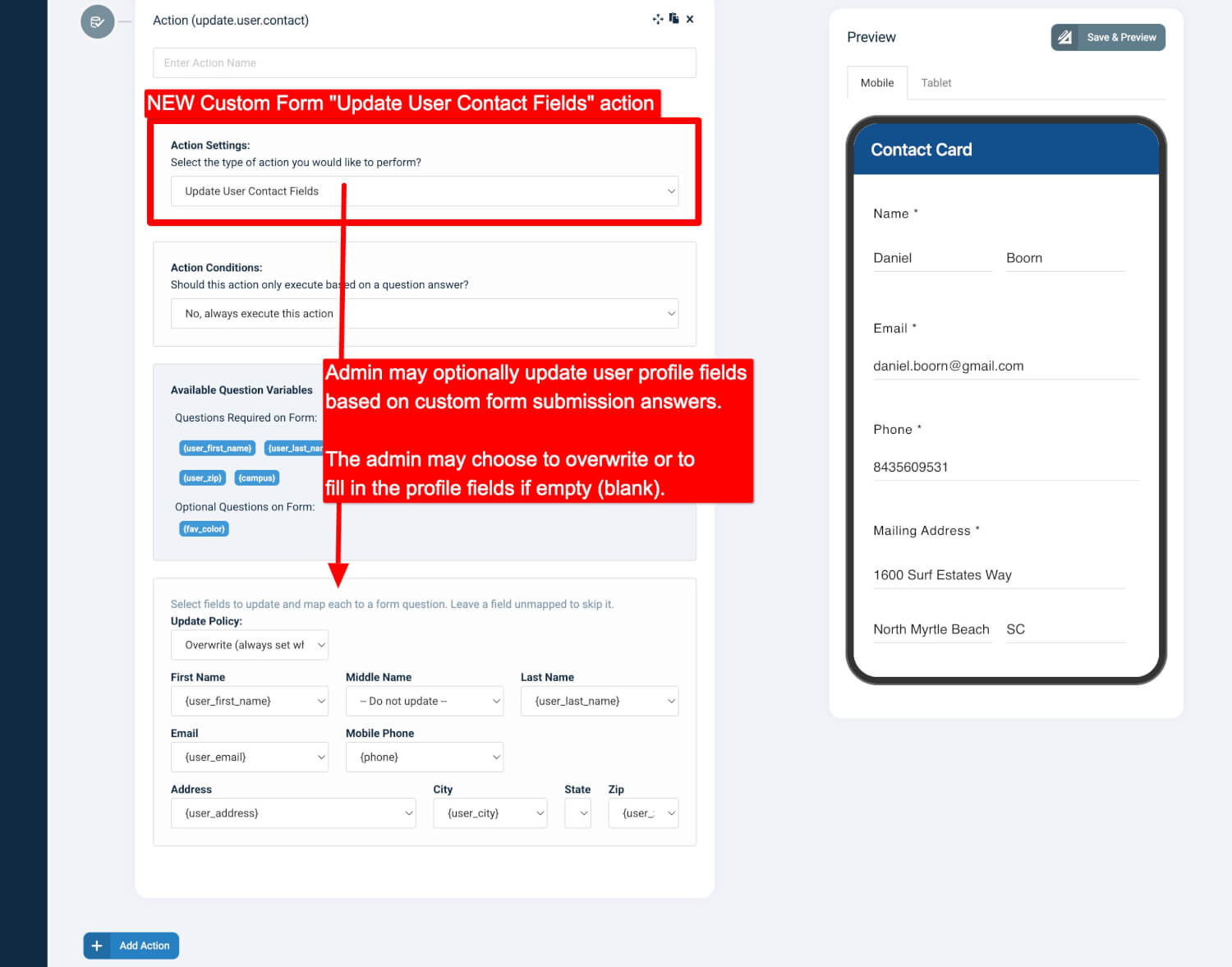
We’re pleased to announce a powerful new addition to the OnlineGiving.org Custom Form and Chatbot Builder: the “Update User Contact Fields” action.
This feature allows administrators to automatically update key contact details in an OnlineGiving.org user profile through form submissions or chatbot conversations.
What It Can Update
Administrators can selectively update any of the following fields:
-
First name
-
Middle name
-
Last name
-
Email
-
Phone
-
Address
-
City
-
State
-
Zip
Each field is optional, and the action itself can be conditionally executed. This gives administrators full control to decide which fields should be updated based on a user’s form answers or chatbot responses.
How It Works
For Custom Forms
-
Signed-in users: If the user is logged in when completing a form, their authenticated profile will be updated.
-
Not signed-in users: If the user isn’t logged in, the system will attempt to match a profile using the “phone” or “email” fields (if present).
-
A match is made based on the unique mobile phone number or email address provided.
-
For Chatbots
-
If the user’s identity is linked to their mobile phone (such as from a registered text-giving device), that profile will be updated.
-
If the mobile phone isn’t linked, the system will fall back to using “phone” or “email” chatbot parameters (if present) to match a profile.
Why It Matters
This new action makes it easier to:
-
Keep user information accurate and up-to-date without manual intervention.
-
Streamline data collection from forms and chatbot interactions.
-
Improve communication by ensuring churches always have the most current contact details for their members.
Previews