Feature Updates 10/03/2023
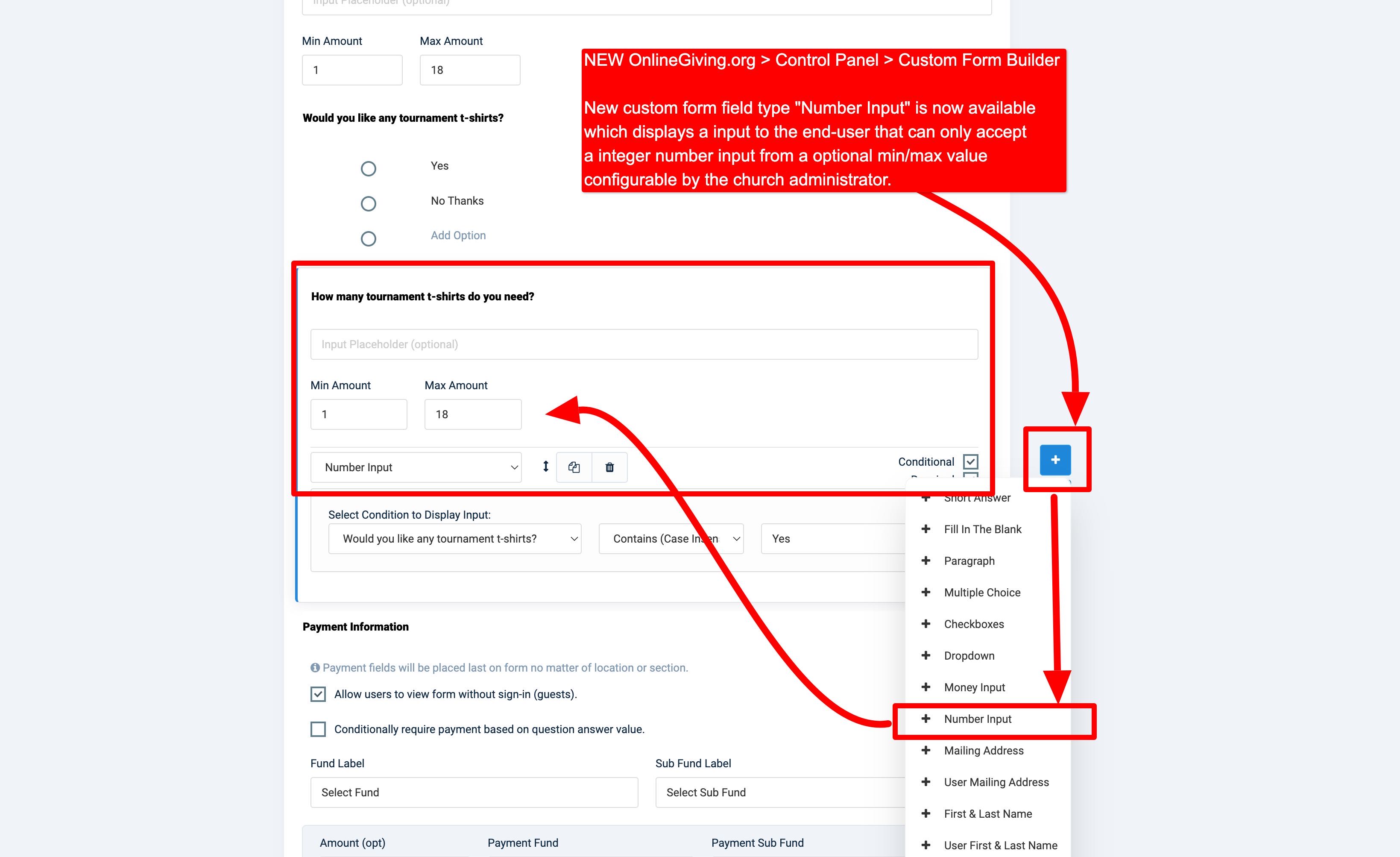
NEW OnlineGiving.org > Control Panel > Custom Form Builder > Number Input Field
We're pleased to announce an update is now live that enhances the OnlineGiving.org > Control Panel > Custom Form Builder with a new Number Input field option that church administrators may now add to custom forms to require an answer that is a number. Additionally, church administrators may optionally set a min/max range for the answer. The new Number Input field will ensure the answer collected from the end user is of integer value and within the optional range provided. Further the Number Input can be used with the new fund multiply feature (see below).
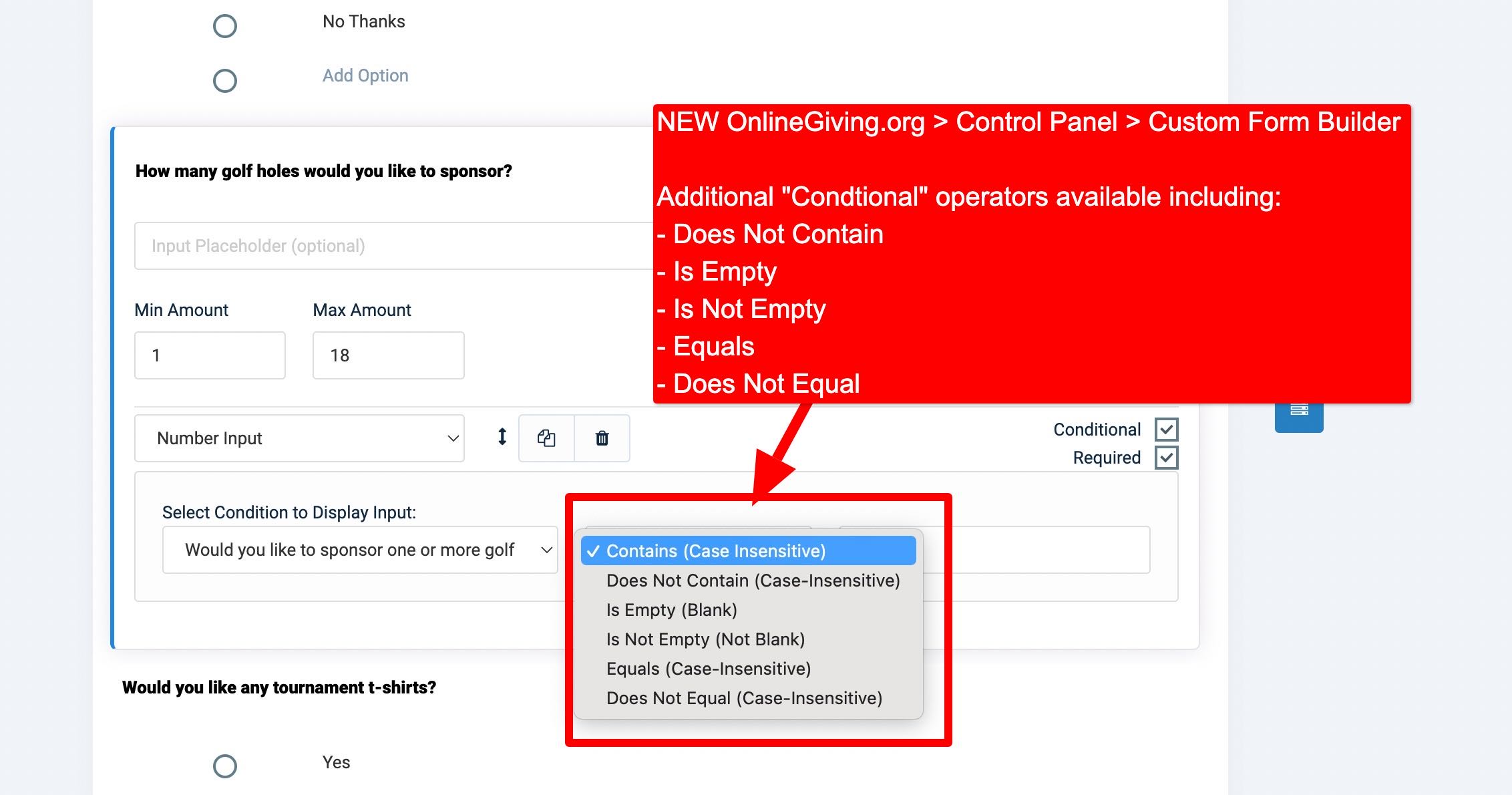
NEW OnlineGiving.org > Control Panel > Custom Form Builder > Additional Conditional Operators Now Available
We're pleased to announce an update is now live that enhances the OnlineGiving.org > Control Panel > Custom Form Builder with additional "Conditional" operators including; "Does Not Contain", "Is Empty", "Is Not Empty", "Equals" and "Does Not Equal" which may be used to conditionally display a custom form field. Prior to the update the operator was limited to "Contains". The update still includes "Contains" and extends the options for extream flexibility.
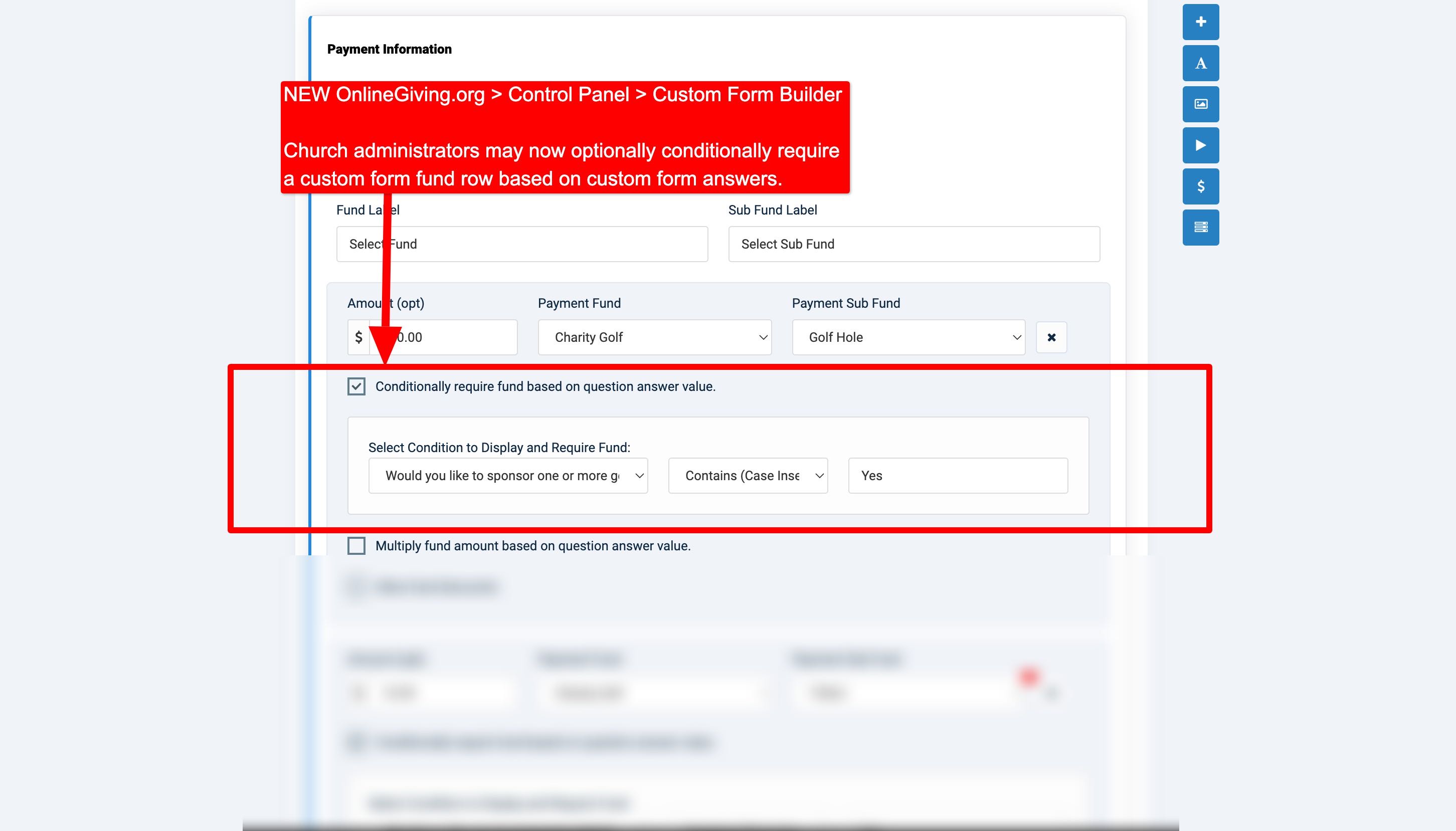
NEW OnlineGiving.org > Control Panel > Custom Form Builder > Ability to Conditionally Require a Fund
We're pleased to announce an update is now live that enhances the OnlineGiving.org > Control Panel > Custom Form Builder with a new fund option to allow church administrators to conditionally require a fund. The feature aims to provide a method of adding payment (or donation) fund requirements based on the answer of custom form questions which can be powerful for building many different types of conditional questionairs for payments or donations.
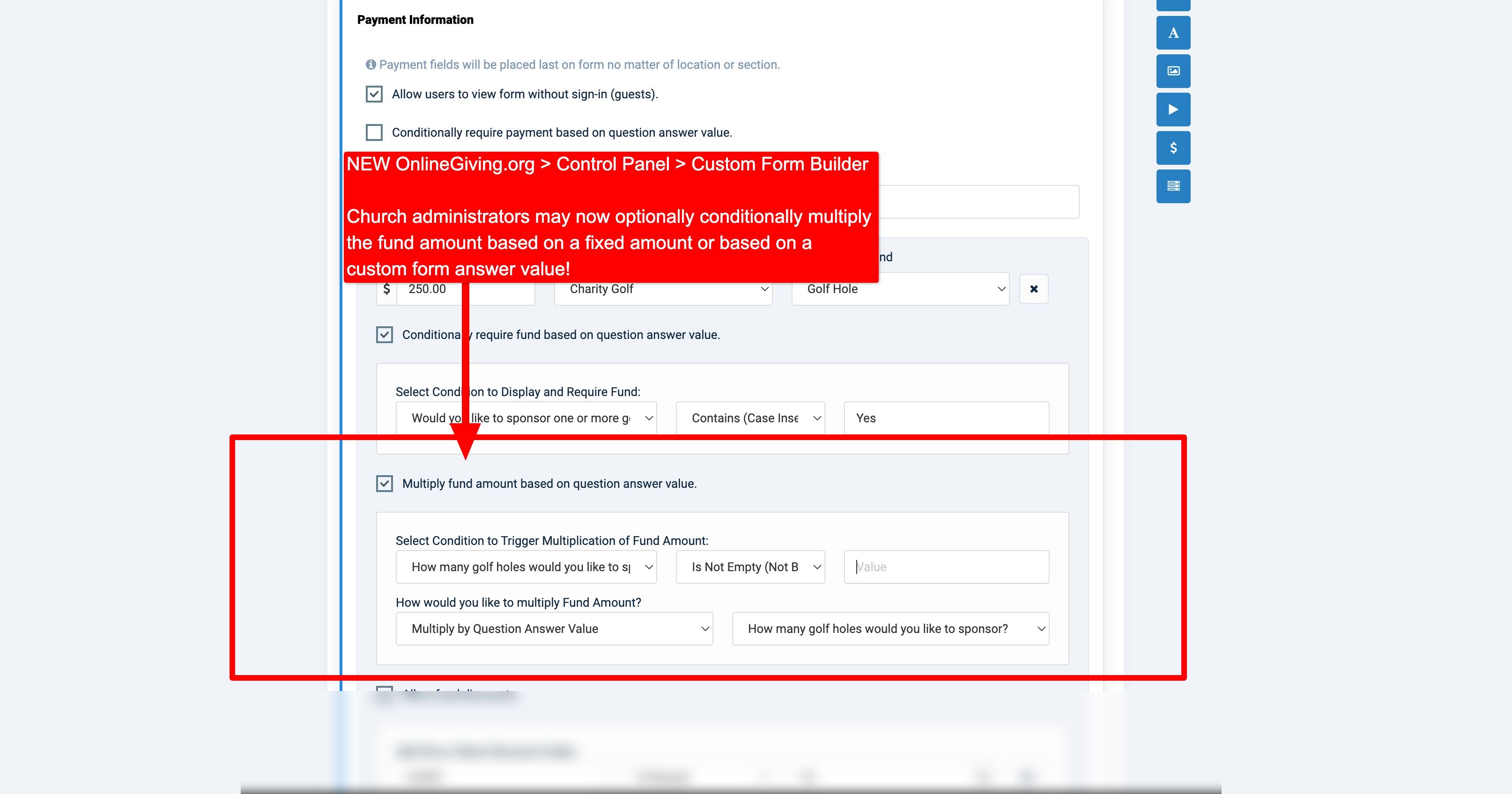
NEW OnlineGiving.org > Control Panel > Custom Form Builder > Ability to Conditionally Multiply a Fund by a Fixed or Percentage Amount based on Question Answers
We're pleased to announce an update is now live that enhances the OnlineGiving.org > Control Panel > Custom Form Builder with a new option to allow church administrators to conditionally multiply a fund based on custom form question answer value. The amount multiplied can be a fixed amount or by value of a question answer. Church administrators may use the new feature to multiply fund amounts to account for quantity questions or to increase an amount based on a question answer.
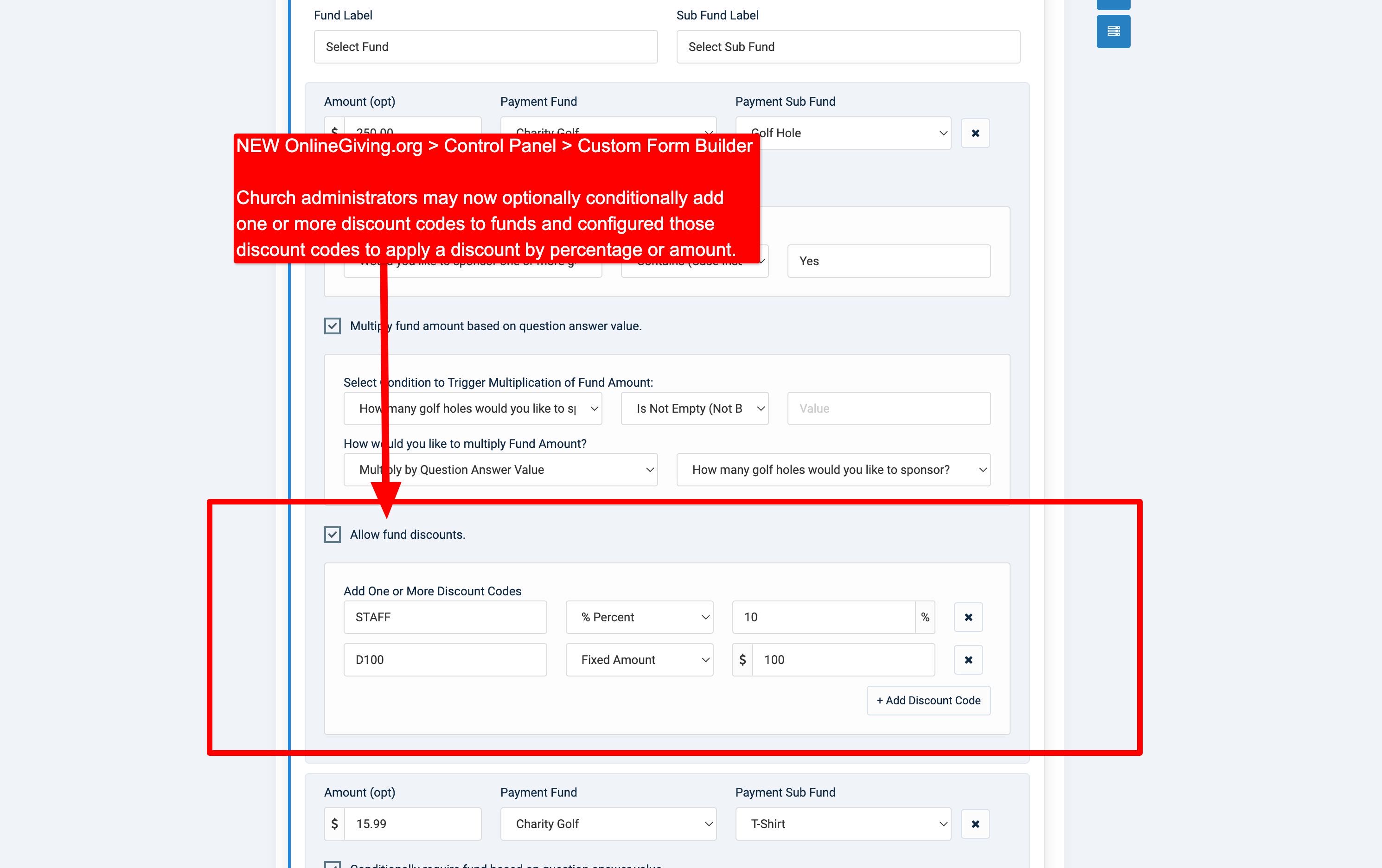
NEW OnlineGiving.org > Control Panel > Custom Form Builder > Ability to Optionally Configure One or More Fund Discount Codes
We're pleased to announce an update is now live that enhances the OnlineGiving.org > Control Panel > Custom Form Builder with a new option to allow church administrators to optionally add one or more discount codes to a custom form fund row. Discount codes may be configured to apply a discount based on a percentage or a fixed amount. Additionally, church administrators may use duplicate codes on different fund rows to apply the same discount or individual (fund based) discounts for the same fund code. Further, multiple discount codes can be configured to allow for various discount scenarios.
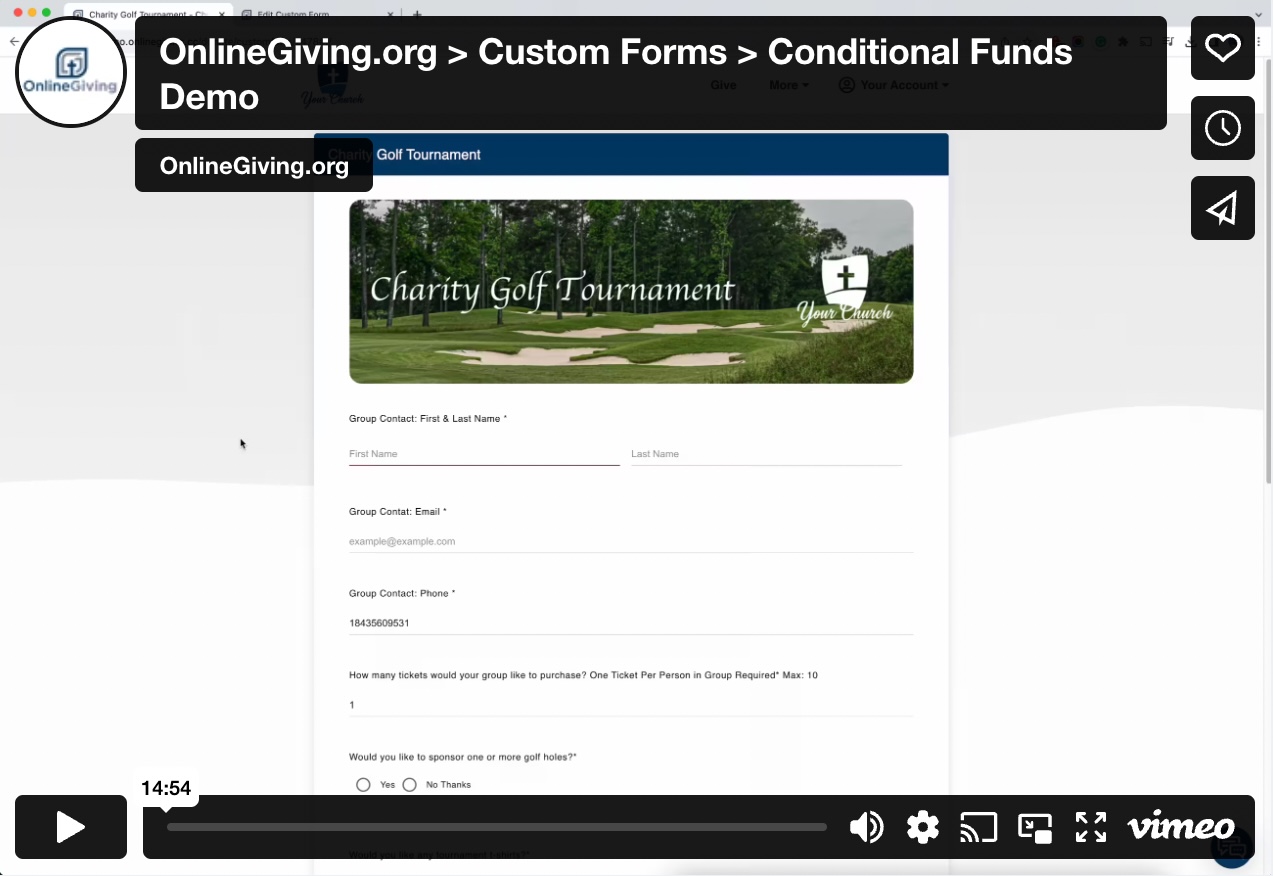
Live Example of the New Conditional Fund Features:
Demo: https://demo.onlinegiving.cc/donate/customform/2478
NEW OnlineGiving.org > Control Panel > QR Code Generator Available to All Church Admins
We're pleased to announce an update is now live that enhances the OnlineGiving.org > Control Panel to allow the QR Code generator and Link Generator to all OnlineGiving.org church administrators. Prior to the update the QR Code and Link Generator features were only available to Donor Administrators.