Feature Updates 10/09/2024
NEW OnlineGiving.org Mobile App Feature for MinistryPlatform Churches: "My Groups" Attendance Alert
An optional update is now live for MinistryPlatform (MP) churches using the OnlineGiving.org Mobile App. This enhancement, specifically for the "My Groups" feature, introduces a proactive attendance monitoring system.
How It Works:
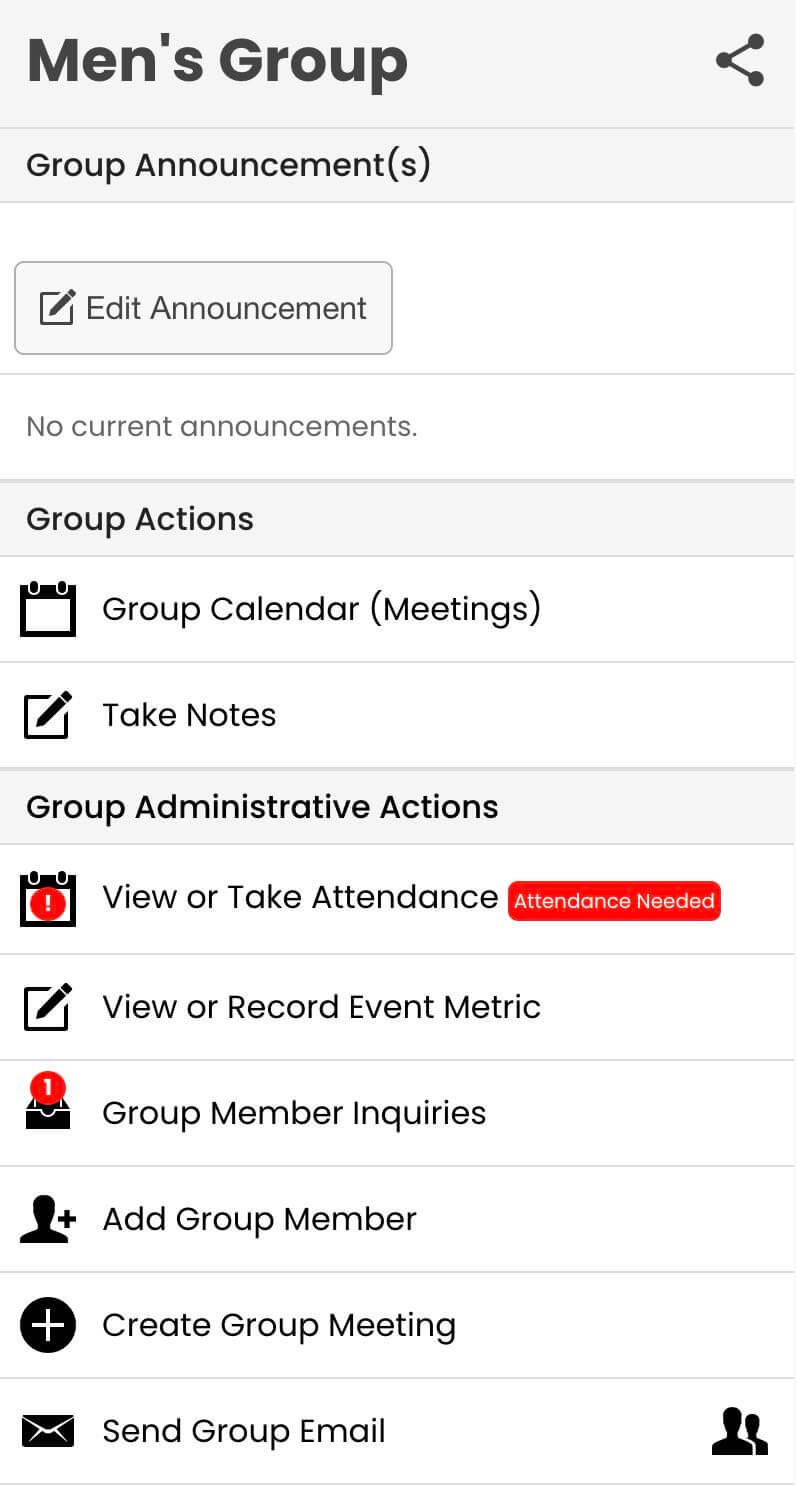
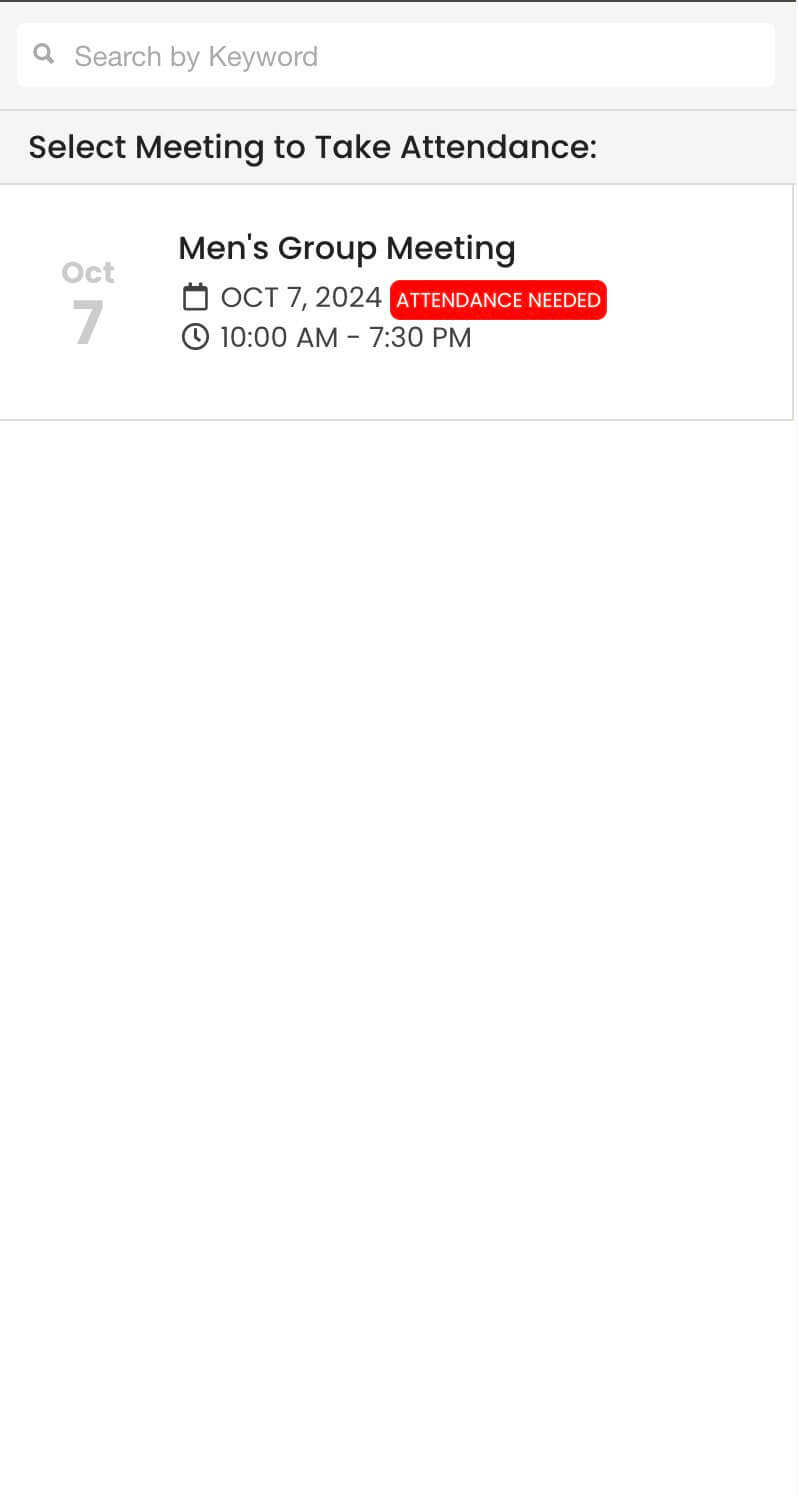
Once enabled, the app will scan your groups for recent events (within the past 3 days) and highlight any group missing attendance records. If no "Completed" or "Checked-In" status is recorded for these events, the system displays an "Attendance Needed" red flag. This alert ensures leaders promptly address any gaps in attendance tracking.
Please Note:
- Optional & Disabled by Default: This feature is not activated automatically. If you're an MP church interested in using it, simply reach out to support@onlinegiving.org, and we'll enable it for your mobile app.
- Fast & Responsive: The speed of this attendance check depends on the responsiveness of your church’s MP server. The feature operates in the background when you load the mobile app, ensuring your regular event functionality remains unaffected.
Where You'll See the Alert:
- "My Groups" Overview: The red flag will appear directly under the "My Groups" section.
- View/Take Attendance Screen: It shows in the group attendance view.
- Record Attendance Screen: This screen will also display the alert, helping you quickly take action.
By focusing only on the last 3 days, the feature ensures you’re notified about the most recent events, helping you stay on top of attendance tracking and improving group engagement.
For more information or to enable this feature, contact support@onlinegiving.org. We’re here to help you make the most out of this new capability!