Feature Updates 10/12/2020
MinistryPlatform View Invoice History & Invoicing Payment for MinistryPlatform Churches
We are pleased to announce a feature is now live for MinistryPlatform churches for end-users to view their MinistryPlatform Invoice History, individual Invoices, and make one-time or recurring payments towards those MP Invoices. The feature is now live for any MinistryPlatform church with payments enabled. MinistryPlatform churches with payments enabled will now see a "My Invoices" option in the "Your Account" dropdown located on the top right of the giving website.
The new "My Invoices" page displays invoice history for the last 2 years directly from MinistryPlatform for the entire household of the signed-in user. This allows parents to sign-in and view and pays invoices addressed to a spouse or child of the household. Included with the feature is the ability to view an invoice and it's line item history.
Making an invoice payment is now extremely fast as users can use their OnlineGiving.org saved payment methods to quickly apply a one-time or recurring payment to an invoice. Users may also set up a fixed number of recurring payments towards a MinistryPlatform invoice or schedule future payments!
For your convenience, we've included a detailed video walkthrough of the new feature below -
MinistryPlatform My Invoice History & Invoice Payments Walkthrough Demo Video:
Automatic Donation Batching & Refund/Failed ACH Donation Batching for MinistryPlatform Churches
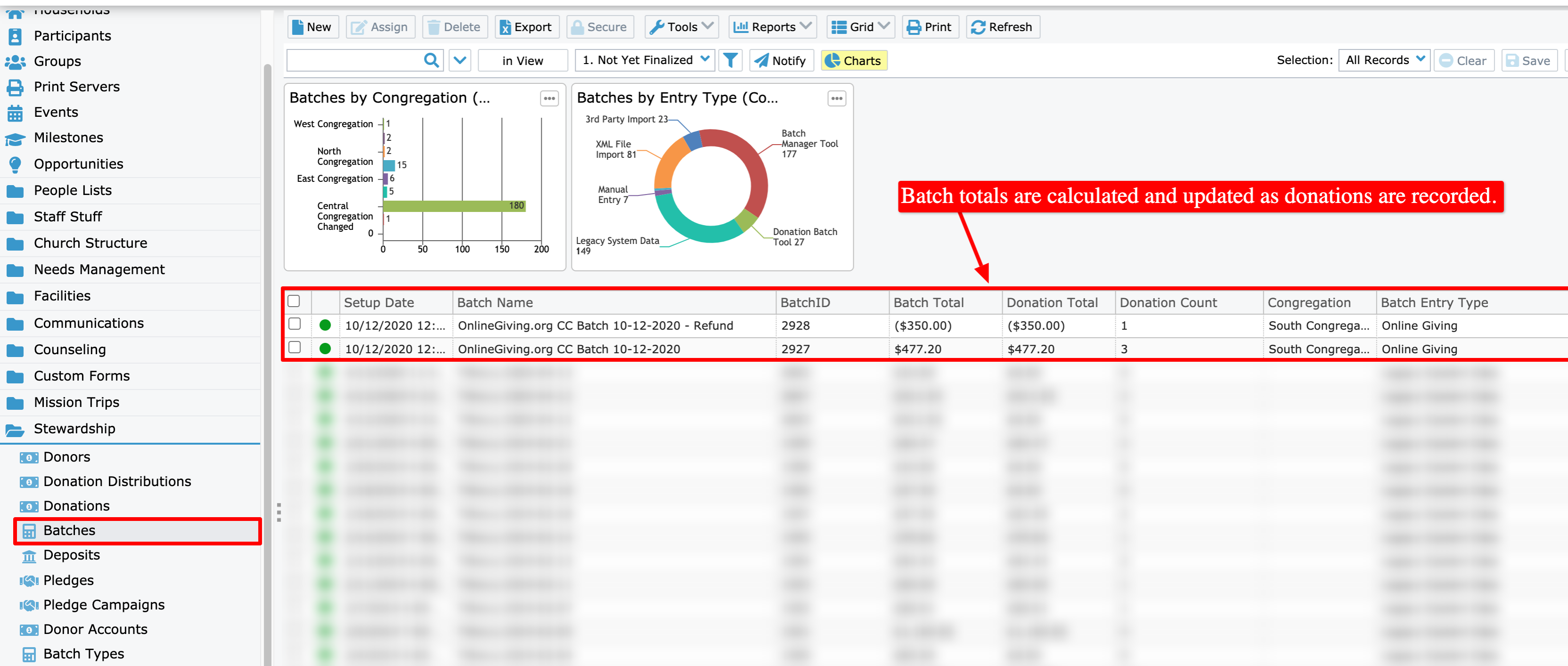
We are pleased to announce an optional feature enhancement is now live that adds automatic MinistryPlatform batching to the OnlineGiving.org MP integration! Kindly note this feature is disabled by default and can be easily enabled by reaching out to support@onlinegiving.org. Once enabled, the new feature will automatically manage the creation and updating of MinistryPlatform batches and associated deposit records for donations.
The feature uses a unique batch and deposit naming convention to make it very clear the creation source and payment type. Batches are grouped by date and payment type into MinistryPlatform. When an approved donation is completed and recorded into MinsitryPaltform the software will now either create or update the daily batch automatically (when the feature is enabled). Refunds are included also and are placed into their own dedicated batch also based on date and payment type.
The goal of the update to further automate the administrative financial tasks in the MinistryPlatform control panel and therefore reduce the administrative hours/costs involved. Further, the feature also includes an optional feature to record the congregation into the batch for those churches that have implemented a multi-tenant configuration in MinsitryPlatform.
For your convenience, we've included detailed screenshot examples of batch and deposit recordings from our MP test environment below. Please reach out to support@onlinegiving.org today to take advantage of this new wonderful MP integration feature!
Example of Batch Created/Managed by OnlineGiving.org in MinistryPlatform (click image for larger version):
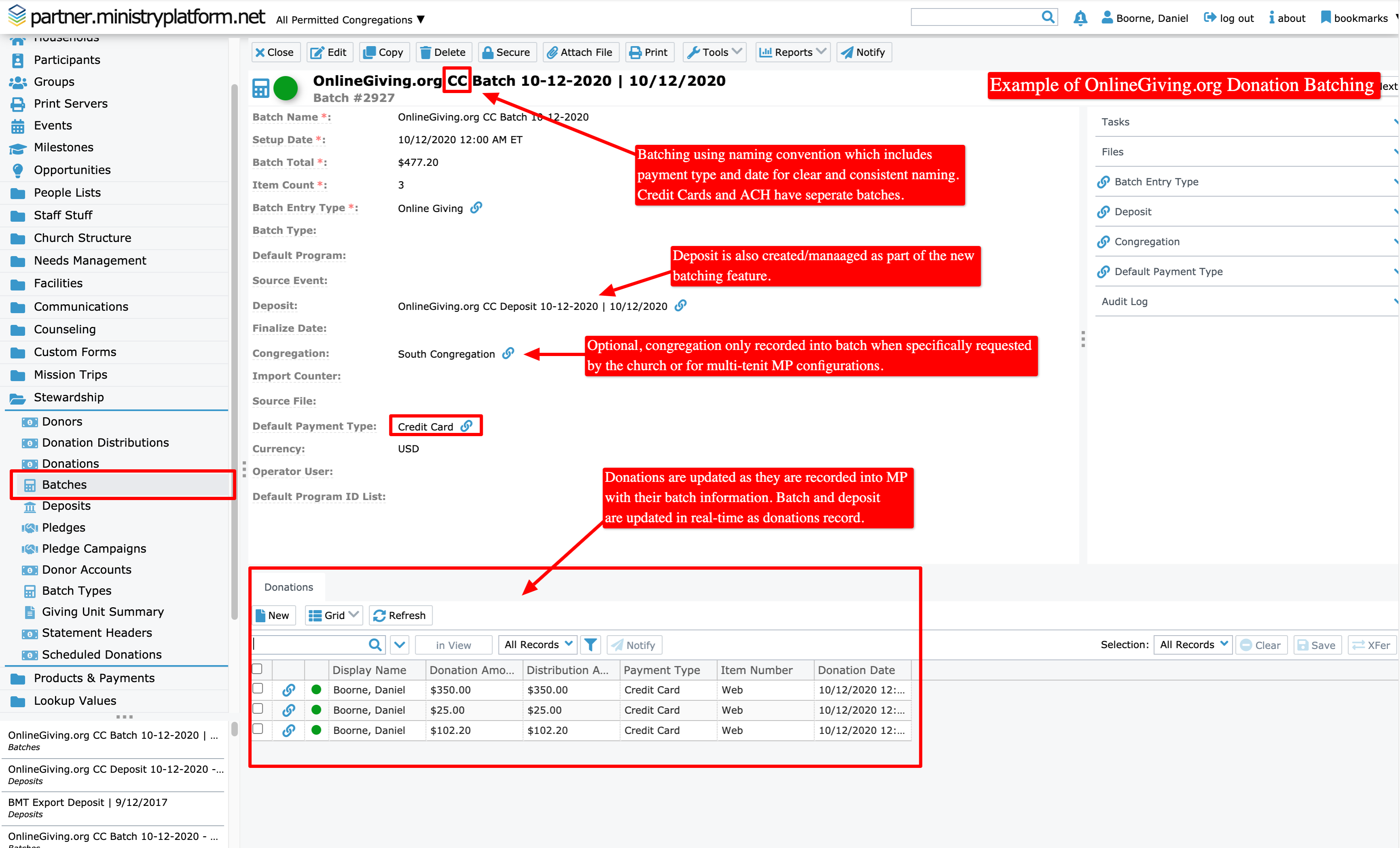
Example of Deposit Created/Managed by OnlineGiving.org in MinistryPlatform (click image for larger version):
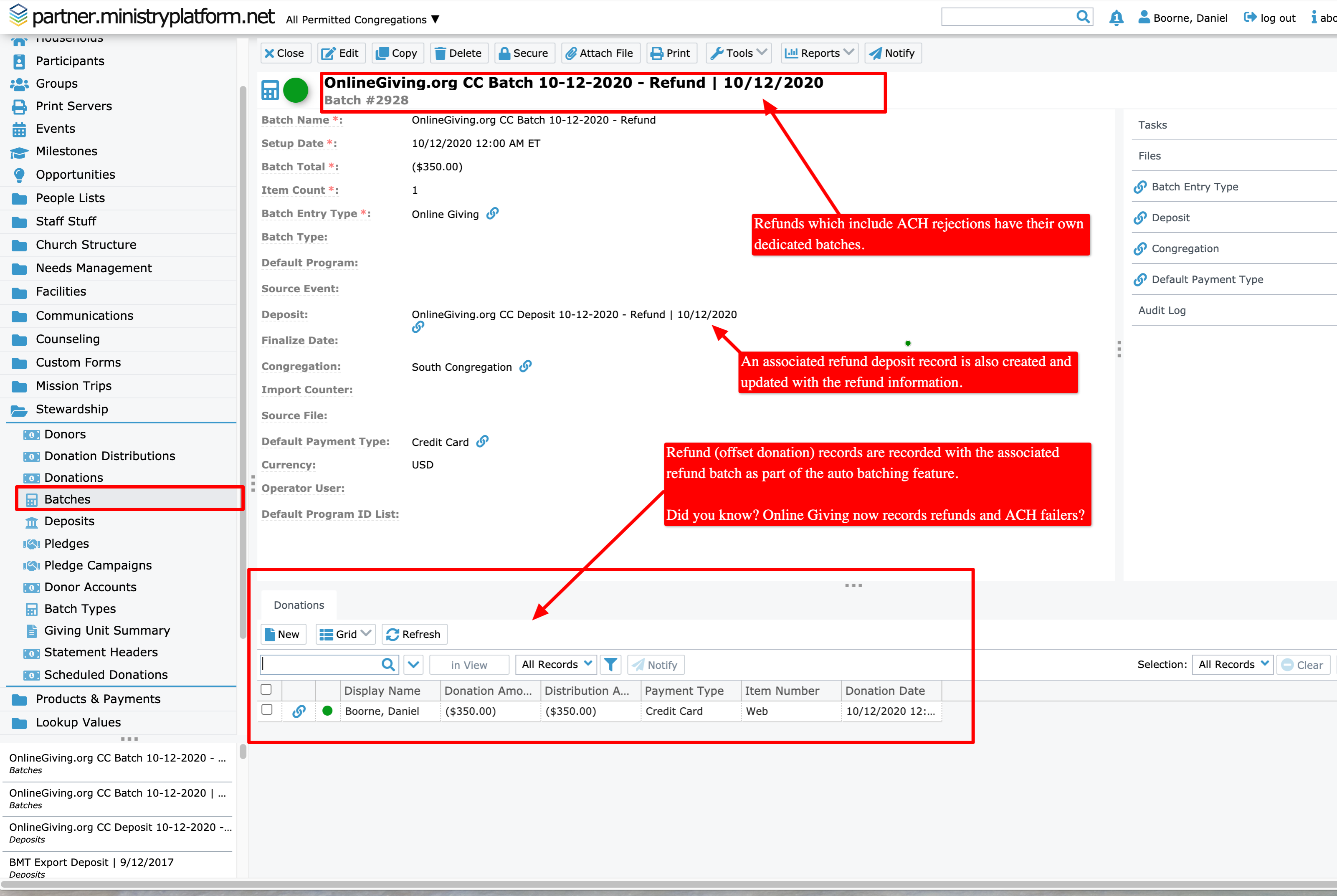
Example of Deposit Totals equaling out in MinistryPlatform (click image for larger version):