Feature Updates 10/13/2025
New Feature Release: Short.io Integration Now Available on OnlineGiving.org
Easy Link Shortening for Text Message Marketing, Auto Responders, and Bulk Messages
A new update is now live on OnlineGiving.org, enhancing the Text Message Marketing, Auto Responder, and Send Bulk Message pages with a powerful Short.io integration. This integration allows users to automatically shorten links when creating or editing messages, helping keep text messages concise, professional, and fully trackable.
This update streamlines your communication process and helps optimize SMS campaigns by reducing character counts, improving deliverability, and maintaining brand consistency.
About Short.io
Short.io is a trusted link management and URL shortening platform that enables organizations to create branded short links using a custom domain name.
Churches and ministries can easily configure their own custom Short.io domain (for example, yourchurch.link) to make every message appear professional, consistent, and trustworthy.
Unlike many other link-shortening services, Short.io allows you to use your own domain name for shortened URLs. This provides two major advantages:
-
Increased user trust – Recipients immediately recognize your church’s domain instead of a generic short-link domain.
-
Better deliverability – Custom domains are less likely to trigger spam filters used by mobile carriers, helping ensure your messages are delivered successfully.
Shorter, branded links can also help reduce SMS message costs by lowering the total number of characters per message.
How It Works
Step 1 – Create or Edit Your Message
Write your message as usual, including any full URLs. Then click the “Shorten Links with Short.io” button.
Step 2 – Choose Your Short.io Domain
Select the Short.io domain you wish to use, then click “Shorten Links.”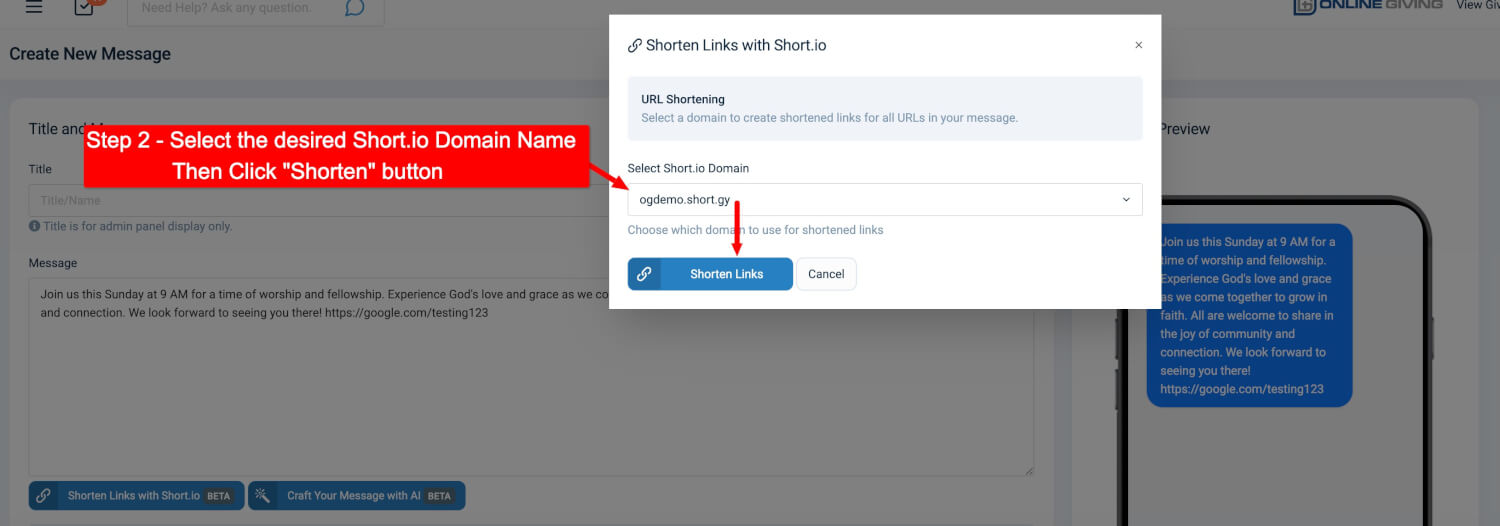
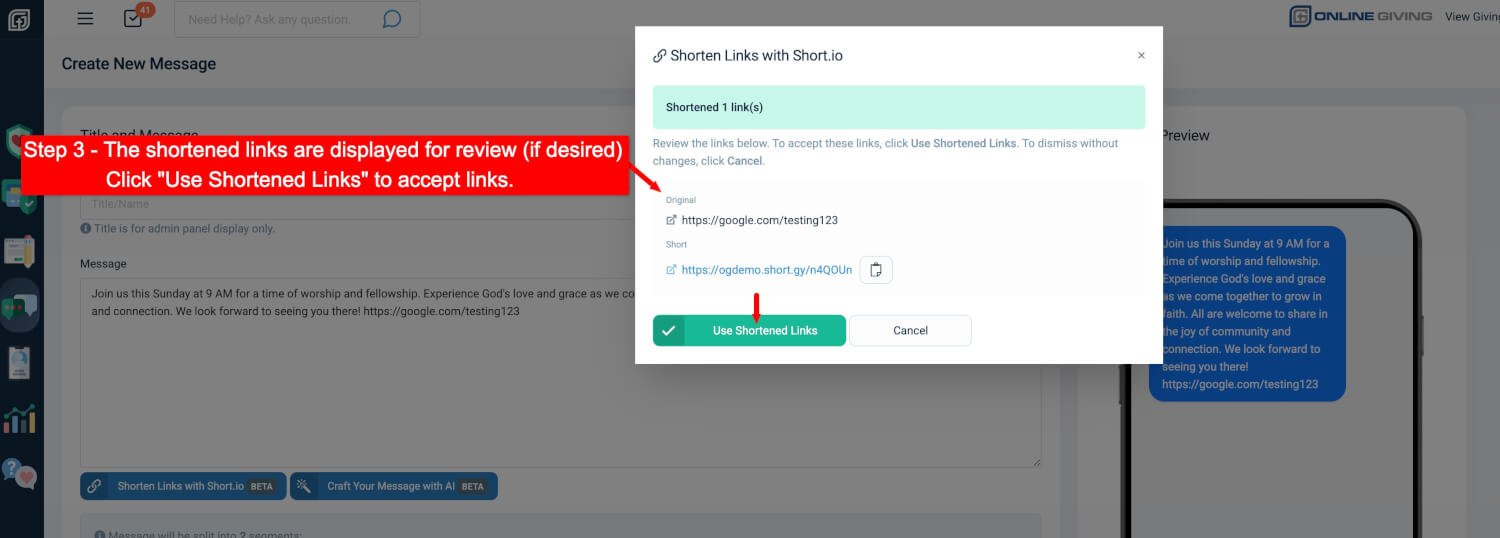
Step 3 – Review and Approve Shortened Links
You’ll see both the original and shortened URLs for review.
Click “Use Shortened Links” to confirm.
Message Updated Automatically
Your message is now updated with the shortened link and ready to send.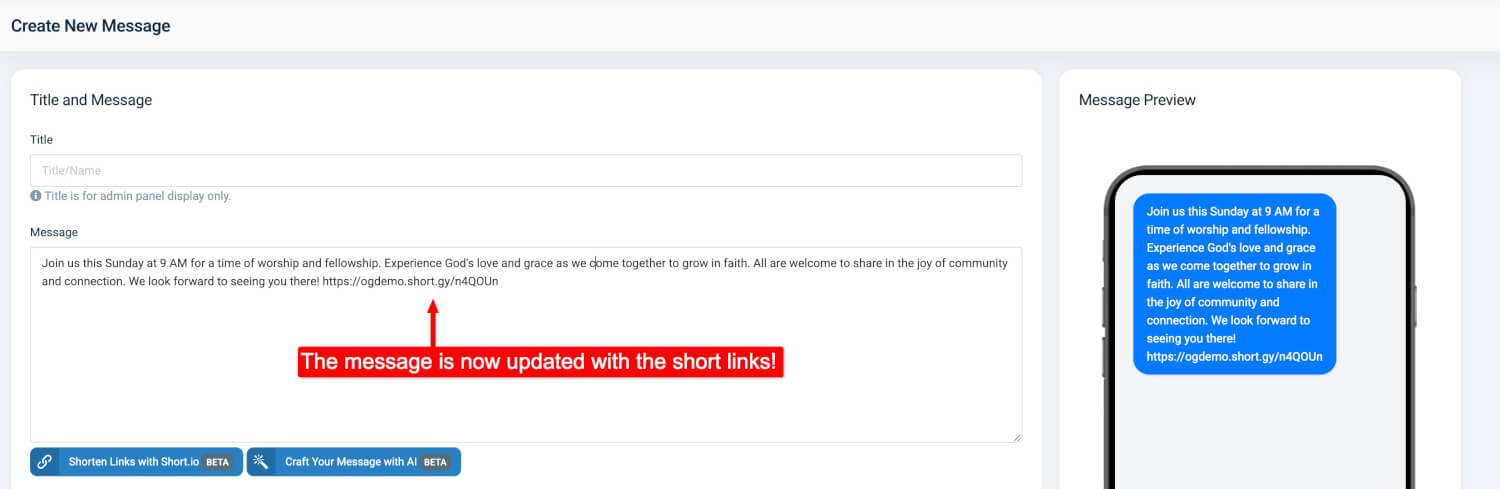
How to Enable the Integration
This new feature is available to all OnlineGiving.org customers.
To enable it:
-
Create a Short.io private API key in your Short.io account.
-
Email your private API key to support@onlinegiving.org with a request to enable the Short.io integration feature.
Once enabled, you’ll be able to shorten and brand links automatically while creating or editing messages in the OnlineGiving.org platform.
Key Benefits
-
Create branded short links using your own custom domain
-
Reduce SMS costs through shorter message lengths
-
Improve deliverability and avoid spam filters with trusted custom domains
-
Maintain user trust by displaying your church’s own domain name
-
Gain click tracking and analytics through Short.io
-
Streamline workflows with automatic link shortening