Feature Updates 10/15/2020
Login & Registration Feature Enhancements; Touch ID Support & Passwordless Registration
We're pleased to report an update is now live for the platform login and registration features to add Touch ID and password less registration support.
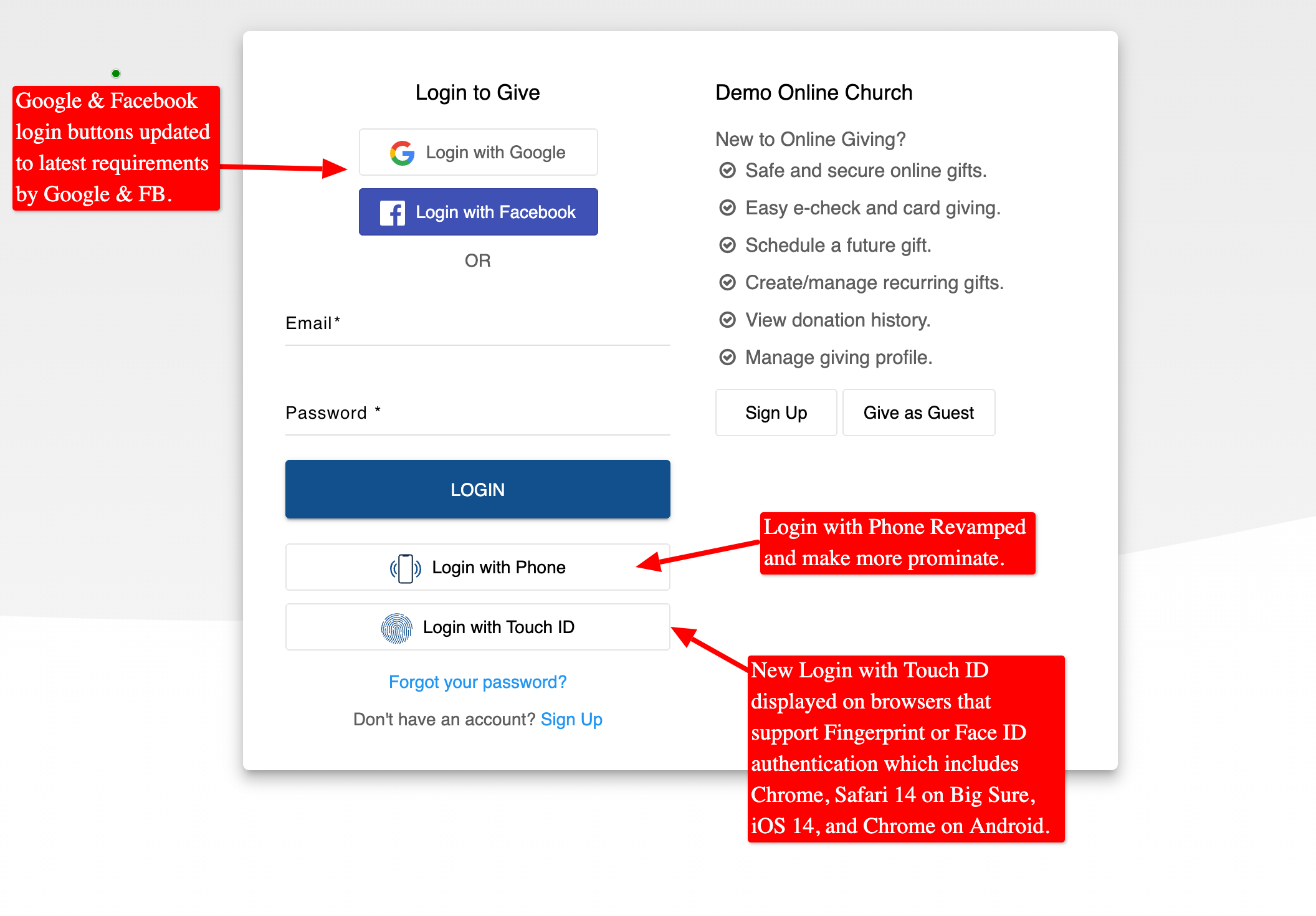
New Touch ID (Fingerprint & Face ID) Authentication:
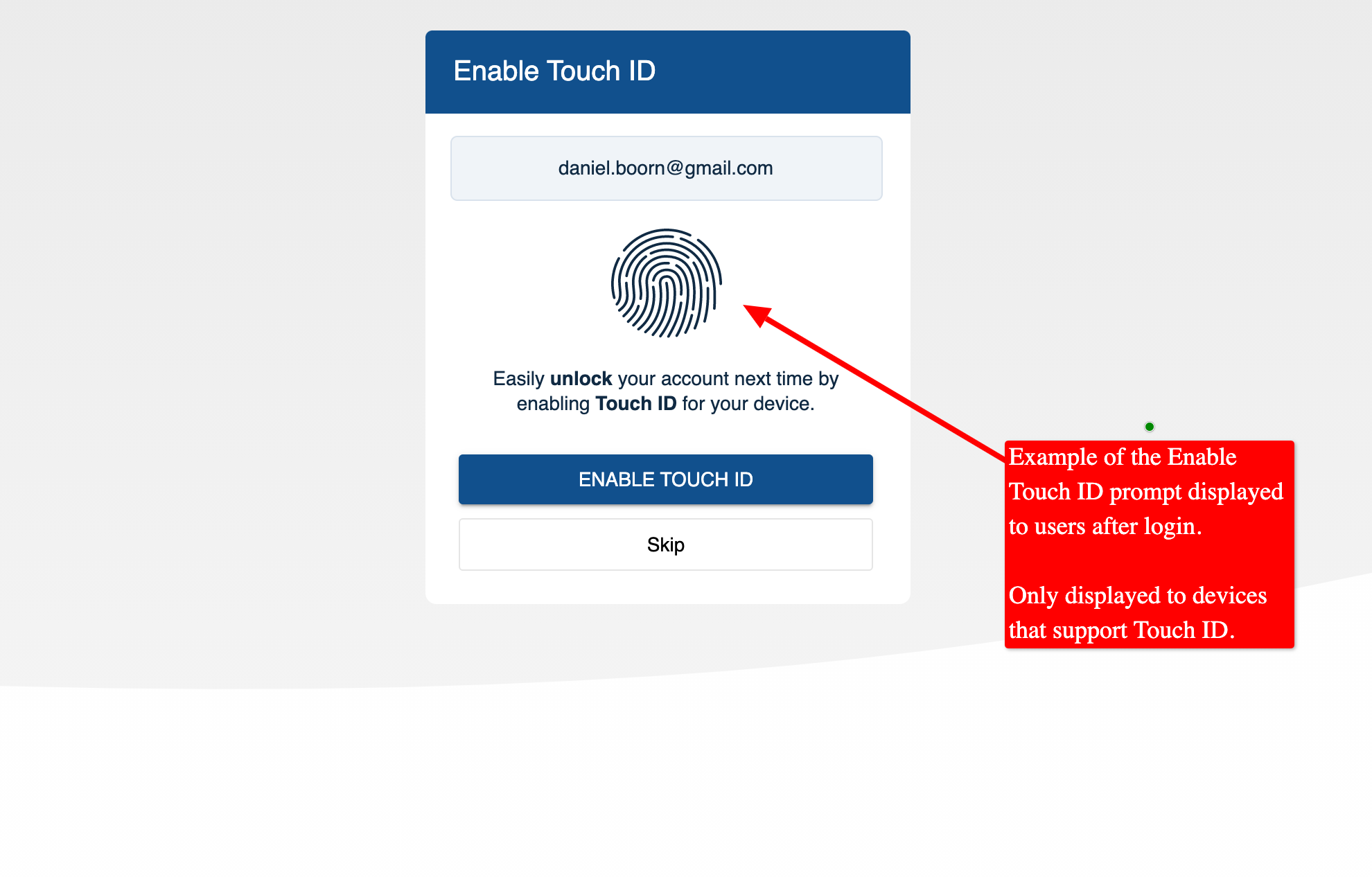
The latest in web browser technology has brought the ability for Touch ID authentication for Google Chrome 86+, Edge 86+, Safari 14+ Big Sir, iOS 14+, and Android Chrome 85+. Touch ID can take advantage of the built-in Fingerprint or Face ID technology to allow donors to easily unlock their accounts from their mobile, tablet, and laptop/MacBook devices. We've enhanced the login and registration features to automatically detect support for Touch ID and to only display the Touch ID options for supported devices. Additionally, after sign-in, donors on Touch ID supported devices are automatically prompted with the ability to add Touch ID to their account.
Example of "Enable Touch ID" Prompt That's Displayed After Login:
Example of Updated Login Feature with "Login with Touch ID" option:
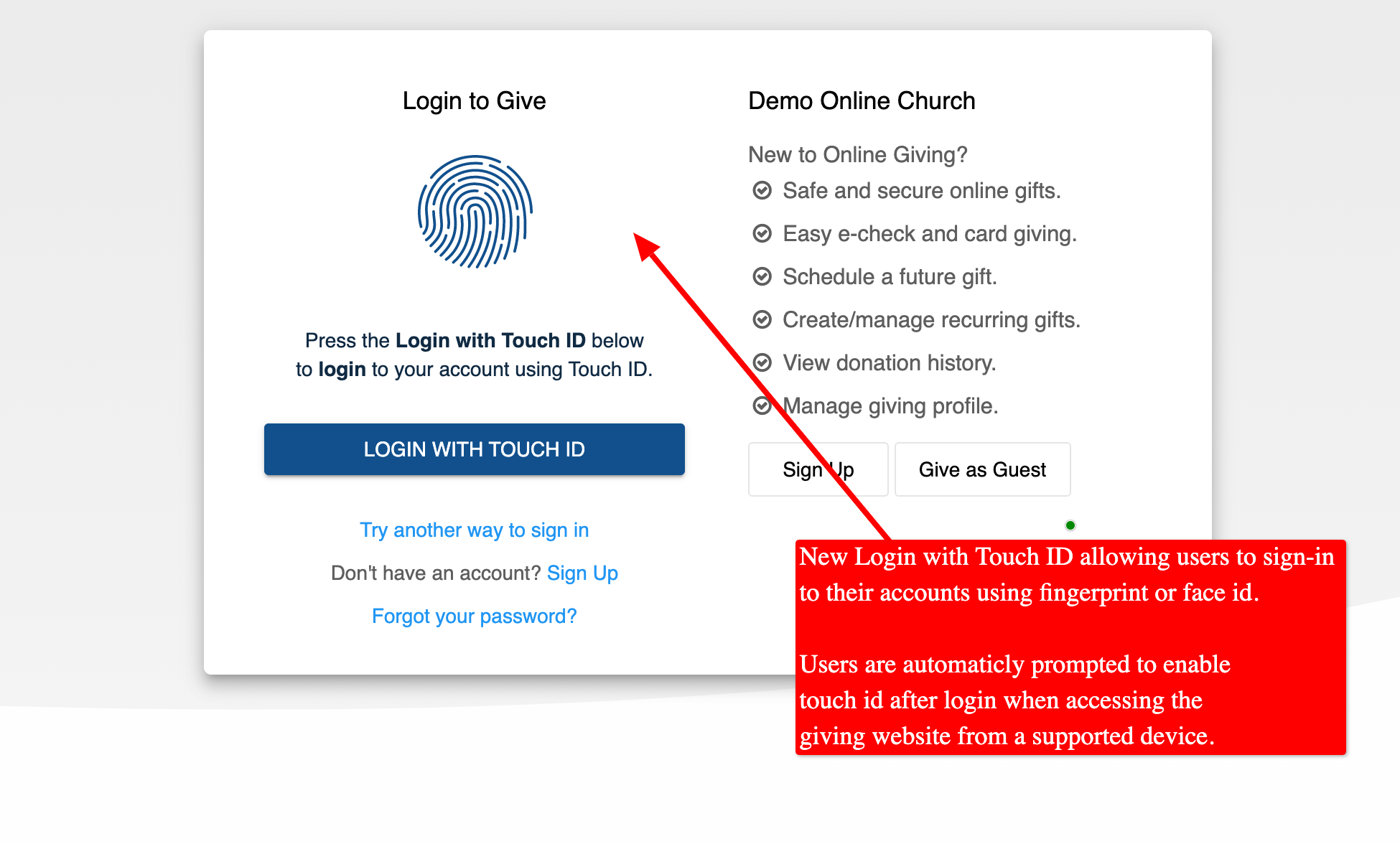
Example of Login with Touch ID Page:
(Note this page is used by users who have already enabled Touch ID for their device)
Example Videos:
Phone Demo of Login with Text Message to Enable Touch ID. Then logout and login using Touch ID.
iPad (iOS 14) of Login with Text Message to Enable Touch ID. Then logout and login using Touch ID.
New Passwordless Registration:
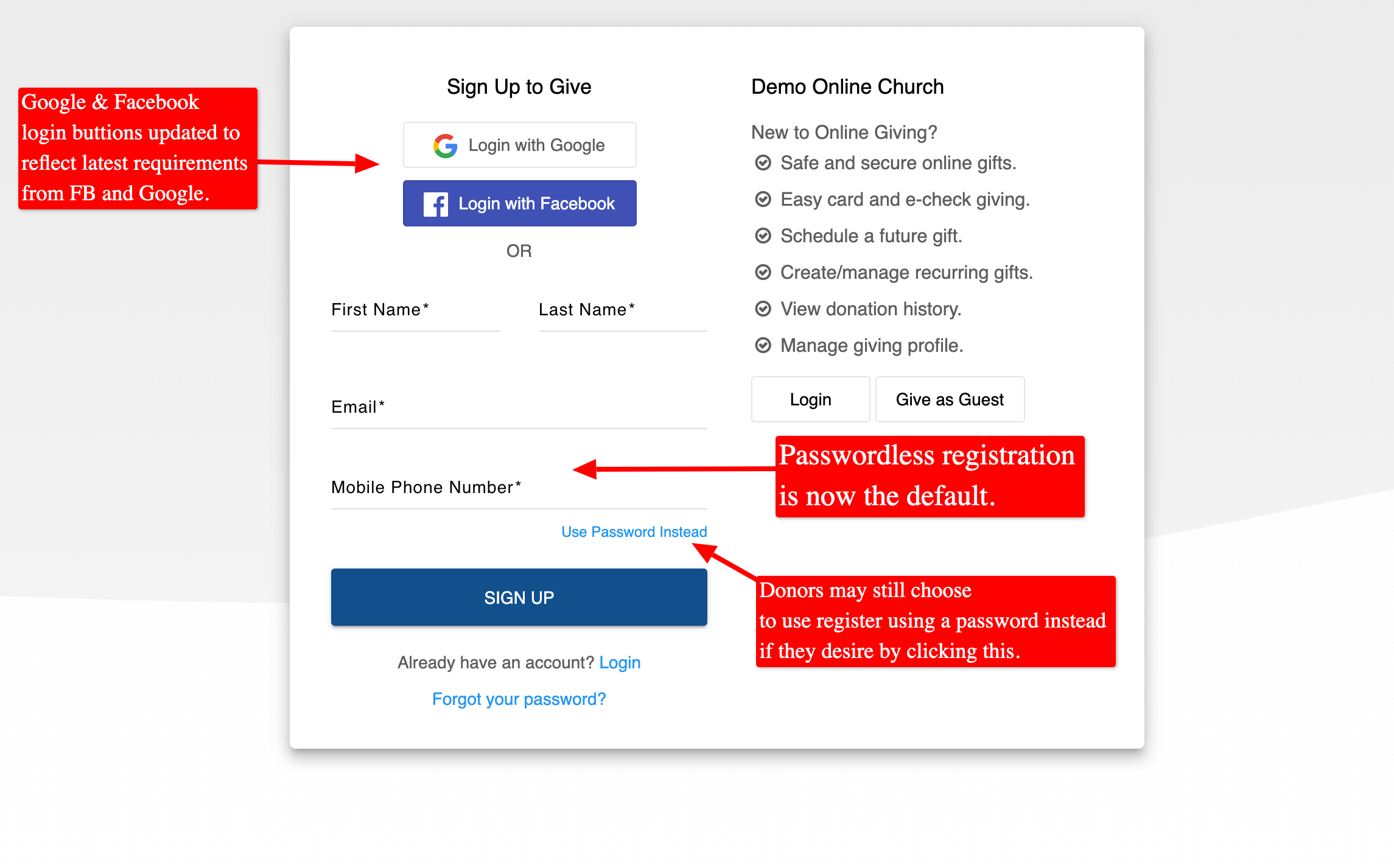
With almost all donors accessing the platform on personal devices, we've updated the registration feature to default to passwordless registration by default. Prior to the update donors could still access the platform using our passwordless login called "Login with Phone" which sends a text message code to the donor's mobile device for authentication. With this release, we've updated the donor registration feature to function in a similar way to ask for a phone number instead of a password. The registration process will send the donor a code via text message and the registration process is complete. Donors who still desire to register with a password can still easily do so by clicking the "use password" option on the updated registration form.
Example of Updated Registration Feature with Passwordless Registration:
Revisions to Login with Phone Feature:
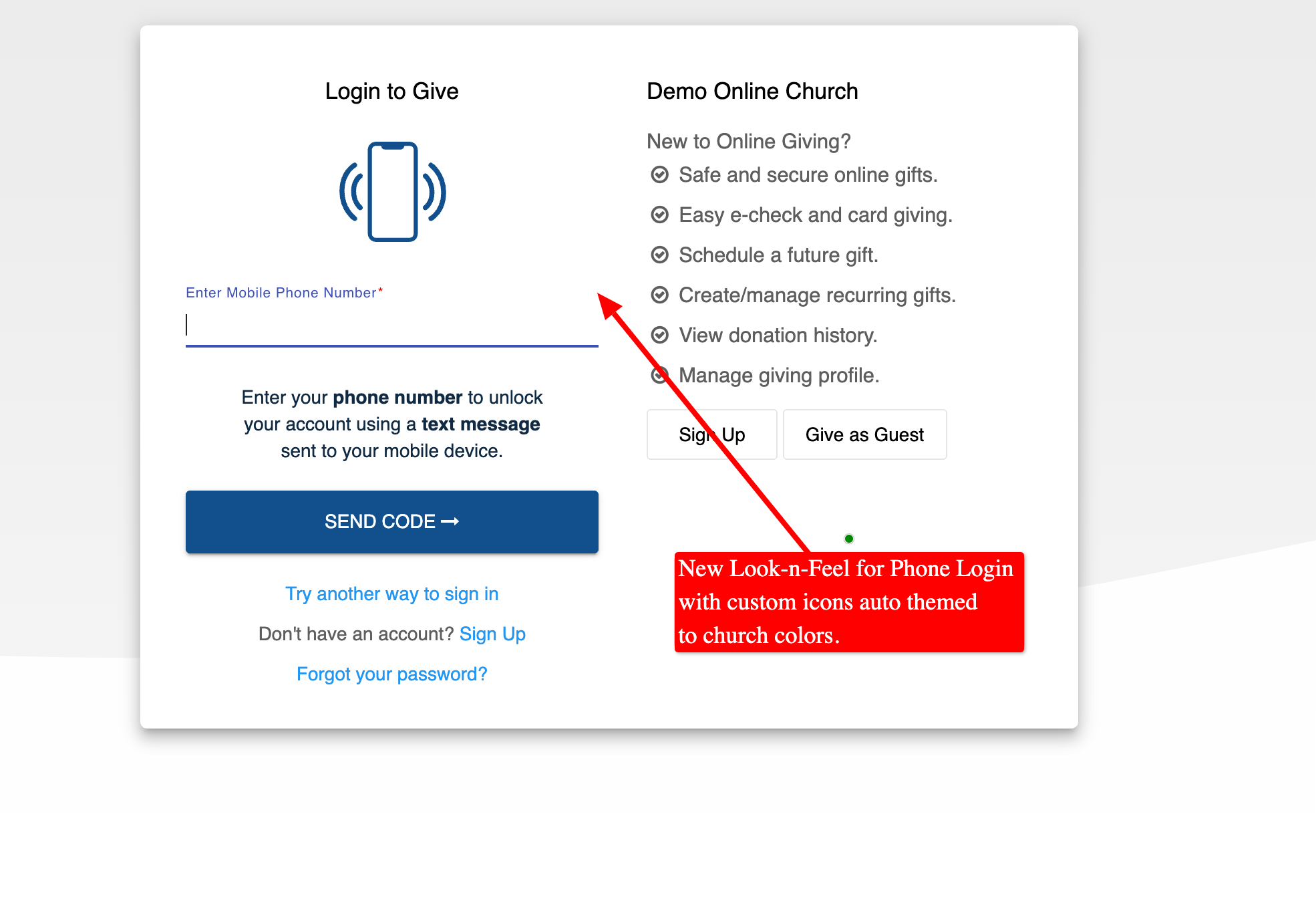
We've also updated the display of the "Login with Phone" feature to add custom themed graphics and simple directions to enhance the user's experience.
Example of Updated Login in With Phone Feature:
Automatic Detection of Embedded Access without Frame
An update is now live that allows our platform to detect when embedded access has been enabled/installed incorrectly and for the platform to auto-refresh the donor's page to disable embed mode and display the header/footer. This feature is mainly a feature for detecting scenarios in which a church may have implemented our embedded giving technology incorrectly mixing direct linking with embedded linking and/or not using our embed application code. For those scenarios, the platform will detect the incorrect configuration and auto-disable the embed mode giving the end user the correct donor experience. Did you know? We offer embedded installation services at support@onlinegiving.org. You can learn more about our embedded giving by checking out the technical documentation.