Feature Updates 11/08/2023
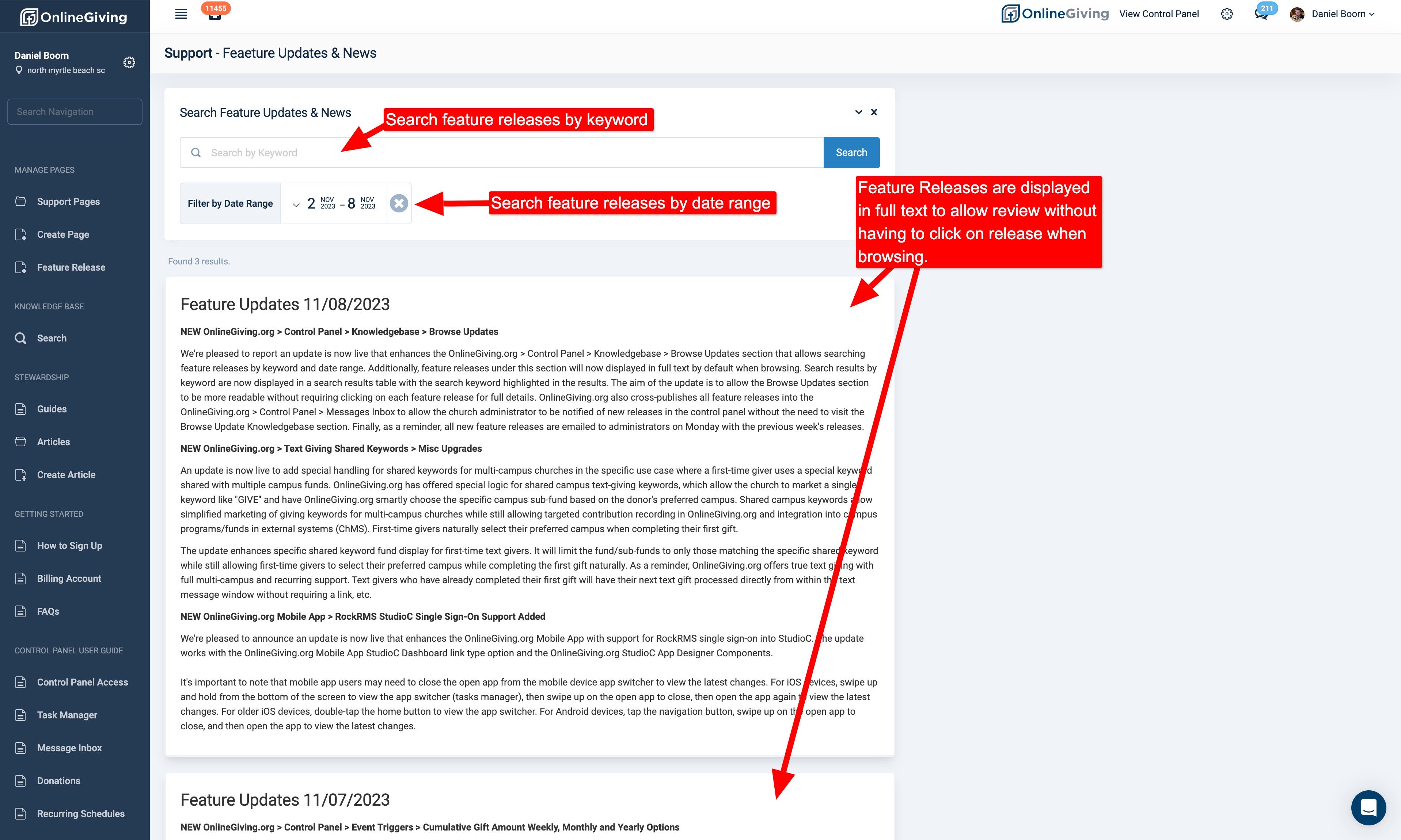
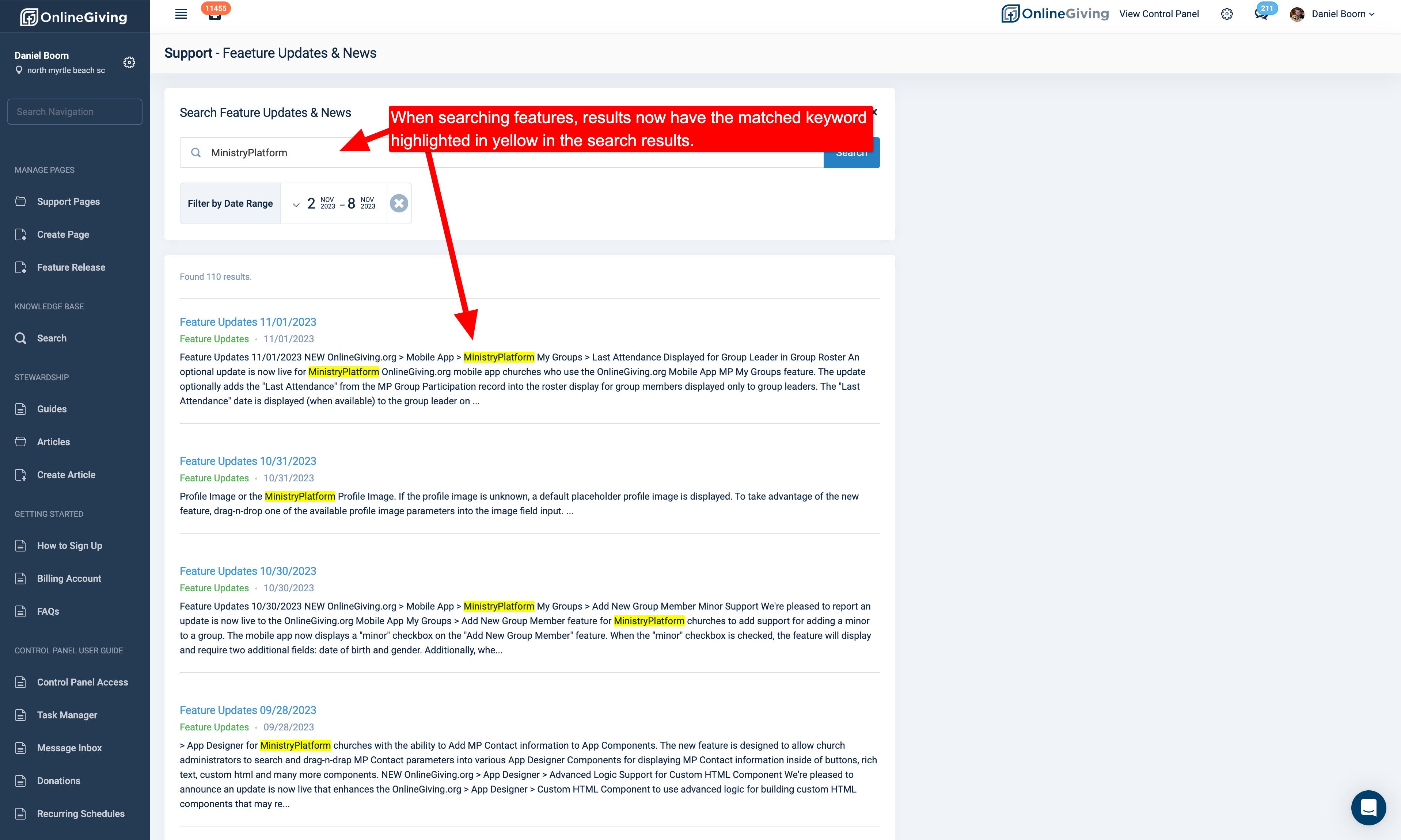
NEW OnlineGiving.org > Control Panel > Knowledge Base > Browse Updates
We're pleased to report an update is now live that enhances the OnlineGiving.org > Control Panel > Knowledge Base > Browse Updates section that allows searching feature releases by keyword and date range. Additionally, feature releases under this section will now displayed in full text by default when browsing. Search results by keyword are now displayed in a search results table with the search keyword highlighted in the results. The aim of the update is to allow the Browse Updates section to be more readable without requiring clicking on each feature release for full details. OnlineGiving.org also cross-publishes all feature releases into the OnlineGiving.org > Control Panel > Messages Inbox to allow the church administrator to be notified of new releases in the control panel without the need to visit the Browse Update Knowledge Base section. Finally, as a reminder, all new feature releases are emailed to administrators on Monday with the previous week's releases.
NEW OnlineGiving.org > Text Giving Shared Keywords > Misc Upgrades
An update is now live to add special handling for shared keywords for multi-campus churches in the specific use case where a first-time giver uses a special keyword shared with multiple campus funds. OnlineGiving.org has offered special logic for shared campus text-giving keywords, which allow the church to market a single keyword like "GIVE" and have OnlineGiving.org smartly choose the specific campus sub-fund based on the donor's preferred campus. Shared campus keywords allow simplified marketing of giving keywords for multi-campus churches while still allowing targeted contribution recording in OnlineGiving.org and integration into campus programs/funds in external systems (ChMS). First-time givers naturally select their preferred campus when completing their first gift.
The update enhances specific shared keyword fund display for first-time text givers. It will limit the fund/sub-funds to only those matching the specific shared keyword while still allowing first-time givers to select their preferred campus while completing the first gift naturally. As a reminder, OnlineGiving.org offers true text giving with full multi-campus and recurring support. Text givers who have already completed their first gift will have their next text gift processed directly from within the text message window without requiring a link, etc.
NEW OnlineGiving.org Mobile App > RockRMS StudioC Single Sign-On Support Added
We're pleased to announce an update is now live that enhances the OnlineGiving.org Mobile App with support for RockRMS single sign-on into StudioC. The update works with the OnlineGiving.org Mobile App StudioC Dashboard link type option and the OnlineGiving.org StudioC App Designer Components.
It's important to note that mobile app users may need to close the open app from the mobile device app switcher to view the latest changes. For iOS devices, swipe up and hold from the bottom of the screen to view the app switcher (tasks manager), then swipe up on the open app to close, then open the app again to view the latest changes. For older iOS devices, double-tap the home button to view the app switcher. For Android devices, tap the navigation button, swipe up on the open app to close, and then open the app to view the latest changes.