Feature Updates 11/25/2024
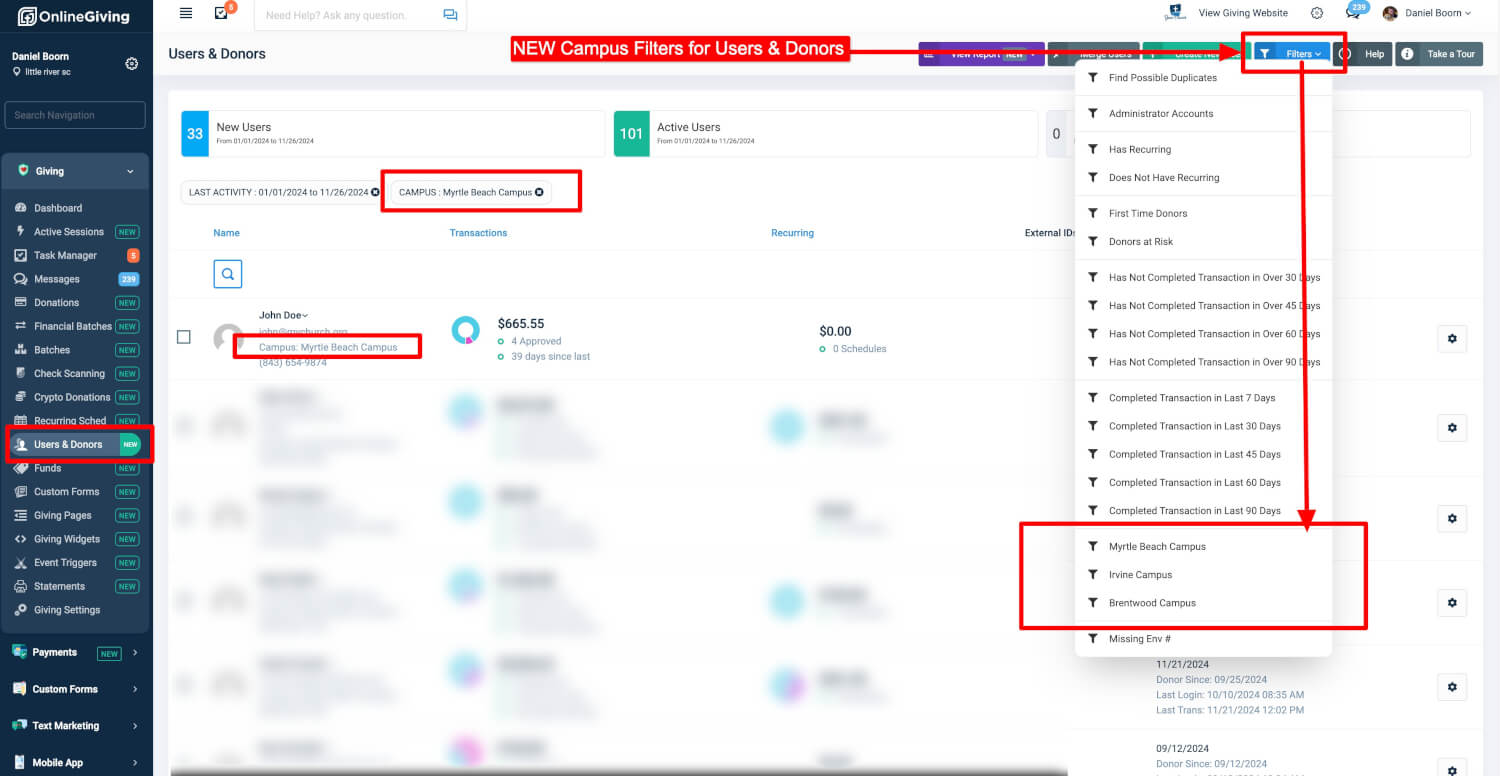
OnlineGiving.org Control Panel > Users & Donors: Introducing Campus Filters
We’re thrilled to announce a powerful new enhancement to the Users & Donors feature in the OnlineGiving.org Control Panel! This update enables church administrators to display donor campus information and introduces campus-based filtering options via the top-right filters dropdown menu.
This feature is particularly beneficial for multi-campus churches, providing administrators with the flexibility to filter users and donors by campus. Whether managing specific campuses or gaining deeper insights into donor engagement, this update streamlines your administrative tasks. Check out the preview below to see this new feature in action!
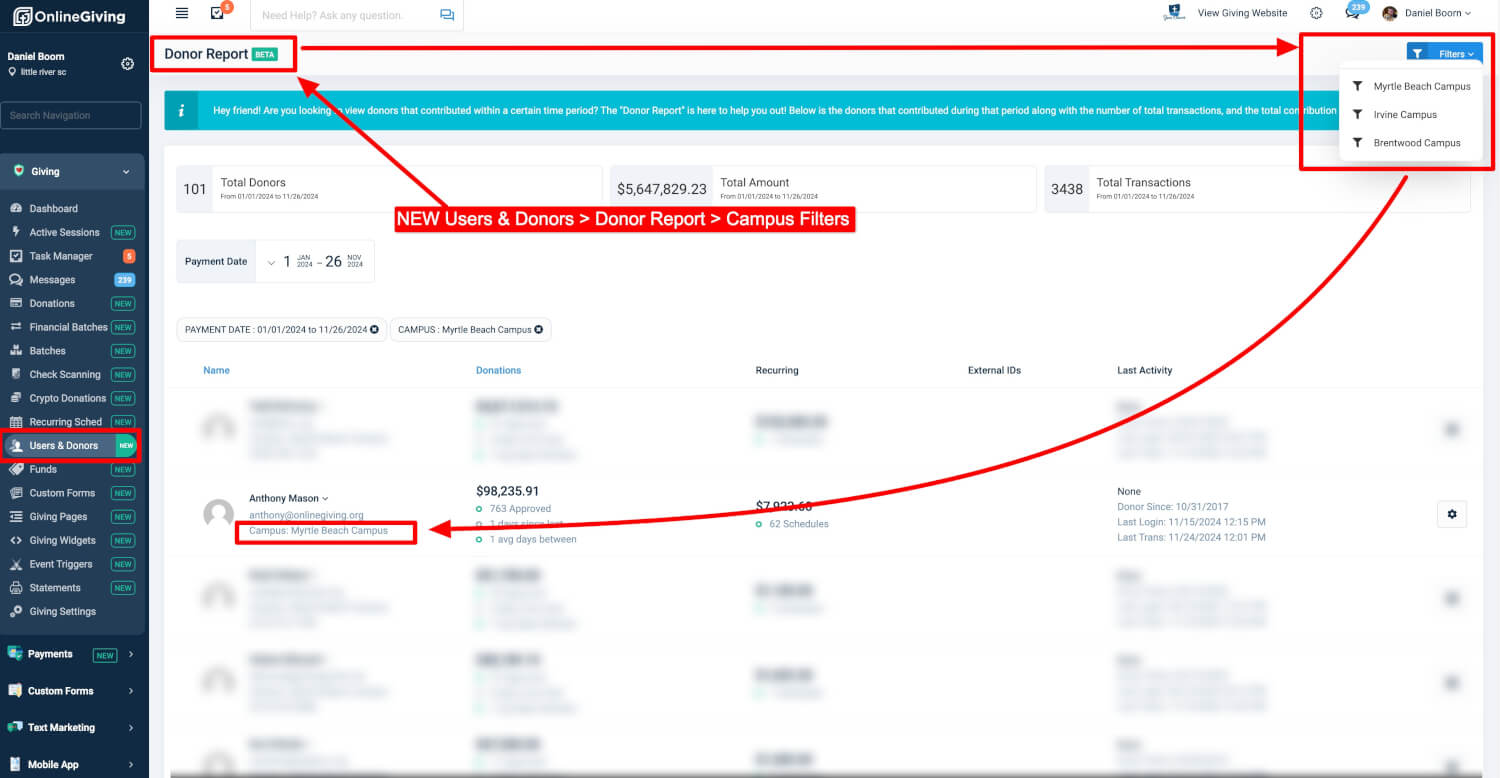
OnlineGiving.org Control Panel > Users & Donors > Donor Report: Campus Filters Now Available
We’re excited to announce the addition of campus filters to the Donor Report feature in the OnlineGiving.org Control Panel! This update allows church administrators to view donor campus information and apply campus-specific filters directly from the top-right dropdown menu.
For multi-campus churches, this new functionality simplifies reporting and provides a focused view of donor data by campus. Administrators can now easily tailor their donor management and reporting strategies to better serve their ministry goals. See the preview below for a closer look at this powerful enhancement!
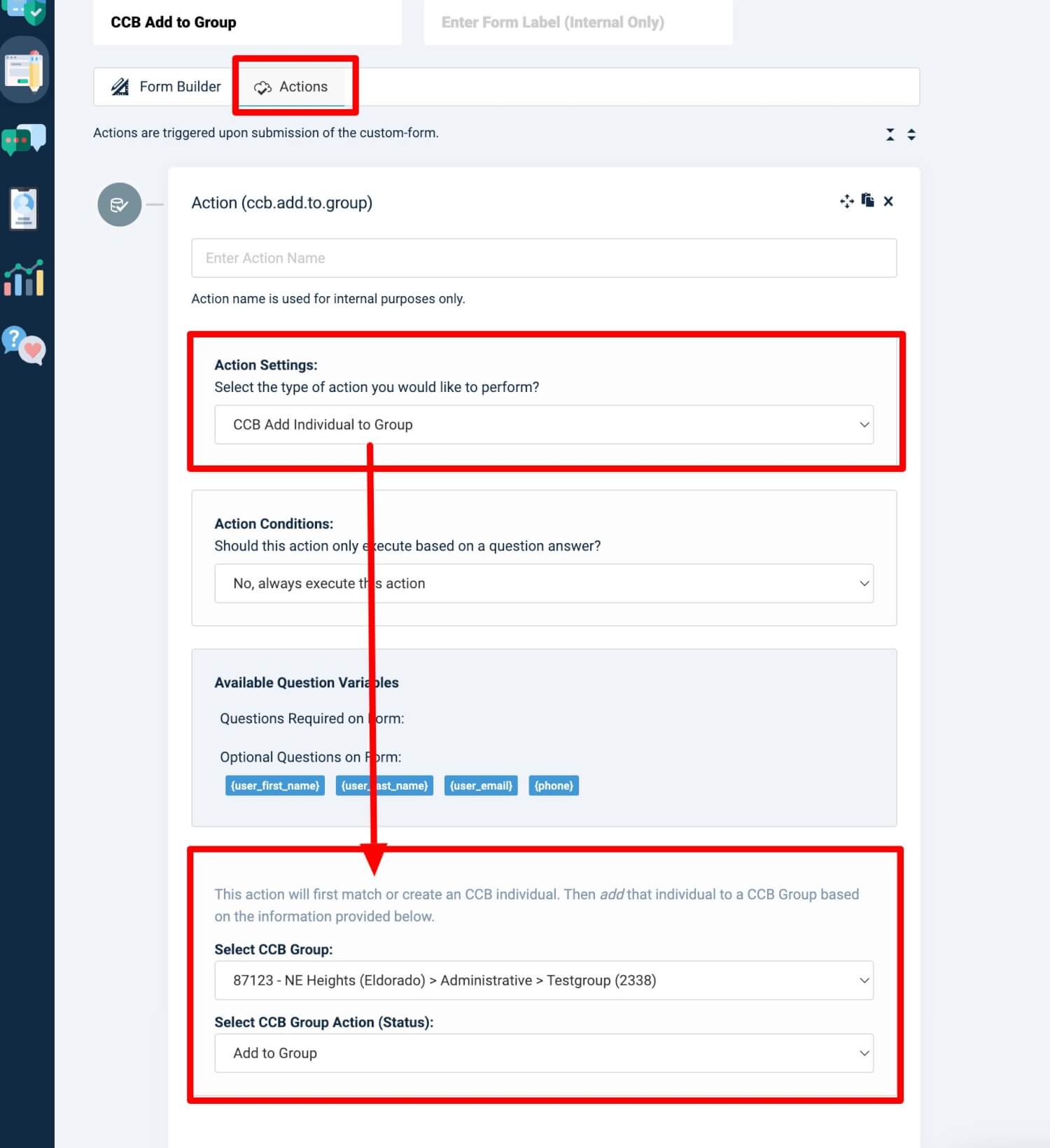
OnlineGiving.org Custom Form Builder: CCB Add to Group Action
We're excited to introduce a powerful new feature to the OnlineGiving.org Custom Form Builder, making it easier for church administrators to manage CCB groups seamlessly. This new action allows an individual to be added to a CCB group based on a custom form submission.
Key Details:
- Add an individual to a specific CCB group directly from form submissions.
- Select from the following Group Status options:
Add: Immediately join the group.Invite: Send an invitation to join.Request: Submit a request to join the group.
- Use this feature for workflows such as event registrations, volunteer sign-ups, or membership applications.
Key Benefits:
- Simplified Group Management: Automatically sync form submissions with CCB groups, reducing manual administrative tasks.
- Customizable Workflows: Tailor group assignment with a choice of group statuses to meet your church's specific needs.
- Improved Member Experience: Create a streamlined process for individuals to connect with church groups.
OnlineGiving.org Chatbot Builder: CCB Add to Group Action
We’re excited to introduce a powerful new feature to the OnlineGiving.org Chatbot Builder, making it easier for church administrators to manage CCB groups seamlessly. This new action enables the addition of an individual to a CCB group based on a chatbot interaction.
Key Details:
- Add an individual to a specific CCB group following a chatbot conversation.
- Choose a Group Status:
Add: Immediately join the group.Invite: Send an invitation to join.Request: Submit a request to join the group.
- Use chatbot interactions to automate follow-ups such as connecting new members, processing prayer requests, or handling event inquiries.
Key Benefits:
- Effortless Follow-Up: Use chatbot conversations to directly assign individuals to CCB groups, saving time.
- Enhanced Communication: Automatically integrate chatbot responses into CCB group workflows for smoother engagement.
- Flexible Onboarding: Customize how individuals are added to groups with the choice of statuses.
