Feature Updates 12/04/2025
New: Edit QuickEntry and Scanned Check Amounts
We’ve released an update that allows church administrators to correct the transaction amount on entries created through QuickEntry (cash, check, non-cash asset) and CheckScan. Amounts can now be edited directly within the transaction invoice. This enhancement makes it easy to fix entry errors after a transaction has already been recorded.
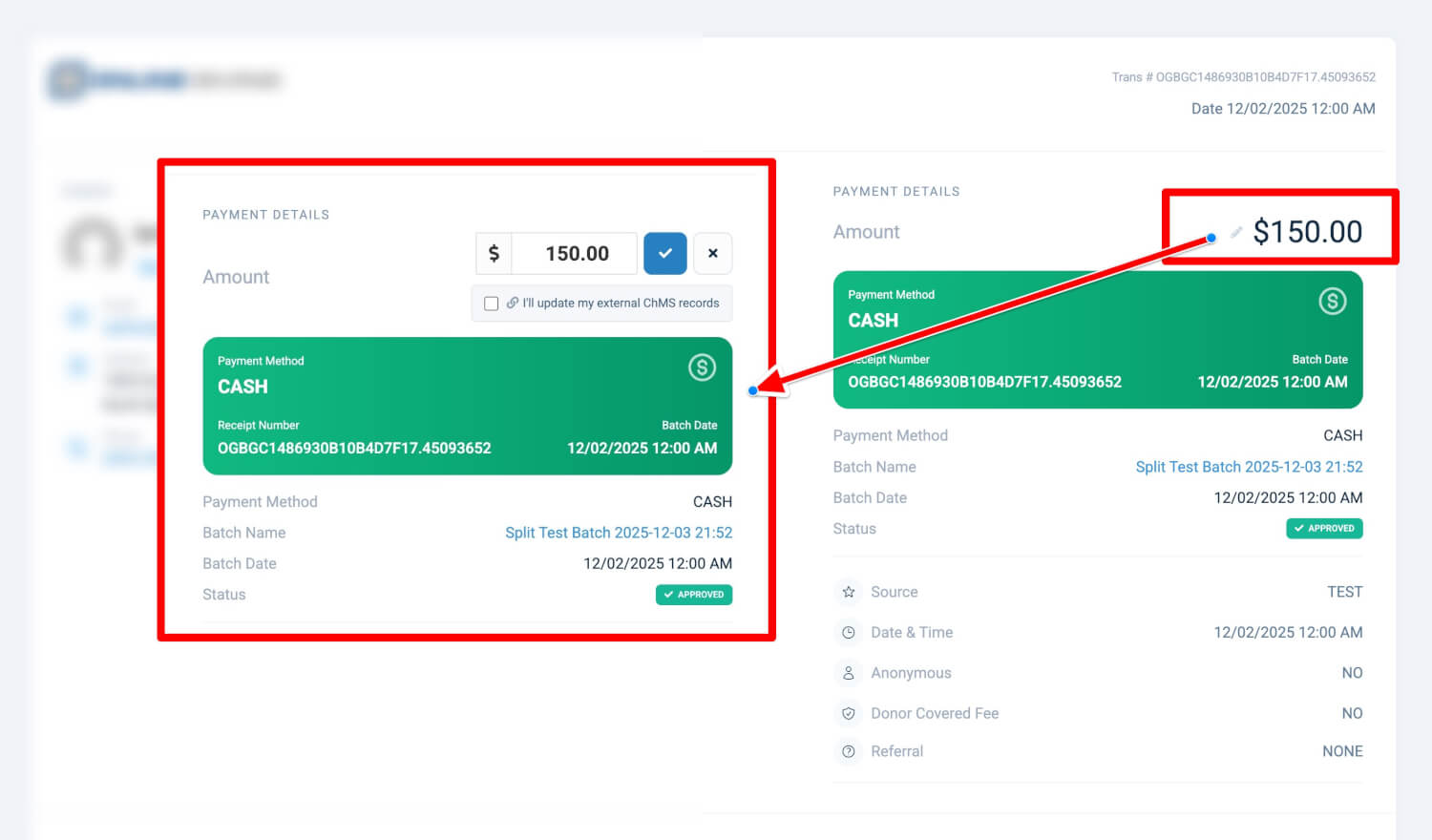
How to Edit a Transaction Amount
-
Go to Transactions in the admin panel.
-
Open any QuickEntry or CheckScan transaction to view its invoice.
-
Select the pencil icon next to the amount.
-
Enter the corrected amount and save.
NEW Scanned Checks Now Support Splitting After Recording
How to Split a CheckScan Transaction
-
Open the invoice for a CheckScan transaction.
-
Choose Split Transaction from the actions menu.
-
Add or adjust fund allocations as needed.
-
The system will ensure the split amounts match the total.
Technical Notes
-
Supported Transaction Types: QuickEntry and CheckScan (aCheck21)
-
Supported Payment Methods: Cash, Check, and Non-Cash Asset
-
Conditions: Transaction must be in Approved status
-
ChMS Integrations: Users will be prompted to acknowledge changes when an integration is active
Need Help?
If you have questions or need assistance, please contact our support team support@onlinegiving.org