Feature Updates 12/16/2024
New Confirmation Step for Organization-Based Transactions
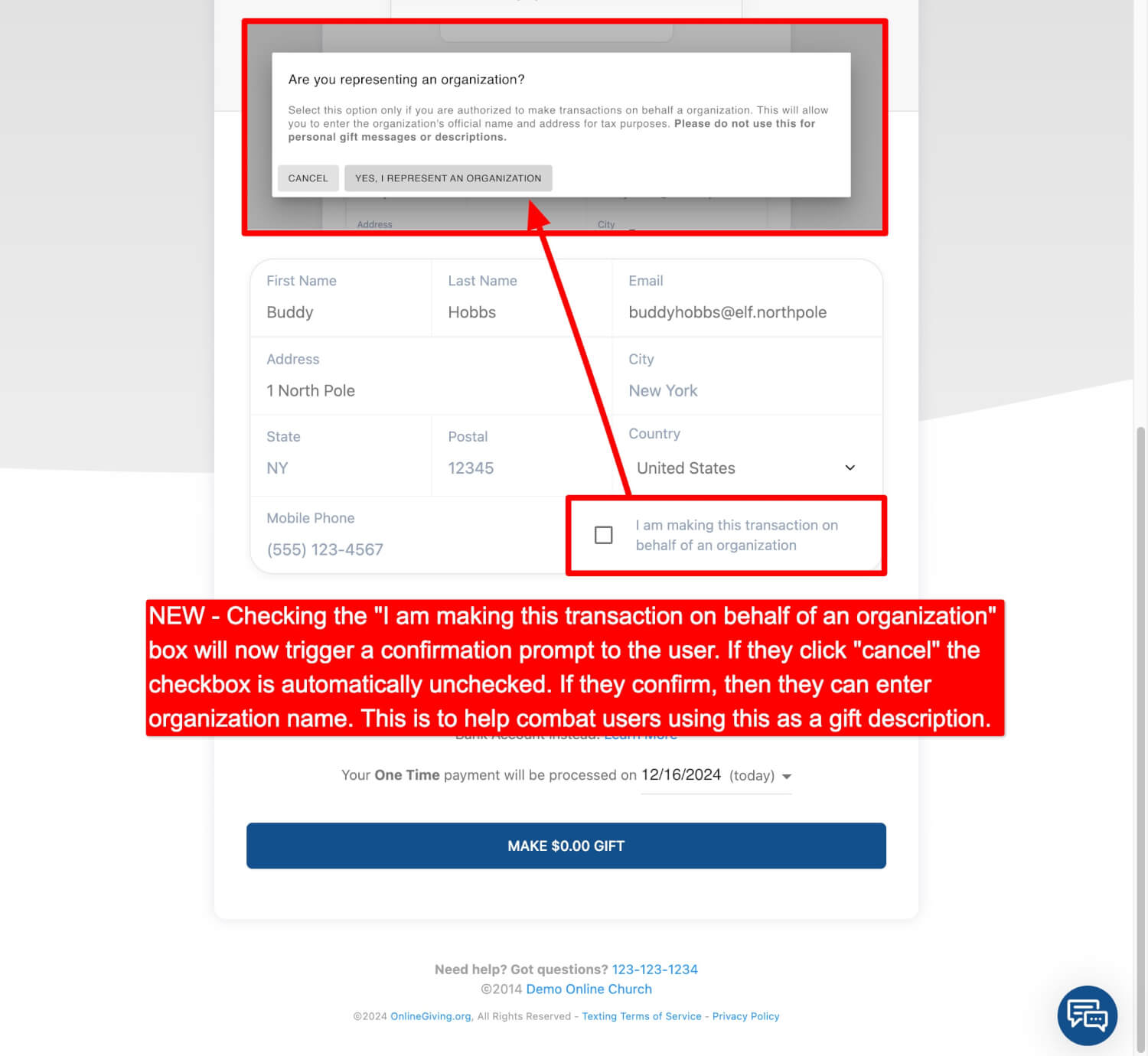
We've added a simple confirmation step to ensure transactions are correctly marked as being on behalf of an organization. Moving forward, when users check the box that says "I am making this transaction on behalf of an organization," a prompt will appear asking them to confirm with the following message:
Are you representing an organization?
Select this option only if you are authorized to make transactions on behalf a organization. This will allow you to enter the organization's official name and address for tax purposes. Please do not use this for personal gift messages or descriptions.
If they choose "Cancel," the box will automatically uncheck preventing the user from being flagged as a organization. However, if they confirm, they can continue by entering the organization’s name. This change helps prevent the misuse of this option for personal gifts, keeping records clear and accurate. This feature is now active for all customer accounts. Please see below for an example of the new feature.
Preview of New Org Confirmation Modal