Feature Updates 12/17/2025
New Feature: Edit Approved Stock Donation Details
A new update is now available to help church administrators maintain accurate contribution records.
Donation administrators may now edit an approved stock, bond, or mutual fund gift to correct the quantity or total USD value when a human or administrative entry error is discovered after approval.
This enhancement allows corrections to be made without reversing or re-entering the donation.
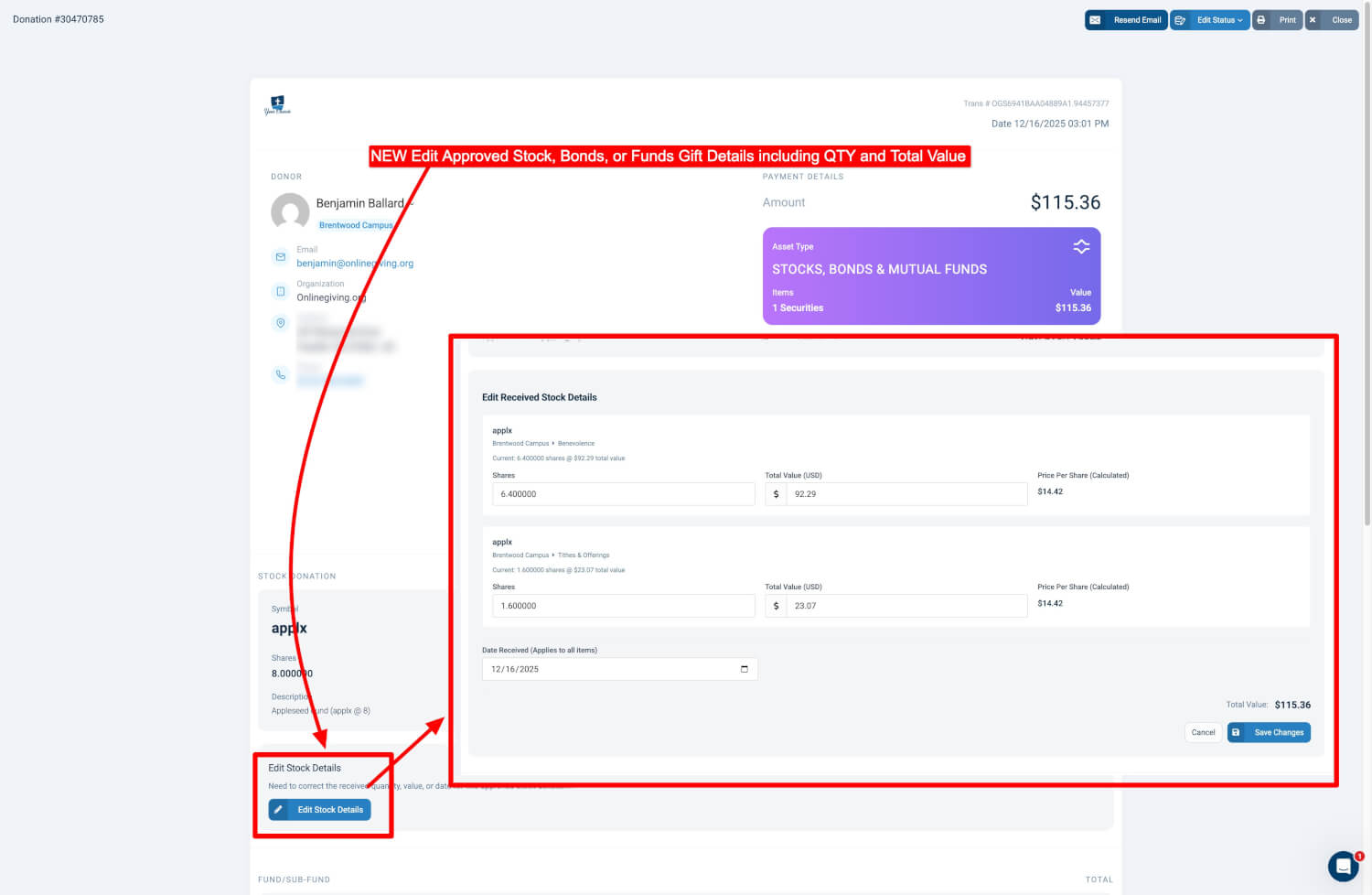
What Can Be Edited
-
Quantity
-
Total USD value
-
Date received, if applicable
This feature is intended only for correcting entry errors after a gift has already been approved. It is not designed for donor initiated changes or valuation adjustments outside the original receipt context.
Please note this feature is in addition to the existing split donation feature.
How to Edit an Approved Stock Donation
-
Log in to the Control Panel
-
Navigate to Donations
-
Locate the donation that needs correction
-
You may search by donor name, donation ID, or date
-
-
Click the donation to open the donation details page
-
Scroll to the Stock Donation section
-
Click Edit Stock Details
-
Update the appropriate fields
-
Quantity
-
Total USD value
-
Date received, if applicable
-
-
Review the recalculated values
-
Click Save Changes
All updates take effect immediately and are reflected in contribution records.
Permissions and Best Practices
-
Only users with appropriate administrative permissions can edit approved stock donations
-
This feature should be used sparingly and only to correct legitimate entry errors
-
Churches are encouraged to document the reason for any changes for audit purposes